In this article
Key Takeaways
- Front is the best shared inbox for teams running many addresses and channels, from $25 per seat per month billed annually. Hiver, Gmelius and Drag keep the team inside Gmail, with Drag cheapest at $12 per user per month billed yearly.
- Help Scout has the best free plan (5 users, 1 inbox), Missive is the best-value standalone client at $14 per user billed yearly, and Trengo and JustCall suit WhatsApp and SMS.
- Front and Help Scout have native Albato connectors that turn new conversations into CRM deals. HubSpot's connector creates or updates contacts, deals and tasks.
A shared inbox lets a team answer support@ or sales@ together, with owners, internal notes and collision detection on normal email threads, and without the ticket numbers of a helpdesk. Service leaders report pressure from executives to add AI to customer service, and Hiver, Front, Drag and Help Scout already sell AI assistants inside their inboxes.
How we picked these shared inbox tools
We selected nine tools that let two or more people work the same email address without forwarding, CC chains or shared passwords. Every tool had to offer assignment, internal comments on a conversation and a way to see who is replying, so two teammates do not answer the same customer twice. It also had to publish self-serve pricing, so a small team can compare costs and start without a sales call.
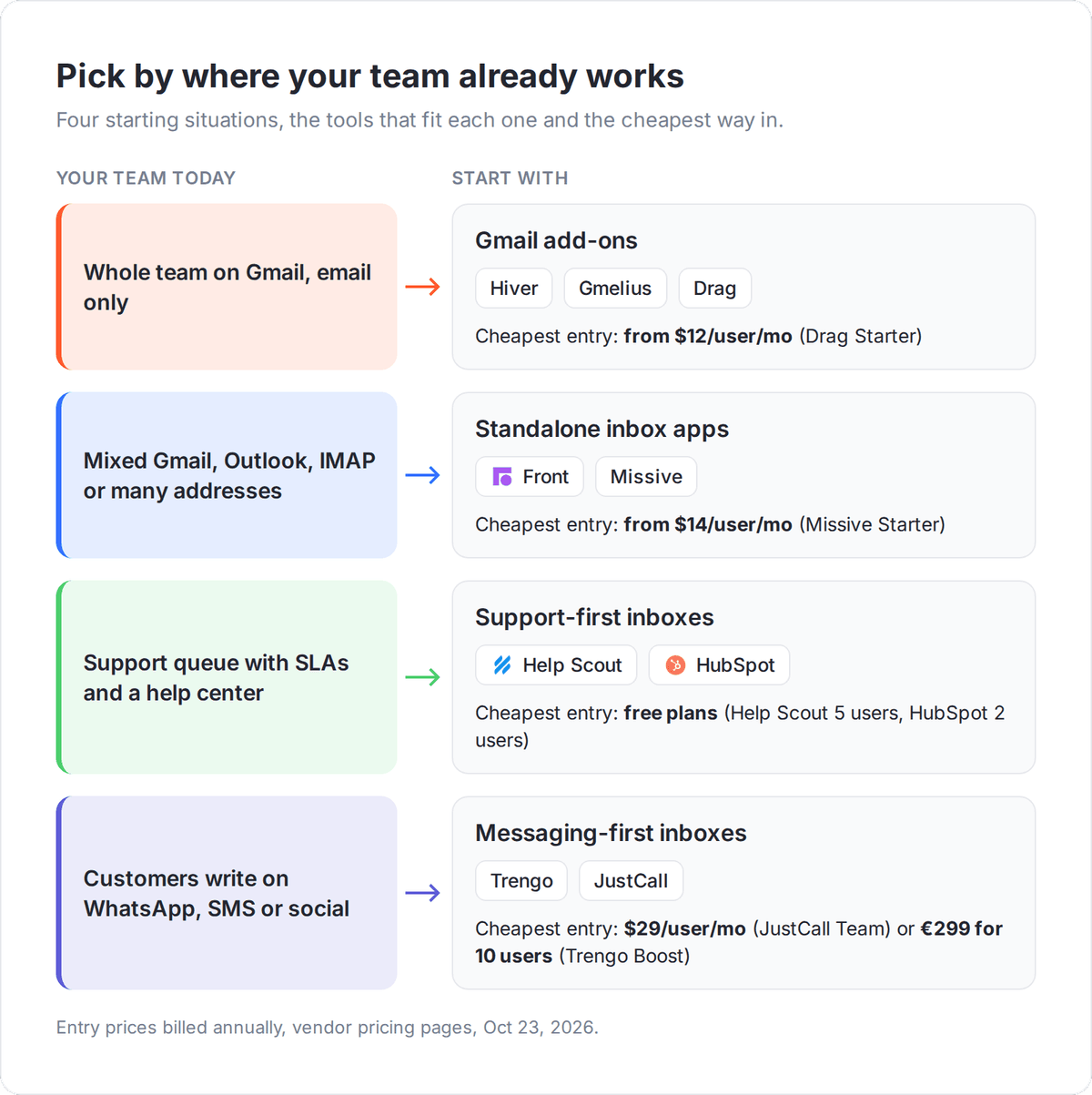
We grouped the tools by where the inbox lives, because that decides how much your team has to change its habits. Some tools run inside Gmail, some replace your email client, some come from a support background, and some start from WhatsApp and SMS. For each one we checked how it connects to a CRM, natively in Albato or through a mailbox or webhook route.
Prices come from each vendor's official pricing page as of October 23, 2026, and are per user per month unless noted. Trengo lists prices in euros.
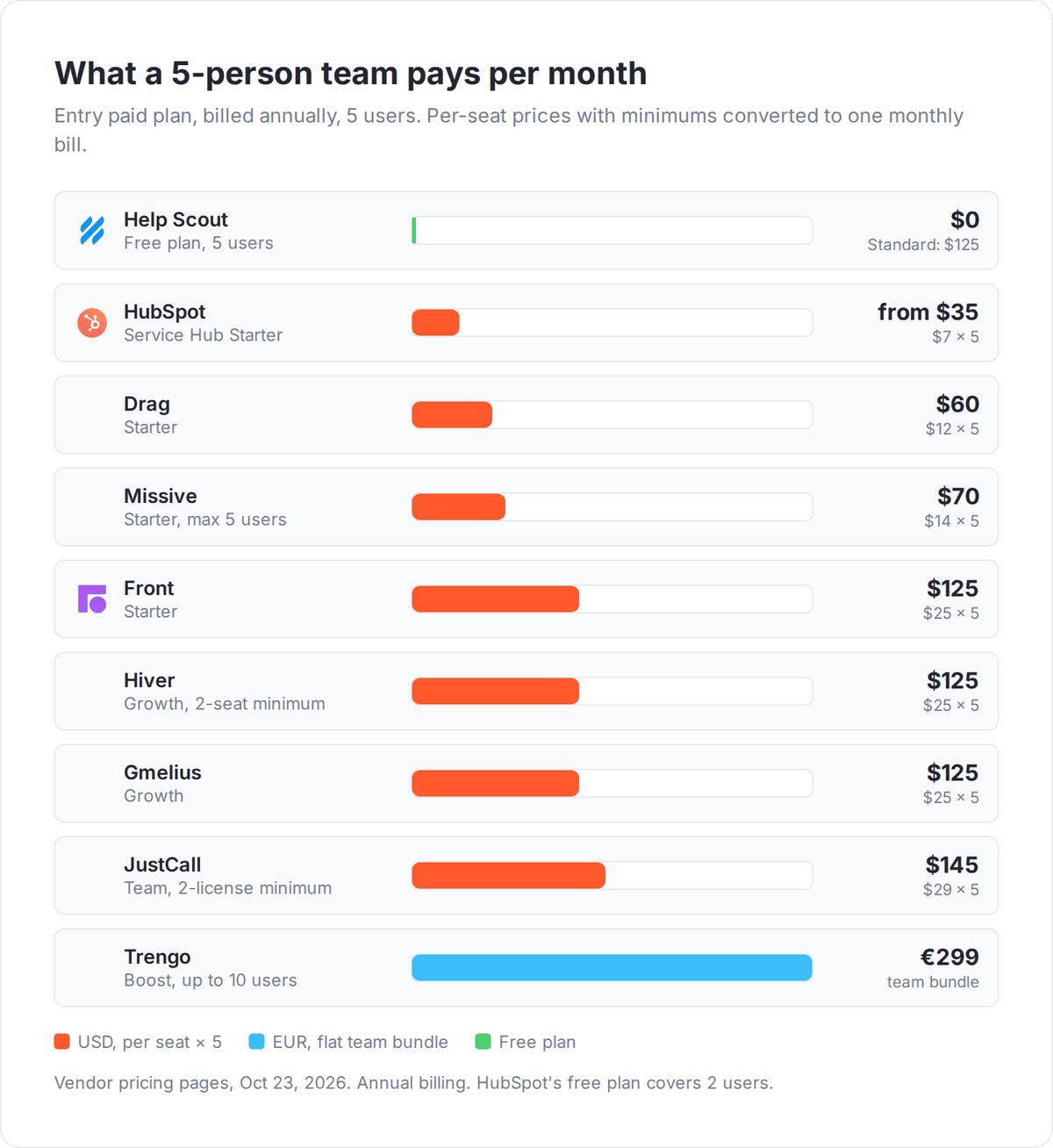
Shared inbox software compared
Prices below are the entry paid plan, billed annually unless the cell says otherwise.
| Tool | Where the inbox lives | Best for | Entry price | Free plan or trial | Albato route |
|---|---|---|---|---|---|
| Hiver | Inside Gmail, or standalone (Hiver Omni) | Gmail teams that want support features | $25/user/mo ($35 monthly), 2-seat minimum | 7-day trial | Gmail or Outlook mailbox trigger |
| Gmelius | Inside Gmail | Gmail teams that want shared labels and kanban boards | $25/user/mo ($33 monthly) | 7-day trial | Gmail trigger; webhooks on Pro |
| Drag | Inside Gmail | Small teams on a tight budget | $12/user/mo ($16 monthly) | 7-day trial | Gmail trigger |
| Front | Standalone app | Multi-inbox teams at scale | $25/seat/mo, up to 10 seats | 14-day trial | Native connector |
| Missive | Standalone email client | Small teams that also want internal chat | $14/user/mo, up to 5 users | 30-day trial | Webhook rule on Productive |
| Help Scout | Support-first inbox | Customer support teams | Free for 5 users; Standard $25/user/mo | Free plan | Native connector |
| HubSpot | Inbox inside the CRM | Teams already on HubSpot CRM | Free for up to 2 users; Starter from $7/seat/mo | Free plan | Native connector |
| Trengo | Messaging-first inbox | WhatsApp and social-heavy teams | €299/mo for 10 users | Free trial | Webhooks |
| JustCall | Phone, SMS and WhatsApp inbox | Phone-first sales and support teams | $29/user/mo, 2-license minimum | 14-day trial | No connector |
Which shared inbox works inside Gmail?
Hiver, Gmelius and Drag are the three shared inbox tools that run inside Gmail, so your team keeps its Gmail tabs, labels and search while adding assignments and notes. They suit Google Workspace teams that tried Google Groups' collaborative inbox and found it too thin, and the team can test them without learning a new app.
Hiver: the most support-ready Gmail inbox
Hiver turns a Gmail address like support@ into a shared inbox with owners, statuses, SLAs and CSAT surveys, which makes it the closest a Gmail add-on gets to a helpdesk. It comes in two editions at the same price: Hiver in Gmail, and Hiver Omni, a standalone workspace that also connects Outlook and other email providers and adds live chat, Slack, voice and WhatsApp.
Hiver has no native Albato connector. Hiver in Gmail sits on your Google mailbox, so Albato's Gmail triggers, such as Email received or Email matching search received, can watch support@ if it is a mailbox you can sign in to.
Growth costs $25 per user per month billed annually or $35 monthly, with the shared inbox, AI Copilot, rule-based automations and basic integrations such as Slack. Pro at $55 annually or $65 monthly adds premium integrations with CRMs, Asana and Shopify, plus API access. Elite at $85 adds skill-based routing and rules that move emails from personal inboxes into shared ones.
⚠️ Important
Hiver sells seats in fixed steps: 2, then 5, then increments of 5. A 7-person team pays for 10 seats, or $250 a month on annual Growth.
Gmelius: shared Gmail labels and kanban boards
Gmelius fits Gmail teams that think in boards and labels rather than queues. It adds unlimited shared inboxes, shared Gmail labels, kanban board views and shared drafts, and every email stays a normal Gmail thread.
Gmelius has no native Albato connector. On Growth, Albato's Gmail trigger Email with selected tag received can fire on a shared Gmail label. On Pro, Gmelius webhooks can post events to Albato's Webhooks trigger, Incoming webhook, which then creates the CRM record or Slack alert.
Growth costs $25 per user per month billed yearly or $33 monthly, and covers up to 50 users and 10,000 email conversations a month with automation rules and auto-assignments. Pro at $40 yearly or $50 monthly adds AI dispatching assistants, CRM integrations with HubSpot and Salesforce, webhooks and 100,000 conversations a month. Enterprise needs at least 50 users. The 7-day trial runs on the Growth plan.
Drag: the lowest-cost Gmail shared inbox
Drag is the lowest-priced Gmail shared inbox in this list, with Starter at $12 per user per month billed yearly or $16 monthly, unlimited users and no seat minimums. It presents shared inboxes as boards in kanban, list or preview views, and Starter already includes a help center, live chat, assignments, email templates and 10 automation rules.
Drag has no native Albato connector, and it keeps every email in Gmail, so the Albato Gmail trigger on the shared address is the practical integration path on any plan.
Plus at $18 yearly or $22 monthly adds Varley, Drag's AI assistant, with drafts, summaries, classification and sentiment, plus unlimited automation rules. Pro at $24 yearly or $30 monthly adds a WhatsApp channel, round-robin assignment, SLA rules, custom fields, and API and MCP access. Starter keeps 3 months of reports, Plus 6 months and Pro 12 months. The 7-day trial gives full Pro access with no card required.
Which shared inbox replaces your email client?
Front and Missive replace your email client with their own app. That is the better choice when your team uses a mix of Gmail, Outlook and IMAP accounts or wants personal and shared mail in one place. Both load your existing addresses, so customers keep writing to the same support@ or sales@.
Front: built for many shared addresses across teams
Front suits companies that run many shared addresses across several teams, with workspaces to separate support, sales and finance inboxes. Guest accounts let colleagues outside your plan comment on a conversation without a paid license, which helps when an account manager needs input from legal or engineering.
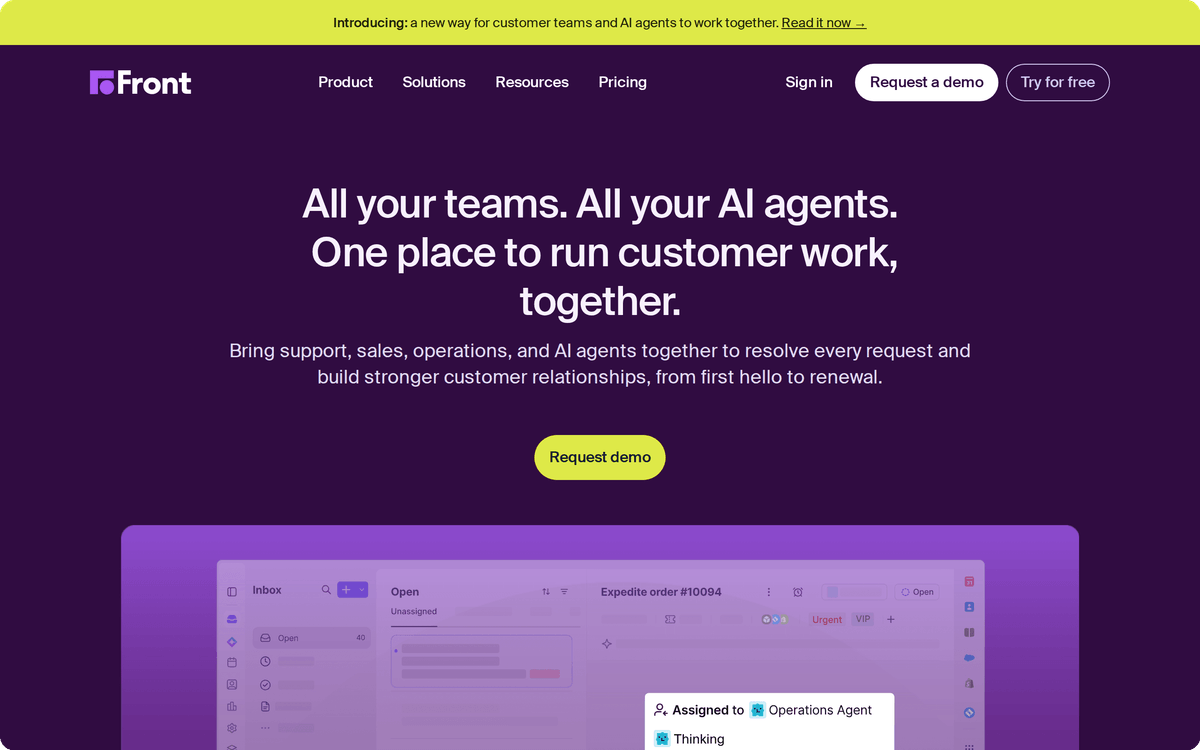
Front has a native Albato connector: the Front app triggers on Incoming message received or Outgoing message sent, and can create messages, replies and draft replies as actions. A new inbound email can create a deal in Pipedrive and post a summary in Slack in one scenario.
Starter costs $25 per seat per month billed annually for up to 10 seats and covers one channel type, shared inbox with ticketing, up to 10 automation rules and basic analytics. Professional at $65 for up to 50 seats adds email, SMS, social and WhatsApp in one place, up to 5 workspaces, and SSO. Enterprise at $105 includes unlimited rules, AI Copilot, QA and CSAT. Copilot is a $20 per seat add-on on Starter and Professional, and the Autopilot AI agent is billed separately from $0.05 per conversation. The 14-day free trial includes Professional features and needs no credit card.
Missive: shared email plus internal chat for small teams
Missive combines team inboxes, personal inboxes and internal chat in one desktop, web and mobile app. A small team can discuss an email in a thread next to it instead of in a separate chat tool. It handles email, SMS and social accounts, and each user can connect up to 10 personal accounts and 5 shared accounts.
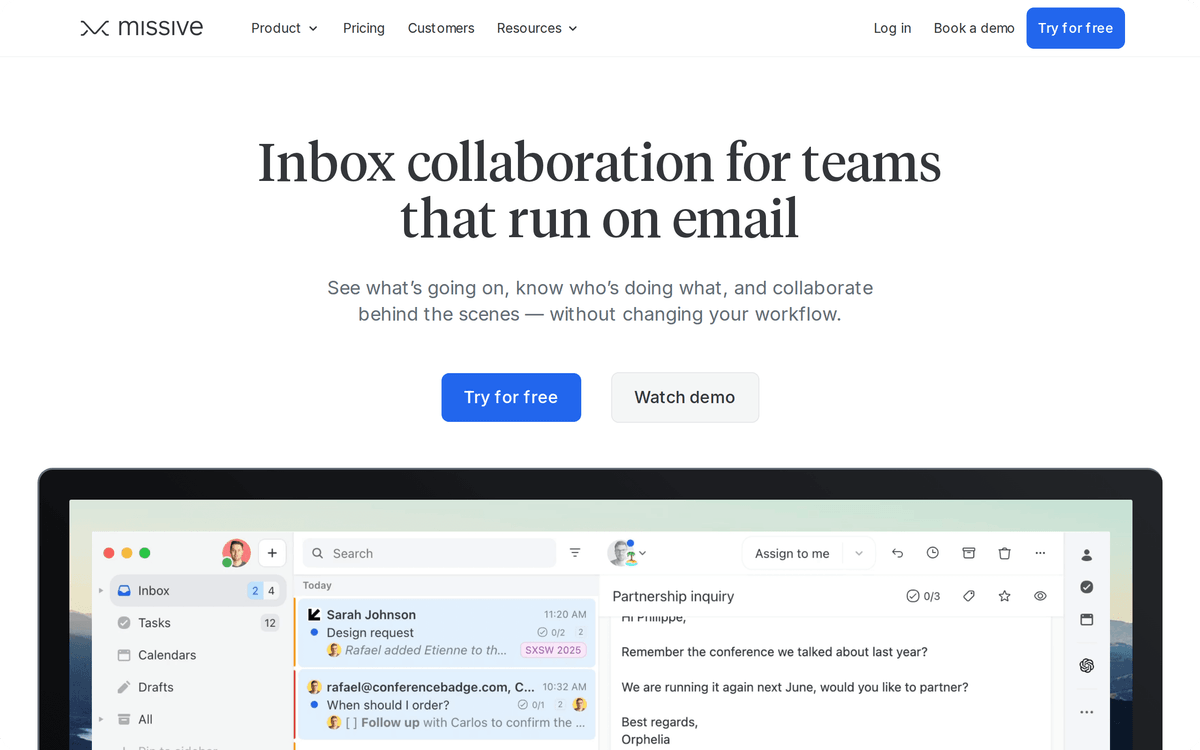
Missive has no Albato connector, but on Productive and Business a rule can send incoming emails, outgoing emails and label changes as a webhook to Albato's Incoming webhook trigger.
Starter costs $14 per user per month billed yearly for up to 5 users. Productive at $24 raises the limit to 50 users and adds rules, integrations with tools such as HubSpot, ClickUp and Dialpad, basic analytics, and API and MCP access. Business at $36 adds SAML SSO, IP restrictions and advanced analytics. AI drafts and summaries run on Missive AI credits or on your own AI provider key. The 30-day free trial of Productive needs no credit card.
Which shared inbox is best for customer support teams?
Help Scout and HubSpot are the shared inboxes built by support and CRM vendors, so each conversation sits next to the customer's profile and history while the agent screen still looks like email. Help Scout suits teams that want a dedicated support product, and HubSpot suits teams whose sales and marketing already live in HubSpot CRM. For full ticketing with escalation tiers, our helpdesk software guide compares dedicated platforms.
Help Scout: the best free shared inbox for support
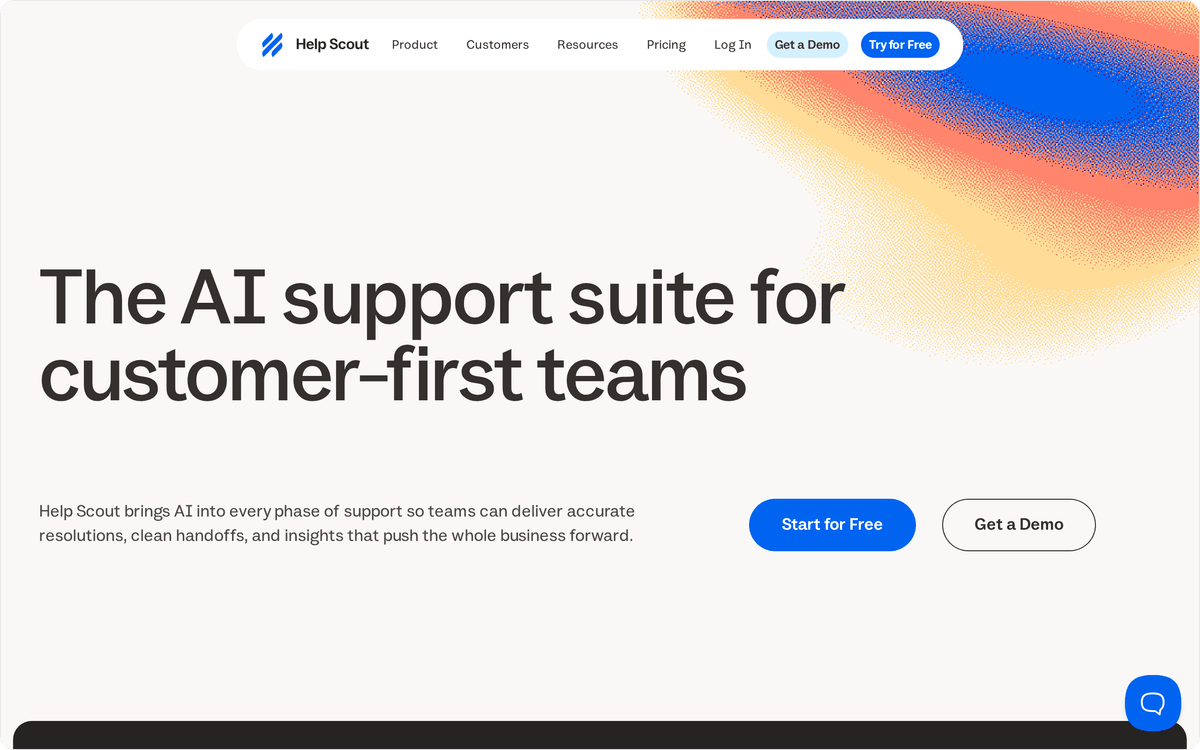
Help Scout gives small support teams the strongest free entry point: 5 users, 1 inbox, 1 Docs knowledge base site, 10 saved replies and 100 contacts a month. Agents see customer profiles and conversation history in a sidebar, and can snooze or schedule replies.
💡 Tip
Help Scout's free plan counts contacts, not conversations. A shop answering 100 different customers in a month hits the cap, even if each writes once.
The Help Scout app in Albato is a native connector that triggers on Conversation created, Conversation assigned and Tags updated, and its actions create customers and conversations. A conversation tagged "upgrade" can create a deal in HubSpot and alert the account owner.
Standard costs $25 per user per month billed annually for up to 25 users and 2 inboxes, plus $10 a month per extra inbox. It adds live chat, SMS, WhatsApp, Instagram and Messenger, one basic SLA policy and unlimited tags. Plus at $45 adds round-robin routing, unlimited AI drafts, and integrations with Salesforce, Jira and HubSpot. Pro at $75 needs at least 10 users and adds SSO and HIPAA compliance. The Envoy AI assistant costs $0.75 per resolution, with a 3-month free trial.
HubSpot: a shared inbox inside your CRM
HubSpot's conversations inbox puts team email and chat next to the contact record, so whoever replies sees deals, past emails and lifecycle stage without switching tools. It is available on all HubSpot plans, including the free plan for up to 2 users. Connecting a team address like info@ lets the whole team view and reply in one place.
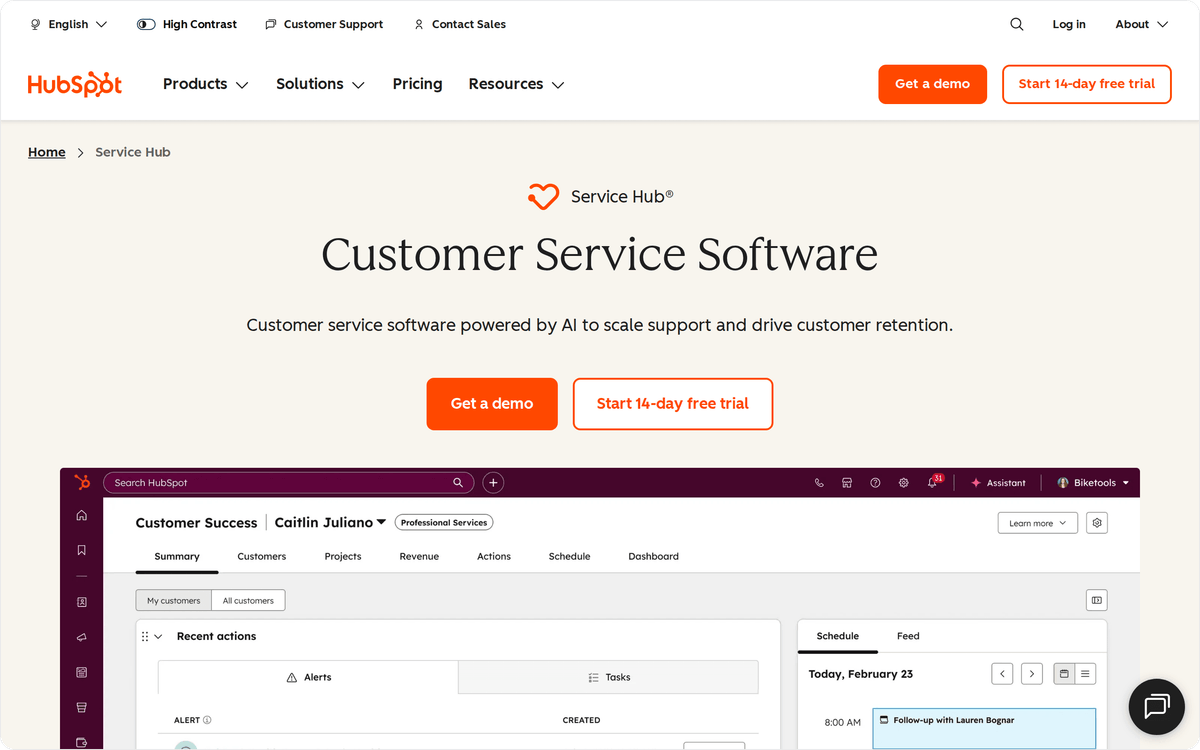
HubSpot has a native Albato connector with triggers such as Contact added, Ticket created and Email logged, and actions that create or update contacts, deals and tasks.
Service Hub Starter starts at $7 per seat per month on HubSpot's pricing page. Creating more than one conversations inbox requires Professional or Enterprise, and automatic routing of emails to specific users requires an assigned Sales or Service seat. HubSpot accounts created after April 1, 2024 cannot create tickets from inbox channels and use the separate help desk workspace for ticketing.
Which shared inbox handles WhatsApp and SMS best?
Trengo and JustCall are the strongest choices when customers message you on WhatsApp, SMS or social more often than by email. Both put those channels into one shared view with assignment, so a WhatsApp question gets an owner the same way an email does. For website chat widgets, see our live chat software comparison.
Trengo: an omnichannel inbox priced by conversation
Trengo handles email, WhatsApp Business API, Instagram and Facebook from one shared inbox, and it prices by team bundle and conversation volume instead of only by seat. Trengo counts a conversation as any reply to a customer message within a 7-day window, so a long back-and-forth on WhatsApp over 3 days counts once.
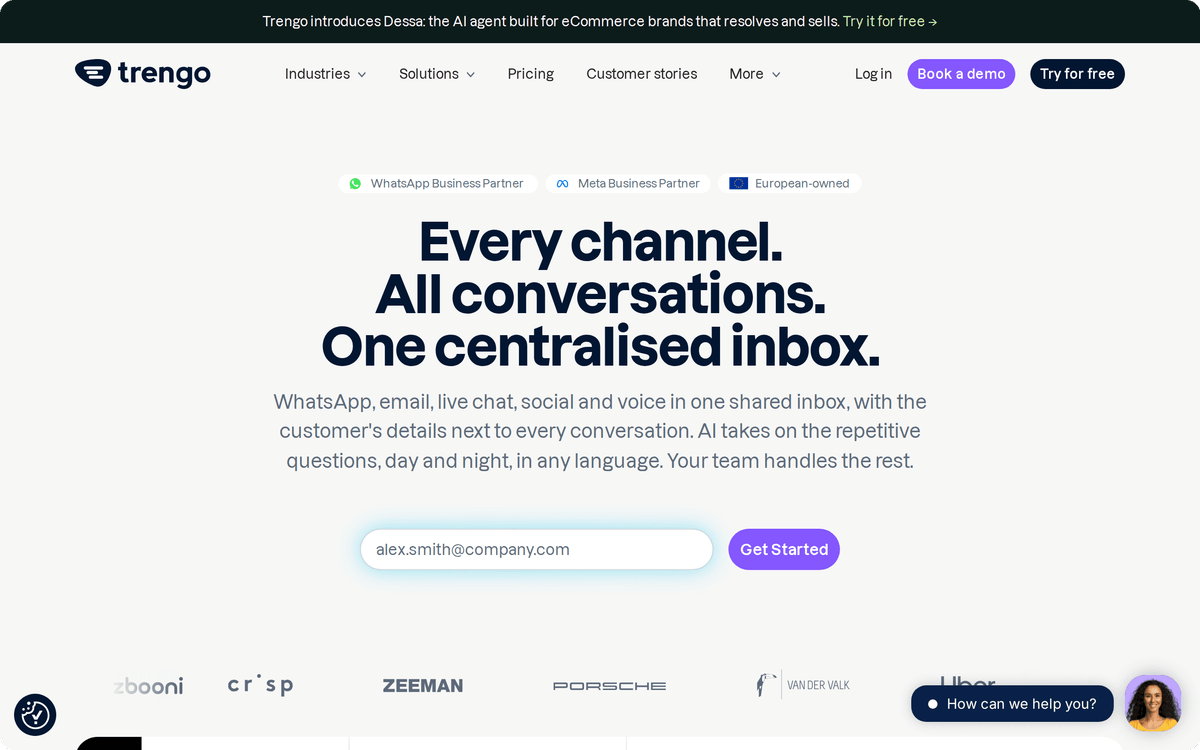
Trengo has no native Albato connector, but its webhooks fire on inbound and outbound messages and can feed Albato's Incoming webhook trigger. Confirm which Trengo plan includes webhooks before you build on them.
Boost costs €299 a month billed annually for 10 users and 6,000 conversations a year, or €349 monthly with 500 conversations a month. Pro costs €499 annually for 20 users and 18,000 conversations a year, and adds API-based integrations. Extra users cost €25 a month on Boost and €40 on Pro with annual billing.
JustCall: a shared SMS and WhatsApp inbox for phone-first teams
JustCall starts from the business phone system and adds an SMS and MMS inbox and a shared WhatsApp inbox, so teammates can work the same number together. It suits sales and support teams that work mostly through calls and texts, with most customer conversations outside email.
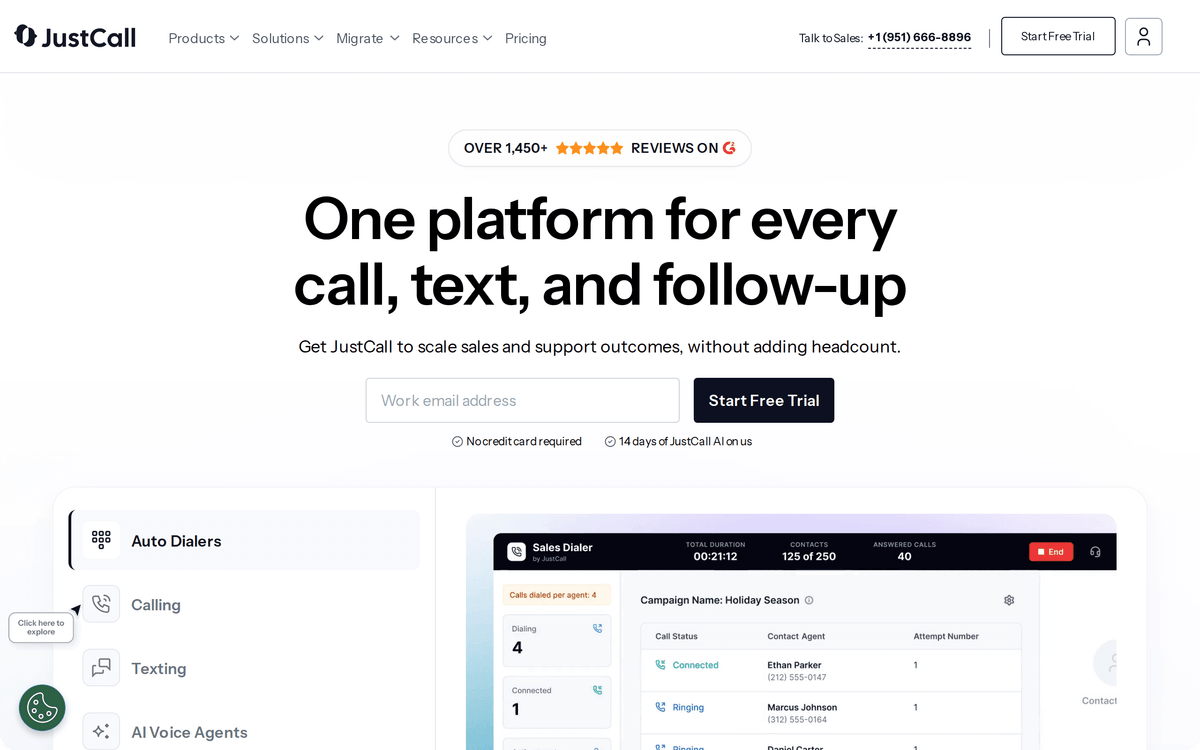
JustCall has no Albato connector today, so plan CRM sync through its own integrations: JustCall integrates natively with CRMs such as HubSpot, Salesforce and Pipedrive.
Team costs $29 per user per month billed annually, Pro $49 and Pro Plus $89, all with a 2-license minimum, and Business is custom. A shared email inbox appears only on JustCall's custom-priced tiers. The 14-day free trial needs no credit card.
How is a shared inbox different from a helpdesk or live chat?
A shared inbox is team email with ownership: customers write to a normal address, and your team sees who owns each thread, adds internal notes and replies from the same address. A helpdesk turns each request into a numbered ticket with priorities, escalation tiers and a customer portal. Live chat is a real-time widget on your website.
The customer sees the difference: a shared inbox reply looks like a personal email from a named person, while a helpdesk reply often carries a ticket ID and portal link. That format suits account management, sales inboxes, finance and operations teams, as well as smaller support teams.
📊 Stat
In a Gartner survey of 3,566 customers in early 2026, 87% said companies using GenAI for service must offer a way to reach a human agent.
Some tools in this list cover more than one category. Front Starter and Hiver Growth include ticketing, and Help Scout adds live chat on Standard. If you need AI to answer routine questions before a person sees them, our guide to AI chatbots for customer service covers that layer.
How do you connect a shared inbox to your CRM?
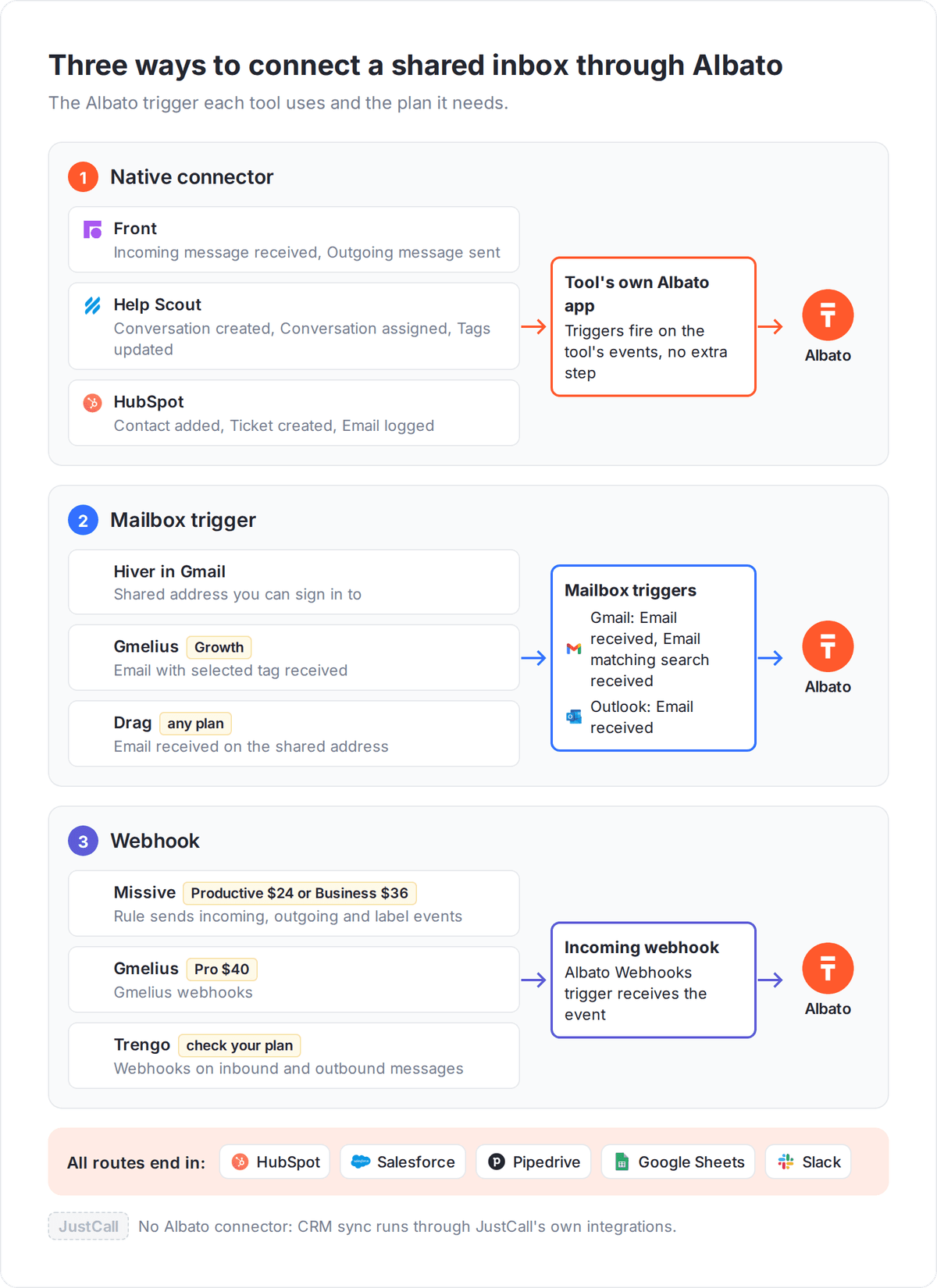
You connect a shared inbox to your CRM with an automation that runs on each new conversation and creates or updates the matching contact, deal or task. With Albato, that takes one of three routes, depending on the tool.
The first route is a native connector. Front, Help Scout and HubSpot have Albato apps, so a new Front message or a new Help Scout conversation starts a scenario directly. The second route is the mailbox itself. Gmail-based tools keep every email in Gmail, so Albato's Gmail triggers, or the Microsoft Outlook trigger Email received, can watch the shared address. The third route is a webhook. Missive on Productive, Gmelius on Pro and Trengo can post events to Albato's Incoming webhook trigger.
Each route ends in the same actions: create a contact in HubSpot or Salesforce, add a row to Google Sheets, or post to Slack.
What should you automate first from a shared inbox?
Start with the handoff that costs your team the most manual copying, usually turning a new inbound email into a CRM record. A sales@ inbox that creates a Pipedrive deal for every new sender stops leads from waiting in an unread thread over a weekend.
The second automation worth building is a Slack alert for high-value conversations. A Help Scout tag such as "enterprise" or a Front message from a key account domain can post to a private Slack channel. The alert carries the sender, subject and a link, so the account owner sees it without opening the inbox.
🔧 How it works
An Albato scenario has one trigger and one or more actions, and each action can reuse fields from the trigger. A Front message can supply the sender's email, name and subject to a HubSpot contact and a Slack message in the same run.
The third automation is a log: a Google Sheets row per conversation gives finance or ops a simple record of request volume by address without paying for an analytics tier.
How should you choose a shared inbox?
Choose by where your team already works, then by the channels your customers use. Teams fully on Gmail with email-only traffic should test Drag first at $12 per user billed yearly, then move to Hiver if they need SLAs and CSAT. Gmelius fits Gmail teams that work in boards and labels. Teams on mixed email providers should compare Missive for up to 5 users at $14 and Front once they need workspaces across departments.
Support teams that want a free start should open Help Scout's free plan for 5 users, and teams already on HubSpot CRM should try its conversations inbox before buying anything new. If WhatsApp is a main channel, price Trengo's 10-user bundle against Front Professional, and if calls and texts dominate, look at JustCall.
Before committing, use the free trial on one live address such as support@ and count how many conversations get an owner within an hour.
FAQ
What is the best shared inbox software?
Front is the strongest overall choice for teams with many shared addresses, from $25 per seat per month billed annually. Hiver is the best option inside Gmail, and Help Scout has the best free plan for 5 users. Missive is the best-value standalone app at $14 per user per month billed yearly for up to 5 users.
Is there free shared inbox software?
Yes. Help Scout's free plan covers 5 users, 1 inbox and 100 contacts a month, and HubSpot's conversations inbox is included in its free plan for up to 2 users. Hiver, Gmelius and Drag offer 7-day trials, and Missive offers a 30-day trial of its Productive plan.
What is the best shared inbox for Gmail?
Hiver, Gmelius and Drag all run inside Gmail. Drag is the cheapest at $12 per user per month billed yearly, and Gmelius suits teams that work with shared labels and kanban boards from $25. Hiver also starts at $25 per user per month billed annually and is the most support-ready of the three, with SLAs and CSAT surveys on its Pro plan at $55.
How much does shared inbox software cost?
Entry prices in this list run from free plans to €299 a month for a 10-user Trengo bundle. Paid per-user entry points include HubSpot Service Hub Starter from $7, Drag at $12 and Missive at $14. Front, Hiver, Gmelius and Help Scout start at $25 and JustCall at $29, all per month with annual billing. Upper tiers cost several times more, such as Hiver Elite at $85 and Front Enterprise at $105 per seat.
Can I connect a shared inbox to my CRM?
Yes. Front, Help Scout and HubSpot connect to Albato natively. For Gmail-based tools such as Hiver and Drag, Albato's Gmail triggers can watch the shared mailbox. Missive, Gmelius Pro and Trengo can send webhooks to Albato, which then creates contacts or deals in your CRM.