In this article
Key Takeaways
- Top picks by scenario: Intercom for AI-first support and sales, HubSpot Live Chat for CRM-native chat with a real free tier, Zendesk for enterprise multichannel support, Freshchat for value omnichannel, and tawk.to for zero-budget teams.
- Six of the eleven tools reviewed here (Intercom, HubSpot, Zendesk, Freshchat, Olark) offer direct Albato connectors for automatic CRM syncing, so no conversation data gets lost.
- Pricing ranges from completely free (tawk.to, HubSpot free tier) to $2,500+/month (Drift), so matching the tool to your team size and CRM workflow matters more than picking the "best" brand.
When live chat conversations don't flow into your CRM automatically, reps end up copying transcripts and contact details by hand. That manual data entry introduces duplicate records, missing fields, and follow-ups that slip through the cracks. Most teams don't notice the problem until a prospect mentions a previous conversation and the rep has no record of it.

Let us build your automation or AI Agent
Tell us which process eats your time. Certified Albato engineers take it from there, A to Z.
How We Selected These 11 Live Chat Tools
We evaluated over 20 live chat platforms and narrowed the list to 11 based on four criteria: CRM integration depth (native connectors, webhook support, API availability), pricing transparency, AI chat capabilities, and real-world adoption among small-to-midsize B2B and e-commerce teams. Each tool was also tested for its ability to sync conversations with external CRMs through platforms like Albato. A chat tool that doesn't feed your CRM is just a messaging widget.
For each tool, we checked whether an Albato connector exists, tested the data fields available through that connector, and documented the pricing as of June 2026. All pricing listed reflects annual billing unless noted otherwise.
Comparison Table: 11 Best Live Chat Software at a Glance
| Tool | Best For | Starting Price | AI Chatbot | Albato Connector | CRM Sync Method |
|---|---|---|---|---|---|
| Intercom | AI-first support + sales | $29/seat/mo | Fin AI ($0.99/resolution) | Yes | Native + Albato |
| HubSpot Live Chat | CRM-native chat | Free (Starter $20/seat/mo) | Basic bot builder | Yes | Native CRM |
| Zendesk Chat | Enterprise support teams | $55/agent/mo | AI agents included | Yes | Native + Albato |
| Front | Collaborative team inbox | $25/seat/mo | Front AI (Copilot & Autopilot) | Yes | Native + Albato |
| Freshchat | Budget-friendly omnichannel | Free (Growth $19/agent/mo) | Freddy AI | Yes | Native + Albato |
| LiveChat | Dedicated chat-first teams | $19/agent/mo | Basic chatbot | No | API / Webhooks |
| Tidio | Small e-commerce sites | Free (Starter $29/mo) | Lyro AI ($39/mo add-on) | No | Native CRM integrations |
| Crisp | Startups wanting all-in-one | Free (Mini €45/mo) | AI in Essentials+ | No | Built-in CRM |
| Drift (Salesloft) | Enterprise B2B pipeline | $2,500/mo (estimated) | AI chatbots | No | Salesloft CRM |
| Olark | Simple, transparent chat | $29/agent/mo | Pro plan only | Yes | Albato + native |
| tawk.to | Zero-budget teams | Free forever | AI Assist ($29/mo add-on) | No | Basic CRM built-in |
The table above captures pricing and connector availability at a glance. For a closer look at how these tools compare across key dimensions, see the visual breakdown below.

Now let's break each tool down in detail so you can match features to your actual workflow.
1. Intercom

Intercom has evolved from a simple chat widget into a full AI-first customer platform. Its Fin AI agent handles front-line support conversations autonomously, and the platform covers everything from live chat to help center content to outbound messaging. For sales teams, Intercom's ability to qualify visitors in real time and route them to the right rep is one of its strongest selling points.
Key features:
- Fin AI agent resolves common questions at $0.99 per successful resolution, handling tier-1 support so human agents focus on complex cases
- Shared inbox with conversation assignment, internal notes, and SLA tracking across email, chat, and social channels
- Custom bots for lead qualification that capture company size, budget, and use case before routing to sales
- Help center builder with article suggestions surfaced directly in the chat widget
- Proactive messaging for onboarding sequences and in-app announcements
Pros:
- Fin AI reduces ticket volume meaningfully for teams with repetitive queries
- The conversation data model is rich, making it easy to tag, segment, and report on interactions
- Custom bot builder requires no code and handles branching logic well
Cons:
- Pricing compounds quickly: seat fees + AI resolution charges + add-ons (WhatsApp, proactive messaging) can push a 10-person team above $3,000/month
- The learning curve is steep for teams that only need basic chat
- Smaller teams often find themselves paying for features they never configure
Albato integration:
Intercom has a dedicated Albato connector that lets you push new conversations, contact updates, and tag changes directly to your CRM. You can set up automations like "when a new conversation is created in Intercom, create a deal in HubSpot" or "when a conversation gets tagged as 'sales-qualified,' update the lead status in Salesforce." If you already use Intercom for support, read how to automate your Intercom workflows through Albato to cut manual handoffs between support and sales.
You can try Albato free to connect Intercom to your CRM in minutes.
Pricing (June 2026):
- Essential: $29/seat/month (annual) or $39/seat/month (monthly)
- Advanced: $85/seat/month, includes 20 lite seats
- Expert: $132/seat/month, includes 50 lite seats, HIPAA compliance
- Fin AI: $0.99 per successful resolution on all plans
Verdict: Intercom is the strongest option if your team wants AI-powered support and sales from one platform. But watch the total cost carefully. The base seat price is reasonable; the add-ons are where budgets spiral.
💡 Tip
Before committing to Intercom, run a two-week trial focused on measuring Fin AI resolution rates. If Fin handles less than 30% of your inbound volume, the $0.99-per-resolution cost may not justify the platform switch. You can always start with a simpler tool and migrate later once chat volume warrants it.
If Intercom's pricing feels steep for your current team size, the next option offers a CRM-native chat at no initial cost.
2. HubSpot Live Chat

HubSpot Live Chat is built directly into HubSpot's CRM, which means every chat conversation automatically creates or updates a contact record. There is no export step, no third-party sync to configure for the basic flow. For teams already running HubSpot for marketing or sales, adding live chat takes about five minutes because the data structure is already there.
Key features:
- Chat conversations create CRM contact records automatically with full conversation history attached
- Basic chatbot builder for lead qualification, meeting booking, and FAQ routing (available on free plan)
- Conversation inbox shared across chat, email, and Facebook Messenger
- Targeted chat rules that display different messages based on page URL, visitor location, or referral source
- Tight integration with HubSpot's deal pipeline, so chat-qualified leads can trigger automated sequences
Pros:
- Zero-friction CRM integration since the chat widget lives inside HubSpot's ecosystem
- The free plan includes live chat, basic bots, and CRM contact creation with no time limit
- Meeting link embedding inside chat flows shortens the lead-to-meeting path significantly
Cons:
- HubSpot branding on the free plan requires upgrading to Starter ($20/seat/month) to remove
- The chatbot builder is functional but limited compared to Intercom or Drift for complex branching
- If you don't use HubSpot CRM, the value proposition weakens considerably
Albato integration:
Even though HubSpot has native CRM syncing, the Albato HubSpot connector adds value when you need to send chat data to tools outside HubSpot's ecosystem. For example, you can route HubSpot chat contacts to a Google Sheet for reporting, push them to Slack for sales notifications, or sync them with a billing system. Check the full guide on connecting HubSpot to Albato for step-by-step setup.
You can try Albato free to route HubSpot chat data wherever you need it.
Pricing (June 2026):
- Free: Live chat + basic bots + CRM, HubSpot branding, up to 2 users
- Starter: $20/seat/month (removes branding, adds simple automation)
- Professional: $90/seat/month (advanced automation, custom reporting, knowledge base)
- Enterprise: $150/seat/month (full feature set, custom objects, playbooks)
Verdict: If your team already uses HubSpot for CRM, this is the most natural live chat choice. The free tier is genuinely useful for small teams. The gap shows up in chatbot sophistication and AI capabilities, where dedicated chat platforms have an edge.
3. Zendesk Chat

Zendesk folded its standalone chat product into the Zendesk Suite, so new customers get live chat as part of a broader support platform that includes ticketing, help center, and voice. The advantage is that chat conversations live alongside every other support channel in a single agent workspace. The downside is that you can't buy chat separately anymore.
Key features:
- Unified agent workspace where chat, email, phone, and social messages appear in one queue
- AI agents included on all Suite plans (5 automated resolutions per agent monthly on Team tier)
- Triggers and automations for chat routing based on department, language, or visitor attributes
- Messaging across web, mobile, WhatsApp, Facebook Messenger, and Instagram from a single backend
- SLA policies that apply to chat response times, not just ticket resolution
Pros:
- The unified workspace reduces context-switching for agents handling both chat and tickets
- Zendesk's reporting is deep, with dashboards covering chat volume, resolution time, and CSAT by channel
- The marketplace of 1,500+ apps means you can extend functionality without custom development
Cons:
- No standalone chat plan: the cheapest entry point is $55/agent/month for Suite Team
- Advanced AI features cost an extra $50/agent/month on top of your Suite plan
- Setup complexity is higher than purpose-built chat tools, especially for teams that don't need ticketing
Albato integration:
The Albato Zendesk connector lets you sync ticket and chat data with your CRM, project management tool, or notification system. A common setup is routing new Zendesk conversations to a CRM as leads while simultaneously notifying the sales team in Slack. For teams that use Zendesk for support but a different CRM for sales, Albato bridges the gap without custom API work. If your support team handles complex queries, our helpdesk software guide covers how Zendesk stacks up against other support platforms for CRM depth.
You can try Albato free to sync Zendesk chats to your CRM automatically.
Pricing (June 2026):
- Suite Team: $55/agent/month (annual) or $69/agent/month (monthly)
- Suite Professional: $115/agent/month
- Suite Enterprise: $169/agent/month
- Advanced AI add-on: $50/agent/month
Verdict: Zendesk Chat makes the most sense for teams that already need a ticketing system and want chat as part of a unified support stack. If you only need live chat, the Suite pricing will feel heavy. But if you're running multichannel support, the combined workspace genuinely reduces agent overhead.
📊 Why it matters
The core advantage of a unified workspace like Zendesk is eliminating context switching. When an agent handles a chat, then switches to email, then checks a phone log in a separate tool, each switch costs 10 to 15 seconds of reorientation. Multiply that by 50 conversations a day and you lose a meaningful chunk of productive time. A single-screen workspace where chat, email, and phone history all appear together removes that overhead entirely.
For teams that need similar multichannel coverage without enterprise-tier pricing, Freshchat offers a lighter alternative.
4. Front
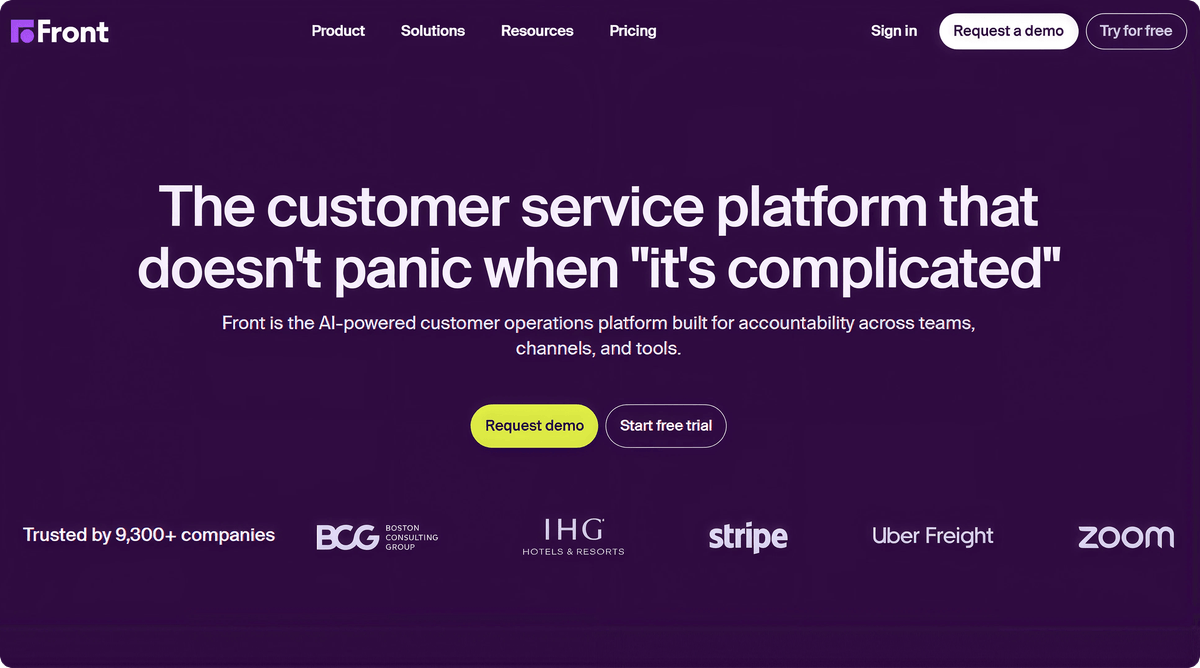
Front is a customer operations platform built for B2B complexity that brings email, live chat, SMS, and social media into a single collaborative workspace. Unlike basic chat widgets, Front is built for complex workflows that require coordination across multiple departments. Front AI tools include Autopilot, which can automate routine and complex customer work, and Copilot, which helps teams understand context, determine next steps, and draft replies. Together, these capabilities help teams handle high-stakes customer inquiries with context and operational control.
Key features:
- Unified omnichannel workspace that brings multiple customer communication channels into a collaborative view
- Front AI Autopilot for automating complex, multi-step customer work beyond basic FAQs
- Internal collaboration features like comments and shared drafts that reduce reliance on internal CCs
- 160+ integrations with major CRMs including Salesforce and HubSpot
- No-code automation rules for intelligent routing and message prioritization
Pros:
- Excellent for coordination-heavy teams such as logistics, professional services, and B2B tech
- Tags, Topics, and analytics provide visibility into team performance and customer needs
- Designed to scale with complex operations that outgrow traditional help desks
Cons:
- Starter supports only one communication channel type, requiring an upgrade for omnichannel support
- Advanced AI features like Smart QA and Smart CSAT are add-ons on Starter and Professional, while Copilot, Smart QA, and Smart CSAT are included with Enterprise.
- Front may be less suited to smaller B2C teams focused primarily on high-volume ticket deflection
Albato integration:
Front offers extensive automation through its product ecosystem and integrates seamlessly with Albato. You can automate data syncing between Front and your external CRM, such as creating new leads from chat or updating deal statuses based on conversation tags, ensuring your records stay accurate without manual entry.
You can try Albato free to connect Front to your CRM in minutes.
Pricing (June 2026):
- Starter: $25/seat/month (annual) - Shared inbox and basic rules (single channel)
- Professional: $65/seat/month (annual) - Omnichannel support with advanced reporting
- Enterprise: $105/seat/month (annual) - Copilot, Smart QA, and Smart CSAT included, plus smart rules and unlimited automation rules and macros
Verdict: Front is the top choice for teams managing high-complexity customer operations. It is particularly effective for organizations that need to unify disparate communication channels into a single, coordinated system.
5. Freshchat (Freshworks)

Freshchat sits inside the Freshworks ecosystem alongside Freshdesk, Freshsales, and Freshmarketer. Its pricing is noticeably lower than Intercom or Zendesk, and the free plan supports up to 10 agents, which makes it an accessible starting point for growing teams. Freshchat's Freddy AI handles chatbot conversations, and the platform covers web, mobile, WhatsApp, and social channels.
Key features:
- Free plan for up to 10 agents with basic live chat and chatbot capabilities
- Freddy AI chatbot with 500 sessions on the Growth plan and scalable limits on higher tiers
- Omnichannel messaging across web chat, WhatsApp, Facebook Messenger, Line, and Apple Messages
- IntelliAssign routes conversations to agents based on skill level, workload, and availability
- Campaign messaging for proactive outreach based on user behavior or segment
Pros:
- The free tier is generous: 10 agents, basic chat, and email channels with no time limit
- Freddy AI is included in paid plans, not a separate product, which simplifies budgeting
- The Freshworks ecosystem means Freshsales CRM integration is native and requires minimal setup
Cons:
- The UI can feel cluttered once you enable multiple channels and bot flows simultaneously
- Freddy AI's accuracy depends heavily on training data quality, and initial setup takes more effort than Intercom's Fin
- Reporting on the Growth plan is basic; detailed analytics require Pro ($49/agent/month)
Albato integration:
The Albato Freshworks connector opens up data routing between Freshchat and any CRM, spreadsheet, or notification tool. Since Freshchat's native integrations are strong within the Freshworks family but limited outside it, Albato fills a real gap for teams that use Freshchat with a non-Freshworks CRM. Set up automations like "new Freshchat conversation creates a Pipedrive deal" or "resolved Freshchat tickets update a Google Sheet for weekly reporting."
You can try Albato free to connect Freshchat to any CRM or tool in your stack.
Pricing (June 2026):
- Free: Up to 10 agents, basic live chat and chatbot
- Growth: $19/agent/month (500 Freddy AI sessions, all channels)
- Pro: $49/agent/month (advanced analytics, auto-resolve, SLA management)
- Enterprise: $79/agent/month (custom bots, audit logs, skill-based routing)
Verdict: Freshchat delivers the best price-to-feature ratio on this list. The free plan alone covers more ground than some competitors' paid tiers. If your CRM is Freshsales, it's an obvious pick. If not, pair it with Albato to sync data wherever it needs to go.
6. LiveChat

LiveChat is one of the longest-running dedicated chat platforms, and it stays focused on doing one thing well: real-time messaging between website visitors and your team. It doesn't try to be a helpdesk or a CRM. That focus translates into a clean interface and fast load times, which matters when you're embedding a widget on high-traffic pages.
Key features:
- Chat widget with customizable design, pre-chat surveys, and file sharing
- Canned responses and message sneak-peek (see what visitors type before they hit send)
- Targeted messages triggered by page URL, time on page, or visit count
- Built-in ticketing system for converting chats to tickets when issues need follow-up
- Over 200 integrations through the LiveChat marketplace, covering CRM, helpdesk, and e-commerce
Pros:
- The chat experience is fast and polished, both for agents and visitors
- Message sneak-peek gives agents a few extra seconds to prepare responses, which improves first-reply quality
- The marketplace integrations cover most CRM and e-commerce platforms
Cons:
- No Albato connector, so CRM syncing requires using LiveChat's native integrations or building a custom webhook
- AI capabilities are basic compared to Intercom, Zendesk, or Tidio
- Per-agent pricing applies to all active accounts, whether agents are online or not
Pricing (June 2026):
- Starter: $19/agent/month (annual), basic chat + 60-day chat history
- Team: $49/agent/month, unlimited chat history + basic reporting
- Business: $79/agent/month, skill-based routing + advanced analytics
- Enterprise: Custom pricing
Verdict: LiveChat is a solid pick if your primary need is a fast, reliable chat widget with straightforward CRM integrations through its marketplace. It won't wow you with AI features, but it won't frustrate you with complexity either.
⚠️ Important
LiveChat charges per active agent account, not per agent online. If you create 10 agent accounts but only 3 are regularly active, you still pay for all 10. Audit your seat count quarterly to avoid paying for agents who have moved to other roles or left the company.
If per-seat pricing feels like the wrong model for a small team, Tidio takes a different approach with usage-based tiers.
7. Tidio

Tidio targets small businesses and e-commerce stores with a combination of live chat, chatbots, and its AI assistant Lyro. The visual chatbot builder is intuitive enough for non-technical users, and Tidio's pre-built chatbot templates cover common e-commerce scenarios like order status checks, product recommendations, and abandoned cart recovery.
Key features:
- Visual chatbot builder with drag-and-drop logic, no coding required
- Lyro AI assistant that learns from your help center content and answers customer questions autonomously
- Pre-built chatbot templates for e-commerce (order tracking, product Q&A, discount codes)
- Visitor list with real-time monitoring showing which pages visitors are browsing
- Native integrations with Shopify, WordPress, Wix, and major e-commerce platforms
Pros:
- The chatbot builder is one of the most accessible for non-technical teams
- E-commerce integrations are deep, especially for Shopify stores
- The free plan includes 50 live chat conversations and 100 chatbot triggers per month
Cons:
- Lyro AI costs extra ($39/month for 50 conversations) and isn't included in Starter or Growth plans
- No Albato connector, so external CRM syncing requires native integrations or manual configuration
- All self-service plans cap at 10 agents, which limits scaling for mid-size teams
- Total cost can climb to 2-3x the advertised price once Lyro and add-ons are factored in
Pricing (June 2026):
- Free: 50 live chat conversations, 100 chatbot triggers
- Starter: $29/month (basic analytics, live visitors list)
- Growth: $59/month (analytics, permissions, custom chatbot paths)
- Tidio+: $749/month (Lyro included, dedicated success manager)
- Lyro AI add-on: $39-$289/month depending on conversation volume
Verdict: Tidio is a strong fit for small e-commerce teams that want chatbots without hiring a developer. The visual builder and Shopify integration stand out. If your store also needs automated invoicing alongside chat support, our invoicing software comparison covers tools that sync with the same e-commerce platforms. Just budget carefully for Lyro if you want AI-powered responses.
8. Crisp

Crisp positions itself as an all-in-one customer messaging platform for startups. Beyond live chat, it bundles a shared inbox, knowledge base, CRM, and campaign messaging into a single dashboard. The workspace-based pricing (rather than per-agent) makes it predictable for growing teams.
Key features:
- Shared inbox combining chat, email, WhatsApp, Messenger, Instagram, and SMS in one view
- Built-in CRM with contact profiles, company data, and conversation history
- Knowledge base builder that surfaces relevant articles inside the chat widget automatically
- MagicReply AI (on Essentials plan and above) that drafts responses based on your knowledge base
- Co-browsing and screen sharing for complex support scenarios
Pros:
- Workspace-based pricing means you pay one flat fee, not per agent (extra seats are €10/mo each)
- The built-in CRM eliminates the need for a separate tool if your needs are basic
- Co-browsing is a feature most competitors charge extra for or don't offer at all
Cons:
- No Albato connector, so syncing with an external CRM requires API work or Crisp's native integrations
- AI features have usage caps on the Essentials plan; unlimited AI requires the Plus plan (€295/month)
- The CRM is functional but light compared to dedicated platforms like HubSpot or Pipedrive
Pricing (June 2026):
- Free: Basic chat, 1 seat
- Mini: €45/month per workspace (email support, shortcuts, simple automations)
- Essentials: €95/month per workspace (AI, analytics, workflow automation)
- Plus: €295/month per workspace (unlimited AI, ticketing, white-label)
Verdict: Crisp is compelling for startups that want messaging, CRM, and knowledge base in one subscription. The workspace pricing model keeps costs predictable. If you outgrow the built-in CRM, though, the lack of deep external CRM integrations becomes a friction point.
💡 Tip
If you're evaluating Crisp against HubSpot Free, consider your 12-month trajectory. Crisp's all-in-one approach works well until your team needs advanced CRM features like pipeline automation or custom properties. At that point, migrating conversation history out of Crisp's built-in CRM is time-consuming. Start with the tool that matches where you'll be in a year, not just where you are today.
On the opposite end of the spectrum, Drift targets enterprise B2B teams with account-based engagement capabilities.
9. Drift (Salesloft)

Drift pioneered the "conversational marketing" category and was acquired by Salesloft in 2024. Today, it functions as Salesloft's conversational AI module, targeting mid-market and enterprise B2B teams that want to convert website visitors into pipeline through real-time chat, AI chatbots, and meeting scheduling. One caveat for 2026: in March 2026 Salesloft announced it is gradually winding down Drift's standalone conversational product, so weigh the migration path before committing a long contract. Drift's strength is account-based engagement: identifying high-value visitors and routing them to sales instantly.
Key features:
- AI chatbots that qualify visitors, book meetings, and route conversations based on account data
- Account-based targeting that personalizes the chat experience for specific companies or firmographic segments
- Conversational landing pages where the chat replaces traditional forms entirely
- Meeting scheduler embedded in chat flows, reducing the friction between "interested" and "booked"
- Salesloft integration for feeding chat-qualified leads directly into sales sequences
Pros:
- The account-based chat experience is more sophisticated than any other tool on this list
- AI chatbots are trained on your playbook and sales methodology, not just FAQ content
- Meeting booking inside chat flows shortens the path from visitor to qualified meeting
Cons:
- Pricing starts at approximately $2,500/month, making it inaccessible for small teams
- No Albato connector, so CRM syncing depends on Salesloft's native integrations or custom API work
- The acquisition by Salesloft has pushed some customers toward bundled pricing, with reported renewal increases of 30-40%
- Opaque pricing requires a sales call; no self-serve purchasing option
Pricing (June 2026):
- Premium: ~$2,500-$3,500/month
- Advanced: ~$5,000-$8,000/month
- Enterprise: $10,000+/month
- All pricing requires a demo call; no public pricing page with exact figures
Verdict: Drift makes sense for B2B teams with high average deal values who need account-based conversation routing. If your average deal is under $10,000 or your team is smaller than 10 reps, the ROI math doesn't work. Look at Intercom or HubSpot instead.
10. Olark

Olark takes a deliberately simple approach to live chat. While competitors bundle in AI, CRM, and multichannel messaging, Olark focuses on delivering a clean chat widget with solid reporting and straightforward pricing. The flat $29/agent/month rate (with meaningful discounts for annual commitments) makes it one of the most predictable options on this list.
Key features:
- Customizable chat widget that matches your brand's colors, position, and behavior
- Visitor insights showing location, browser, referring URL, and browsing history on your site
- Chat transcripts automatically stored and searchable, with email delivery options
- Targeted chat rules that trigger messages based on page, time on site, or visit frequency
- PowerUps for additional capabilities: co-browsing ($99/month), live translation ($29/month), visitor insights ($59/month)
Pros:
- Pricing is transparent and predictable, with no per-resolution AI charges or hidden fees
- The chat widget loads fast and doesn't impact page performance noticeably
- Setup takes minutes, not hours, making it accessible for teams without a technical lead
Cons:
- AI features are limited to the Pro plan (custom pricing), so the Standard plan is purely human-powered
- PowerUps add up: co-browsing + translation + unbranded widget = $187/month on top of seat costs
- No multichannel inbox; Olark handles website chat only (no WhatsApp, Messenger, or email)
Albato integration:
Olark's Albato connector lets you push chat transcripts and visitor data to your CRM automatically. This is especially useful because Olark's native integration list is shorter than competitors', so Albato significantly expands the number of CRMs and tools Olark can feed data to. Set up a simple automation: "When a new chat ends in Olark, create a contact in your CRM with the transcript attached."
You can try Albato free to connect Olark to your CRM in a few clicks.
Pricing (June 2026):
- Free trial: 14 days, then downgrade to free (1 agent, 20 chats/month)
- Standard: $29/agent/month (monthly), $23/agent/month (annual), $19/agent/month (2-year)
- Pro: Custom pricing (AI tools, all PowerUps, dedicated account manager)
Verdict: Olark is the right choice for teams that want live chat without the complexity of a full messaging platform. If your needs are chat + CRM sync and nothing more, Olark paired with Albato delivers that cleanly and affordably.
11. tawk.to

tawk.to is the most-used live chat software in the world by install count, largely because the core product is genuinely free with no seat limits, no chat volume caps, and no time restrictions. The business model monetizes through paid add-ons (branding removal, AI assist, hired agents) rather than gating core chat features.
Key features:
- Free live chat with unlimited agents, unlimited chats, and unlimited websites
- Real-time visitor monitoring showing active visitors, current pages, and browsing paths
- Canned responses, file sharing, and chat tagging for organized conversation management
- Built-in ticketing system and knowledge base at no additional cost
- Hired agent service ($1/hour) for teams that need 24/7 coverage without staffing it internally
Pros:
- The free tier is unmatched: no agent limits, no volume caps, no feature expiration
- Mobile apps for iOS and Android let agents respond from anywhere
- The hired agent option ($1/hour) is a creative solution for small teams that need after-hours coverage
Cons:
- No Albato connector, so CRM syncing requires manual setup through tawk.to's JavaScript API or limited native integrations
- The built-in CRM is basic and not suitable for teams managing complex deal pipelines
- "Powered by tawk.to" branding removal costs $29/month, which feels steep for what is essentially a cosmetic change
- AI Assist is a paid add-on ($29/month) and doesn't match the sophistication of Intercom Fin or Tidio Lyro
Pricing (June 2026):
- Core platform: Free forever (unlimited agents, chats, and sites)
- Remove branding: $29/month
- AI Assist: From $29/month
- Video + Voice + Screensharing: $29/month
- Hired agents: From $1/hour
Verdict: tawk.to is hard to beat on pure cost. If your team needs live chat and doesn't care about branding or advanced AI, the free plan covers more ground than most competitors' paid tiers. The trade-off is limited CRM integration and a less polished experience compared to premium tools.
💡 Tip
Customers who chat with a rep before buying often spend more than visitors who never engage. Even a free chat tool like tawk.to can deliver real sales impact, but only if your reps are trained to ask qualifying questions and capture context that flows into the CRM. The platform is the floor; rep coaching is the ceiling.
What to Look For in Live Chat Software (Buyer's Checklist)
Before committing to any of these tools, run through this checklist against your specific workflow.
CRM integration depth. Does the tool sync conversations, contact data, and tags to your CRM automatically? Or does it require manual export? Tools with Albato connectors (Intercom, HubSpot, Zendesk, Freshchat, Olark) give you the most flexibility to route data wherever it needs to go without writing code.
Pricing model. Per-agent, per-workspace, or per-resolution? The pricing model matters more than the sticker price. A $29/agent/month tool for a 15-person team costs $435/month. A $95/workspace tool costs $95 regardless of team size. Model the 12-month cost at your projected team size, not your current one.
AI capabilities. Do you need AI to answer questions, or just to route conversations? Tools like Intercom (Fin) and Tidio (Lyro) charge per AI conversation, so high-volume teams should calculate the monthly AI cost separately from the seat price.
Channel coverage. If your customers reach out through WhatsApp, Messenger, or Instagram in addition to website chat, you need a tool that unifies those channels. Intercom, Zendesk, Freshchat, and Crisp cover this well. Olark and LiveChat are web-chat only.
Data ownership. Can you export your chat transcripts and contact data? Some platforms make migration difficult by locking conversation history behind proprietary formats. Confirm export options before committing.
If you're also evaluating how to capture leads from web forms and route them to your CRM, our lead capture software guide covers that adjacent workflow in depth.
How to Connect Live Chat to Your CRM With Albato
The simplest way to get chat data into your CRM without developer involvement is through a no-code connector. Here's the general flow.
Step 1: Pick your trigger. In Albato, select your live chat tool (Intercom, HubSpot, Zendesk, Freshchat, or Olark) and choose a trigger event. Common triggers include "New conversation," "Conversation closed," or "New contact created."
Step 2: Map your fields. Connect the trigger fields (visitor name, email, chat transcript, tags) to your CRM's contact or deal fields. Albato shows you the available fields from both tools and lets you map them visually.
Step 3: Add filters (optional). If you only want to sync certain conversations, add a filter. For example, "only sync conversations tagged as sales-qualified" or "only sync when the visitor's company has more than 50 employees."
Step 4: Activate and test. Run a test conversation to confirm data flows correctly. Check that the CRM record contains the transcript, contact details, and any tags you mapped.
The entire setup takes 5 to 10 minutes for most CRM combinations.
For teams that handle customer communication across multiple channels, connecting your chat tool to a CRM also helps when you're integrating WhatsApp with your CRM for a unified view of all customer conversations. E-commerce teams can take this further with WhatsApp automations for orders, shipping updates, and cart recovery.
🔧 How it works
When Albato detects a new trigger event in your chat tool (for example, a closed conversation in Intercom), it reads the conversation data, transforms it to match your CRM's field format, and creates or updates the record within seconds. No polling delay, no manual export. The sync runs every time the trigger fires.
When Live Chat Alone Isn't Enough
Live chat solves the real-time conversation problem, but customer service usually involves more than just chat. If your team also handles email tickets, knowledge base management, or phone support, a dedicated helpdesk platform might be a better fit. Our helpdesk software comparison reviews tools that combine chat with ticketing, including several platforms on this list.
For teams focused on AI-powered customer service, the decision often comes down to whether you want AI inside your chat tool (Intercom Fin, Freshchat Freddy) or AI orchestrated across multiple channels through a dedicated platform. Live chat is only the first touchpoint, so it helps to see how it fits into the full customer lifecycle stack, from the first chat to long-term retention.
FAQ
Which live chat software is best for small businesses?
Freshchat's free plan (10 agents, basic chat + bots) and tawk.to's free-forever model both work well for small teams. If you already use HubSpot CRM, HubSpot Live Chat's free tier is the fastest path since it requires no integration setup. For e-commerce specifically, Tidio's Shopify integration and pre-built chatbot templates give small stores automated responses without a developer.
Can I connect live chat to my CRM without coding?
Yes, if the chat tool has an Albato connector. Intercom, HubSpot, Zendesk, Freshchat, and Olark all connect to Albato, which lets you route chat data to 1,000+ apps (including all major CRMs) through a visual interface. Setup takes under 10 minutes. Teams that also collect structured feedback through surveys can route those responses alongside chat data using CRM-integrated feedback tools. For tools without an Albato connector (LiveChat, Tidio, Crisp, Drift, tawk.to), you'll need to use their native integrations or set up webhooks.
Is free live chat software good enough for a real business?
It depends on your volume and complexity. tawk.to's free plan handles unlimited chats and agents, which is more than adequate for many small businesses. HubSpot's free chat includes CRM contact creation, which adds significant value. The limitations show up in AI capabilities, analytics depth, and branding options. If those matter to your business, plan for a paid tier.
What's the difference between live chat and chatbots?
Live chat connects visitors with a human agent in real time. Chatbots are automated programs that answer questions, qualify leads, or route conversations without human involvement. Most tools on this list offer both: a chatbot handles the initial greeting and qualification, then hands off to a human agent for complex conversations. Tools like Intercom (Fin AI) and Tidio (Lyro) blur this line with AI agents that resolve questions autonomously.
How much does live chat software typically cost per agent?
Based on the tools reviewed here, expect to pay $19 to $55 per agent per month for a solid paid plan with annual billing. Free options exist (tawk.to, HubSpot, Freshchat, Tidio) but come with branding limits or feature restrictions. Enterprise-focused tools like Drift start at $2,500/month regardless of agent count. The hidden cost variable is AI: per-resolution charges (Intercom's $0.99/resolution, Tidio's Lyro at $39+/month) can push monthly costs significantly above the base seat price.
Read more: