In this article
Key Takeaways
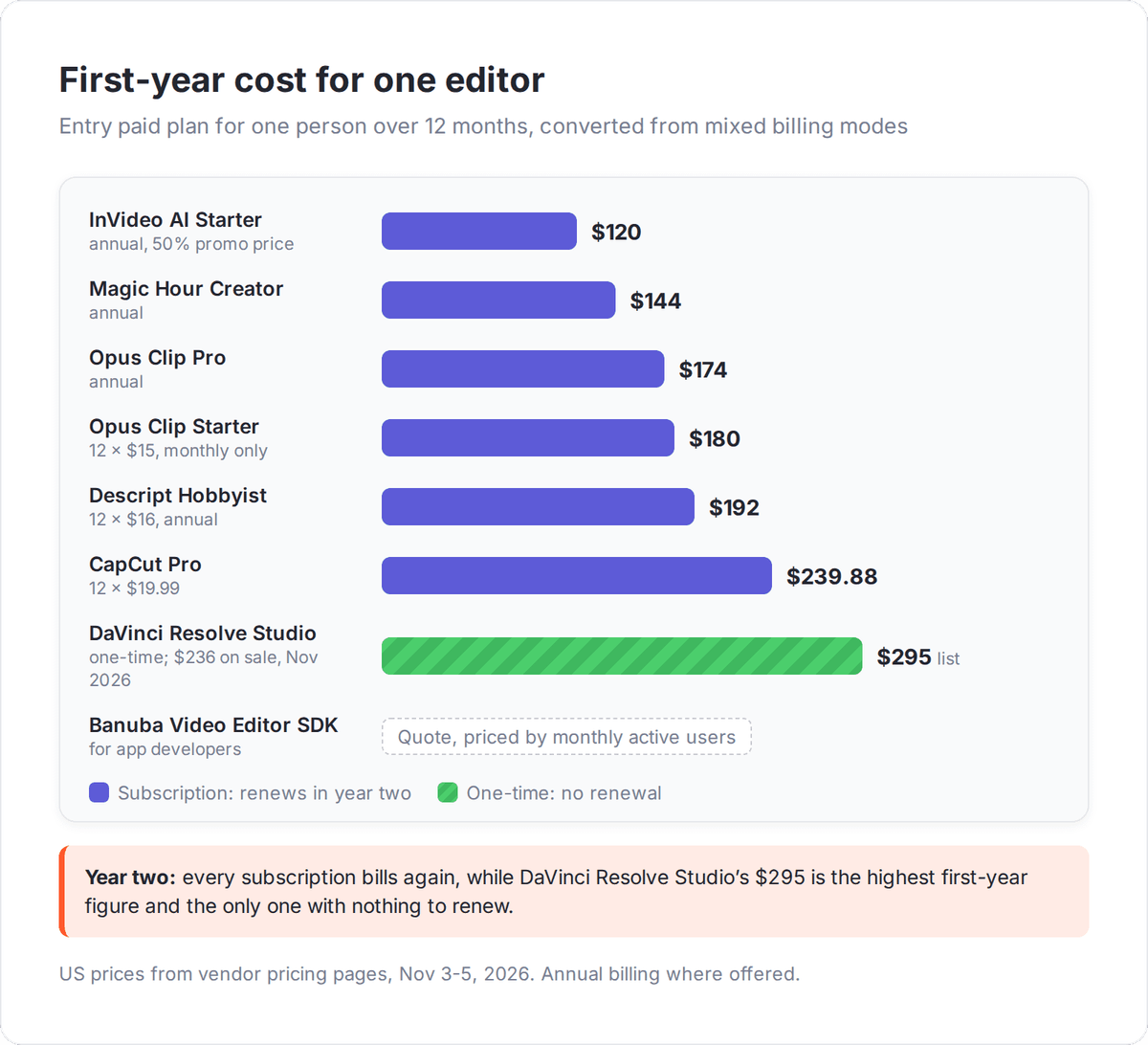
- The best AI video editor depends on the editing job: Descript for talking-head and podcast video you edit like a document, Opus Clip for cutting long videos into Shorts and Reels, CapCut for social editing on a free plan, and DaVinci Resolve Studio for professional finishing at a one-time $295 ($236 on sale in November 2026).
- InVideo AI and Magic Hour edit from a text prompt, and Banuba is the pick for developers who want an editor inside their own mobile app.
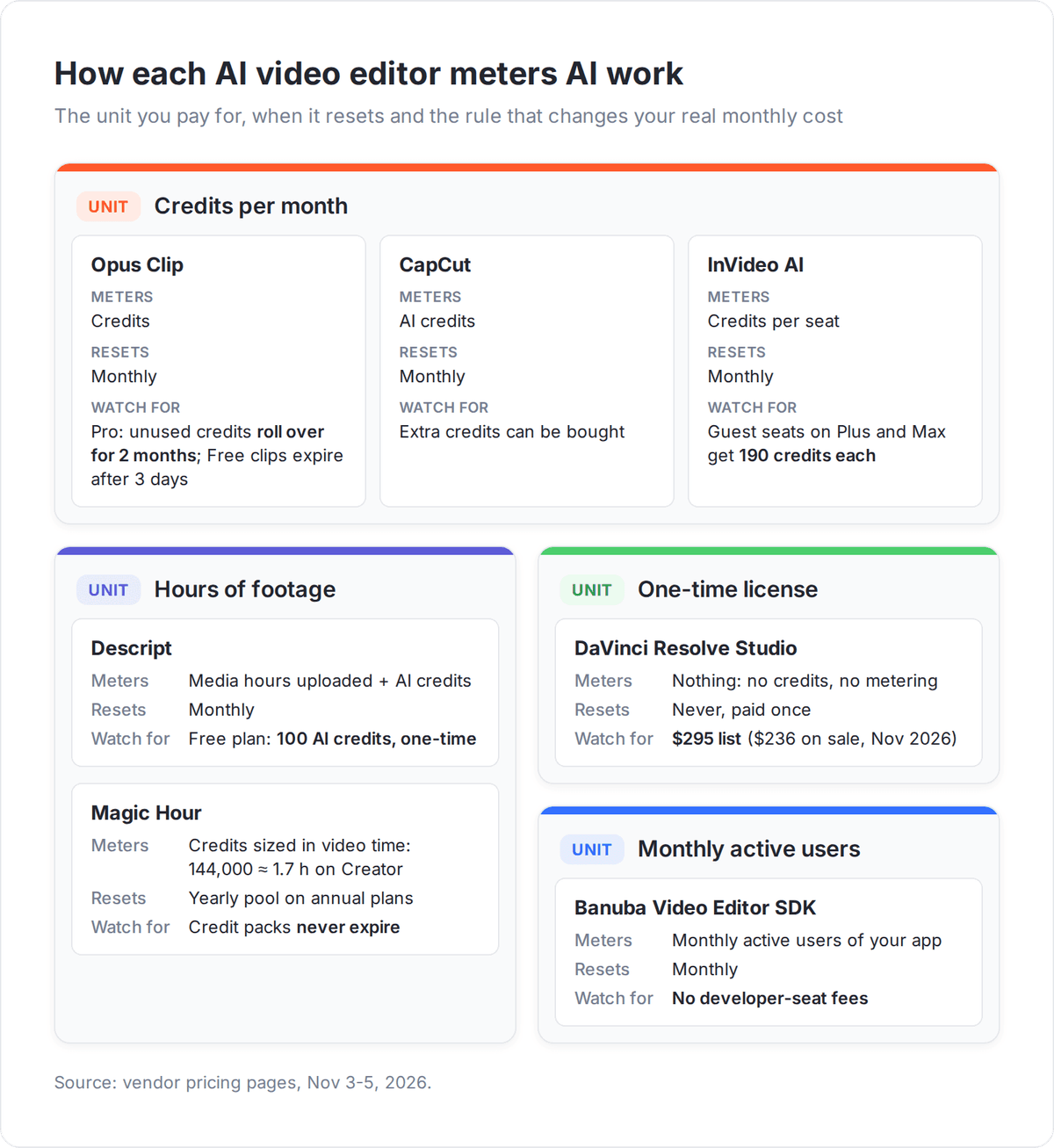
- Paid plans meter AI work differently: Descript Hobbyist counts 10 media hours a month, Opus Clip Starter 150 credits, and Magic Hour Creator about 1.7 hours of video a year.
An AI video editor works on footage you already shot, which makes it a different purchase from an AI video generator. A generator invents the scene from a prompt; an editor transcribes, trims, reframes, captions and cleans up a real recording. If you need fresh visuals from nothing, our guide to the best AI video generators covers that job.
How we picked these AI video editors
We picked seven tools by the editing job each one does best, because a podcast producer, a social media manager and a colorist buy for different reasons. Every tool had to apply AI to existing footage (transcripts, clipping, captions, object edits, noise reduction) and publish its prices or a free trial.
We compared four things for each tool:
- The AI editing features, such as text-based editing, filler-word removal, auto clipping, prompt edits and smart reframing.
- What the entry paid plan includes and how it meters AI work (media hours, credits per seat or per year, monthly active users), read from each vendor's pricing or product page in November 2026.
- The free option, because a free plan, free version or trial lets you test the AI features on your own footage before paying.
- How finished videos reach the rest of your stack, checked against the Albato app catalog.
Pure generators such as Runway, Synthesia and HeyGen are left out because they create video rather than edit it. Adobe Premiere Pro is also left out: we could not verify its current plan prices and AI features from Adobe's pages at the time of writing.
AI video editors compared
Prices below are the entry paid plan in USD per month. Where a vendor offers both, the annual-billing price comes first and the monthly price is in brackets.
| Tool | Best for | Key AI editing features | Entry paid plan | Free option | Albato connector |
|---|---|---|---|---|---|
| Descript | Talking-head, podcast and webinar video | Edit by transcript, Underlord co-editor, Studio Sound, Remove Filler Words | $16 Hobbyist ($24 monthly), 10 media hours | 60 media minutes a month | No, use Webhooks or YouTube trigger |
| Opus Clip | Turning long videos into Shorts and Reels | AI clipping with Virality Score, animated captions, filler and silence removal | $15 Starter, 150 credits | 60 credits a month, watermark | No, use Google Drive trigger for downloaded clips |
| CapCut | Social editing on a free plan | Auto captions, background removal, noise reduction, premium templates | $19.99 Pro, 1,200 AI credits | Free plan with basic editing | No, use YouTube trigger |
| InVideo AI | Prompt-led edits on a team timeline | Editing agent that applies one instruction to every shot, timeline editor, multiplayer editing | $10 Starter ($20 monthly), 400 credits | None listed on the pricing page | No, use YouTube or Google Drive trigger after export |
| Magic Hour | Prompt-based visual edits and effects | Describe the edit in text, face swap, lip sync, video-to-video | $12 Creator ($19 monthly), about 1.7 hours of video a year | Free online editor tool | No, use HTTP Request |
| DaVinci Resolve Studio | Professional editing, color and finishing | AI Neural Engine, magic mask, AI noise reduction, text based editing | $295 one-time ($236 on sale) | Free DaVinci Resolve | No, use Google Drive trigger |
| Banuba Video Editor SDK | Developers adding an editor to their own app | AI Clipping, AI Captions, templates, AR masks | MAU-based quote | 14-day free trial | No, use Webhooks |
None of the seven has a native Albato connector, so automation runs through the apps around them: YouTube, Google Drive, Dropbox, Slack and Google Sheets all have one.
Which AI video editor is best for talking-head and podcast video?
Descript is the best AI video editor for talking-head, interview, podcast and webinar footage, because you edit the video by editing its transcript like a document. Delete a sentence in the text and Descript cuts it from the video and audio at the same time.
Descript: edit the transcript, and the video follows
Descript transcribes in 25 languages and turns filler, pause and echo cleanup into one-click actions. Remove Filler Words deletes the "ums", Shorten Word Gaps tightens pauses, Studio Sound fixes room echo, and Eye Contact redirects a presenter's gaze toward the camera. Underlord, Descript's AI co-editor, takes instructions in plain language for jobs like cutting retakes or adding chapters.
The free plan gives 60 media minutes a month and 100 one-time AI credits. Hobbyist costs $16 per person a month on annual billing ($24 monthly) for 10 media hours and 400 AI credits, with 1080p export. Creator, at $24 annual or $35 monthly, raises that to 30 media hours, 800 credits and 4K export. Business costs $50 annual or $65 monthly and adds Brand Studio plus translation and dubbing into 30+ languages.
💡 Tip
Descript bills by media hours you upload, not by minutes you publish. A one-hour raw interview cut down to 12 minutes still uses a full hour of the Hobbyist plan's 10, so size the plan by raw recording time.
Which AI video editor turns long videos into short clips?
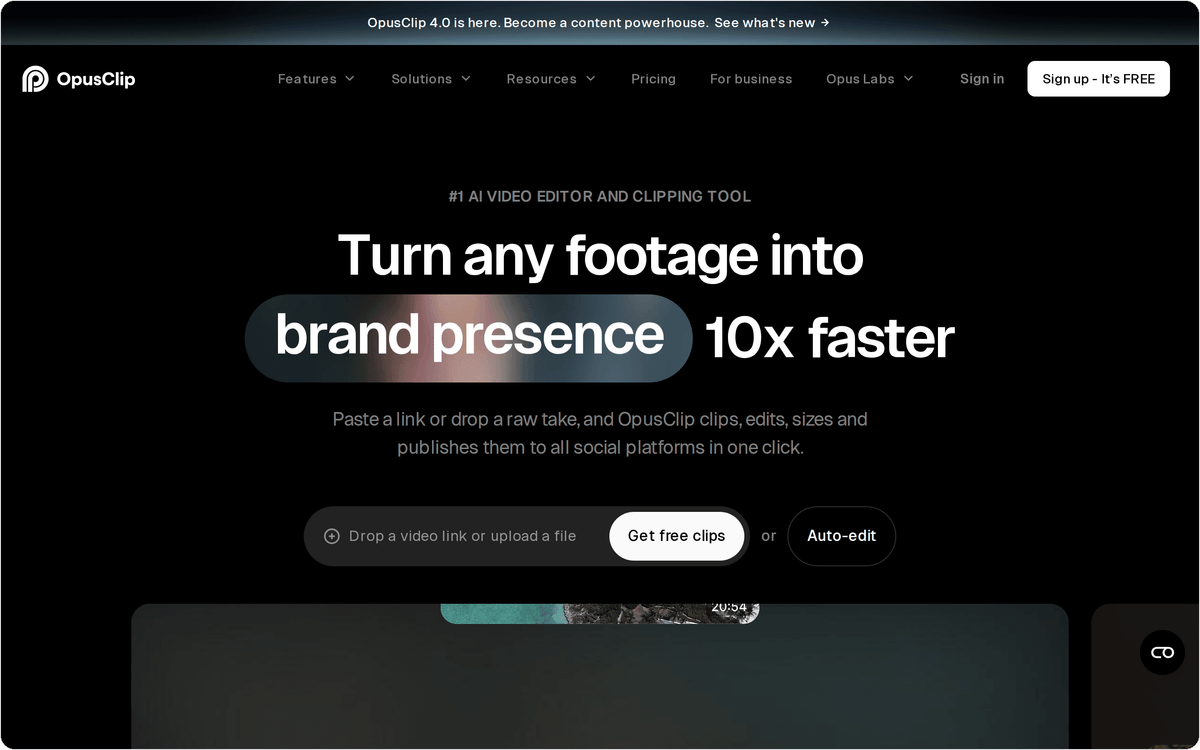
Opus Clip is the best AI video editor for repurposing long videos into vertical clips: it finds the strongest moments, reframes them to 9:16, adds captions and, on paid plans, posts them for you. CapCut is the pick when you want to finish those clips by hand on a free plan.
Opus Clip: AI clipping with a Virality Score
Opus Clip scores each suggested clip with a Virality Score, captions it in 20+ languages and removes filler words and silences. On paid plans it can auto-post to YouTube Shorts, TikTok and Instagram Reels, so finished clips go live without a manual upload.
The Free plan gives 60 credits a month at up to 1080p, but clips carry a watermark and stop being exportable after 3 days. Starter costs $15 a month (monthly billing only) for 150 credits and removes the watermark. Pro costs $29 monthly or $14.50 a month billed annually ($174 a year) for 300 credits, and unused credits roll over for 2 months. Pro also adds 2 seats, AI B-Roll, a social scheduler and export to Adobe Premiere Pro and DaVinci Resolve. The upload limit rises from 10 GB to 30 GB per video on Pro.
CapCut: a free timeline editor for social video
CapCut gives you a timeline editor with templates and basic editing tools for TikTok, Reels and Shorts work on its free plan, and Pro at $19.99 a month adds 1,200 AI credits. You cut the video yourself with templates and effects, then use AI features such as auto captions, background removal and noise reduction where they save time.
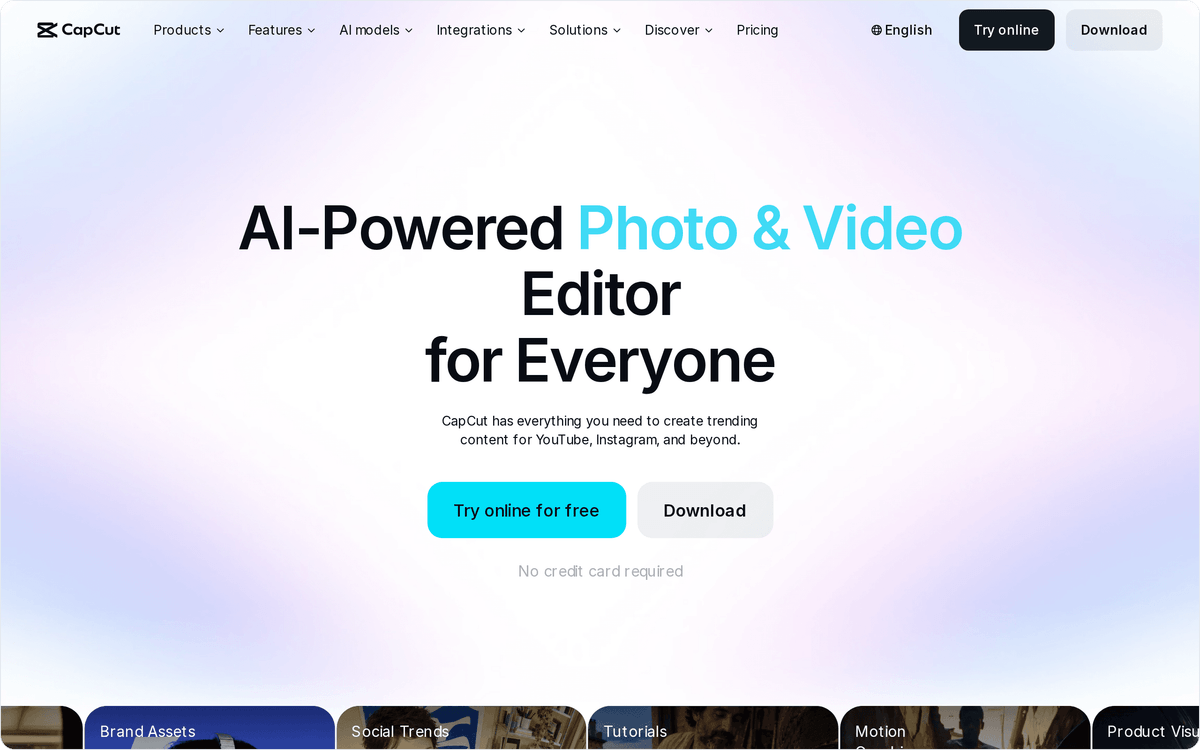
CapCut's US pricing page lists a free plan with templates and basic editing tools. Pro includes all premium templates and 1 TB of storage. Ultra is $79 a month with 8,645 AI credits, and Teams costs $12.49 per seat a month. CapCut notes that displayed pricing is for reference only and that final prices show after sign-in.
⚠️ Important
CapCut Pro cost EUR 34.99 a month with 500 AI credits on the European pricing page in November 2026, against $19.99 with 1,200 credits on the US page. Teams spread across countries should confirm the price on each editor's account before standardizing on Pro or Teams.
Which AI video editors let you edit with a text prompt?
InVideo AI and Magic Hour edit uploaded footage from written instructions. InVideo AI's editing agent applies one direction across every shot on a team timeline, while Magic Hour changes what is inside the frame of a clip, like removing an object or restyling a scene.
InVideo AI: prompt-led editing for teams
InVideo AI calls itself an agentic video editor: you upload footage, describe the edit, review the cut and export. Its editing agent logs every clip so you can find a moment by describing it, and it applies one instruction, such as cutting pauses or matching the look, to every shot on the timeline. Every plan includes the timeline editor, multiplayer editing and color, audio and 3D tools.
Starter costs $10 per seat a month billed annually ($20 monthly) for 400 credits per seat, up to 5 seats and 200 GB of storage, with access to the Lite agent only. Plus costs $30 per seat a month billed annually ($60 monthly) for 2,000 credits, up to 10 seats and 10 free guest seats, plus the Lite, Pro and Ultra agents. Max costs $75 per seat a month billed annually ($150 monthly) for 5,000 credits. In November 2026 the annual prices of all three plans carried a 50% promotional discount, so check whether that offer still applies before you budget a year.
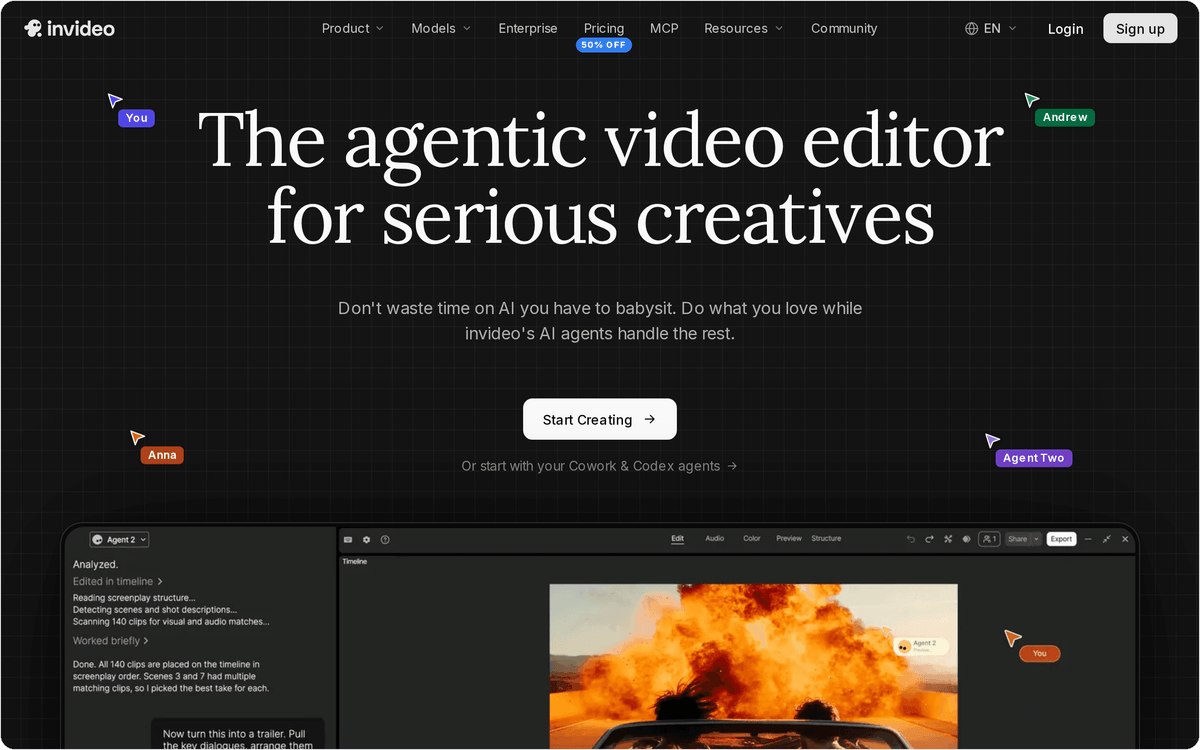
Magic Hour: change what is in the shot
Magic Hour edits the content of a clip from a prompt. You upload a video and type an instruction such as removing a car, adding rain or switching the scene to sunset, and the tool regenerates the footage. The same plan covers face swap, lip sync and video-to-video restyling, so it fits ads and social creative better than long-form cleanup.
Creator costs $12 a month billed yearly ($144) or $19 monthly, for 144,000 credits a year, which Magic Hour equates to about 1.7 hours of video. Pro is $25 a month yearly ($300) or $39 monthly for about 3.5 hours, and Business is $66 a month yearly ($792) or $99 monthly for about 9.7 hours and 4K output. All paid plans include watermark-free exports, commercial use and full API access.
Which AI video editor suits professional editing and color?
DaVinci Resolve Studio is the best AI video editor for professional editing, color grading and finishing, and it is the only tool here sold as a one-time purchase. Studio lists at $295 (Blackmagic sold it for $236 in November 2026), and the free DaVinci Resolve already covers editing, color, visual effects and audio and supports virtually all 8-bit formats.
DaVinci Resolve Studio: AI tools inside a full post-production suite
DaVinci Resolve Studio puts its AI features into the DaVinci AI Neural Engine, which handles facial recognition, object detection, smart reframing and speed warp retiming. Studio also adds magic mask for isolating people and objects, AI spatial noise reduction, text based editing and automatic AI region tracking, none of which ship in the free version.
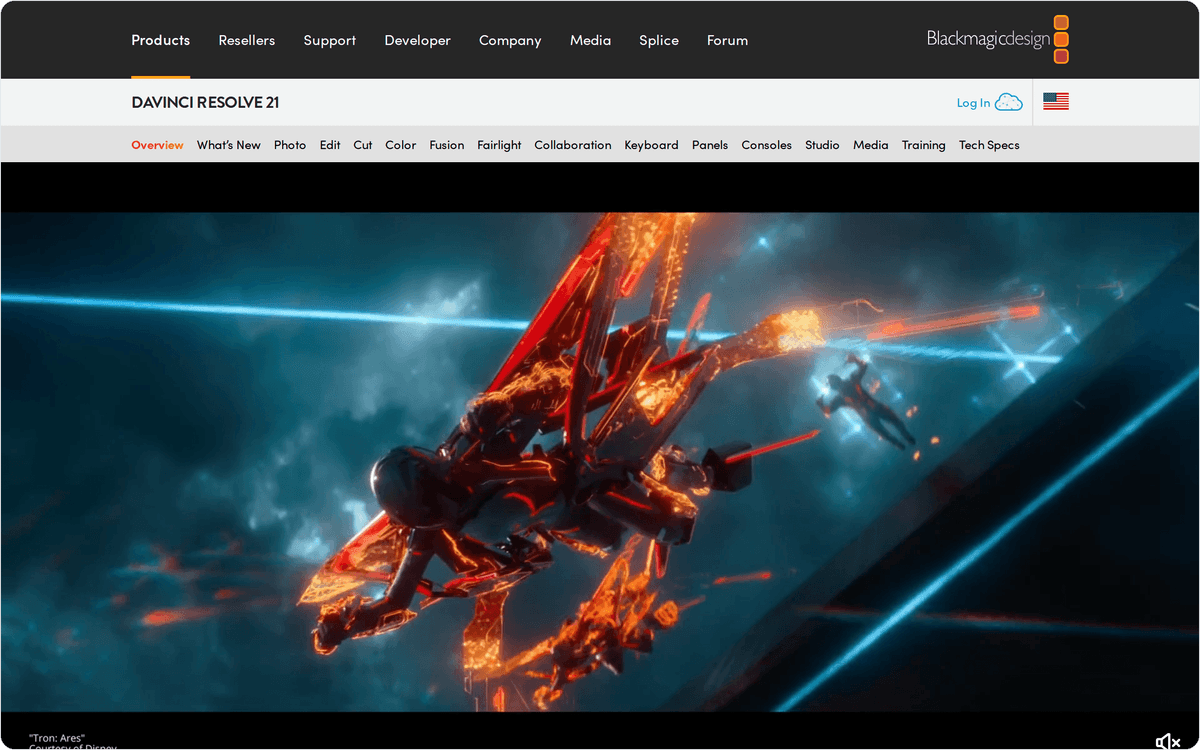
Resolve splits work into pages for cutting, editing, Fusion visual effects, color and Fairlight audio, and version 21 adds a Photo page for stills. Blackmagic Cloud project libraries let several editors work on the same project remotely. The learning curve is steeper than Descript's or CapCut's, so Resolve pays off for editors who grade and finish footage every week.
📊 Stat
At its $295 list price, paid once, DaVinci Resolve Studio costs less than one year of Descript Creator on monthly billing ($35 a month, or $420 a year), though Descript's price also covers transcription and cloud AI credits.
Which AI video editor can you build into your own app?
Banuba Video Editor SDK is the pick for product teams that want users to edit video inside their own mobile app instead of sending them to a separate tool. It is a developer kit for iOS, Android, Flutter and React Native that you build into your app.
Banuba Video Editor SDK: a short-video editor you ship to your users
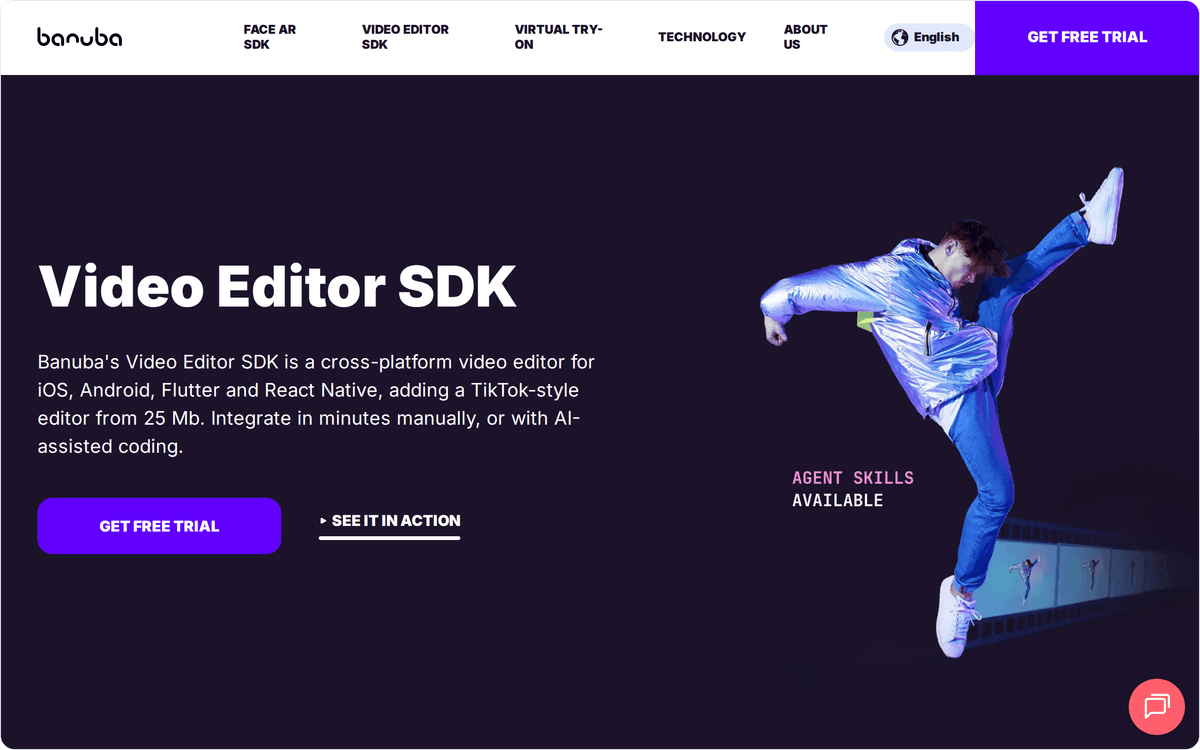
Banuba gives your app a TikTok-style editor starting from 25 MB, with AI Clipping, AI Captions, templates, background swap, color filters, AR face masks and an audio editor. Social, creator and social-commerce apps use it so that users record, trim, caption and post without leaving the product.
Pricing is based on monthly active users rather than developer seats, and add-ons such as integration help or custom features are quoted separately. Banuba offers a 14-day free trial of all SDK features, which is enough time to test the editor in a staging build and measure how it affects app size. Developers can integrate the SDK by hand or with AI coding assistants, using the agent skills Banuba publishes for it.
How do you connect an AI video editor to your publishing stack?
You connect an AI video editor to the rest of your stack through the apps it publishes to, because none of the seven tools here has a native connector in the Albato app catalog. In practice the edited video lands in YouTube or Google Drive, and Albato picks it up from there.
Two triggers cover five of the seven editors in this list. The YouTube integration fires on a new video on your own channel, which covers videos you finish in Descript, CapCut or InVideo AI and upload to YouTube. The Google Drive integration fires on a file created in a folder, which suits DaVinci Resolve exports, clips downloaded from Opus Clip and any footage that never goes to YouTube.
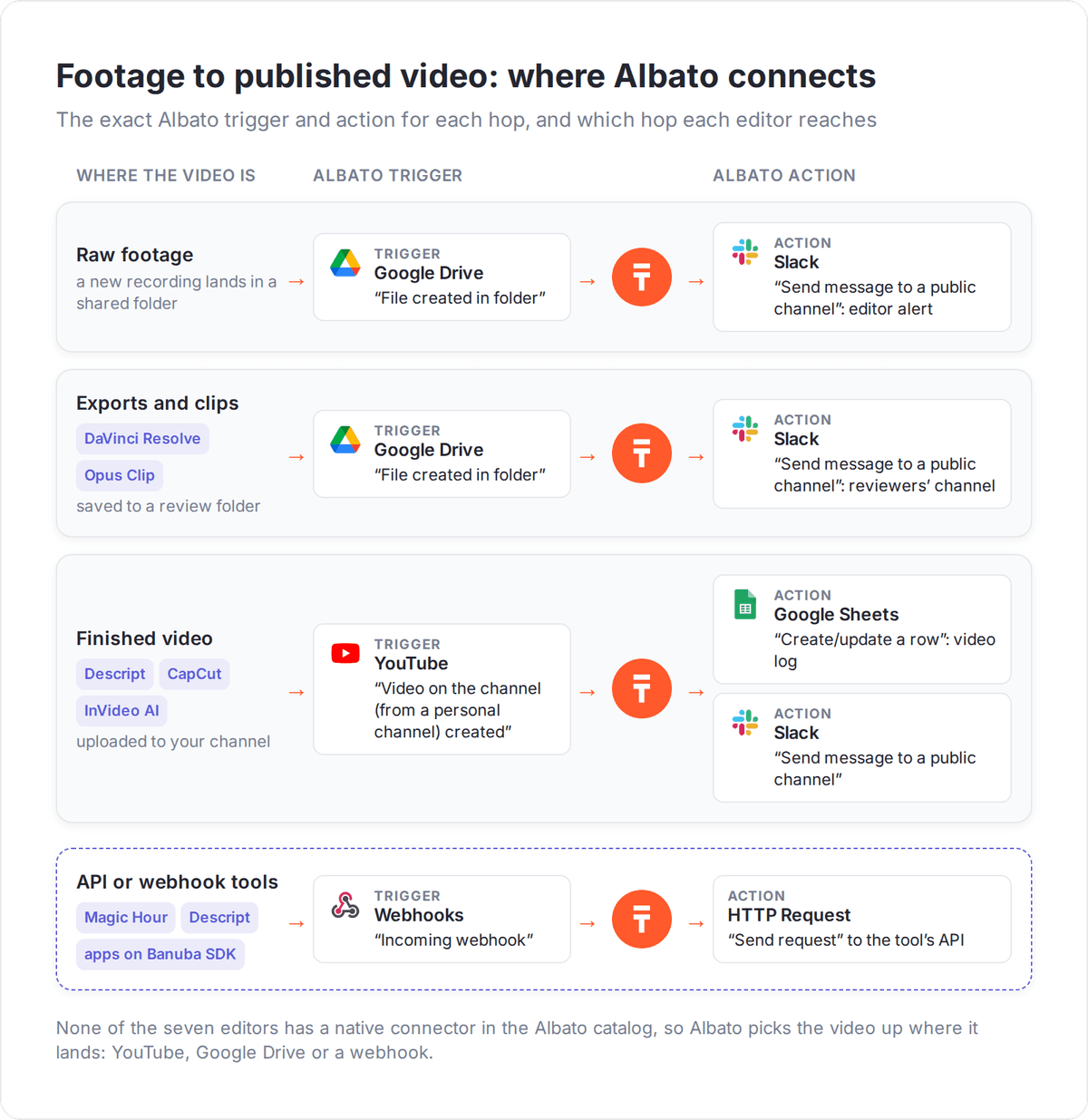
Tools with an API or webhook, like Magic Hour or Descript, and apps built on Banuba's SDK connect through Albato's Webhooks trigger and the HTTP Request action.
What should reach your team after each recording or export?
Three flows cover the path from raw recording to published video:
- Raw footage arrives: a file created in a shared Google Drive folder sends a Slack message to the editor with the file name and link, so the editor knows the recording is ready without checking the folder.
- A final cut is exported: a DaVinci Resolve export saved to a Google Drive review folder posts a Slack message to the reviewers' channel, and the reviewer replies in the thread.
- A clip goes live: a new video on your YouTube channel creates a row in a Google Sheets tracker with the title and link, which builds a running log of every video published on the channel.
If you also schedule social posts, our guide on scheduling Instagram posts covers that end of the workflow, and generative AI for content distribution shows how to route AI output to more channels.
Which AI video editor fits the footage you produce each month?
Match the AI video editor to the footage you produce, because five of the seven plans meter what you upload or generate.
- You record people talking (podcasts, webinars, interviews, course videos): start with Descript's free plan and move to Hobbyist once you upload more than an hour of raw footage a month.
- You turn long videos into short clips: test Opus Clip Free (60 credits a month); Pro on annual billing is $14.50 a month for 300 credits.
- You edit social video by hand on a budget: CapCut's free plan covers basic editing, and Pro adds AI credits.
- You want AI to draft the edit from a prompt: InVideo AI for team timelines, Magic Hour (about 1.7 hours of video a year on Creator) for changing the frame.
- You grade and finish footage professionally: download the free DaVinci Resolve and buy Studio ($295, or $236 on sale) when you need the AI Neural Engine.
- You build an app with user-generated video: request Banuba's 14-day SDK trial.
Every editor here except Banuba's SDK ends in an export or a YouTube upload, and Albato's YouTube and Google Drive triggers can take over from that point to log, announce and route each video.
FAQ
What is the best AI video editor in 2026?
The best AI video editor depends on the job. Descript is best for talking-head and podcast video edited by transcript, Opus Clip for turning long videos into short clips, CapCut for social editing on a free plan, DaVinci Resolve Studio for professional color and finishing, InVideo AI and Magic Hour for prompt-based edits, and Banuba for adding an editor to your own app.
Is there a free AI video editor?
Yes. DaVinci Resolve has a free version, CapCut has a free plan with basic editing, Descript's free plan includes 60 media minutes a month, and Opus Clip Free gives 60 credits a month with a watermark. Banuba offers a 14-day free trial of its SDK rather than a free plan.
How much does an AI video editor cost?
On annual billing, entry plans run from $10 a month (InVideo AI Starter) to $16 (Descript Hobbyist), with Magic Hour Creator at $12. On monthly billing they run from $15 (Opus Clip Starter, monthly only) to $24 (Descript Hobbyist), and CapCut Pro is $19.99. DaVinci Resolve Studio is a one-time $295 ($236 on sale in November 2026), and Banuba's SDK is priced by monthly active users on a quote.
What is the difference between an AI video editor and an AI video generator?
An AI video editor works on footage you already have: it transcribes, cuts, reframes, captions and cleans up a recording. An AI video generator such as Runway or Synthesia creates new video from a text prompt, an image or an avatar. Some tools, like Magic Hour and InVideo AI, do both.
Can I automate the handoff between recording and editing?
Yes, through the apps around the editor, since none of the seven editors here has a native Albato connector. A Google Drive trigger can message the editor in Slack when new raw footage lands in a folder. After publishing, Albato's YouTube trigger can log each new video in Google Sheets.