In this article
Key Takeaways
- Outscraper and Apify charge per 1,000 places ($3 and from $1.50) and sell email lookup as an add-on. Octoparse suits people who prefer a point-and-click desktop app, and G Maps Extractor includes business emails from its $19 Lite plan.
- SocLeads is worth a look if your lead list also needs social profiles: besides Google Maps, it collects contacts from Instagram, Facebook, LinkedIn, X (Twitter), YouTube and TikTok, and its paid plans include email validation.
- Lobstr.io marks every extracted email as valid, invalid or unknown.
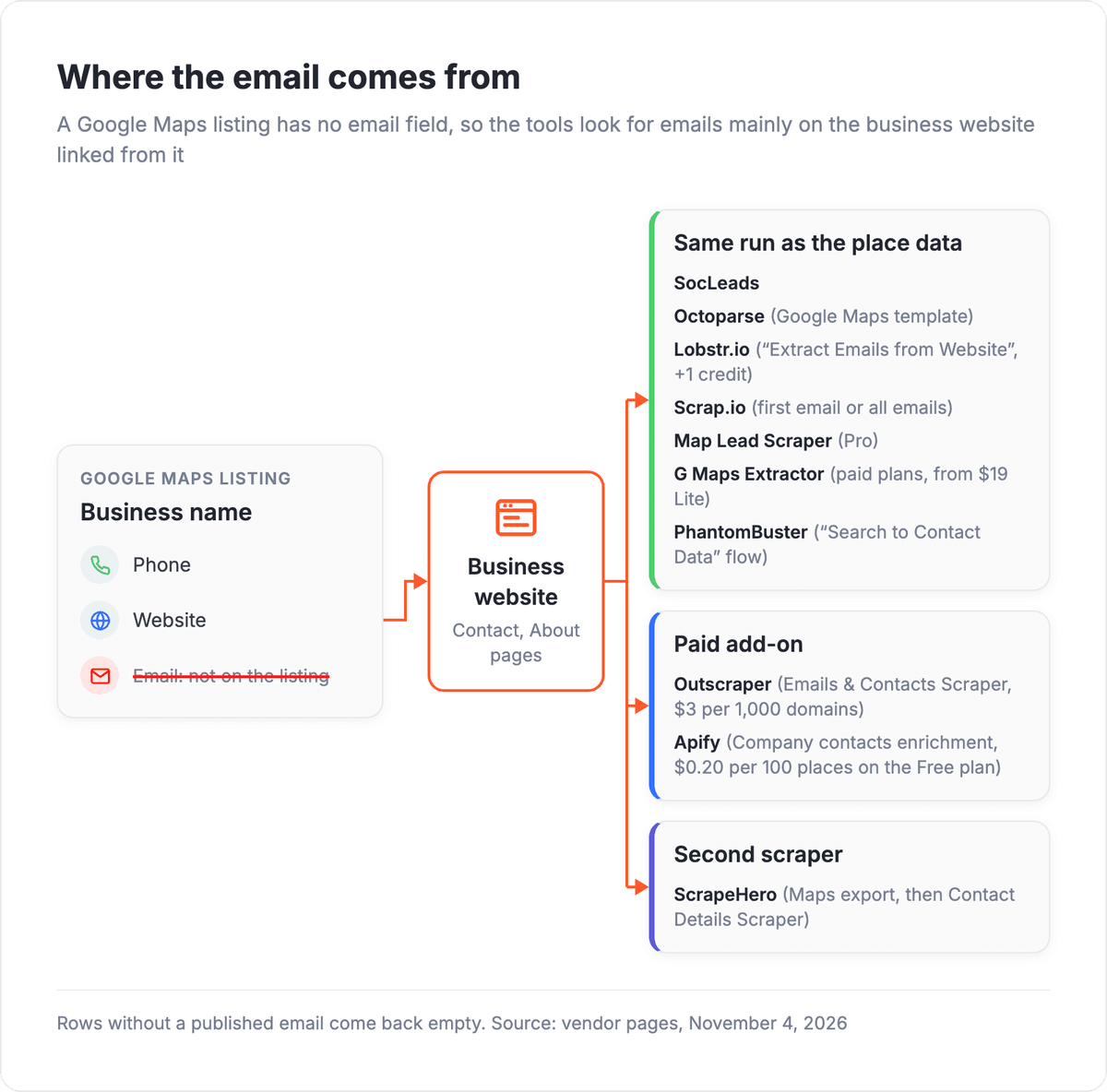
A Google Business Profile has fields for a phone number and a website but none for an email address, so the tools in this list look for emails mainly on the business website linked from the listing. The email step needs the Pro plan on Map Lead Scraper and costs $3 per 1,000 domains on Outscraper.
How do the 10 Google Maps scrapers compare?
The 10 Google Maps scrapers differ in how they reach the email and how they bill. Seven return the email in the same run as the place data, two sell it as an add-on, and ScrapeHero runs a second scraper on the websites from its Maps export.
| Tool | Best for | Email extraction | Free tier | Entry paid plan | Albato connector |
|---|---|---|---|---|---|
| Outscraper | Pay-as-you-go pulls with no subscription | Separate Emails & Contacts Scraper, $3 per 1,000 domains | First 500 businesses and 500 domains, tiers reset every 30 days | No plan: $3 per 1,000 businesses (501 to 100,000) | No |
| Apify (Google Maps Scraper) | Configurable runs through an API | Paid add-on: company contacts from the website | $5 a month in platform credit, no card | Starter $19/mo (monthly) plus usage; scraper from $1.50 per 1,000 places | Yes |
| SocLeads | Lead lists from Google Maps plus social networks | In the same run, if the email is on the linked website | Free Trial: 100 contacts/mo, no email validation | Basic $29/mo (monthly) for 2,000 contacts | No |
| Octoparse | Point-and-click desktop scraping | Google Maps template collects emails | Desktop app, 10 tasks, 50K data export/mo | Standard from $69/mo billed yearly ($83 billed monthly) | No |
| ScrapeHero | Scheduled no-code exports on a small budget | Second step: Contact Details Scraper on the websites | 400 data credits, do not renew | Intro $5/mo billed monthly for 4,500 credits | No |
| Lobstr.io | Per-result billing with email status | Option "Extract Emails from Website", +1 credit per result | 100 credits/mo, no card | Starter $20/mo billed monthly ($16 billed yearly) for 10,000 credits | No |
| Scrap.io | Area pulls filtered by contact fields | First email (Essential) or all emails (Extended) | "Try for free" offer, limits not listed | Basic €35/mo billed yearly for 10,000 export credits | No |
| Map Lead Scraper | Browser-based list building | Pro plan only | 1,000 leads/mo, no emails | Pro $19.9/mo billed monthly ($9.9 billed yearly) | No |
| G Maps Extractor | Low-cost lists with owner and founder emails | Paid plans, from Lite | 1,000 records/mo, no card, no emails | Lite $19/mo for 20,000 records | No |
| PhantomBuster | Maps leads next to other outbound automations | "Search to Contact Data" flow | Trial: exports of 10 rows, 50 email credits | Start 56€/mo billed annually | No |
Prices are as listed on each vendor's site on November 4, 2026; billing is monthly unless the cell says otherwise.
Where does a Google Maps scraper get email addresses?
A Google Maps scraper gets email addresses from the business website linked in each listing, not from the listing. The tools here reach that website in one of three ways, and the way decides what the email step costs.
SocLeads, Octoparse's Google Maps template, Lobstr.io, Scrap.io, Map Lead Scraper (on Pro) and G Maps Extractor (on paid plans) put the email in the same row as the place data. PhantomBuster gets the same result through one flow that chains a Maps search with website enrichment. Outscraper and Apify sell the website lookup as a paid add-on, and ScrapeHero asks you to feed its Maps export into a separate Contact Details Scraper.
Google Maps is only one data source. If you also need prices, product pages or search results, our ranking of no-code web scrapers sorts general-purpose tools by the job they do.
What happens to listings without an email?
Listings whose website publishes no email come back without one, and some tools still bill the row. SocLeads counts every row it returns, with or without an address, while Lobstr.io charges the extra email credit per result. Before a campaign, check the addresses: SocLeads validates emails on its paid plans, Lobstr.io labels each one valid, invalid or unknown, Outscraper sells an Email Addresses Verifier, and Apify offers an email verification add-on.
💡 Tip
Before you buy a plan, run one city and one business category on the free tier and count how many rows come back with an email. That share tells you how many rows you need to buy for the list size you want, and it changes from one business category to the next.
Before you email anyone from a scraped list, check Google's terms of service and the anti-spam and privacy rules that apply to you, such as CAN-SPAM in the US or the GDPR in the EU.
What are the best Google Maps scrapers that also find emails?
All 10 Google Maps scrapers in this list return business emails, from pay-per-place cloud tools such as Outscraper to a Chrome extension such as Map Lead Scraper.
1. Outscraper: pay per place, no subscription
Outscraper charges for Google Maps data per business, with no monthly fee and no recurring billing, so a month without scraping costs nothing.
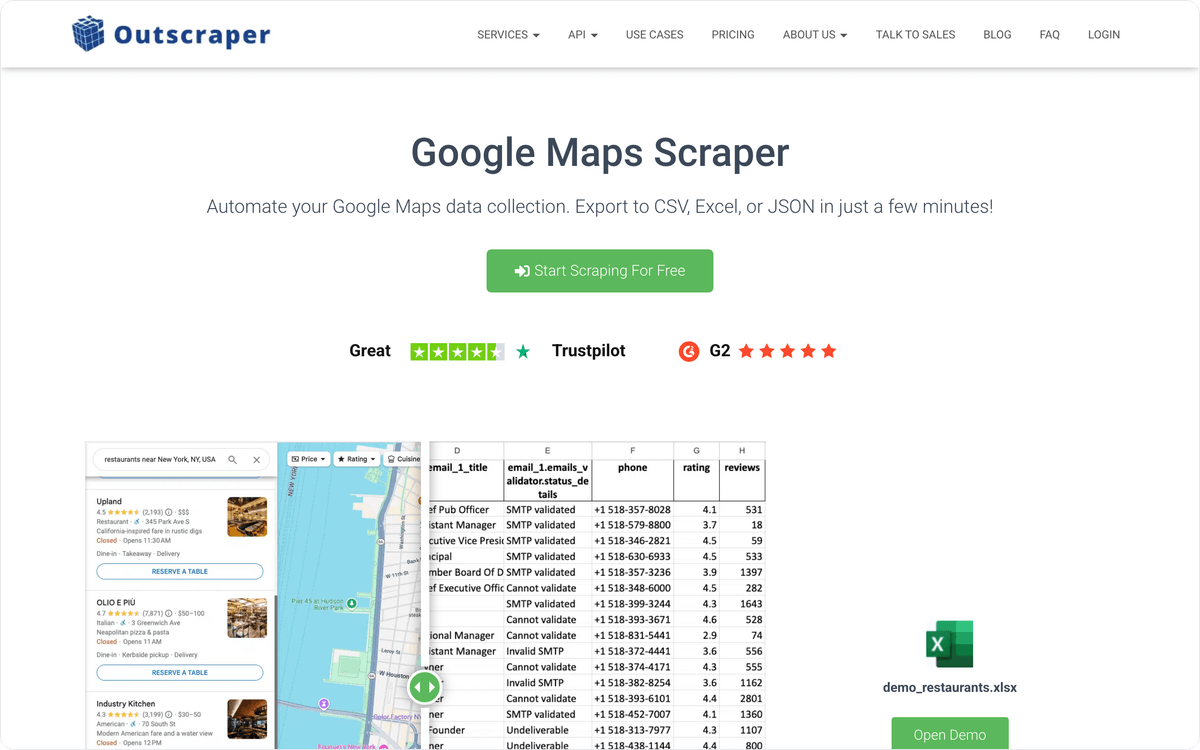
Emails come from a separate Emails & Contacts Scraper. It looks up phone numbers and email addresses on public sources such as company websites, Facebook, Google Search and LinkedIn, and it is billed per domain. Results download as CSV, Excel or JSON or arrive through the API, and the same account has scrapers for Google Maps reviews and photos.
Best for: one-off or seasonal projects billed only for the places actually pulled.
Pricing: the Google Maps Scraper costs nothing for the first 500 businesses, then $3 per 1,000 up to 100,000 businesses and $1 per 1,000 above that. Email lookup is free for the first 500 domains and then $3 per 1,000 domains. The Email Addresses Verifier checks 25 emails free, then costs $3 per 1,000.
2. Apify: a Google Maps actor you configure per run
Apify's Google Maps Scraper is an actor, a ready-made program that runs on the Apify cloud, priced from $1.50 per 1,000 scraped places. Along with name, address and phone, it can return reviews, reviewer details, images and opening hours.
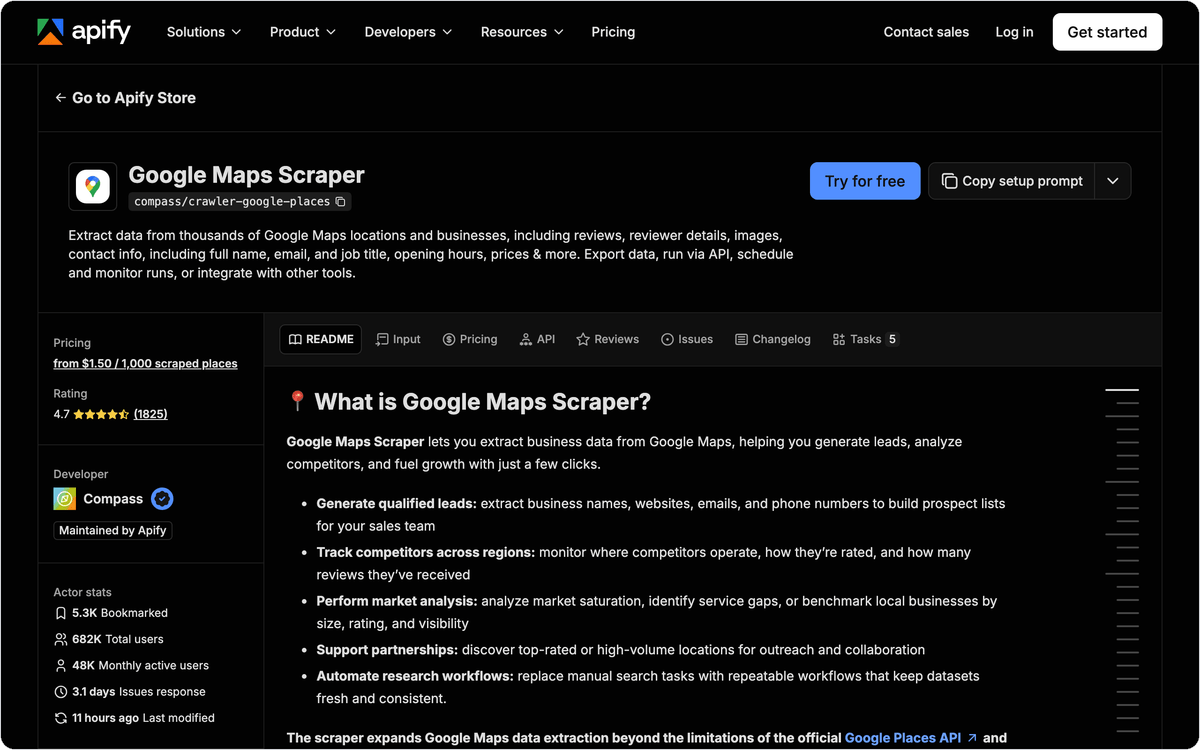
Contact data comes from add-ons you switch on for a run. Company contacts enrichment reads each business website for a company email, phone number and social media profiles. Business leads enrichment goes further and adds full names, work emails, job titles and LinkedIn profiles of people at the company, and an email verification add-on works on top of it. Runs can be scheduled or started through the API.
Best for: technical users who choose fields and add-ons per run and pull the results through an API.
Pricing: Apify's Free plan includes $5 a month to spend on actors, and needs no credit card. Starter is $19 a month plus pay-as-you-go usage. On the Free plan, company contacts enrichment adds $0.20 per 100 places.
3. SocLeads: Google Maps and six social networks in one account
SocLeads pairs its Google Maps scraper with scrapers for Facebook, Instagram, LinkedIn, YouTube, X (Twitter) and TikTok, and adds an Email Validator. All plans, including the free one, come with every scraping feature.
For each Google Maps listing, SocLeads exports the business name, address, category, rating, review count, website, place ID and coordinates. A phone number is included when Google Maps shows one, and an email when the website linked from the listing publishes it. Billing counts every row, including rows that come back without an email, so the count of usable addresses can be smaller than the count of rows.
Best for: prospect lists that mix local businesses from Google Maps with contacts found on social networks.
Pricing: the Free Trial is $0 with 100 contacts per month, no email validation and no credit card required. Paid plans are billed per month: Basic $29 (2,000 contacts), Pro $59 (10,000 contacts) and Business $149 (100,000 contacts, with duplicate exclusion). Email validation is part of Basic, Pro and Business, and credits are valid for one month.
4. Octoparse: a desktop scraper with a ready Google Maps template
Octoparse is a point-and-click scraper with a desktop app and 500+ preset templates, and its Google Maps template collects business names, addresses, phone numbers, emails, websites, reviews and ratings. You set the search in the template instead of building a crawler.
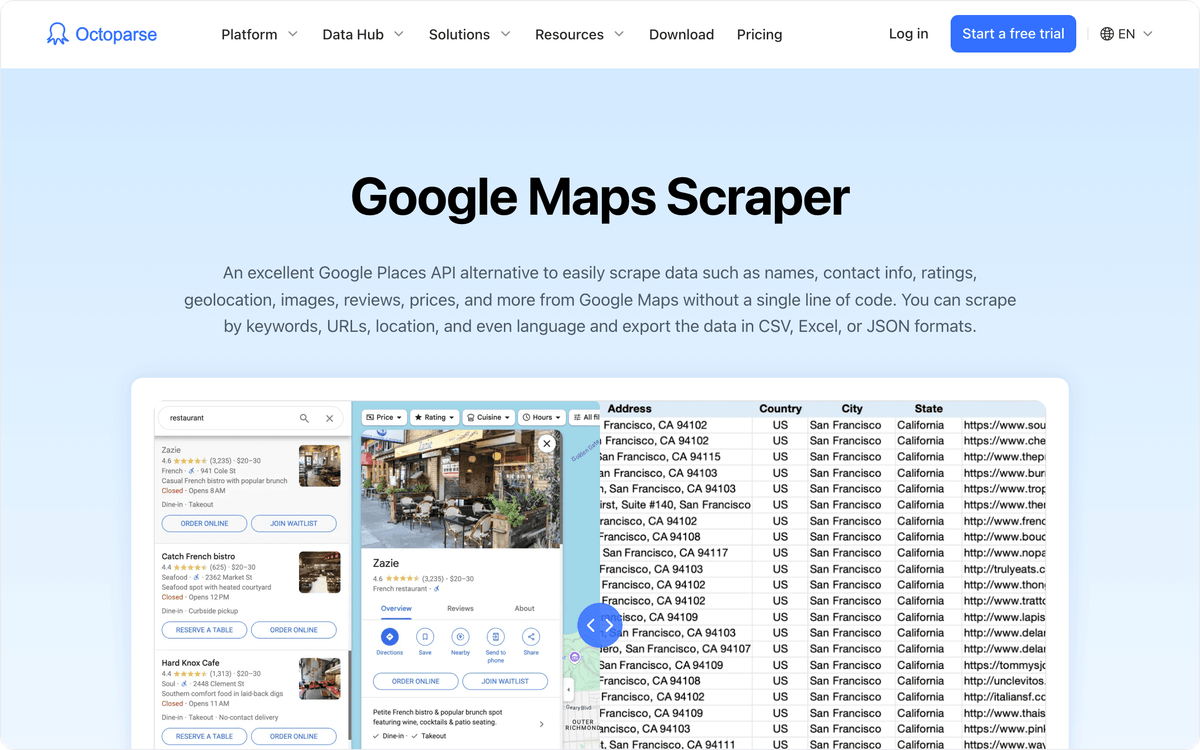
On the Free plan, tasks run on your own computer only: 10 tasks, up to 10K records per export and 50K records exported per month. Standard moves runs to Octoparse Cloud and adds task scheduling. Professional at $249 a month billed yearly saves data to Google Sheets, Google Drive, Dropbox and S3, and the same desktop app can scrape other websites from the template library.
Best for: non-technical users who scrape Google Maps and other websites from one desktop tool.
Pricing: Octoparse's Free plan runs 10 tasks on local devices. Standard starts from $69 a month billed yearly ($83 billed monthly), and Professional costs $249 a month billed yearly ($299 billed monthly). All plans come with a 5-day money-back guarantee.
5. ScrapeHero: low-cost scheduled exports, emails in a second run
ScrapeHero Cloud sells no-code scrapers on credit plans. Its Google Maps Scraper accepts 1,000+ search queries at a time, returns more than 500 results per query and exports Excel CSV or JSON files.
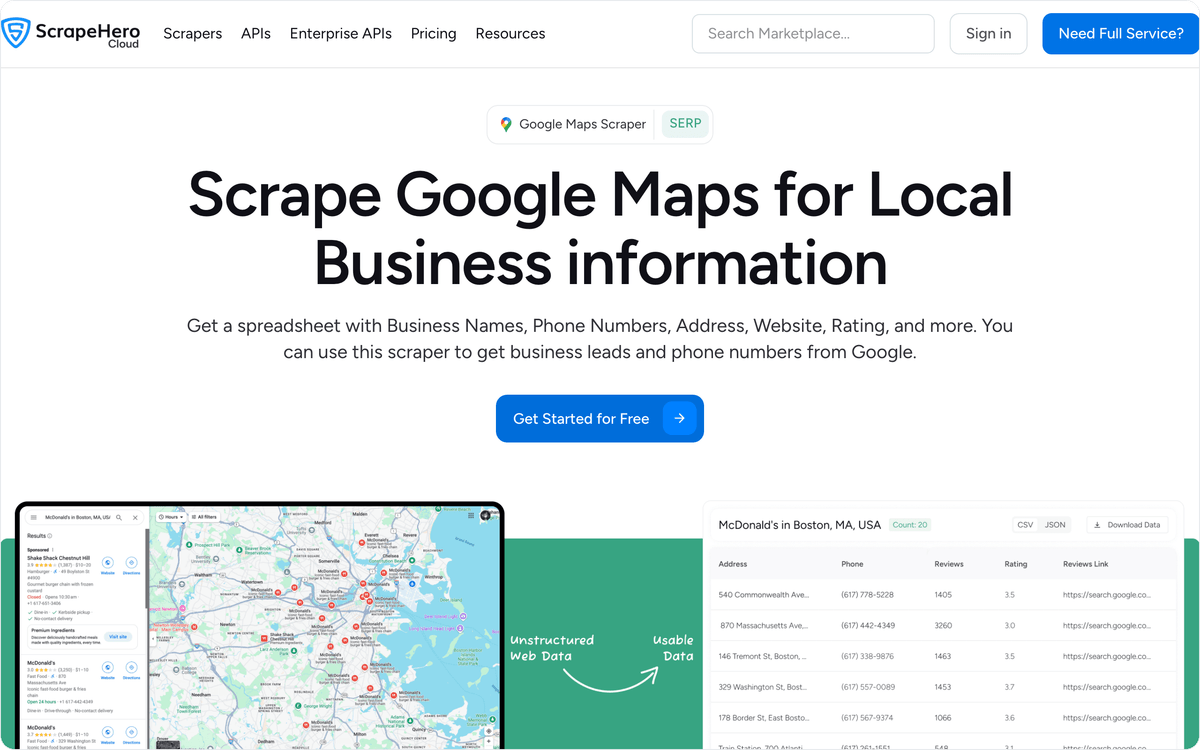
The Maps export has no email column. For emails, you load its CSV into ScrapeHero's Contact Details Scraper, which visits pages such as About or Contact Us on each website and collects emails, phone numbers, fax numbers, addresses and social media profiles. Crawls can repeat hourly, daily or weekly and deliver to Dropbox, Google Drive, AWS S3 or your app via API, with Google Drive, S3 and API delivery available from the Standard plan.
Best for: recurring Maps exports on a small budget, when a separate run for emails is fine.
Pricing: the Free plan gives 400 data credits that do not renew, with no credit card. Intro costs $5 a month billed monthly for 4,500 credits, Lite $25 for 30,000 and Starter $50 for 90,000. Standard, at $100 a month for 225,000 credits, is the first plan with Google Drive, S3 and API delivery.
⚠️ Important
Free allowances in this list behave differently over time. Outscraper's free tiers reset every 30 days and Lobstr.io refreshes 100 credits each month, but ScrapeHero's 400 free credits do not renew, and SocLeads credits are valid for one month. Plan a monthly scrape around each tool's reset date.
6. Lobstr.io: per-result credits and an email status field
Lobstr.io's Google Maps Leads Scraper takes a Google Maps link and returns leads with name, category, phone, score, email, website, address, city and 79 more fields. Output goes to a spreadsheet, to connected tools, through the API or to an AI agent.
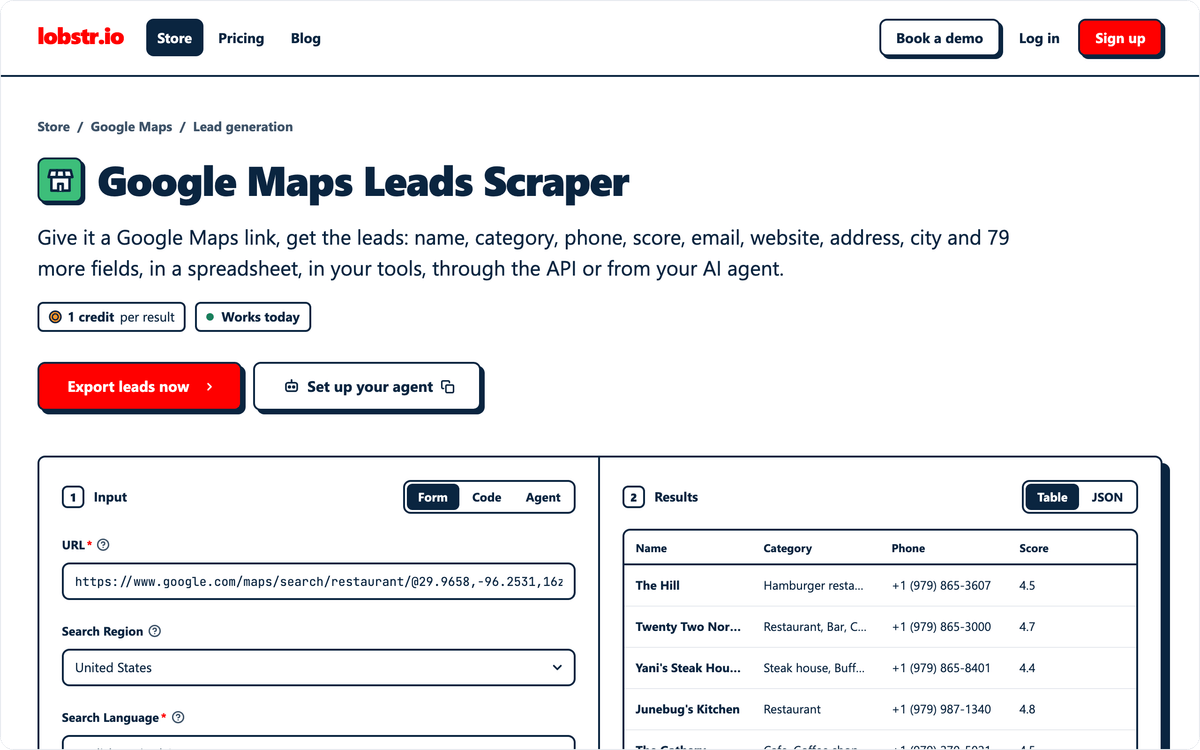
The "Extract Emails from Website" option costs 1 extra credit per result and takes the email from the business website. Each extracted email carries an email_status of valid, invalid or unknown, so you can drop bad addresses before an outreach sequence. Lobstr.io bills per unique result, and duplicates are free.
Best for: per-result buyers who need each email's validity marked in the export file.
Pricing: the Free plan refreshes 100 credits every month without a credit card. Starter costs $20 a month billed monthly or $16 a month billed yearly for 10,000 credits, and Pro costs $100 a month. Credits work out to $2 per 1,000 on Starter and $1 per 1,000 on Pro.
7. Scrap.io: filter by contact fields and map area
Scrap.io extracts businesses from Google Maps, Apple Maps and Bing Maps. You can filter results by website, phone, email, rating, reviews and social media, so the export only holds businesses that list the contact fields you need. Radius search starts on Professional, and Company adds polygon search.
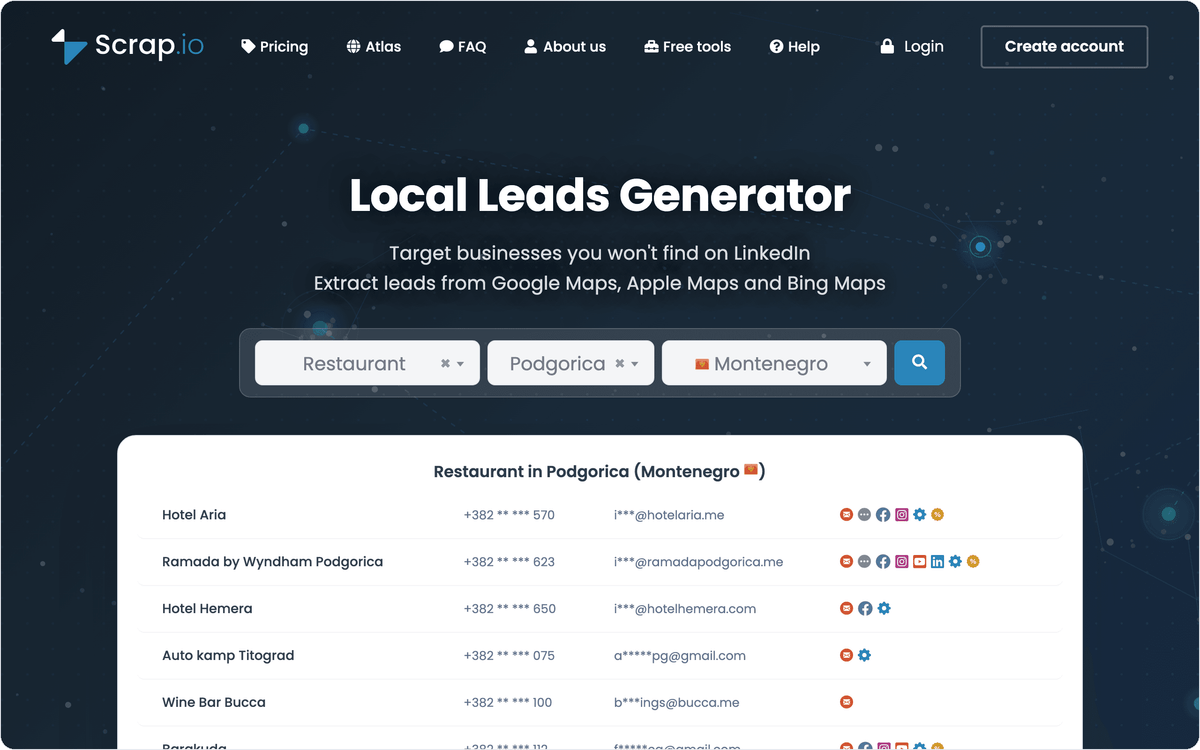
Two data levels decide how many emails each row carries. Essential returns name, types, address, coordinates, phone, website, the first email, working hours and the first link to each social network. Extended adds all emails and reviews. Each place counts only once in a 30-day period, so exporting the same places again within a month does not spend credits on them twice.
Best for: area-based pulls limited to businesses that list an email or a website.
Pricing: Scrap.io invites new users to try it for free and does not list trial limits on its pricing page. Plans shown billed yearly are Basic €35 a month for 10,000 export credits, Professional €69 for 20,000, Agency €139 for 40,000 and Company €350 for 100,000, and one export credit equals one place.
8. Map Lead Scraper: a Chrome extension for Google Maps leads
Map Lead Scraper is a Chrome extension that extracts business listing data from Google Maps, including names, emails and phone numbers. It works in the browser, so there is no cloud project to set up.
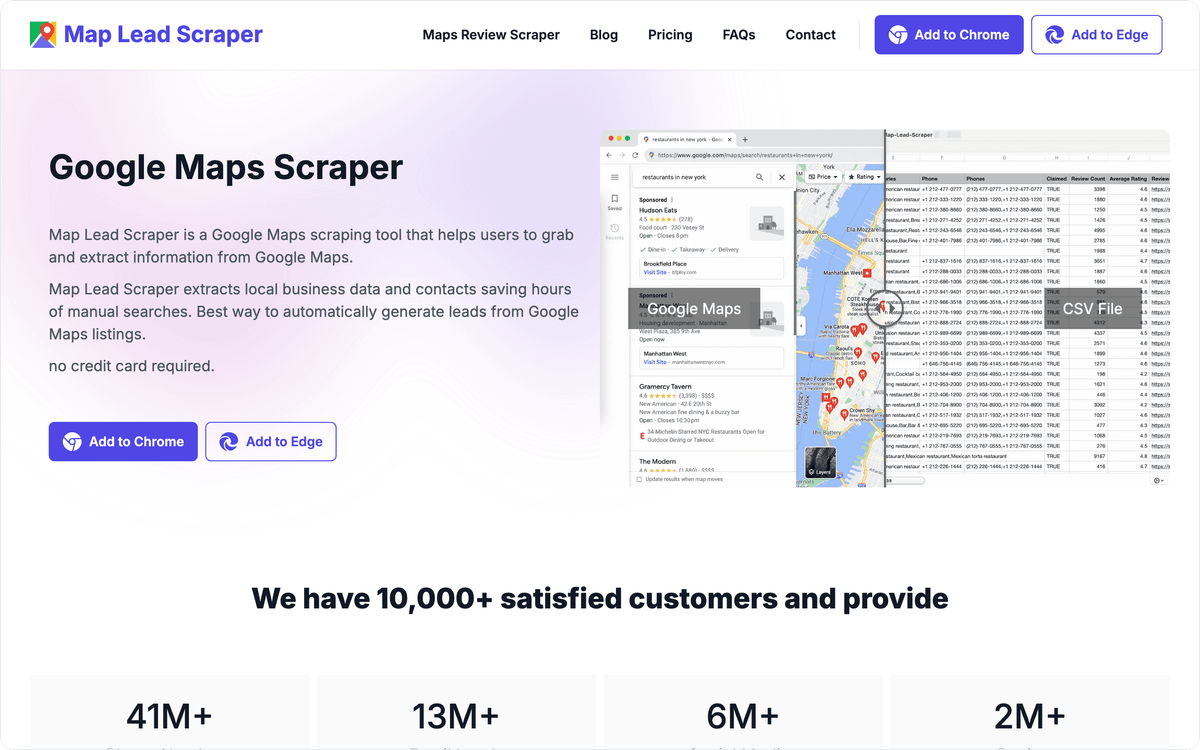
The free version exports basic info, phone, website, CID and place ID, 15 records at a time and up to 1,000 leads a month, but no emails. Pro adds email extraction, social media links and automatic bulk extraction, and it raises the monthly limit to 100,000 leads.
Best for: freelancers and small teams building lists in the browser on a low monthly fee.
Pricing: Map Lead Scraper's free version allows 1,000 leads a month, no credit card required. Pro costs $19.9 a month billed monthly or $9.9 a month billed yearly.
9. G Maps Extractor: decision-maker emails on every paid plan
G Maps Extractor runs as an online scraper, a Chrome extension and an API, and every paid plan includes business emails and social media links. Its email field holds the address found on the internet for each business, while the free plan returns basic business information and phone numbers without emails.
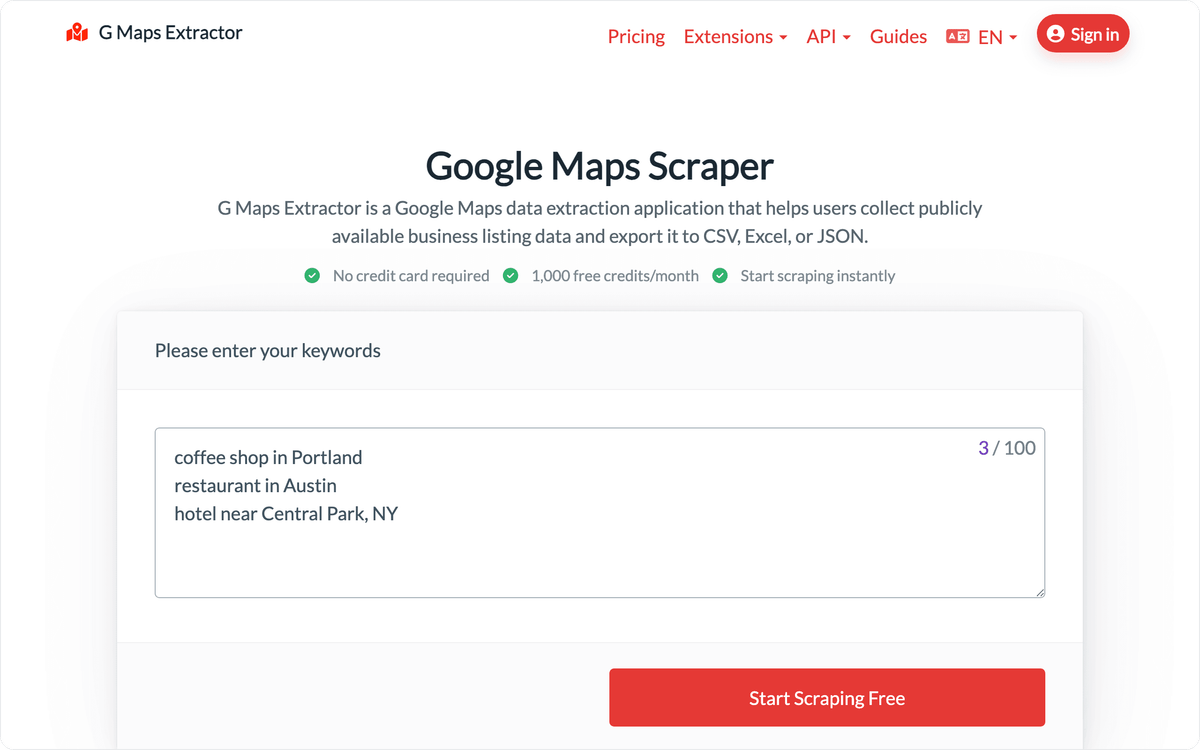
Paid plans also add a monthly allowance of decision-maker emails, the verified direct emails of owners, founders and CEOs, from 10 a month on Lite up to 100 on Professional. The pricing page puts Lite at about $0.95 per 1,000 records, and paid plans export to CSV, Excel or JSON, which suits a quick list for a sales rep or a one-time mailing.
Best for: small paid lists where owner or founder emails matter as much as the shared business inbox.
Pricing: G Maps Extractor's free tier gives 1,000 records a month with no credit card and no emails. Lite is $19 a month for 20,000 records, Basic $49 for 80,000, Growth $99 for 250,000 and Professional $149 for 500,000, each shown next to a crossed-out higher price.
10. PhantomBuster: Maps leads inside an outbound automation tool
PhantomBuster's "Google Maps Search to Contact Data" flow scrapes a Google Maps search and then enriches each business with emails, phone numbers, websites, social media handles and business hours, saving everything to a CSV file.
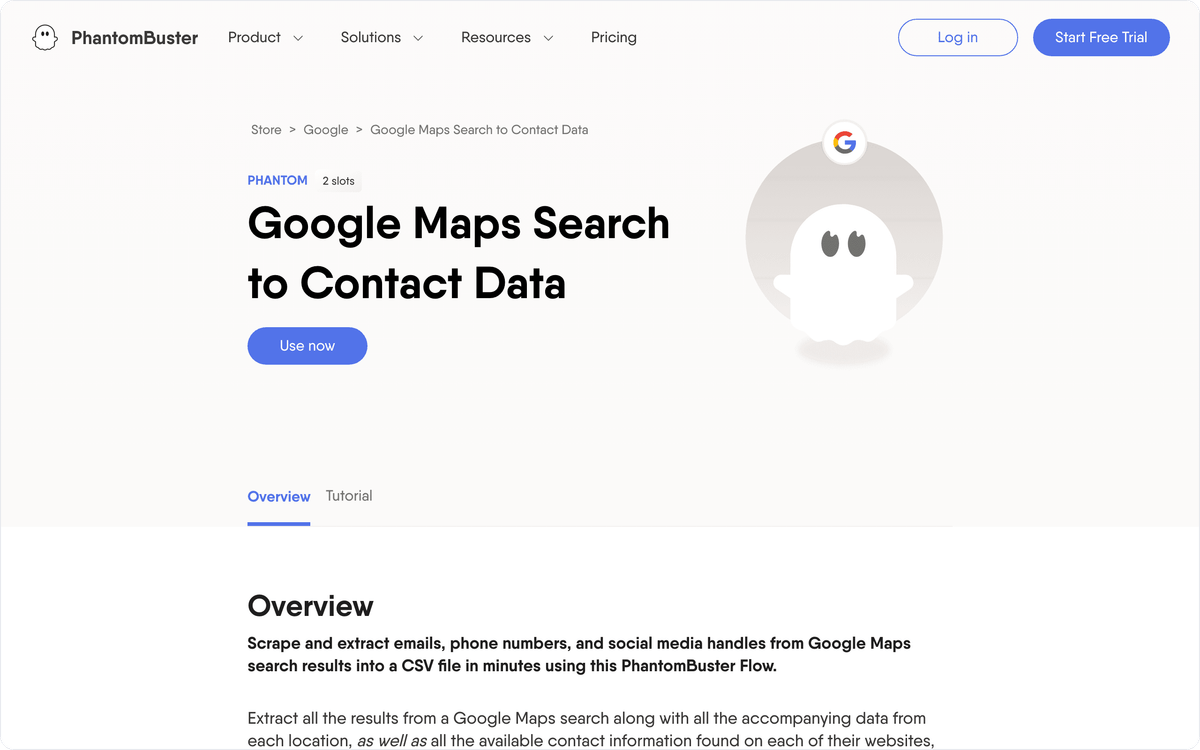
PhantomBuster also offers a separate Google Maps Search Export automation. Google Maps shows at most 120 results for each search, so a large city or category needs several narrower searches. It runs automations for LinkedIn and other platforms too, which keeps Maps leads in the same workspace as the rest of an outbound process.
Best for: sales teams already running outbound automations who want Maps leads in the same tool.
Pricing: the trial limits exports to 10 rows and includes 50 email credits. Start costs 56€ a month billed annually (672€ a year) with 20 hours of execution time and 500 email credits a month, and Grow costs 128€ a month on the same annual billing.
How do you send Google Maps leads to your CRM?
You send Google Maps leads to a CRM by letting Albato pick up each new scraped row and create or update a contact in HubSpot or Pipedrive without code. Rows arrive from Apify's native connector, a Google Sheet or a webhook. Albato has connectors for 1,000+ apps, and Apify is the only one of the 10 scrapers among them.
Apify results into HubSpot or Pipedrive
The Apify connector's trigger "Finished actor run" starts a flow when a Google Maps Scraper run ends, and the connector's action "Get dataset" works with the dataset where the run stores its results. Each business can then go to HubSpot with "Create or update contact", or to Pipedrive with "Create Person" or "Create Lead". Apify's action "Run actor" also lets another app start a scrape, for example when a new city is added to a sheet.
On Albato's Free plan you can keep 5 automations active, each with up to two steps, which is room for a sheet row that becomes a HubSpot contact. The contact rules you already apply to form leads in a lead capture pipeline work the same way for scraped rows.
Exports from the other nine tools
Results from the other nine tools reach Albato through a sheet, an API call or a webhook, because none of them has a dedicated Albato connector. Octoparse Professional saves data to Google Sheets, and any CSV export can be imported into one. The Google Sheets trigger "New row created" then sends each business to the CRM.
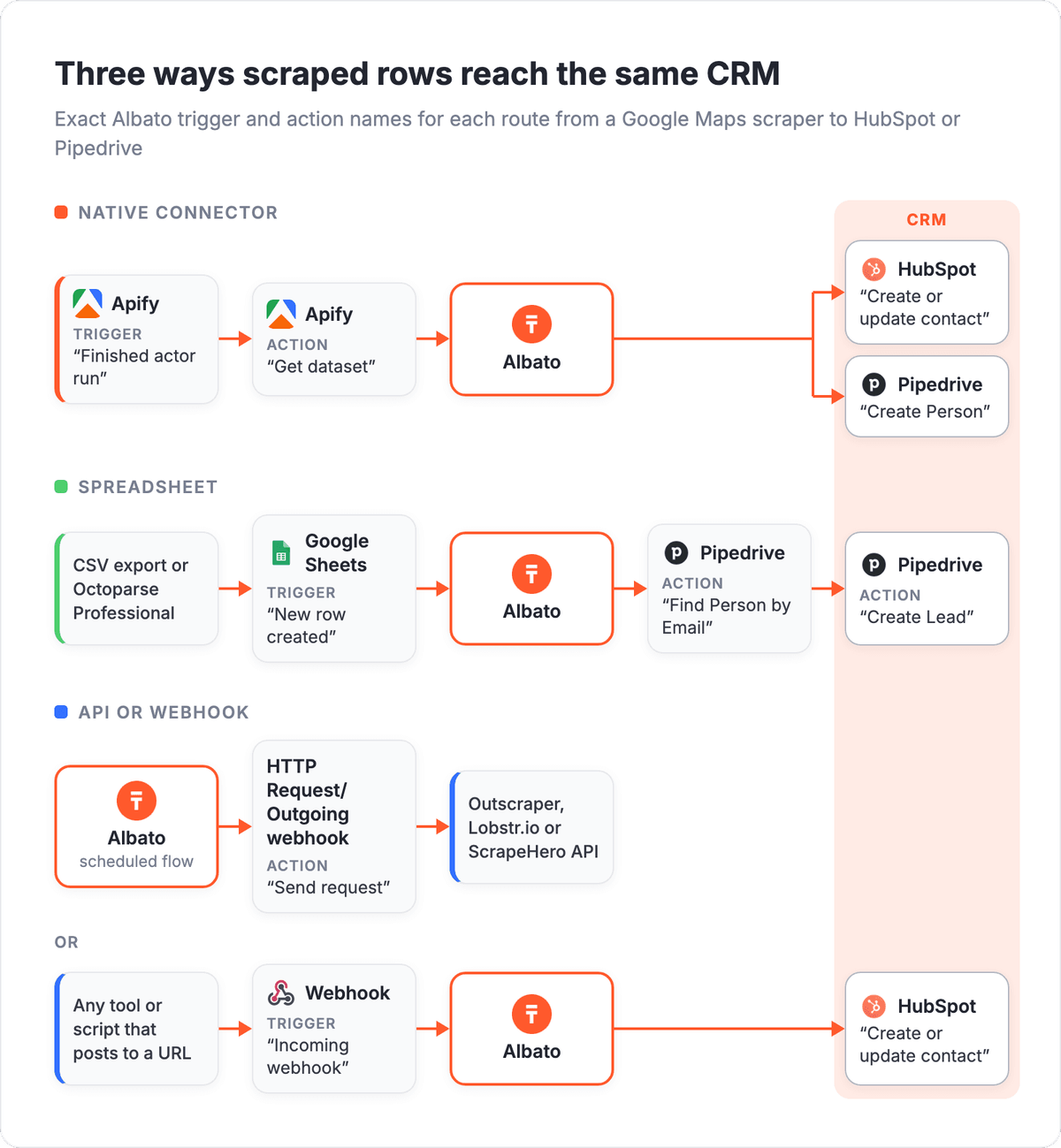
Outscraper, Lobstr.io and ScrapeHero all offer an API, so the HTTP Request/Outgoing webhook action "Send request" can call them from a flow and pass the response on. For a tool or script that can post its results to a URL, the Webhook trigger "Incoming webhook" gives the flow its own address.
🔧 How it works
Pipedrive's action "Find Person by Email" can run before "Create Person", so a business that shows up in two searches does not become two contacts. The check adds a step, which puts the flow at three steps instead of two.
What Albato's own Google Maps connector does
Albato's Google Maps connector works with Google's place data and does not scrape websites or find emails. Its actions are "Search for places", "Get Place Details by ID", "Geocode Address" and "Reverse Geocode Coordinates", which suit adding place details or coordinates to records you already have. For new lead lists with emails, use one of the 10 scrapers in this list and connect its output.
When the first contacts arrive in the CRM, check that phone, website and email land in the right fields, then add more searches to the same flow.
FAQ
What's the best Google Maps scraper?
The right Google Maps scraper depends on your budget and on where you want the email step to happen. On a small budget, ScrapeHero's Intro plan costs $5 a month and finds emails in a second run, while Map Lead Scraper adds emails on Pro at $9.9 a month billed yearly. For emails in the same row as the place data, Octoparse's Google Maps template and SocLeads' Basic plan at $29 a month return them in one run.
Can you suggest some Google Maps scrapers?
Ten Google Maps scrapers that also find emails are Outscraper, Apify's Google Maps Scraper, SocLeads, Octoparse, ScrapeHero, Lobstr.io, Scrap.io, Map Lead Scraper, G Maps Extractor and PhantomBuster. Each of them has a free tier or a trial, so you can test a small search before paying.
Which Google Maps scrapers also extract emails?
All 10 tools in this list extract emails, and the email step is priced differently in each. Lobstr.io adds 1 credit per result, Outscraper charges $3 per 1,000 domains after the first 500, and Apify's company contacts enrichment adds $0.20 per 100 places on the Free plan. Map Lead Scraper needs Pro, and G Maps Extractor starts emails on its $19 Lite plan. SocLeads validates emails from its Basic plan.
How can I get email addresses from Google Maps listings?
You get them from the business website linked in each listing: a scraper collects the listings, then reads each website for a published email address. Expect some rows without an email, and validate the rest before sending, for example with SocLeads' paid plans, Lobstr.io's email status or Outscraper's verifier.
What tools can extract data from Google Maps?
The 10 scrapers in this list extract business data from Google Maps, including name, address, phone, website, rating, review count and email. For place data without emails, Albato's Google Maps connector offers "Search for places" and "Get Place Details by ID", which use Google's own place data instead of scraping.
Which IGLeads alternatives work for Google Maps leads?
Three tools in this list pair Google Maps leads with social profiles. SocLeads has its own scrapers for six social networks, Instagram included, Apify's Business leads enrichment adds LinkedIn profiles of people at each business, and PhantomBuster runs Google Maps automations next to LinkedIn ones.
Apify runs reach HubSpot or Pipedrive through Albato's native connector, and exports from the other nine tools get there through a Google Sheet or a webhook.
Albato's Free plan keeps 5 automations active with 2 steps each, so each scraper export you test can have its own two-step flow from a sheet or webhook into HubSpot or Pipedrive.