In this article
Key Takeaways
- Context7 serves current docs for 159,000+ libraries, DeepWiki MCP answers questions about public GitHub repos, and the GitHub MCP Server reads files, issues and pull requests where your code is hosted.
- CodeAlive targets codebases of 1M+ lines spread across several repositories: its index refreshes on every push, queries combine semantic, lexical and graph retrieval, and its MCP server is open source.
- Sourcegraph suits enterprise code search, Augment Code hosts a shared context engine, Serena runs symbol-level tools locally, and Greptile brings AI review findings into the agent.
Prices on this list run from free to a $16K minimum annual contract. DeepWiki MCP and the GitHub MCP Server cost nothing on their own, Serena's core runs free on your machine, and Sourcegraph opens its MCP server on Enterprise plans alone.
What is an MCP server for codebase context?
An MCP server for codebase context is a service that answers a coding agent's questions about source code through the Model Context Protocol. MCP is the open protocol AI clients such as Claude Code and Cursor use to call outside tools. The agent sends a request like "find where invoices are calculated", and the server returns the matching files, symbols or documentation.
Each server on this list exposes a small set of tools, for example a search tool and a question tool, and the client decides when to call them. Our MCP guide explains the protocol itself, with clients, servers and transports.
Codebase context servers are a separate class from MCP platforms that connect a SaaS product's agents to business apps such as CRMs and help desks. Those are covered in our roundup of MCP server platforms for SaaS teams.
How do the top MCP servers for codebase context compare?
The eight servers differ first in the source of context they serve: documentation for your dependencies, an index of your own repositories, live access to a code host, or a wiki of public repositories. The Albato app catalog has no connector for any of the eight.
| Tool | Context it serves | Where it runs | Free tier | Entry paid plan | Albato connector |
|---|---|---|---|---|---|
| Context7 | Current docs for libraries and frameworks | Remote server, open source (MIT) | Public repos, 1,000 API calls/mo | Pro $10 per seat/mo | No |
| Sourcegraph (MCP) | Code search, navigation and Deep Search over your repos | Your Sourcegraph instance | None listed | Enterprise from $16K, minimum annual contract | No |
| CodeAlive | Semantic search and a relationship graph of your repos | Remote server, MCP server open source | 1 user, 25 MB of repos, MCP access | Hobby $15/mo usage balance | No |
| DeepWiki MCP | AI wiki and Q&A for public GitHub repos | Remote server, no authentication | Free | Private repos through Devin, Pro $20/mo | No |
| GitHub MCP Server | Repos, code files, issues, pull requests, workflows | Remote or local Docker, open source (MIT) | All GitHub users | No separate price | No |
| Serena | Symbol-level retrieval and editing through language servers | Local MCP server | Free core | JetBrains plugin $5/mo or $50/yr | No |
| Augment Code (Context Engine) | Semantic index of repos, relationships and commit history | Local (Auggie CLI) or remote | None listed | Standard $20/mo flat, up to 50 seats | No |
| Greptile | Code review findings and a repo knowledge base | Remote server | 1 developer, 50 credits/mo | Pro $1 per credit | No |
Prices and plan names are as listed by each vendor on November 5, 2026, with monthly billing unless an annual term is named.
Which kind of codebase context does a coding agent need?
A coding agent needs one of four kinds of context, depending on what it gets wrong: current documentation for the libraries it calls, an index of your own code, live access to the repository and its pull requests, or explanations of a public project it depends on. Start with the kind that matches the mistakes you see most often.
An agent that calls a removed method needs documentation, which is what Context7 serves. An agent that misses how a change in one service affects another needs an index with relationships, which Sourcegraph, CodeAlive, Augment Code and Greptile build in different ways. Serena gives the same symbol-level view on your machine through language servers, without a hosted index.
Every server you add puts its tools into the agent's list, and long tool lists can confuse the model, a problem described in our article on MCP context bloat. A setup of one docs server and one code server keeps that list short.
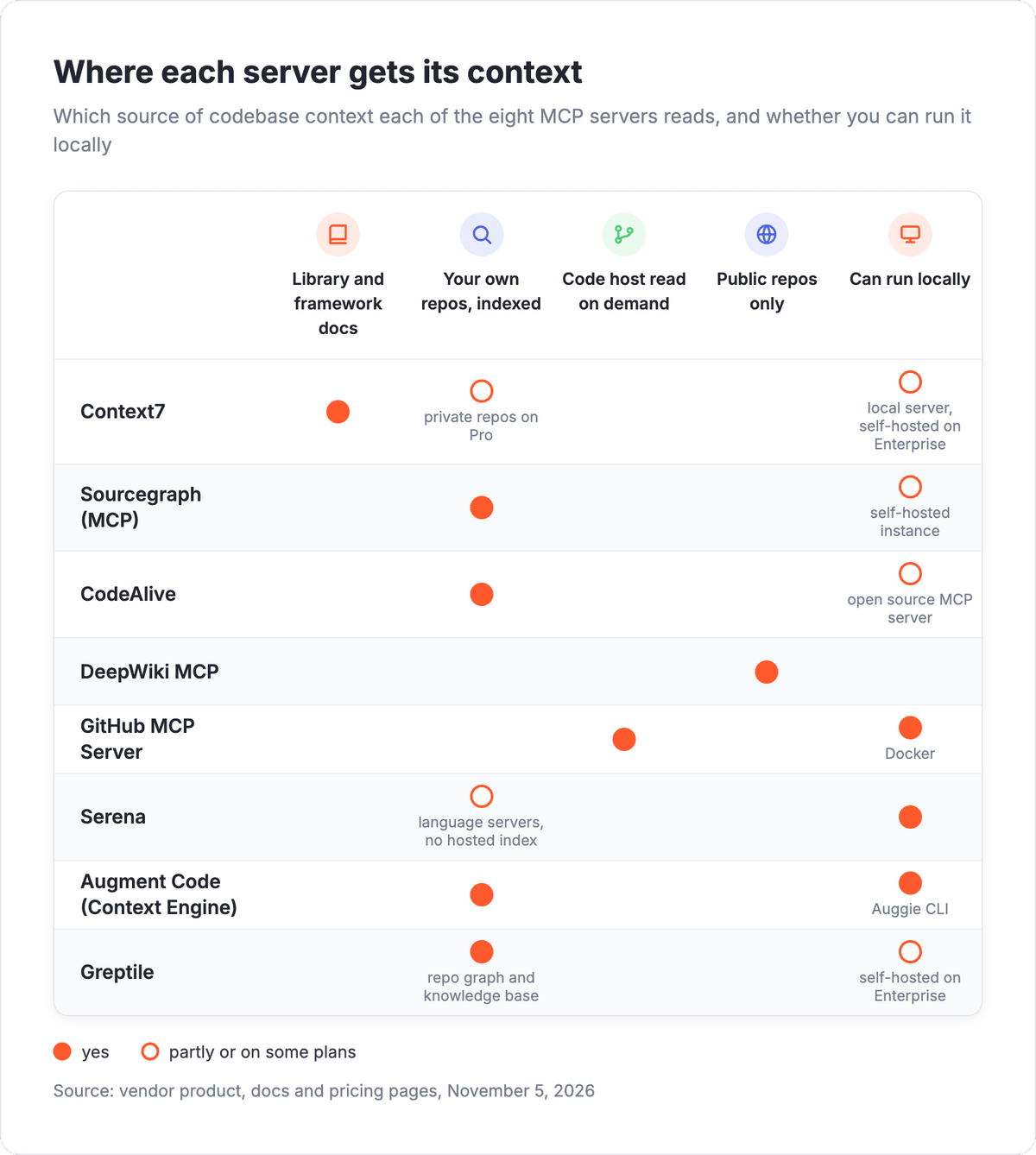
The GitHub MCP Server and DeepWiki MCP sit outside the index group: the first reads whatever the agent asks for from GitHub at request time, and the second answers from a generated wiki of an open source project.
💡 Tip
Test a server on a question you already know the answer to, such as "which services call the billing module". If the agent needs several follow-up calls to find it, the server is the wrong kind for that codebase.
What are the top MCP servers for codebase context?
The top MCP servers for codebase context in 2026 are Context7 for library docs, Sourcegraph for enterprise code search, CodeAlive for large multi-repo codebases, DeepWiki MCP for public repos, the GitHub MCP Server for repository access, Serena for local symbol tools, Augment Code for a hosted context engine, and Greptile for review context.
1. Context7: current library docs for coding agents
Context7 gives coding agents current documentation for the libraries and frameworks your code depends on, so the agent writes against the current version of each API. It is an Upstash project, and its catalog lists 159,000+ libraries.
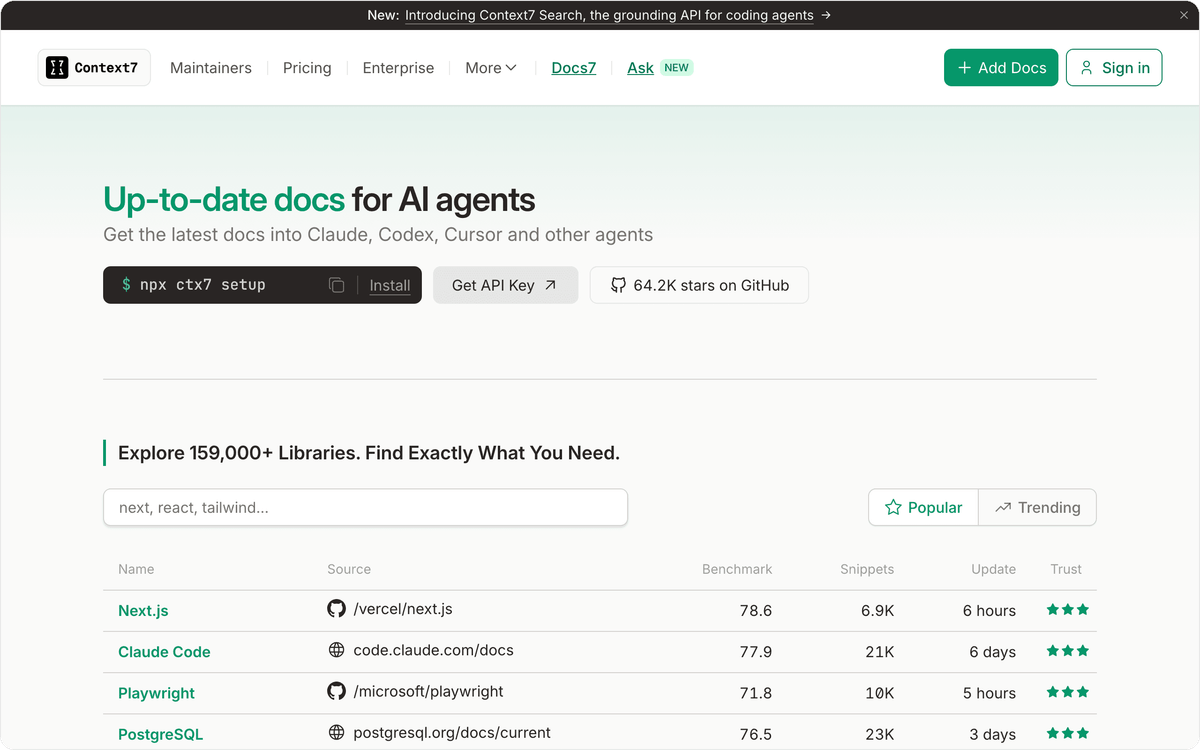
The remote server at mcp.context7.com exposes two tools, resolve-library-id and query-docs, and the project is open source under the MIT license. Context7 works in Claude, Codex, Cursor and other agents. Public repositories are covered on the free plan, while Pro adds private repositories, team collaboration and private repo parsing at $5 per 1M tokens. Its scope is dependencies, so a team that also wants its own repositories indexed adds a second server for that.
Best for: projects with fast-moving dependencies, where agents keep calling library methods that changed in a recent release.
Pricing: the Free plan is $0 with public repositories and 1,000 API calls a month. Pro costs $10 per seat a month, includes 2,000 calls per seat and charges $5 for each extra 1,000. Enterprise is custom, with SOC-2, SSO and self-hosting.
2. Sourcegraph (MCP): code search for large engineering orgs
Sourcegraph connects AI agents to the code search and analysis of your own Sourcegraph instance, across all the repositories and code hosts it already indexes. Its MCP server sits on the instance at /.api/mcp, with separate endpoints for all tools and for Deep Search.
The toolset covers reading files, keyword search, semantic search with flexible linguistic matching, go to definition, find references, commit and diff search, and Deep Search for longer research questions. Supported clients include Claude Code, Codex, Cursor, Copilot, OpenCode and Amp. Access to the server is managed with a dedicated MCP#ACCESS permission: every signed-in user has it by default, and an admin can remove it from a role to keep agents off the instance. Through MCP, users can only read data from repositories they are already allowed to access, so agent queries stay inside existing permissions.
Best for: large engineering organizations that already need code search across many repositories and several code hosts.
Pricing: the MCP server is supported on Enterprise plans only. Enterprise starts at $16K with a minimum annual contract, includes credits for AI features and scales with team size. It runs as single-tenant cloud or self-hosted, with full MCP server, API and CLI access.
3. CodeAlive: a context engine for codebases of 1M+ lines
CodeAlive is a context engine for codebases of 1M+ lines. It pairs semantic search with a relationship graph of files, symbols, calls, dependencies and tests, and serves both to agents over MCP and through an API.
The index is refreshed on every push, and each query runs hybrid retrieval that mixes semantic search, lexical matching and graph traversal. Agents get three MCP tools, semantic_search, grep_search and chat, and the MCP server itself is open source. Repositories connect from GitHub, GitLab, Bitbucket, Azure DevOps or Gitea. On the client side, CodeAlive works with Cursor, Claude Code, Codex, Windsurf, Zed, Continue and Cline, as well as VS Code and JetBrains IDEs.
Best for: platform teams with several repositories past the million-line mark whose agents need to see how code connects across them.
Pricing: CodeAlive bills monthly from a usage balance. The Free plan is $0 for one user, with 25 MB of total repo size and MCP access. Hobby is $15 a month for one developer, Pro is $50 a month for 1 to 3 developers, and Team starts at $100 a month for 5 to 15 developers.
4. DeepWiki MCP: free answers about public repositories
DeepWiki MCP gives agents an AI-generated wiki and a question tool for public GitHub repositories. It comes from Cognition, the company behind the Devin coding agent, and its documentation lives in the Devin docs.
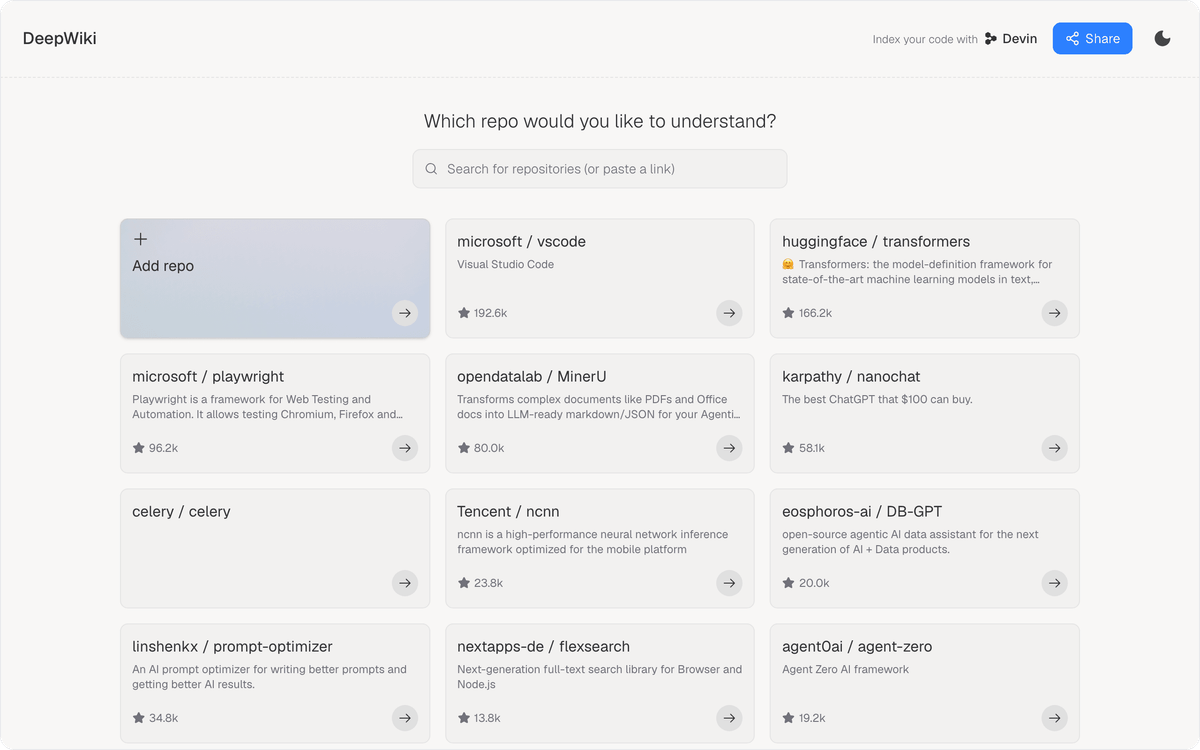
The server at mcp.deepwiki.com is a free, remote service that needs no authentication, so any MCP client can connect in one step. Three tools, read_wiki_structure, read_wiki_contents and ask_question, let an agent browse the topics of a repository's wiki, read them or ask a direct question. Streamable HTTP at /mcp is the recommended transport, and the older SSE endpoint is being deprecated. Private code is out of scope for this server, so internal repositories need a different one.
Best for: developers who need to understand the internals of an open source dependency with zero setup.
Pricing: DeepWiki MCP is free. For private repositories, Cognition points to a Devin account and the Devin MCP server. Devin Pro is $20 a month, Max is $200 a month, and Teams is $80 a month plus $40 a month per full developer seat.
5. GitHub MCP Server: repository and workflow access on GitHub
The GitHub MCP Server is GitHub's official server for repository and workflow context. It lets agents read repositories and code files, manage issues and pull requests, analyze code and automate workflows, all through your GitHub account.
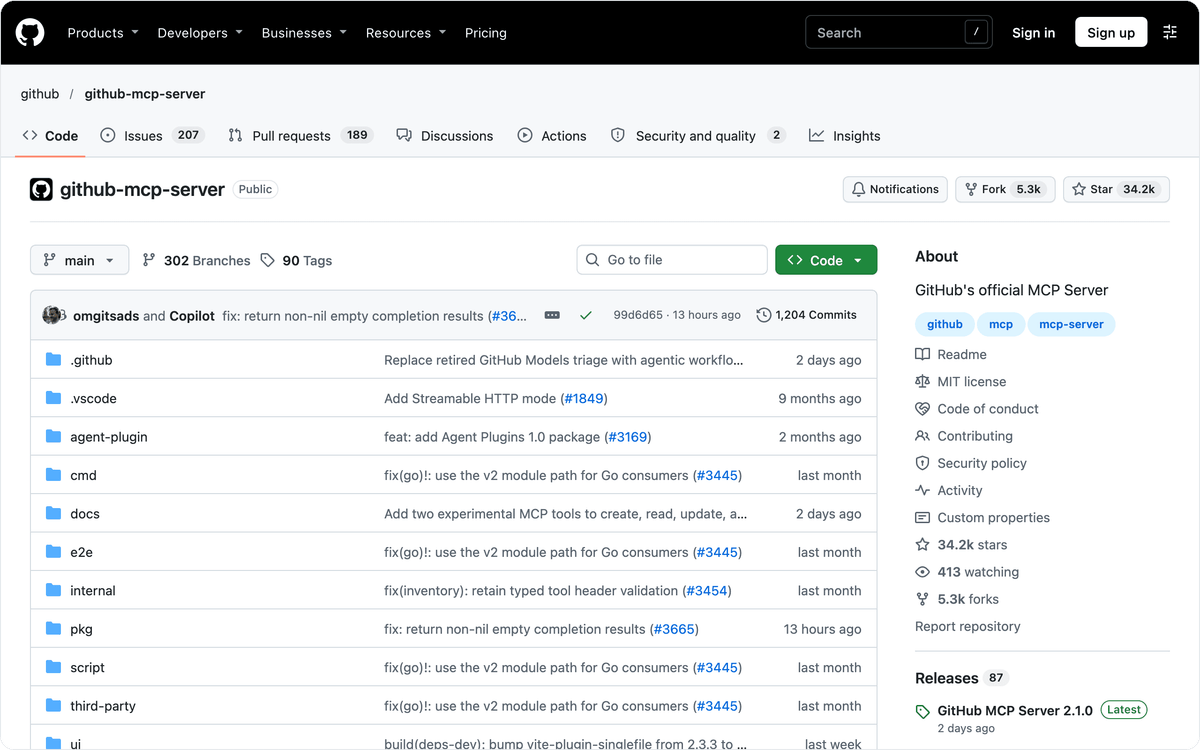
You can connect to the remote server at api.githubcopilot.com/mcp or run the local Docker image, and the server is open source under the MIT license. Hosts include Claude Code, Codex, Cursor, Windsurf, Zed, VS Code and JetBrains IDEs. The server works through GitHub at request time: it reads files and runs searches when the agent asks, so on a large repository the agent has to search first or know roughly where to look.
Best for: agents that act on issues and pull requests in projects already hosted on GitHub.
Pricing: the GitHub MCP Server is available to all GitHub users regardless of plan type. Individual tools inherit the access requirements of the GitHub features they wrap, so a tool built on a paid feature needs that plan.
⚠️ Important
In organizations on Copilot Business or Copilot Enterprise, an admin has to enable the "MCP servers in Copilot" policy before members can use MCP servers, the GitHub MCP Server included, with Copilot.
6. Serena: symbol-level tools that run on your machine
Serena gives a coding agent IDE-style tools that work at the symbol level: semantic code retrieval, editing, refactoring and debugging. It runs locally, launched by your MCP client, and is developed by Oraios AI in Germany.
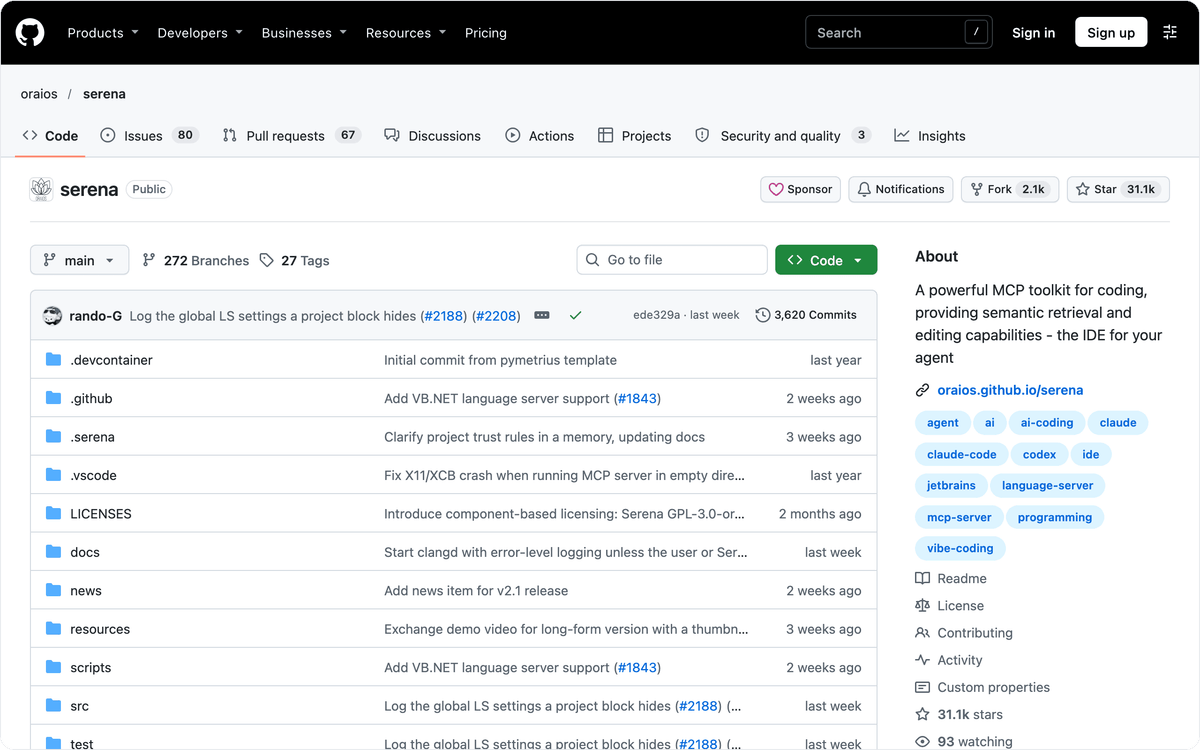
By default Serena uses language servers, the free and open source backend, with support for over 40 programming languages. A paid Serena JetBrains Plugin can replace them as the backend. Clients include Claude Code, Codex, OpenCode and Gemini-CLI, as well as VS Code, Cursor and JetBrains IDEs. The language server layer, SolidLSP, is under the MIT license, and the Serena application is under GPL-3.0-or-later, which matters if you plan to modify and redistribute it.
Best for: solo developers who want go-to-definition and symbol-level refactoring in a terminal agent while the code stays on their own machine.
Pricing: Serena's core is free. The optional JetBrains plugin costs $5.00 a month or $50.00 a year, and it comes with 7 days free of charge.
7. Augment Code (Context Engine): one hosted index for several agents
Augment Code's Context Engine is a semantic index of your code that any agent can query over MCP. It tracks relationships across repositories, services and architectures, and it also indexes commit history, codebase patterns and external sources such as docs and tickets.
Two modes exist. The local server runs the Auggie CLI over stdio and indexes in real time as you edit. The remote server is hosted by Augment, connects through the Augment GitHub App and indexes the default branches of the repositories you select. Quickstarts cover Claude Code, Codex, Cursor, Zed and GitHub Copilot, so one index can serve a team that uses different agents.
Best for: organizations running several coding agents that should all read from the same retrieval layer.
Pricing: Standard is $20 a month flat with no per-seat charge, for up to 50 seats with $20 of usage included every month. Business is $100 a month, and Enterprise is custom. Model usage is billed at the provider's list price plus a flat 40% fee, and MCP queries draw on that usage.
8. Greptile: code review context inside the agent
Greptile is an AI code reviewer, and its MCP server brings review context into the coding agent. Through it, an agent can fetch review comments, apply fixes, read repository knowledge bases and manage coding patterns.
Greptile builds a graph of each repository's files, functions and dependencies, and the MCP server returns its synthesized documentation for an enrolled repository. The server works in Claude, Cursor, VS Code and Codex CLI. The Pro plan adds cross-repo context and the Knowledge Base MCP, so findings from one service can inform work in another.
Best for: review-heavy teams that already check pull requests with AI and want those findings next to the code the agent is editing.
Pricing: Starter is free for one active developer with 50 credits a month. Pro costs $1 per credit with unlimited developers and agents, no seat fees and a 14-day free trial. Enterprise has custom pricing with self-hosting and SSO.
How do you route coding agent work to your tracker and team chat?
Coding agent work reaches reviewers through three tools around the code: the Git host that receives pull requests, the issue tracker and the team chat. Albato picks up events from Bitbucket, Jira Software Cloud or Linear and runs the follow-up steps you define, with no code.
An MCP server tells the agent what the code does, while the people reviewing its pull requests work in Jira, Linear and Slack. Since Albato has no GitHub or GitLab connector, flows start from Bitbucket, from the tracker, or from a webhook that your CI system sends.
Pull request and issue alerts in Slack
Bitbucket's "Pull Request" trigger starts a flow from pull request activity, and "New pull request comment" does the same for review comments. From there, the Slack action "Send message to a public channel" posts the pull request details you map to the team's review channel.
For teams that plan work in Jira, the trigger "Issue created" can post new tickets to Slack or mirror them into Linear with "Create Issue (Team)", so the agent's follow-up tasks land in the tracker the team reads.
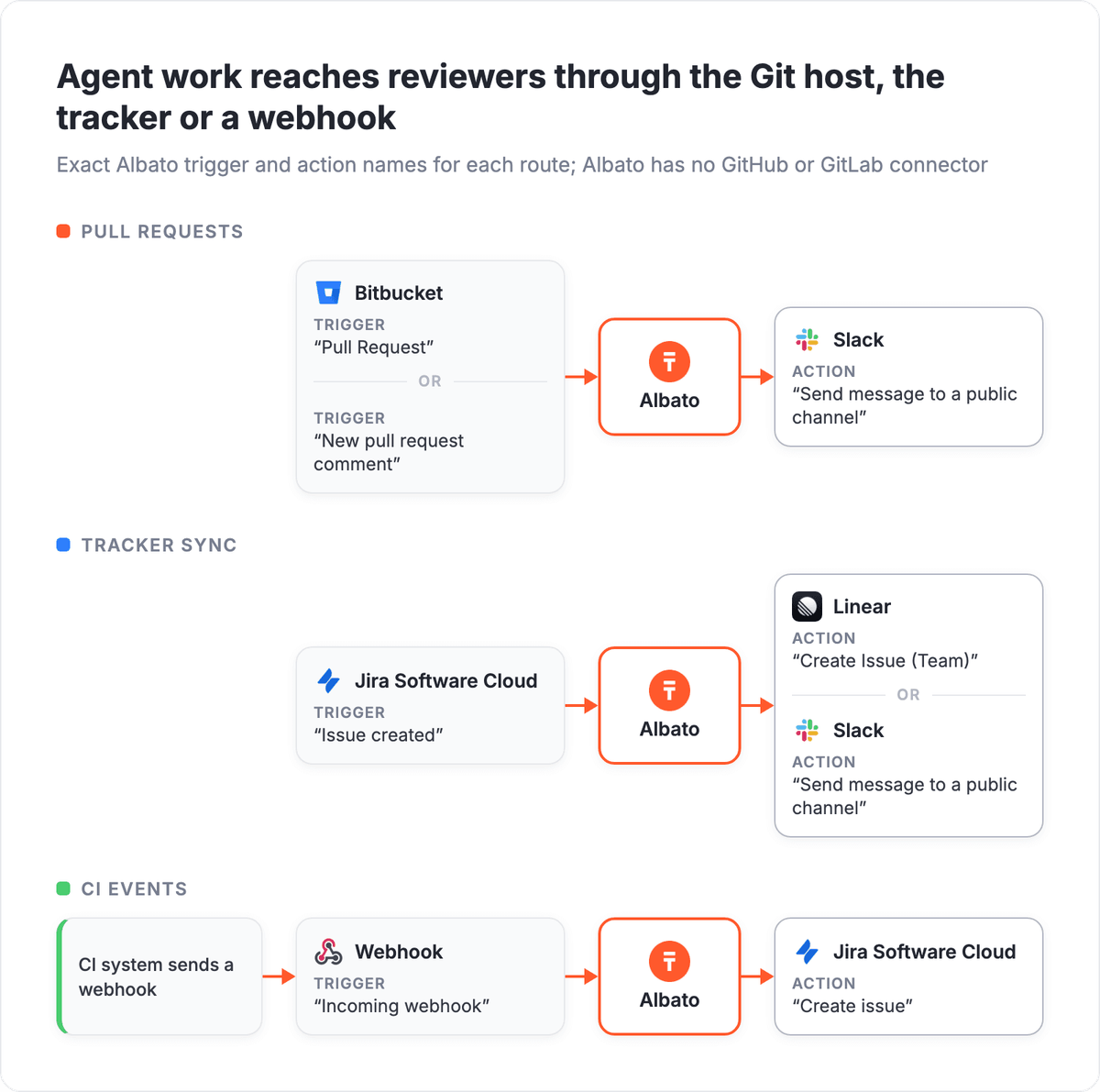
CI systems without a connector reach Albato through the Webhook trigger "Incoming webhook", so a failed build can open a Jira ticket with "Create issue" before anyone checks the pipeline.
🔧 How it works
The Webhook trigger gives each Albato flow its own URL, so any system that can send an HTTP request can start it. For the return path, the HTTP Request action "Send request" calls an API that has no Albato connector.
Albato AI Agent for triaging review comments
Review comments on agent-written pull requests vary too much for fixed filter rules: one asks for a fix, another reports a bug, a third is a question. Inside a flow, the Albato AI Agent takes the comment from the trigger, decides which action fits and runs it according to plain-language instructions you write. You configure four things: the model, those instructions, the app actions available to it as tools and, in conversational flows, optional memory.
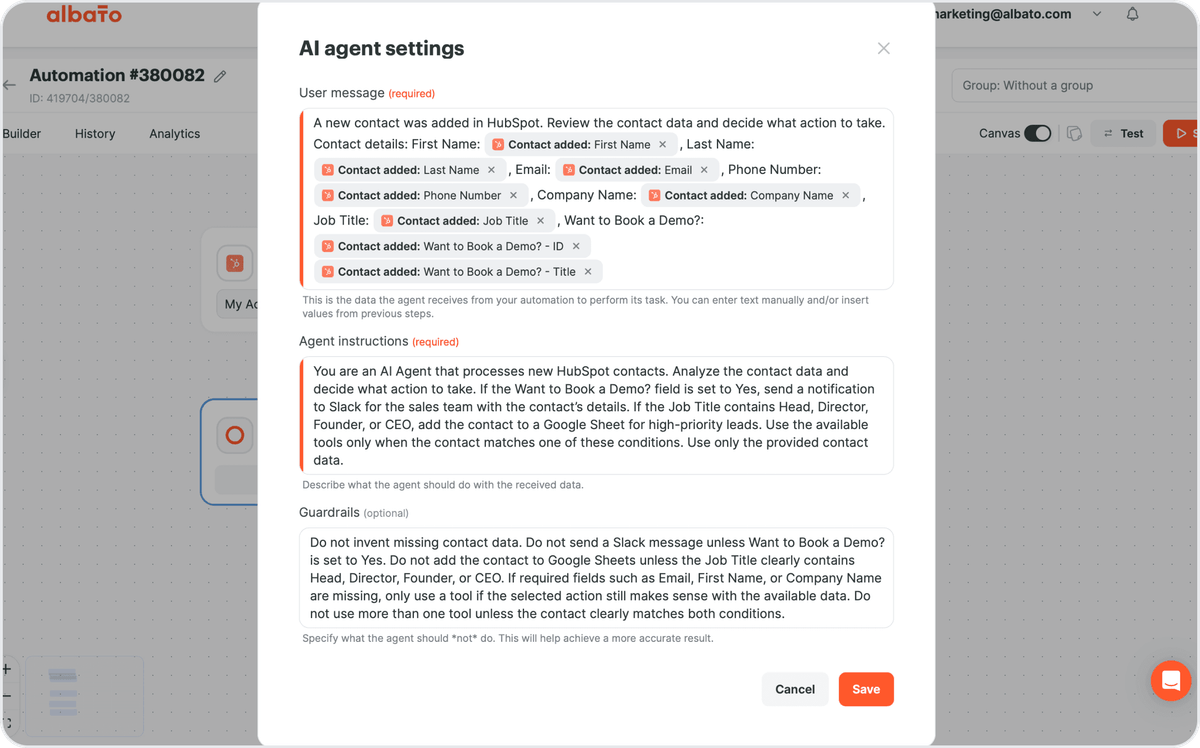
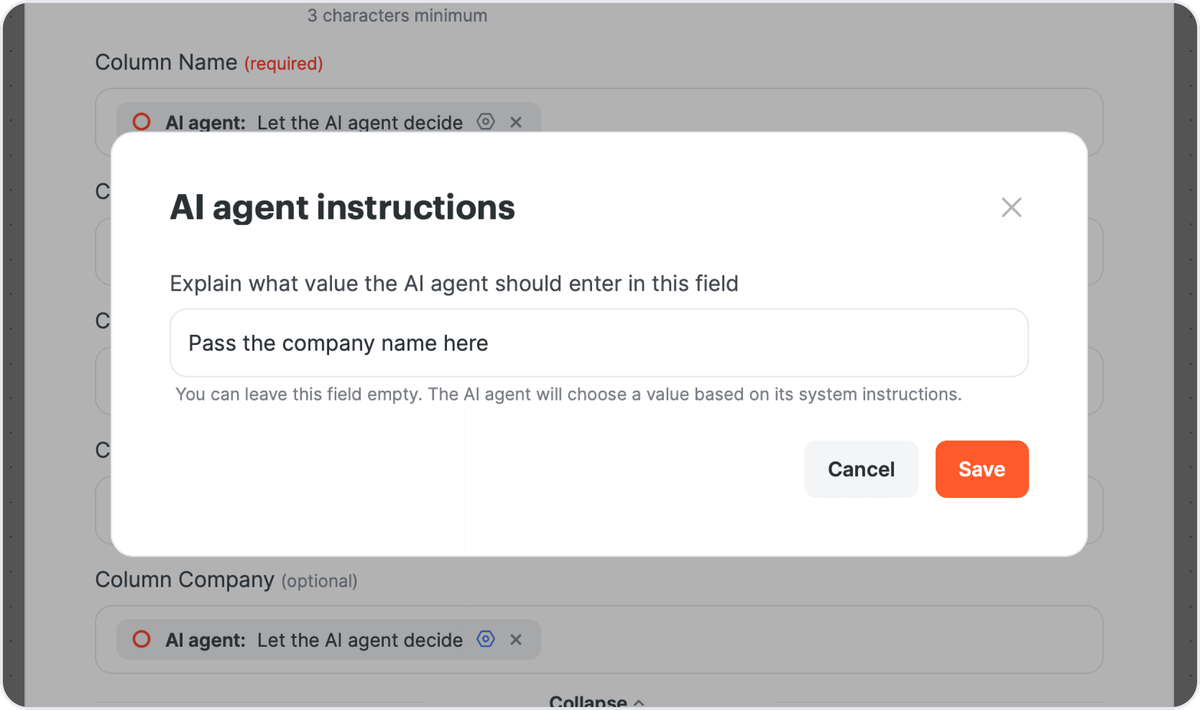
When Bitbucket reports "New pull request comment", the agent can open a Jira ticket with "Create issue", update the matching Linear task with "Update Issue (Team)" or post a Slack message. Guardrails can forbid new tickets for comments that only ask questions. A field in a tool action is either mapped by hand or switched to "Let the AI agent decide", and a short field-level instruction can narrow what the agent writes there. Albato offers roughly 5,000 actions to pick tools from. An agent run is billed at 3 transactions, plus one for every 2,000 tokens when it runs on the built-in Albato AI model.
AI Agents are part of Albato's Pro plan, and a two-step Bitbucket-to-Slack alert fits the Free plan, which keeps up to 5 automations active. More agent patterns are in our guide to AI agent integration platforms, and Claude users can start from 5 ways to automate Claude. SaaS teams whose own product agents need access to business apps can use the Albato MCP gateway, which puts 1,000+ connectors behind a single MCP.
Fields that decide where a ticket goes are safer mapped by hand, leaving the agent to write the ticket text from the comment.
FAQ
What are the top MCP servers for codebase context?
By budget, the eight split into three groups. DeepWiki MCP, the GitHub MCP Server and Serena's core cost nothing, and Context7, CodeAlive and Greptile have free plans with limits. Self-serve paid plans start at $10 per seat for Context7 Pro, $15 a month for CodeAlive Hobby, $20 a month flat for Augment Code Standard and $1 per credit for Greptile Pro. Sourcegraph's MCP server comes with an Enterprise plan from $16K on a minimum annual contract.
What MCP servers provide codebase context?
It depends on where the context comes from. Sourcegraph, CodeAlive, Augment Code and Greptile index your own repositories, and Serena reads them locally through language servers. The GitHub MCP Server reads code and pull requests from GitHub on request, DeepWiki MCP covers public repositories, and Context7 serves documentation for the libraries your code uses.
Which MCP servers are useful for coding agents on large codebases?
Servers that keep an index across repositories help most on large codebases. CodeAlive is designed for codebases of 1M+ lines and keeps its relationship graph current with each push. Sourcegraph searches many repositories and code hosts on an Enterprise plan, Augment Code's remote server indexes selected repositories, and Greptile Pro adds cross-repo context. Servers that read files on demand leave the agent to search for the relevant code itself.
What are some alternatives to the DeepWiki MCP server?
DeepWiki MCP is free and needs no account, but it covers public repositories only. For private code, Cognition points to the Devin MCP server with a Devin account. Other alternatives are Sourcegraph with Deep Search over MCP, Augment Code's Context Engine, Greptile's knowledge base and CodeAlive, which connects private repositories from GitHub, GitLab, Bitbucket, Azure DevOps and Gitea. For library documentation, Context7 fits better.
Can I use more than one MCP server with Claude Code or Cursor?
Yes. Claude Code and Cursor both accept several MCP servers at once, and every server on this list works with at least one of them. A small set, such as one documentation server and one code server, keeps the agent's tool list short.
When an agent opens a pull request in Bitbucket, Albato can post it to Slack or turn a review comment into a Jira ticket.
The Free plan covers a two-step pull request alert, so you can test the flow on one repository before adding the AI Agent.