In this article
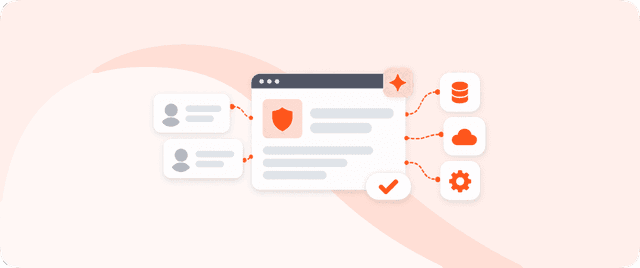
The most useful AI agent use cases for SaaS are the ones where an agent completes a task across your users' other tools: qualifying a lead in the CRM, triaging a ticket in the helpdesk, turning a meeting into project tasks, cleaning up a messy data record. Each of these is a workflow your users already do by hand, and each becomes an embedded agent when you give the model a safe way to act on the apps in their stack. This guide walks through eight use cases that ship in production today, the pattern behind them, and how SaaS teams embed them without building agent-to-app plumbing from scratch.
The demand is already here. Your users have met chat assistants that answer questions, and they now expect software that acts on their behalf. The gap between those two things is where product teams win or lose the next year of retention.
What counts as an AI agent use case in SaaS
An AI agent use case is a repeatable job where an agent takes a goal in plain language, plans the steps, calls real apps through their APIs, and finishes the task without a person doing the clicks. It matters because that final step, taking action, is what separates a feature users try once from one they keep. It differs from a chatbot in a single way: a chatbot replies, an agent executes across the tools the user already runs.
Albato Embedded is a white-label embedded iPaaS that gives SaaS companies a ready-to-ship agentic layer plus 1,000+ native integrations, so the agents your users build can act across their full tool stack without you wiring each connection. That breadth is what makes a use case viable: an agent is only as capable as the set of actions it can safely trigger, so reach across apps decides which use cases you can actually offer.
Key takeaways:
- The strongest AI agent use cases are cross-app: the agent reads or writes in the CRM, helpdesk, calendar, or data warehouse your users already run.
- Value comes from action, not answers. An agent that only suggests a next step leaves the work with the user.
- Use-case breadth is capped by connector reach. An embedded layer with 1,000+ connectors covers sales, support, ops, and data in one foundation.
- Every use case that changes customer data needs the same three controls: scoped permissions, an audit trail, and credentials the model never sees.
- White-label matters. Users adopt agents that act inside your product, under your brand, faster than agents that bounce them to a third-party tool.
The pattern behind every use case
Every use case below is the same shape underneath: a trigger, a plan, one or more app actions, and a result the user can see. A signal arrives (a new lead, an inbound ticket, a finished call), the agent decides what to do, it calls the right apps, and it reports what changed. Once you can run that loop safely, the specific use case is mostly a matter of which apps and which actions.

That is why the choice of foundation matters more than the choice of use case. Teams that build each agent as a one-off integration hit a wall fast, because every app the agent touches is its own auth, rate limits, and breaking changes. Our breakdown of how to embed AI agents that act in your SaaS product covers that architecture in depth.
Eight AI agent use cases your users can build
The use cases below run in production on Albato Embedded today, grouped by the department they serve. Each names the trigger, the apps involved, and the action the agent completes, so you can map it to what your own users are asking for.
| Use case | Department | What the agent does |
|---|---|---|
| Meeting to tasks | Product / PM | Turns a call transcript into projects, tasks, owners, and deadlines |
| AI-powered outreach | Sales | Monitors pipeline signals, drafts personalized outreach, prepares follow-ups |
| Lead enrichment and routing | Marketing ops | Enriches new leads, scores them, routes to the right owner |
| Ticket triage | Support | Classifies inbound tickets, tags them, assigns to the right queue |
| Data cleanup | Data ops | Deduplicates, validates, and standardizes records in one pass |
| Conversational builder | Any user | Lets users build their own automations by typing what they need |
| Renewal and churn signals | Customer success | Watches usage data, flags at-risk accounts, drafts the outreach |
| Cross-app reporting | Operations | Pulls metrics from several tools and posts a summary on schedule |
1. Meeting to tasks (product teams)
After a call, an agent reads the transcript and creates projects, tasks, owners, and deadlines in the user's project management tool. The trigger is a finished Zoom or Meet recording, the action is a set of writes to Asana, Jira, or Trello, and the result is a populated board with nobody logging anything by hand. This is one of the highest-adoption use cases because the manual version is tedious and the payoff is immediate.
2. AI-powered outreach (sales teams)
A sales agent watches pipeline signals in the CRM, drafts personalized outreach, and stages follow-ups automatically. Your users get the output of a tireless BDR without adding another tool to manage. The agent reads deal and contact data, writes drafts, and schedules the next touch, so a rep starts the day with prepared messages instead of a blank inbox.
3. Lead enrichment and routing (marketing ops)
When a lead comes in from an ad platform or a form, an agent enriches it, scores it against your users' criteria, and routes it to the right owner. The manual version has a person copying fields between tools and guessing at priority. The agent version reads the new record, calls an enrichment source, and updates the CRM with a score and an assignment in one pass, so no lead sits cold while someone triages the queue.
4. Ticket triage (support teams)
An agent reads each inbound support ticket, classifies it, tags it, and assigns it to the correct queue or tier. A model can decide a ticket is a billing issue for Tier 2; the use case only exists once it can also authenticate to the helpdesk and make that assignment stick. This is a good first agent to ship because a wrong tag is cheap to correct, so early mistakes cost a fix, not a customer.
5. Intelligent data cleanup (data ops)
One agent owns a whole data pipeline: enrichment, validation, deduplication, and routing in a single step instead of a chain of brittle rules. It keeps running when real-world inputs don't follow the rules, which is exactly where hard-coded logic breaks. For teams drowning in duplicate contacts and half-filled records, this replaces a recurring cleanup project with a standing agent.
6. Conversational automation builder (any user)
Not every user wants to configure an agent from scratch, so a conversational builder lets them describe an automation in plain language and get a working workflow. This is Albato Copilot, a white-label builder embedded inside your product that turns a natural-language request into a live integration. It widens who in your user base can build agents, from power users to everyone.
7. Renewal and churn signals (customer success)
An agent watches product usage and account health, flags accounts trending toward churn, and drafts the outreach a CSM can send. The trigger is a usage pattern, the action is a write to the CRM plus a draft message, and the result is a CS team working from a ranked list instead of a spreadsheet they update once a quarter. Because agents that act make a product harder to leave, this use case compounds: it both surfaces churn risk and reduces it.
8. Cross-app reporting (operations)
An agent pulls metrics from several tools on a schedule, assembles them, and posts a summary to Slack or a doc. Instead of a person opening five dashboards every Monday, the agent reads each source, composes the report, and delivers it where the team already works. It's a low-risk use case to launch because it mostly reads data and writes a summary, so the blast radius of a mistake is small.
What makes a use case worth embedding
Not every task deserves an agent. The use cases that earn their place share three traits, and screening for them keeps your first release focused.
- The manual version is repetitive and cross-app. If a user does it often and it spans two or more tools, an agent removes real friction.
- A wrong move is recoverable. Start where a mistake means a correction, not a lost customer, so you can ship and learn.
- The action is concrete. "Summarize this" is a feature; "create the deal, assign the owner, schedule the follow-up" is an agent. Write the use case as verbs on real objects before you pick a model.
Screen candidate use cases this way and you avoid the trap of shipping an agent that suggests instead of acts. If a human still does the clicks, you built a smarter chatbot, not an agent.
The foundation these use cases share
Every use case above needs the same plumbing: a way to reach many apps, a way to keep secrets safe, and a way to scope and log what each agent does. Building that per use case is how in-house AI projects run over budget, because each app is its own integration with its own maintenance load. Our guide on clearing an integration backlog without hiring engineers shows how fast that queue compounds.

An embedded agentic layer supplies the foundation once, then every use case draws on it. Albato Embedded is model-agnostic, so you can assign a different LLM per workflow: OpenAI, Anthropic, Gemini, your own model, or Albato AI built in. Albato AI is Albato's own built-in model, and the underlying engine isn't disclosed. A Model Context Protocol server exposes actions across 1,000+ apps through one standardized endpoint, so agents reach the tools a use case needs without you managing individual credentials or schemas.
Security is the part that turns a demo into something you can ship. A secure credential proxy keeps API keys and tokens away from the model, so the agent works only with credential IDs while the platform executes each request. Granular permissions scope every agent to the specific apps and endpoints it needs, and each action is logged for a full audit trail. Teams evaluating this should read our checklist on embedded iPaaS security.
When Albato Embedded fits these use cases
Albato Embedded is the right fit when your users need AI agents that act across their whole stack, not inside one or two tools you built by hand. If the use cases you want to offer span sales, support, ops, and data, if you want white-label from day one, and if you'd rather ship in weeks than staff an integrations team, the embedded route fits. Albato reports most Embedded partners go live within 30 to 45 days, with a dedicated PM, CSM, and API engineer on every plan.
The payoff shows up in retention, because agents that act make a product harder to leave. Chatfuel cut churn 25% after embedding native integrations with Albato, RD Station saved roughly $150,000 while lifting retention 73%, and Weeztix reported 80% savings on development by embedding integrations directly into its dashboard rather than building them in-house. The same connective layer behind those results is what your users' agents act through, so the engagement gains and the agentic capability come from one foundation.
If you want to see these use cases running before you commit engineering time, book a demo and we'll map them to your product.
Frequently asked questions
What are the most common AI agent use cases in SaaS?
The most common ones are cross-app workflows: lead enrichment and routing, ticket triage, meeting-to-task automation, sales outreach, data cleanup, and cross-app reporting. Each takes a trigger, plans the steps, and completes an action in the tools the user already runs, rather than just answering a question.
How are AI agent use cases different from chatbot features?
A chatbot answers questions; an agent completes tasks. The difference is whether the system can reach and change data in real apps. A support chatbot might explain a refund policy, while a support agent classifies the ticket, tags it, and assigns it to the right queue on its own.
Do I have to build each AI agent use case from scratch?
No. You embed an agentic layer on top of a connector library, then each use case draws on the same foundation. With Albato Embedded, most partners go live in 30 to 45 days and can package common use cases as reusable templates for their users instead of wiring each one by hand.
Can each AI agent use a different LLM?
Yes. Albato Embedded is model-agnostic, so you can assign a different model per workflow: OpenAI, Anthropic, Gemini, your own model, or Albato AI built in. That lets you balance cost, quality, and compliance per use case instead of picking one model for everything.
Is it safe to let an AI agent act on customer data?
It can be, with two controls. A secure credential proxy keeps API keys and tokens away from the model, so the agent only handles credential IDs. Granular permissions scope each agent to specific apps and endpoints, and every action is logged for a full audit trail.