In this article
Albato MCP is a unified, white-label MCP server that lets your AI agents execute actions across 1,000+ apps through a single connection, instead of wiring up a separate MCP for every tool. Your agent calls Albato once, and Albato routes each request to the right app, handles authentication, runs the action, and returns the result. This article walks through how that works in practice: the router architecture, a live three-step agent demo, the white-label connect experience your end users see, and the observability a unified MCP is designed to give your engineers.
In 2026, customers no longer want AI agents that only answer questions or generate reports. They want agents that do the work across their CRM, messengers, email, and productivity tools. That requires MCP, the protocol that lets an agent execute actions in external platforms. The catch is that most teams reach for one MCP per app, and that quickly turns into a maintenance and performance problem. Albato takes the opposite approach.
"In 2026, customers aren't ready to pay for agents that just answer their questions or generate shiny reports within your product. Customers really want agents that can execute on their behalf across dozens of their tools."
Leo Goldfarb, Co-founder, Albato
Key takeaways:
- Albato MCP is one MCP endpoint that connects AI agents to 1,000+ apps, so engineers maintain a single integration instead of dozens of separate MCP servers.
- A single demo prompt ran three actions across two apps (a HubSpot deal summary, a Slack post, and a deal note) with no per-app integration work from the dev team.
- End users connect their accounts through a white-label OAuth flow that shows your brand, not Albato's.
- A unified MCP is designed to give engineers one place to watch what their agents are doing, instead of monitoring dozens of disparate MCPs each with its own logs.
What is Albato MCP
Albato MCP is a white-label, multi-tenant MCP server built on top of Albato's integration platform, which processes 1B+ API calls and 300M+ tasks each month. Your AI agent calls one Albato MCP endpoint, and Albato routes each request to the correct app and API method on behalf of your end user. It matters because adding a separate MCP for every app bloats your agent's context, raises costs, and increases hallucinations. It differs from connecting native MCP servers one by one: instead of dozens of brittle servers with their own auth, errors, and dashboards, you get one connection, one auth flow, and one place to watch. The reasoning behind that design is in why an iPaaS makes a practical MCP layer.
The term that fits here is an embedded iPaaS, an integration platform you plug into your own product. Albato MCP is the AI-agent model of that platform: a white-label integration platform exposed to your agent as a single MCP rather than a visual builder or a headless API.
How the unified router works
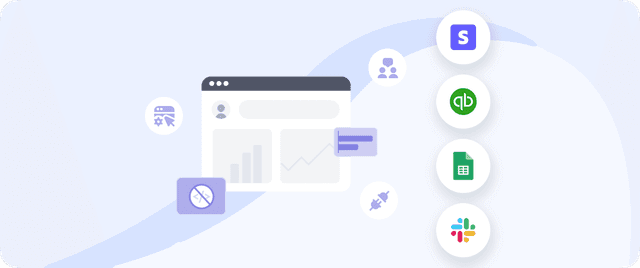
Albato MCP behaves like a smart router between your agents and your customers' tools. You expose it to your agent once, and from then on it handles the routing and the integration for every request. The agent does not need to know how HubSpot, Slack, or Gmail each implement their APIs. It sends one MCP request with the target action, and Albato resolves the rest.
"Albato MCP is like a smart router that bridges hundreds or thousands of your customers or your employees and the agents that they're using with whatever tools they're using on their end."
Leo Goldfarb, Co-founder, Albato
That single connection sits between two sides. On one side are your agents and the customers or employees using them. On the other side are 1,000+ apps grouped into the categories most teams need:
- CRM: HubSpot, Salesforce, Pipedrive, Zoho
- Messengers and collaboration: Slack, Microsoft Teams, Telegram
- Productivity: Notion, Asana, ClickUp, Google Sheets
- Email: Gmail, Outlook, and marketing tools like Mailchimp

The reason this design beats a pile of individual MCPs is covered in depth in our piece on why your AI agent needs one MCP server, not fifty. The short version: default MCPs are bloated and expose tools your agent will never use, which wastes tokens and degrades answers. A unified MCP carries only the tools and instructions your customers actually need, so it runs leaner, faster, and cheaper.
The live demo: one prompt, three actions, zero dev work
The clearest way to see how Albato MCP works is to watch an agent run a real task. In a recorded walkthrough, co-founder Leo plays the role of a customer using an AI agent built into a SaaS product. He gives it a single prompt: create a summary for a HubSpot deal, push it to Slack, and add it as a note to the same deal.
Here is the full demo. Leo walks through an AI agent executing across HubSpot and Slack through one unified MCP in a single prompt, with no per-app integration work from the engineering team.
Behind the scenes, the agent handles all of those external connections through one gateway, the Albato MCP. The dev team that shipped the agent never built a HubSpot integration or a Slack integration. They exposed Albato MCP once. Here is the sequence the demo runs through:
- The user prompts the agent with the full task in plain language.
- The agent calls Albato MCP, which connects to HubSpot and Slack on the user's behalf.
- Albato executes all three actions: it creates the deal summary, posts it to a Slack channel, and attaches a note to the same HubSpot deal.

All three actions complete in one pass. The summary lands in the chosen Slack channel with a link back to the deal, and the note shows up attached to the deal in HubSpot. The agent worked across two separate apps without the engineering team writing a single line of integration code for either one.
How end users connect their apps: the white-label OAuth flow
Before the agent can act, the end user authenticates the apps it will touch. In the demo, that means connecting a HubSpot account and a Slack account through OAuth grant screens. The user clicks to connect, approves read and write access on each app's standard consent page, and the connections go live. From that point on, Albato stores and refreshes the tokens, so the user authenticates once rather than on every request.
This connect experience is fully white-label. By default the grant page shows the Albato logo, but you can replace it with your own company logo so users only ever see your brand. That control matters for two reasons:
- Trust and continuity: users stay inside your product and your branding, instead of being handed off to a third-party tool mid-task.
- Revenue and positioning: the integration looks like a native feature of your product, which is what lets you package and charge for it. Climbo grew revenue 70% by treating integrations this way.
Each user's credentials are isolated. One end user's OAuth tokens are never accessible to another user or tenant, which is what makes the same MCP endpoint safe to serve thousands of customers at once. The deeper mechanics of that isolation are in our guide to multi-tenant MCP architecture for SaaS.
Observability: one place to see what your agents are doing
Routing every agent request through one endpoint also makes that endpoint the natural place to observe what each agent did. A unified MCP is designed to expose the signals engineers reach for when they debug agent behavior:
- Tool calls: which app actions an agent invoked for a given request
- Timing: how long calls take, so slow paths stand out
- Token usage: the tokens a call spends, so cost is visible per request
The practical win is consolidation. Without a unified MCP, an engineering team monitoring agent behavior has to watch dozens of disparate MCPs, each with its own logs and failure modes. With one MCP acting as the integration hub for all their agents, that monitoring lives in one place rather than scattered across providers. Failures, slow calls, and token spend become far easier to find when they are not spread across a dozen separate tools.

That is the difference between a system you can reason about and a black box. When an agent posts to the wrong channel or a request runs slow, a unified MCP is built to let an engineer trace it back to the specific call, instead of guessing which of many MCP servers misbehaved.
Albato MCP at a glance: many MCPs vs one unified MCP
The contrast between stitching together individual MCPs and running one unified MCP shows up across setup, performance, branding, and support. The table below summarizes how the two approaches differ on the points that affect your dev team and your users.
| Dimension | Many individual MCPs | Albato unified MCP |
|---|---|---|
| App coverage | One server per provider | 1,000+ apps, one endpoint |
| Dev effort | Build and wire each MCP separately | Expose Albato MCP once |
| Context window | Every MCP dumps its full schema | Only the tools your customers need |
| Authentication | Per provider, per user | White-label OAuth, multi-tenant isolation |
| Branding | Users may see third-party brands | Your brand on every connect screen |
| Monitoring | A separate dashboard per provider | One dashboard for all apps and users |
| Maintenance | Your team, per connector | Albato maintains all connectors |
When Albato MCP is the right choice
Albato MCP fits when integrations are a feature of your product, not a one-off script. If you are building an AI agent or copilot that needs to act across many of your customers' tools, and you want that experience to stay under your brand, the unified model saves your team from maintaining a growing pile of MCP servers.
It is the right call when you need any of the following:
- Multi-tenant credentials at scale, with each user isolated
- A white-label connect flow so users never see a third-party brand
- Broad app coverage without building each integration in-house
- One place to monitor and debug agent behavior across every app
If your agent only needs to do something simple like send an email or run a single action against one tool, a native MCP server may be enough. Albato earns its place when integration breadth, brand control, and multi-tenant scale all matter at once.
Frequently asked questions
How does Albato MCP work?
Your AI agent calls a single Albato MCP endpoint with the action it wants to run and the tenant it is acting for. Albato authenticates that user, routes the request to the right app and API method, executes the action, and returns the result to your agent. Your devs never build per-app integrations.
What is a unified MCP and why use one instead of many?
A unified MCP is a single MCP server that connects an agent to many apps at once, carrying only the tools your customers need. Connecting many individual MCPs bloats the agent's context window, wastes tokens, and raises hallucinations. One optimized MCP runs faster, costs less, and is easier to monitor.
Will my end users see the Albato brand?
No, not unless you want them to. By default the OAuth grant screen shows the Albato logo, but it can be fully white-labeled with your company logo. Users connect their accounts and use the integrations inside your product, under your brand.
How many apps can Albato MCP connect to?
Albato MCP connects AI agents to 1,000+ apps through one endpoint, spanning CRMs, messengers, productivity tools, and email. You add new apps without standing up a new MCP server for each one.
What observability does a unified MCP give you?
Because every request flows through one endpoint, a unified MCP gives you a single place to see what your agents are doing. It is designed to surface the signals engineers debug with, such as which tool calls an agent made, how long they took, and the tokens they spent. That means teams watch one MCP instead of dozens of disparate ones.
The bottom line
The agents customers want in 2026 are the ones that execute work across their tools, and that is exactly the gap a unified MCP fills. Albato MCP turns 1,000+ integrations into a single connection your agent can use, keeps the connect experience under your brand, and gives your engineers one place to watch agent behavior instead of dozens. The demo proves the point in a single prompt: a HubSpot summary, a Slack post, and a deal note, all handled through one gateway with no per-app integration work.
For a SaaS team, that changes the math on shipping AI features. Instead of spending engineering cycles maintaining brittle MCP servers, your team exposes Albato MCP once and spends its time on the product. Your users get an agent that acts across their stack without leaving yours.
See how your product's AI agent can connect to 1,000+ apps through one MCP.
Explore related guides on MCP architecture, context optimization, and embedded integration platforms below.