In this article
Key Takeaways
- Zoom is the strongest all-around pick for CRM-connected webinars, with native HubSpot, Salesforce, and Albato integrations, though its 500-attendee webinar tier is an add-on that needs a separate Zoom Meetings base plan.
- Livestorm leads on marketing automation, with built-in lead scoring, email sequences, and a deep Albato connector (5 triggers, 6 actions). Kinescope offers a branded, ad-free player with protected replays but no ready-made CRM integration.
- The webinar software market hit $10.7 billion in 2025 and is growing at 14.2% CAGR, yet most platforms still require manual CSV exports to get attendee data into a CRM.
Webinar attendees generate some of the richest intent signals in your funnel: poll responses, questions asked, session duration, resource downloads. The problem is that most webinar platforms treat that data as an afterthought, locking it inside dashboards instead of pushing it into the tools where your sales and marketing teams actually work. This guide ranks 10 platforms by how well they move attendee data into your CRM, email, and ad platforms, not just by video quality or slide decks.

Let us build your automation or AI Agent
Tell us which process eats your time. Certified Albato engineers take it from there, A to Z.
How We Selected These 10 Platforms
We evaluated 25+ webinar tools against five criteria weighted toward data flow and integration depth:
- CRM and marketing integrations (40%): native connectors to HubSpot, Salesforce, Marketo, Mailchimp, ActiveCampaign, and availability of an Albato connector for no-code automation.
- Attendee data granularity (20%): does the platform expose registration data, attendance duration, poll answers, Q&A activity, and engagement scores via API or webhook?
- Pricing transparency (15%): published pricing with clear per-attendee or per-host tiers.
- Core webinar features (15%): video quality, interactive tools (polls, Q&A, breakout rooms), recording and replay options.
- Scalability (10%): attendee caps per tier, enterprise readiness, multi-host support.
| Tool | Best For | Starting Price | Max Attendees (Base Plan) | Albato Connector | G2 Rating |
|---|---|---|---|---|---|
| Zoom | All-around webinars + CRM sync | Add-on (needs base plan) | 500 | Yes | 4.5/5 |
| Livestorm | Marketing automation and lead scoring | Free tier; Pro billed per attendee credit | 3,000 (Pro) | Yes (5 triggers, 6 actions) | 4.4/5 |
| Kinescope | Branded live streams and protected replays | Free tier; Super from €10/mo (usage-based) | 20 (Free) | No | N/A |
| Demio | Conversion-focused marketers | $42/mo | 50 (Starter) | No | 4.4/5 |
| GoTo Webinar | Enterprise compliance and reliability | $59/mo | 250 (Lite) | No | 4.2/5 |
| ClickMeeting | Budget-friendly with custom branding | $26/mo (annual) | 25 | Yes (4 actions) | 4.1/5 |
| BigMarker | White-label embedded webinars | Custom (quote) | 1,000 (Basic) | Yes (2 actions) | 4.2/5 |
| Airmeet | Interactive networking events | $167/mo (Premium) | Scalable | Yes (5 actions) | 4.4/5 |
| ON24 | Enterprise engagement analytics | Custom (~$25K+/yr) | Custom | No | 4.3/5 |
| Goldcast | B2B content repurposing at scale | Custom (~$12K+/yr) | Custom | No | 4.5/5 |
Zoom: The Default Choice for CRM-Connected Webinars
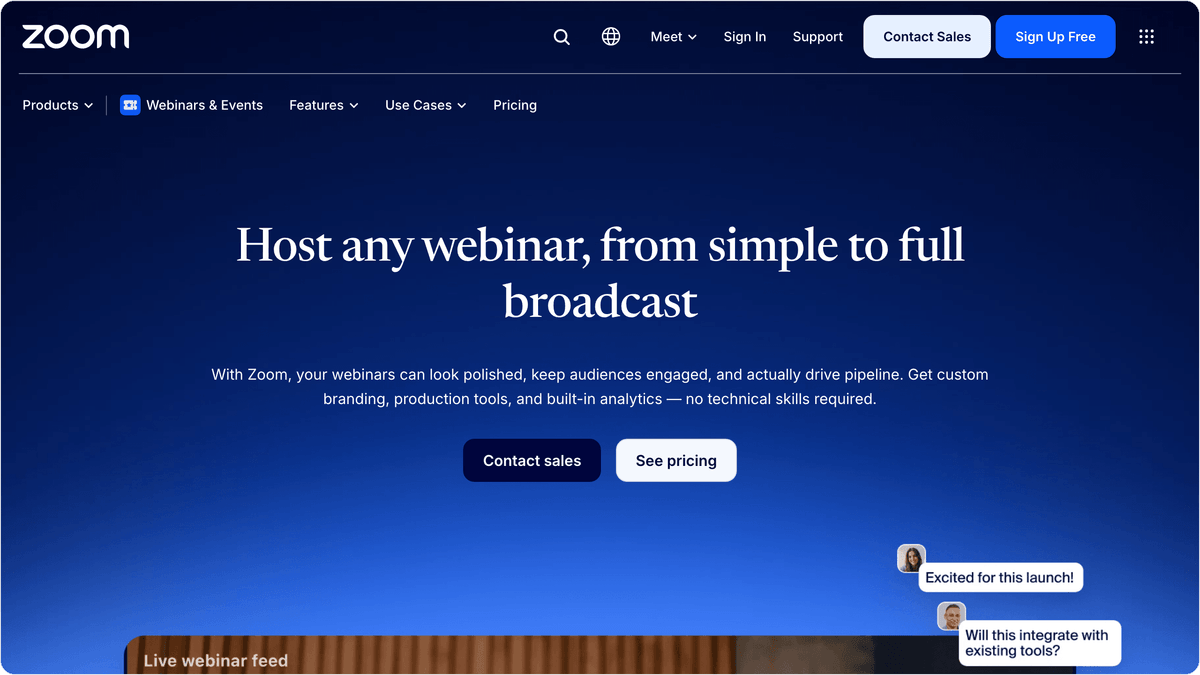
Zoom dominates the webinar space for a practical reason: every CRM and marketing platform already has a Zoom integration built in. HubSpot, Salesforce, Marketo, Pipedrive, ActiveCampaign, and dozens more connect natively. That means registration data, attendance records, and engagement signals flow into your existing stack without custom development.
The Zoom Webinar tier for 500 attendees is an add-on rather than a standalone product: it requires a separate Zoom Meetings base plan on top of the webinar license, so budget for both lines when you compare it against all-in-one platforms. Pricing scales with attendee capacity, climbing from the 500-attendee tier to plans that host several thousand attendees, and annual billing lowers the effective monthly rate.
The engagement toolkit covers polls, live Q&A, hand-raising, reactions, and breakout rooms. Recordings auto-generate with searchable transcripts, and the newer AI Companion feature creates post-webinar summaries and action items. For data, Zoom exposes detailed attendee reports (join/leave times, duration, poll answers) through its API and through direct CRM integrations.
Tip
Zoom separates "Meetings" from "Webinars" at the product level. Meetings cap at 1,000 participants with a collaborative format; Webinars allow up to 50,000 view-only attendees with panelist controls. Make sure you are purchasing the Webinar add-on, not just a Meetings upgrade.
Albato integration: The Zoom connector on Albato supports triggers like "new webinar registrant" and "new meeting" plus actions including "create webinar," "add webinar registrant," and "add meeting registrant." You can build automations like: a new submission from your form builder registers the contact in Zoom and creates a deal in your CRM, all without writing a line of code.
Pricing: Add-on licensed by attendee capacity, from 500 up to 50,000 attendees, billed annually. The webinar tier requires a separate Zoom Meetings base plan. You can also explore Zoom webinar alternative for advanced collaboration features.
Livestorm: Built for Marketing Teams Who Want Data, Not Just Video
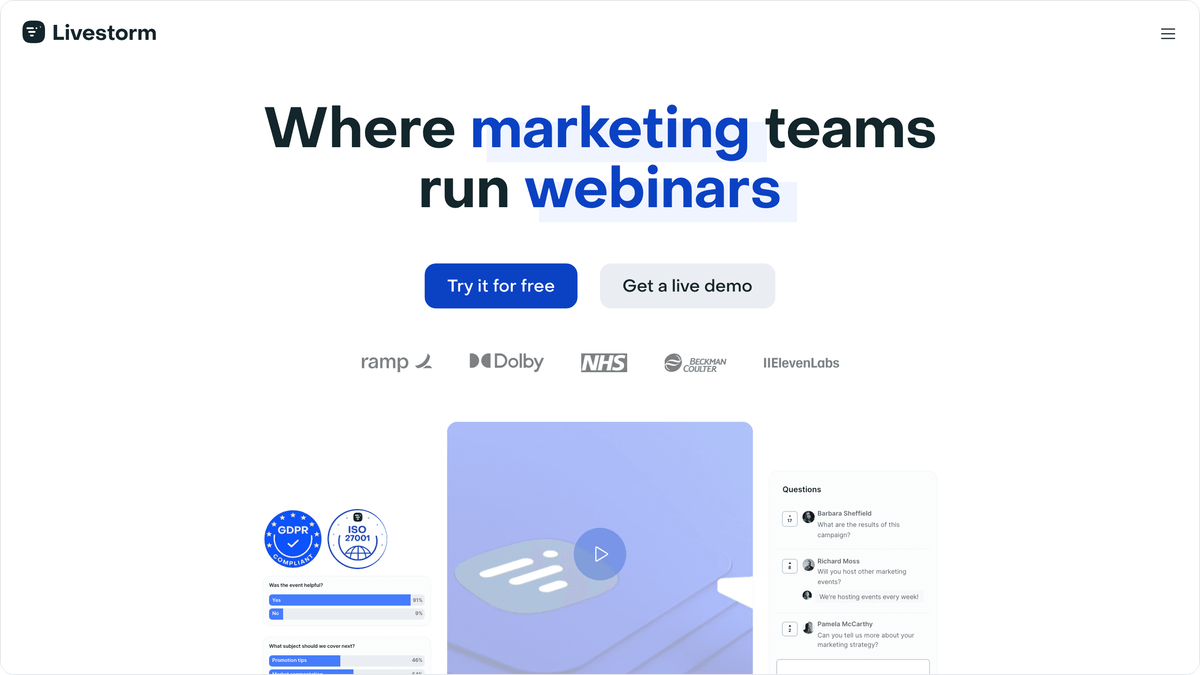
Livestorm is the webinar platform that was designed by and for demand-gen teams. While most competitors bolt on marketing features as an afterthought, Livestorm includes built-in lead scoring, automated email sequences, registration page A/B testing, and native CRM integrations from the start. The platform handles live, on-demand, and automated webinars through a browser (no downloads required for attendees or hosts).
What sets Livestorm apart for data-driven teams is the granularity of its analytics. Beyond basic attendance tracking, you get per-attendee engagement scores based on poll participation, questions asked, chat activity, and time spent watching. These scores can sync directly to HubSpot, Salesforce, or Pipedrive, letting your sales reps prioritize outreach based on actual webinar behavior rather than just registration status.
The free plan supports up to 10 registrants per event (20 minutes per session), which is useful for testing but not for production. The Pro plan is billed per attendee credit (one credit per person who actually attends, roughly 2.50 euros a credit) and supports up to 3,000 live attendees per event, with unlimited webinars and full access to engagement analytics. Business and Enterprise tiers add custom branding, SSO, and dedicated support.
Albato integration: Livestorm has one of the deepest Albato connectors among webinar platforms, with 5 triggers (session started, event published, session ended, new session, new event) and 6 actions (create event, create session, update event, remove registrant, list events, custom API request). This means you can automate the full lifecycle: a new lead in your CRM triggers event creation in Livestorm, attendee activity syncs back to the CRM after the session, and post-webinar nurture sequences kick off automatically.
Pricing: Free tier for testing. Pro billed per attendee credit (about 2.50 euros a credit, 3,000 live attendees per event, unlimited events). Enterprise: custom.
Kinescope: Branded Live Streams That Turn Into On-Demand Video
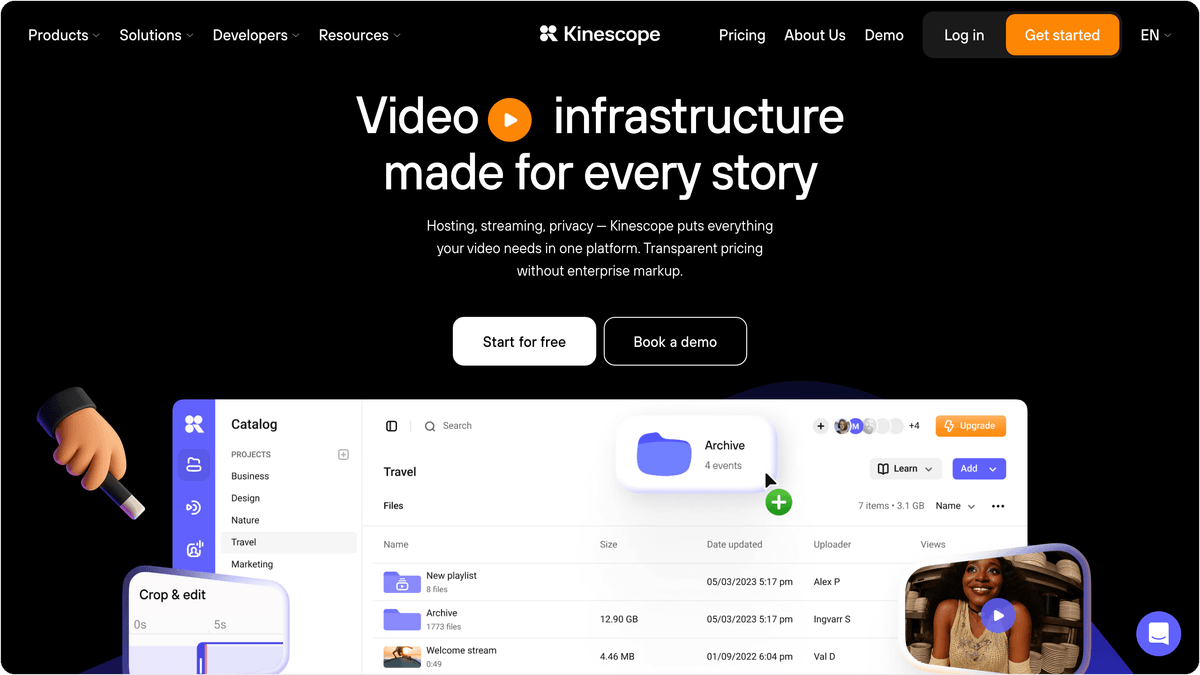
Kinescope is a video hosting and streaming platform that runs webinars and live streams inside an ad-free player you can brand as your own. The player embeds into websites, CMSs, and learning platforms, so a session can sit on your product page or course portal instead of a separate event page. When a stream ends, the recording becomes an on-demand video in the same player, which helps teams that publish every session as a replay.
Paid plans add access control. Domain allowlisting means the player loads only on domains you approve, so a copied embed code will not play anywhere else, and you can also gate viewing with passwords, one-time codes, or email allowlists. DRM (Widevine and FairPlay) and dynamic watermarks, which burn the viewer's ID into every frame, come with every paid plan too. For replays, AI subtitles and chapter markers can be edited before publishing, and the player supports subtitles in 90+ languages.
The ready-made integrations Kinescope names cover the places where video plays: Moodle, Canvas, Teachable, WordPress, and Webflow. None of them is a CRM, and there is no Albato connector at the time of writing. Kinescope does send live stream and video events through webhooks and has a REST API, so a CRM sync is possible with some setup, but it fits teams that care more about a protected viewing experience and a replay library than about a ready-made sales pipeline sync.
Pricing: Free plan (100 minutes of video, HD live streams up to 20 minutes, 20 attendees, no DRM). Super from €10/mo, usage-based (unlimited FullHD live streaming, DRM, auto subtitles). Mega: custom.
Demio: Focused on Conversion, Light on CRM Integration
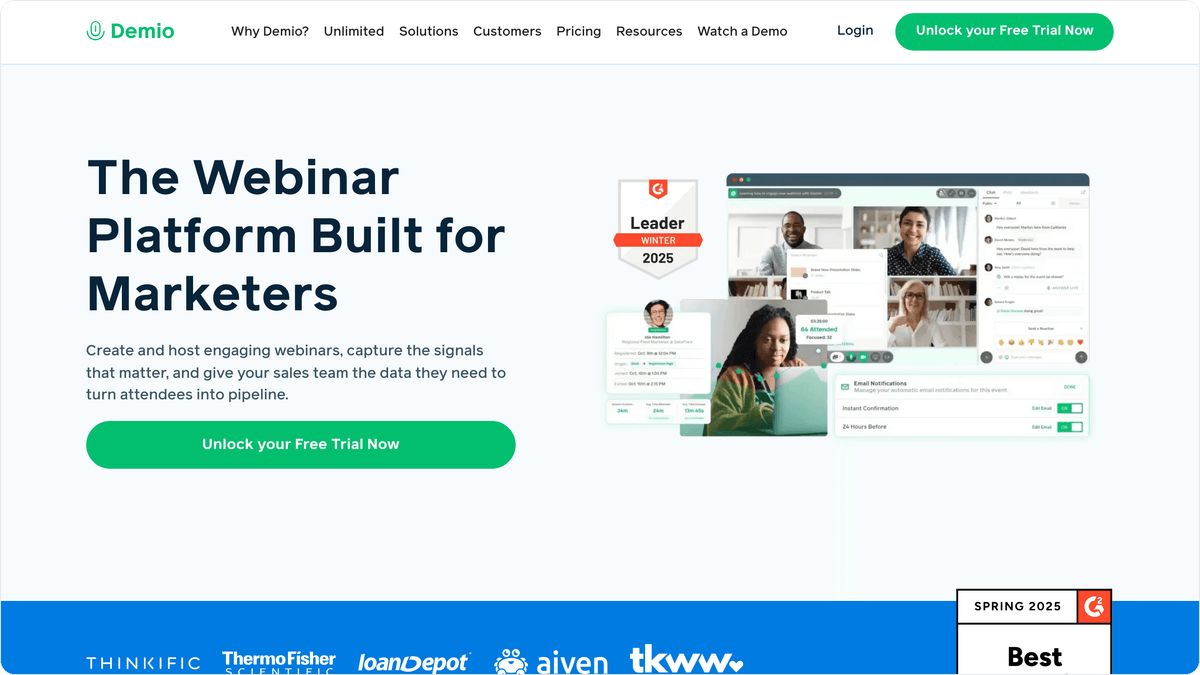
Demio built its reputation as a webinar platform for marketers who care about conversion rates more than attendee counts. The interface is clean and fast, with no downloads required. Registration pages, thank-you pages, and follow-up emails are all customizable. Automated and on-demand webinars run on a schedule you define, making it popular with course creators and SaaS companies running evergreen product demos.
The standout feature for conversion tracking is Demio's built-in CTAs. You can push offers, links, or lead magnets to attendees at specific moments during the webinar, and the platform tracks click-through rates per CTA. Combined with audience polls and handouts, you get a solid picture of where each attendee sits in the buying journey.
For CRM connectivity, Demio integrates natively with HubSpot, Marketo, Keap, and Drip. It also supports webhooks and a Zapier connector for broader automation. That said, there is no native Albato connector at the time of writing, so connecting Demio to tools outside its native integration list requires middleware.
Important
Demio's Starter plan ($42/month) caps at 50 attendees and does not include on-demand webinars. You will need the Growth plan ($75/month) to access automated replays and larger audiences. Verify your expected audience size before committing.
Pricing: Starter $42/mo (50 attendees). Growth from $75/mo (150+ attendees). Premium from $184/mo (500+ attendees).
GoTo Webinar: Enterprise Reliability for Regulated Industries
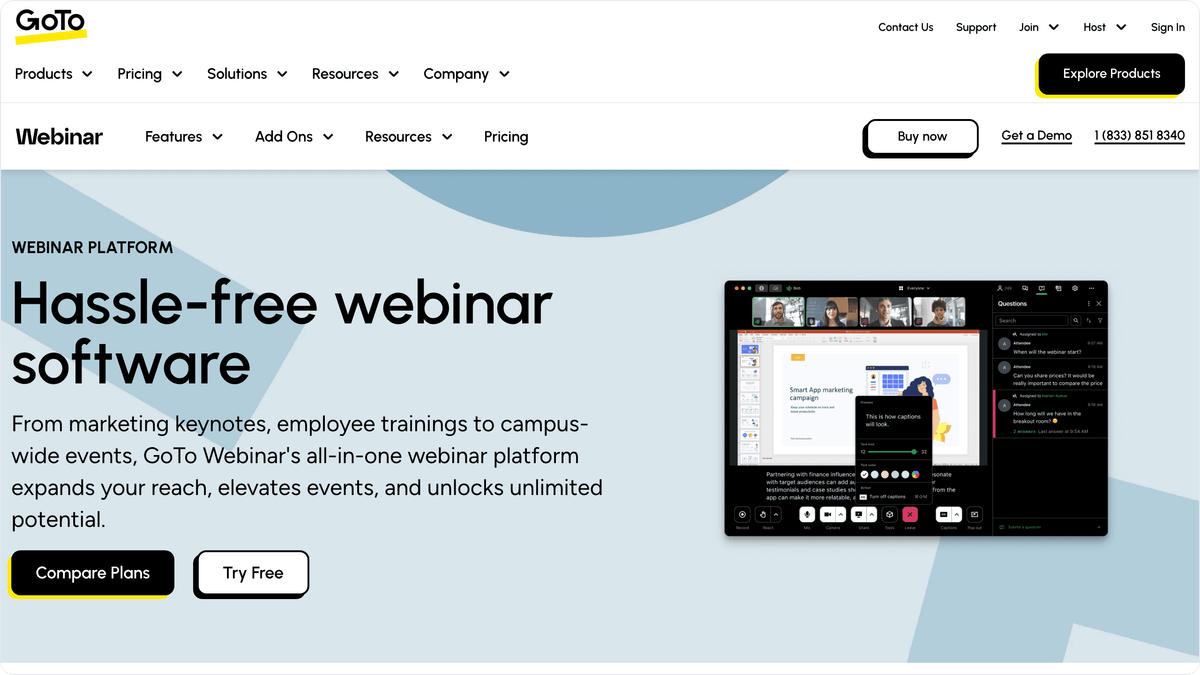
GoTo Webinar (now part of the GoTo suite alongside GoTo Meeting and GoTo Connect) has been running webinars since 2003, giving it one of the longest track records in the category. The platform is a common choice in healthcare, financial services, and government, where vendor stability and compliance certifications (SOC 2, HIPAA-eligible, GDPR) matter as much as features.
The product handles the core webinar workflow well: registration pages with custom fields, automatic reminder emails, live polls, Q&A, hand-raising, and post-event surveys. Recordings are available immediately after the session. The newer "GoTo Webinar Plus" tier adds simulcasting to social platforms and advanced production tools (custom backgrounds, overlays, lower thirds).
Integration-wise, GoTo Webinar connects natively to Salesforce, HubSpot, and Marketo. Attendee data (registration info, attendance status, engagement) syncs via these native integrations or through the platform's REST API. There is no Albato connector currently available, which limits automation options for teams using other CRM or marketing tools.
Pricing: Lite $59/mo (250 attendees). Standard $129/mo (500 attendees). Pro $249/mo (1,000 attendees). Enterprise $499/mo (3,000 attendees). All billed annually.
ClickMeeting: Budget Webinars With Surprising Integration Depth
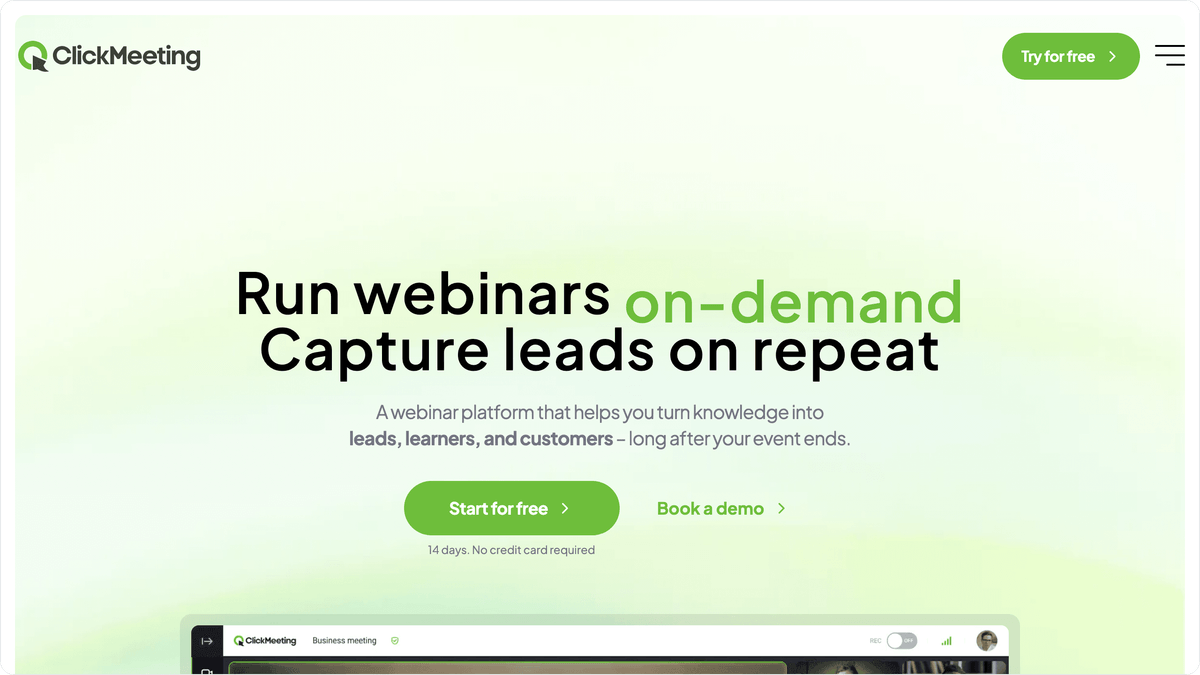
ClickMeeting often gets overlooked in favor of bigger names, but it delivers solid value at the lower end of the pricing spectrum. Starting at $26/month on an annual plan for 25 attendees, it includes custom branding, automated webinars, polls, breakout rooms, and recording. The Automated plan ($48/month) adds evergreen webinar funnels, on-demand recordings, and advanced analytics.
A unique feature is real-time chat translation: attendees can chat in their language, and messages are auto-translated for other participants. This is useful for teams running webinars across language markets without separate events for each region.
For data flow, ClickMeeting integrates with HubSpot, GetResponse, Mailchimp, and several other email and CRM platforms natively. The Albato connector supports 4 actions (register participant, add conference room, new contact, custom API request) but no triggers yet, meaning you can push data into ClickMeeting from other tools but cannot currently use ClickMeeting events as automation triggers through Albato.
Integrating webinar data with your email platform also changes what follow-up emails can say. When a follow-up email references the specific poll the attendee answered or the question they submitted, it reads less like a mass broadcast and more like a direct continuation of the conversation, which is where CRM-connected webinar platforms earn their keep.
Pricing: Events $26/mo (25 attendees). Automated $48/mo (25 attendees). Enterprise: custom. Higher attendee tiers available.
BigMarker: The White-Label Webinar Platform for Product-Led Teams
BigMarker approaches webinars differently than most competitors. Instead of focusing on standalone events, it positions itself as a white-label webinar engine that can be embedded directly into your product or website. Your domain, your branding, zero BigMarker logos visible to attendees. This makes it popular with SaaS companies, media organizations, and online education platforms that want webinars to feel like a native part of their product experience.
The platform supports live, automated, evergreen, and on-demand webinar formats. The engagement toolkit includes polls, Q&A, handouts, offers, chat, and a "networking lounge" feature. Landing pages and email campaigns are built in, with decent customization options.
BigMarker's pricing is quote-based across three tiers (Basic, Enterprise, Enterprise+), with capacity ranging from up to 1,000 live attendees on the Basic plan. Contact their sales team for exact figures, as public pricing is not disclosed on their site.
Albato integration: The BigMarker connector offers 1 trigger (register a user to a conference) and 2 actions (register a user to a conference, custom API request). While the connector is simpler than Livestorm's or Zoom's, the custom API request action provides flexibility for more complex automation flows.
Pricing: Custom (quote-based). Basic plan supports up to 1,000 live attendees. Contact BigMarker sales for current rates.
Airmeet: Where Webinars Meet Networking Events
Airmeet blurs the line between webinars and virtual events. Its core differentiator is social interaction: speed networking, social lounges, breakout tables, and emoji reactions give attendees ways to connect with each other, not just watch a presenter. If your webinar goal is community building or event-driven pipeline (think user conferences, partner summits, customer roundtables), Airmeet is designed for exactly that.
The webinar feature set includes live streaming with up to 100,000 viewers, backstage areas for speakers, customizable registration pages, and post-event analytics. Recording and on-demand replays come standard. The analytics dashboard tracks attendee engagement at the individual level: session time, booth visits, lounge interactions, questions asked.
For CRM integration, Airmeet connects natively with HubSpot, Salesforce, Marketo, and Pardot. The platform also supports webhooks for custom data pushes. The Albato connector provides 5 actions (create Airmeet, add authorized attendee, create session, add speaker, custom API request) but no triggers currently, which means you can automate event setup and attendee management from your CRM but cannot yet trigger CRM actions based on Airmeet events through Albato.
Tip
Airmeet's Managed Events tier ($4,999+) includes a dedicated success manager, landing page creation, speaker prep, and professional hosting. If you are running high-stakes events (product launches, investor briefings), the white-glove service can be worth the premium over self-serve platforms.
The Albato connector handles the operational side: creating events, adding attendees, and assigning speakers, all triggered from your CRM or registration forms.
Pricing: Social Webinar $89/mo (100 attendees). Premium $167/mo (scalable). Managed Events from $4,999.
ON24: Enterprise Engagement Intelligence at Enterprise Prices
ON24 sits at the opposite end of the spectrum from budget tools. It is an enterprise webinar and virtual event platform built around a single idea: turning every attendee interaction into actionable data. The platform tracks poll responses, resource downloads, Q&A activity, CTA clicks, chat messages, and time spent on each section, then compiles these into a proprietary engagement score per attendee.
That engagement score is the product's core selling point. It feeds directly into Salesforce, Marketo, HubSpot, and Eloqua, giving marketing and sales teams a qualified lead score that reflects actual webinar behavior rather than just "attended" versus "no-show." For enterprise B2B marketing teams running account-based programs, this level of data granularity can justify the price tag.
And the price tag is significant. ON24 does not publish pricing; contracts are custom and typically range from $25,000 to $150,000+ annually, depending on event volume, features, and add-ons. Setup requires real onboarding time with an ON24 team. There is no free trial and no self-serve tier. There is also no Albato connector, though the platform's native integrations with major CRMs and MAPs are comprehensive.
Pricing: Custom, starting around $25,000/year. No free trial.
Goldcast: B2B Events Meet AI Content Repurposing
Goldcast has carved out a specific niche: B2B marketing teams that want to run webinars and then turn every session into a library of reusable content. The platform's AI-powered Content Lab automatically generates social media clips, blog post drafts, email snippets, and on-demand highlight reels from recorded webinars. For teams that struggle to repurpose webinar content (which is most teams), this feature alone differentiates Goldcast from every other platform on this list.
The webinar experience itself is polished: branded event pages, multi-session tracks, networking features, and audience engagement tools. Pre- and post-event email sequences run natively within the platform. Analytics track attendee behavior across the full event lifecycle, from registration through on-demand replay views.
Integration-wise, Goldcast connects to HubSpot, Salesforce, Marketo, Pardot, and Eloqua natively, with engagement data syncing at the contact level. The platform does not currently have an Albato connector, and pricing is entirely custom. Essentials contracts typically start at $12,000 to $30,000 annually for teams running 10 to 25 events per year.
Pricing: Essentials ~$12K-$30K/yr. Growth ~$30K-$70K/yr. Enterprise ~$70K-$150K+/yr. All custom.
How Albato Connects Your Webinar Data to Your Entire Stack
Most webinar platforms offer a handful of native CRM integrations, but they rarely connect to your full marketing and sales stack. That is where Albato fits in. As a no-code integration platform with 1,000+ connectors, Albato bridges the gap between your webinar tool and every other application your team uses: CRM, email marketing, ad platforms, project management, spreadsheets, messaging apps.
Here is a practical example of how webinar data flows through Albato:
- A prospect fills out a form on your website.
- Albato automatically registers them in Zoom (or Livestorm, BigMarker, ClickMeeting, or Airmeet).
- After the webinar, attendee data (registration status, attendance, engagement) syncs back to your CRM.
- Based on attendance and engagement, Albato triggers different follow-up actions: attended + high engagement routes to sales as a hot lead; registered but no-show enters a replay email sequence; attended + low engagement gets a nurture track.
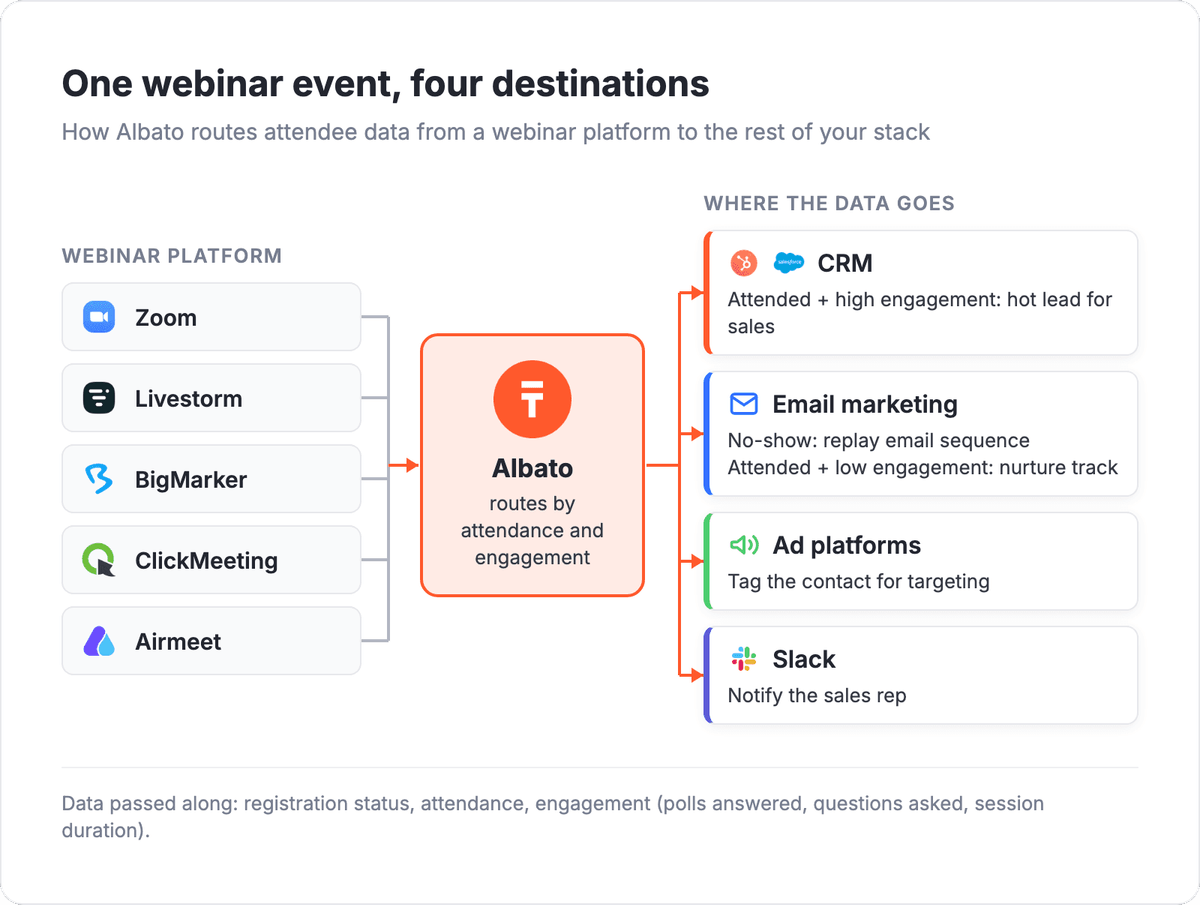
Setting this up in Albato takes a few minutes: pick your trigger app, add actions for each destination, map the fields, and activate. No API keys or developer involvement needed.
How it works
Albato's visual builder lets you set up these automations without writing any code. Pick your webinar app as a trigger (for example, "New webinar registrant in Zoom"), add one or more actions (for example, "Create contact in HubSpot" + "Add to ActiveCampaign list"), map the data fields, and activate. The entire setup takes minutes, not days.
With the Albato AI Agent, you can take this a step further. Instead of wiring fixed conditions for each attendee scenario, the AI Agent reads the incoming webinar data and decides which action to run on its own. You describe the task in plain language ("if the attendee asked a question about pricing, create a hot lead in Salesforce and notify the account owner in Slack"), add your instructions, and connect the tools the agent can use. The AI Agent picks from roughly 5,000 available actions across all connected apps, filling in required fields based on the data it receives.

Setting up the AI Agent takes five steps: add it as an action in your automation (after a webinar trigger), pick a model (Albato AI is built in, no external account needed; OpenAI, DeepSeek, and Google Gemini are also supported), write instructions in plain language, connect the tools (CRM actions, email actions, notification actions), and optionally enable memory for multi-turn follow-up conversations. Each field in a connected action can be set manually or handed to the agent with "Let the AI agent decide."

This means your webinar follow-up is not limited to simple "if attended, then email" rules. The AI Agent can evaluate each attendee's behavior (questions asked, polls answered, session duration), cross-reference it with existing CRM data, and route them to the right team with the right context, all in one automation step.
Five of the ten platforms in this guide already have Albato connectors (Zoom, Livestorm, BigMarker, ClickMeeting, Airmeet), and the remaining tools can connect through webhooks or custom API requests. No matter which webinar platform you choose, Albato ensures your attendee data reaches every tool in your stack.
For more on connecting your marketing tools, see our guides on the best email marketing software for e-commerce and best landing page builders that route leads to your CRM.
FAQ
What is the best webinar software for CRM integration in 2026?
Zoom offers the broadest CRM compatibility because nearly every CRM (HubSpot, Salesforce, Pipedrive, Zoho) has a native Zoom integration. For deeper marketing automation with built-in lead scoring and email sequences, Livestorm is the stronger choice. Both tools also have Albato connectors, so you can extend their integrations to any app in your stack without coding.
How much does webinar software cost?
Webinar software pricing ranges from free starter tiers (Livestorm, Kinescope) to $150,000+ per year for enterprise platforms like ON24. Most mid-market teams land somewhere in the low hundreds of dollars per month. The main cost driver is attendee capacity: prices climb steeply as you move from a few hundred attendees to a few thousand. Two things to watch: whether the listed price requires a separate base plan (Zoom's webinar tier does), and whether a platform bills per attendee credit (Livestorm) rather than a flat monthly fee.
Can I automate webinar follow-ups based on attendee behavior?
Yes. Most webinar platforms provide attendance data (registered, attended, no-show) and engagement data (poll responses, questions, session duration). With Albato, you can build automated workflows that route attendees into different CRM pipelines or email sequences based on this data. For example, high-engagement attendees go to your sales team as qualified leads, while no-shows receive a replay link and a re-engagement sequence.
Do I need a separate integration tool if my webinar platform already connects to my CRM?
Native integrations cover the basics (syncing contacts and attendance status), but they rarely handle multi-step workflows. If you need a webinar registration to update your CRM, add the contact to an email sequence, tag them in your ad platform, and notify your sales rep in Slack, that requires an automation layer like Albato that connects all four tools in a single workflow.
Which webinar platforms work with Albato?
As of 2026, Albato has native connectors for Zoom, Livestorm, BigMarker, ClickMeeting, and Airmeet. Each connector exposes different triggers and actions (Zoom and Livestorm have the deepest coverage). For platforms without a native connector (Kinescope, Demio, GoTo Webinar, ON24, Goldcast), you can often connect through webhooks or custom API requests within Albato.
Looking for more tools to connect to your marketing stack? These guides cover related categories.