In this article
Best Landing Page Builders That Route Leads Straight to Your CRM and Ad Platforms in 2026
Key Takeaways
- Unbounce is the top pick for teams running paid ads at scale: its Smart Traffic AI routes visitors to the highest-converting variant automatically, and form submissions push to HubSpot, Salesforce, or any CRM via webhook.
- Instapage leads on ad-to-page personalization, letting you match page content to individual ad groups, with native integrations into major CRM and marketing stacks.
- Swipe Pages is the most cost-effective option with a direct Albato connector (form submission + payment triggers), meaning you can route leads to 1,000+ apps without writing a line of code. Leadpages covers a wide integration list natively and supports webhooks for additional routing.
- Most landing page builders offer form-submission webhooks, but only a handful support two-way CRM data flow, retargeting pixel auto-injection, and multi-platform ad tracking out of the box.
Your lead funnel starts the moment someone clicks an ad and lands on a page. If that page does not push the submission directly to your CRM, you are copying and pasting leads by hand, or losing them entirely. The tools below all handle form building, but their real differentiator is what happens to the data after someone clicks "Submit."

Let us build your automation or AI Agent
Tell us which process eats your time. Certified Albato engineers take it from there, A to Z.
How We Selected These Tools
We evaluated 11 landing page builders on five criteria: native CRM integrations, webhook and API support, ad platform connections (Google Ads, Facebook, LinkedIn), pricing for small to mid-sized teams, and whether Albato has a direct connector for additional routing flexibility. Each tool is ranked by its primary use case, not a single composite score, because the right choice depends on your stack. Tools that support both native CRM connections and a webhook fallback scored higher than those offering only one path, since routing flexibility matters most when your stack changes.
Comparison Table: Landing Page Builders at a Glance
| Tool | Best for | Starting price | Native CRM integrations | Albato connector |
|---|---|---|---|---|
| Unbounce | Paid ad teams, A/B testing at scale | ~$99/mo | HubSpot, Salesforce, Marketo, Mailchimp + webhooks | Yes (via webhook) |
| Instapage | Ad-to-page personalization, enterprise | $99/mo (Create plan) | Salesforce, HubSpot, Marketo, Pardot, Mailchimp | No direct connector |
| Leadpages | SMBs needing quick page setup + integrations | $49/mo (Standard), $99/mo (Grow) | HubSpot, Salesforce, Mailchimp, ActiveCampaign + 200+ | No direct connector |
| Swipe Pages | Mobile-first pages, AMP performance | $39/mo (~$29/mo annual) | Via webhooks and Zapier | Yes (form submission trigger) |
| Landingi | Agencies managing many client pages | ~$29/mo | HubSpot, Salesforce, Pipedrive, Mailchimp + webhooks | No direct connector |
| Elementor | WordPress users with existing sites | $60/yr (Pro) | Via webhooks and plugin ecosystem | Yes (form submission trigger) |
| Tilda | Design-forward pages, zero block editor | $10/mo | Via webhooks and Zapier | Yes (form data trigger) |
| Webflow | Developers and designers who need full control | $15/mo (site plan) | Via webhooks (11 triggers) | Yes (11 triggers + 10 actions) |
| Carrd | Solo founders, single-page portfolios and lead capture | Free / $19/yr Pro | Via webhooks (Pro plan) | Yes (form data trigger) |
| HubSpot Landing Pages | Teams already on HubSpot CRM | Included in HubSpot Marketing Hub | Native HubSpot CRM (deep) | Yes (via HubSpot connector, 21 triggers + 59 actions) |
| GetResponse | Landing pages and email marketing in one tool | $19/mo (1,000 contacts) | Built-in contact base with email automation | Yes (New contact action) |
Unbounce
Unbounce built its reputation on conversion optimization for paid ad teams. The platform's defining feature is Smart Traffic, an AI layer that reads visitor attributes and routes each person to the landing page variant statistically most likely to convert, without waiting for you to reach statistical significance manually. For teams running Google Ads or Meta campaigns with multiple ad groups, this means every variant gets a fair test without wasting budget on a losing page.
On the integration side, Unbounce connects natively to HubSpot, Salesforce, Marketo, ActiveCampaign, and Mailchimp, and supports outbound webhooks from any form. When a visitor submits, the payload fires in real time to your CRM's API endpoint. You can also push custom fields, UTM parameters, and the Unbounce page variant ID into the CRM record, which is useful for attributing conversions back to the exact creative that generated them.
Where Albato fits: Unbounce does not have a dedicated Albato app page, but Albato's webhook trigger captures any outbound POST from Unbounce forms and routes the payload to 1,000+ connected apps. This is useful if you need to send leads simultaneously to a CRM, a Slack channel, and a Google Sheet, without rebuilding the webhook three times.
Tip
In Unbounce, set your webhook to send the page variant name as a custom field. Map it to a CRM property in Albato, and you will know exactly which page design drove each deal, not just which campaign.
Albato's webhook trigger captures any outbound POST from Unbounce forms and lets you split the data across multiple destinations in one workflow.
Pricing: Unbounce starts at approximately $99/month for the Build plan. Their higher tiers add Smart Traffic, advanced optimization, and team collaboration. Annual billing reduces costs by around 25%.
Best for: Performance marketers running multi-variant paid campaigns who need AI-driven traffic routing and direct CRM pushes from form submissions.

Instapage
Best for: Marketing operations teams at mid-market companies managing 10+ ad campaigns simultaneously, where per-ad personalization and deep Salesforce/HubSpot routing justify the investment.
What sets Instapage apart
Instapage is the most enterprise-oriented tool in this list. Its primary differentiator is ad-to-page personalization: you map individual ad groups to unique page variants, so a visitor who clicked "enterprise plan" sees enterprise messaging, while someone who clicked "small business" lands on a different variant. Both share the same URL structure.
This level of personalization matters for CRM routing because Instapage passes the audience segment (the specific ad group or keyword that drove the click) into the form data and pushes it to your CRM. Your sales team can see not just that a lead came from LinkedIn, but which specific content angle converted them.
Integrations and routing
Instapage connects natively to Salesforce, HubSpot, Marketo, Pardot, and Mailchimp, with a visual collaboration interface that lets designers and marketers review pages in real time before a campaign goes live. The platform also supports Google Ads conversion tracking natively, injecting the right pixel event the moment a form submits.
Pricing: A Create plan starts at $99/month ($79/month billed annually) and an Optimize plan from $199/month, with a Convert tier at custom pricing for enterprise needs. These price points position Instapage for mid-market and enterprise teams running multi-channel campaigns.

Leadpages
Leadpages takes a different approach from the enterprise tools: it is designed to get a functional, integrated landing page live in under an hour. The editor is drag-and-drop, the template library covers the most common B2B and B2C use cases, and the integration list covers most of what a small or mid-sized marketing team needs.
The integration depth is genuinely competitive. Leadpages connects natively to HubSpot, Salesforce, Pipedrive, Mailchimp, ActiveCampaign, Klaviyo, Google Ads, Meta Ads, Stripe, Shopify, and Slack, plus 200+ additional tools through its Paragon-powered integration layer. On the Optimize and Scale plans, you can run up to 25 or 100 active integrations respectively, and the platform supports dynamic text replacement so ad keywords appear in the page headline when visitors arrive.
One feature worth calling out is Leadpages' AI page generation: you describe your offer and audience, and the system drafts a page structure with copy and CTAs. It is not a replacement for copywriting, but it reduces setup time significantly for teams that need to launch quickly.
Pricing: Leadpages splits into two product lines. The publishing-only tiers (Starter $10/month, Pro $29/month, Business $49/month) cover pages and forms. The conversion-focused Leadpages line runs Grow at $99/month, Optimize at $199/month (adds A/B testing and conversion tools), and Scale at $399/month. Annual billing saves 20%, and all plans include a 7-day free trial without a credit card.
Best for: Small to mid-sized businesses that need a quick setup, a solid integration list, and room to grow without switching platforms.

Swipe Pages
Swipe Pages built its reputation on two things: AMP (Accelerated Mobile Pages) support and fast-loading mobile pages for paid ad campaigns. If a significant portion of your traffic comes from mobile ads, a page that loads in under two seconds directly impacts your conversion rate and Quality Score in Google Ads.
The platform focuses on ROI-driven marketers: the template library is organized by use case (lead gen, webinar registration, app download, ecommerce), and the editor is fast without needing to be particularly deep. For agencies managing multiple client accounts, Swipe Pages offers team collaboration and a client portal.
Albato connector: Swipe Pages has a direct connector on Albato with two triggers: New Form Submission and Payment Successful. This means you can set up a workflow in Albato where a new lead from a Swipe Pages form triggers an action in HubSpot (create contact), Google Sheets (log the lead), and Slack (notify the sales team) simultaneously, without a developer and without Zapier.
Pricing: Swipe Pages starts at $39/month for the Startup plan (billed monthly), with annual billing reducing costs to around $29/month (up to 40% discount). A 14-day free trial is available with no credit card required.
Best for: Mobile-first paid ad campaigns where page load speed is a direct conversion factor, and teams that want webhook-free CRM routing through Albato.

Landingi
If you manage landing pages for multiple clients under one account, Landingi is built for that scenario. The platform combines a large template library (400+ templates), a pixel-perfect drag-and-drop editor, and multi-account workspace management that lets agencies run separate client environments under one login.
Popup and smart section builder
One feature that sets Landingi apart from the other tools here is its popup and smart section builder. Instead of creating standalone pages, you can layer lead capture forms on top of a client's existing site. For agencies that need to add lead gen capability without a full page rebuild, this cuts delivery time significantly.
CRM and ad platform routing
Landingi connects natively to HubSpot, Salesforce, Pipedrive, Mailchimp, ActiveCampaign, and GetResponse, plus generic webhooks for everything else. The EventTracker feature passes custom events and UTM data through to connected platforms, which is useful for tracking campaign performance at the form level.
Pricing: Plans start around $29/month. Higher tiers add more landing pages, custom domains, A/B testing, and integrations. Annual billing offers savings, and a free trial is available.
Best for: Agencies and freelancers who need to build and manage landing pages for multiple clients under one workspace, with native CRM routing and a fast editor.

Elementor (WordPress)
Elementor is the dominant page builder in the WordPress ecosystem, used on over 12 million websites according to its own figures. If your business runs on WordPress, Elementor is probably already in your stack. The Pro version, starting at $60/year, adds form integration capabilities that matter for lead routing.
Form-level CRM routing
Elementor Pro forms support native integration with MailChimp, HubSpot, ActiveCampaign, ConvertKit, and Drip. For CRMs without native connectors, Elementor supports webhook output from form submissions, and a wide ecosystem of third-party plugins extends it to Salesforce, Pipedrive, and others.
Important
Elementor's CRM integrations live in the form widget, not at the page level. You need to set up the webhook or CRM connection inside each individual form, not once globally. On sites with many landing pages, this multiplies setup time quickly.
Albato connector: Elementor has a direct connector on Albato with a New Form Submission trigger. This means any form submission on an Elementor-built page can be routed to any of Albato's 1,000+ connected apps. If you are already on WordPress with Elementor Pro, this avoids paying for a separate landing page tool just to get better CRM routing.
Pricing: Elementor Free is included in the WordPress plugin repository. Elementor Pro starts at $60/year for the Essential plan (one site, 57 pro widgets including the form builder). The Advanced plan at $99/year covers 3 sites and adds the full widget set including popup builder and ecommerce.
Best for: WordPress-based businesses that want to build landing pages within their existing site infrastructure, with Albato handling CRM routing without a separate form plugin.

Tilda
Tilda is a design-first website and landing page builder known for its editorial quality and the "Zero Block" editor, which gives designers pixel-level control without writing CSS. It is particularly popular among brands where visual presentation is central to the value proposition: creative agencies, e-commerce brands, and SaaS companies with product-led growth motions.
The form integration approach in Tilda works through a single webhook trigger per form. When a visitor submits, Tilda fires a POST to your designated endpoint with the form field data. This is a clean, reliable mechanism that works with any CRM, marketing platform, or automation tool that accepts webhooks.
Albato connector: Tilda has a direct connector on Albato with a Form Data trigger. You can build a Tilda page, connect its form to Albato, and route submissions to HubSpot, Salesforce, Pipedrive, Mailchimp, or any other connected app, all through a visual no-code workflow.
Pricing: Tilda's Personal plan starts at $10/month (billed annually; $15/month if billed monthly) for one website. The Business plan at $20/month (billed annually; $25/month monthly) covers five websites and adds code export. A free tier is available for a single site with limited features.
Best for: Design-conscious brands and agencies that prioritize editorial quality in their landing pages, with Albato handling the CRM routing via Tilda's webhook output.

Webflow
Webflow occupies a unique position in this list: it is the only tool here that is genuinely a full web development platform, not just a landing page builder. Designers and front-end developers use Webflow to build production sites with CMS collections, ecommerce, and custom animations. Landing pages are one output of that broader capability.
The deepest Albato connector in this list
Webflow has the richest connector of any tool here: 11 triggers and 10 actions, including the ability to create and update CMS collection items directly from Albato. The platform exposes triggers for Site Publish, Collection Item events, ecommerce order events, New User Added, and Form Submission. For landing page lead routing, the Form Submission trigger is the relevant one, but for e-commerce brands the order and inventory triggers open up a much wider set of automation possibilities.
For a team running a Webflow site with landing pages, you can set up Albato to: (1) capture a form submission, (2) create a HubSpot contact, (3) add a row to Google Sheets, and (4) create a Webflow CMS entry simultaneously.
Pricing: Webflow Site plans start at $15/month (billed annually) for the Basic plan. The Premium plan at $25/month adds the Webflow CMS. A free Starter plan exists for exploration. Note that Webflow also has Workspace plans for teams, priced separately.
Best for: Development teams and designers who need full design control over landing pages within a larger site architecture, and want to automate lead routing and CMS updates through Albato.

Carrd
Carrd is the simplest tool in this comparison, and for a specific use case, it is the right answer. It lets you build fully responsive single-page sites in minutes, with a free tier for up to three sites and a Pro plan at $19/year that includes custom domains, forms, and third-party widget embedding.
The audience is solo founders, consultants, indie makers, and anyone who needs a clean, fast lead capture page without the overhead of a full landing page platform. Carrd does not have A/B testing, CRM dashboards, or ad tracking built in. What it has is speed: you can have a page live with a form in under 30 minutes.
Albato connector: Carrd's Pro plan allows custom HTML embed, which means you can embed an Albato-powered form widget directly in a Carrd page. Carrd also has a direct connector on Albato via its Getting User Form Data trigger, so submissions from Carrd native forms route through to any connected app.
Pricing: Free (3 sites, no forms, no custom domain). Pro Lite at $9/year, Pro Standard at $19/year (custom domains, forms, embeds), Pro Plus at $49/year. Carrd is the most affordable option in this list by a significant margin.
Best for: Solo founders and small teams that need a fast, affordable single-page lead capture setup and do not need the complexity of a full landing page platform.

HubSpot Landing Pages
Why it is on this list
HubSpot's landing page builder is not sold standalone. It comes as part of HubSpot Marketing Hub, which starts at $15/month per seat for the Starter tier and scales to $800/month and beyond for Professional and Enterprise. If you are already paying for HubSpot CRM, the landing page tool is likely already in your account.
The reason it belongs here is the integration depth that comes from being built inside the same platform as the CRM. When a visitor submits a HubSpot landing page form, the contact record updates instantly, the contact enters the appropriate workflow, the deal stage can trigger automatically, and the entire interaction is logged in the contact timeline. No webhooks, no field mapping, no middleware.
Smart content and ad tracking
HubSpot's landing pages support smart content, which personalizes the page for known contacts versus new visitors. They also integrate with HubSpot Ads to close the loop between ad spend and pipeline value, letting you trace revenue back to the exact campaign that generated a form submission.
Albato + HubSpot: For teams that need to route HubSpot data to tools outside the HubSpot ecosystem, Albato's HubSpot connector is one of the richest in the platform: 21 triggers (including Form Submitted, Deal Status Changed, New Contact) and 59 actions (create/update contacts, deals, tasks, companies). This covers virtually every routing scenario from a landing page submission.
Best for: Teams already on HubSpot CRM where the native integration eliminates all setup overhead. The ROI calculation is straightforward if you are already paying for Marketing Hub.

GetResponse
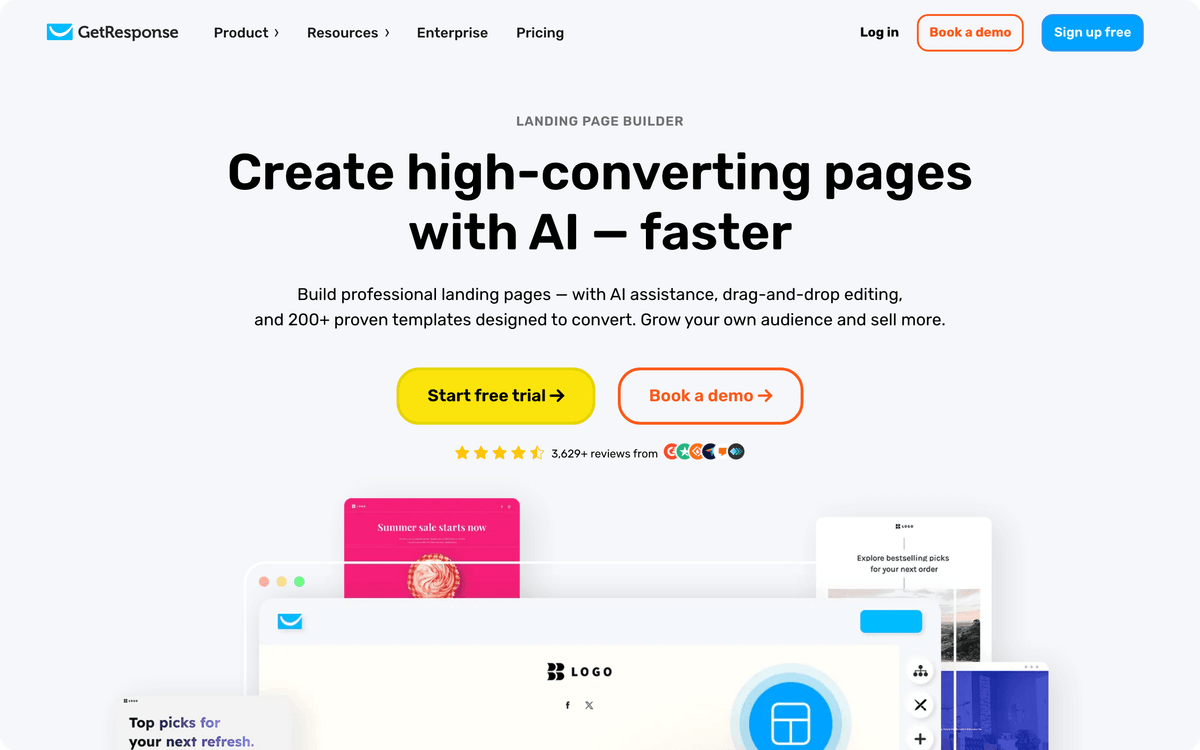
GetResponse approaches landing pages from the email side: its pages are built to grow a list that already lives in the same account as your autoresponders, segments, and automation workflows. The GetResponse landing page builder pairs a drag-and-drop editor and 200+ templates with an OpenAI-powered generator that drafts a page once you describe your scenario and pick an industry. Because signups go straight into the contact base, the first nurture email can fire without an export or import step in between.
For lead capture, you can drop embedded signup forms, exit-intent popups, A/B tested forms, and a live chat window onto the page. Ad tracking runs through custom CSS, JavaScript, or HTML, which is where you paste tracking codes, analytics pixels, and remarketing scripts. Facebook Pixel is also listed among the plan features.
Albato connector: Albato's GetResponse connector has one action, New contact, so GetResponse works as a destination in your routing workflow rather than a trigger. A lead captured on Swipe Pages, Tilda, Webflow, Elementor, Carrd, or any webhook-enabled builder can be added as a GetResponse contact in the same workflow that creates the CRM record. Your email list and your CRM stay in step without CSV uploads.
Pricing: GetResponse sells Starter, Marketer, and Creator plans, plus Enterprise. Monthly plans start at $19/month for 1,000 contacts, and a 12-month plan lowers the price by up to 18%. Starter already includes the landing page builder, signup forms and popups, and unlimited monthly email sends, while Marketer adds sales funnels. A free account is available, and new accounts get 14 days of premium features with no credit card required.
Best for: Teams that want landing pages and email marketing in one tool, with Albato pushing leads from other builders into the same GetResponse list.
How Albato Connects Your Landing Pages to Your Entire Stack
Most landing page builders push form data to one CRM. Albato lets you route the same submission to multiple destinations simultaneously, without duplicating your form or building parallel webhook chains.
Here is what a typical landing page automation looks like in Albato:
- A visitor submits a form on Swipe Pages, Tilda, Webflow, Elementor, or Carrd.
- The form triggers Albato via a webhook or the native app connector.
- Albato routes the lead data to: HubSpot (create contact), Google Sheets (log for reporting), Slack (notify sales rep), and a Facebook Conversions API event (pass back for ad optimization), all in one workflow.

The tools with direct Albato connectors (Swipe Pages, Tilda, Webflow, Elementor, Carrd) support this out of the box. For platforms without dedicated connectors (Unbounce, Leadpages, Instapage, Landingi), Albato's webhook trigger accepts any inbound POST from a form and routes it the same way.
For teams already using Albato, the HubSpot connector is particularly deep. The 59 available HubSpot actions mean you can not only create a contact from a landing page submission, but also update deal stages, add contacts to lists, create tasks for sales reps, and send transactional emails, all triggered by a single form fill.
See the Swipe Pages connector on Albato or explore the Webflow connector to start routing leads.
Here is what the setup process looks like for teams that need granular field mapping between their landing pages and CRM records.
How it works
Albato's webhook trigger captures form data as a raw JSON payload. You define which fields to extract (name, email, phone, UTM source, page URL) and map them to fields in your destination app. If a field name in Tilda does not match the HubSpot property name, the field mapper handles the translation. No code required.
Choosing the Right Landing Page Builder for Your Stack
If you are weighing options, here is the decision framework:

You run paid ad campaigns at scale: Start with Unbounce. Smart Traffic reduces manual optimization work, and the native webhook supports real-time CRM routing. If budget is a constraint, Swipe Pages gives you mobile performance at roughly half the monthly cost with an Albato connector already in place.
You are on WordPress: Elementor Pro plus Albato is the least disruptive path. You keep your existing site, add landing pages in the same editor, and route form submissions to your CRM through Albato without a separate platform subscription.
You need design-first, brand-quality pages: Tilda or Webflow. Tilda is faster to learn and cheaper. Webflow gives you more control and a richer Albato connector if you need to automate more than just form routing.
You are already on HubSpot: Use HubSpot Landing Pages. The native CRM integration beats every workaround, and the Albato HubSpot connector handles routing to tools outside the HubSpot ecosystem.
You just need something live today with zero budget: Carrd Pro at $19/year connects to Albato for lead routing. It is not a platform you will scale into, but for a quick validation page or a focused acquisition campaign, it does the job.
For more on building the complete lead capture pipeline, see our guide to lead capture software and form-to-CRM pipelines and form builder software that routes leads to your CRM.
When you are ready to connect your landing pages to the rest of your stack, sign up for Albato and start with the pre-built landing page templates in the connector catalog.
FAQ
These are the most common questions teams ask when evaluating landing page builders for CRM integration and lead routing.
Which landing page builder has the best CRM integration?
HubSpot Landing Pages has the deepest native CRM integration because the page builder and the CRM are the same product. Form submissions create or update CRM contacts instantly, trigger workflows, and log the entire interaction in the contact timeline without any middleware. For teams not on HubSpot, Unbounce and Leadpages offer the broadest native CRM connectivity, supporting HubSpot, Salesforce, Marketo, and Mailchimp directly. For any platform that lacks a specific integration, Albato's webhook trigger routes form submissions to 1,000+ apps with field-level mapping and no code.
Can I use Albato to connect a landing page to multiple CRMs at once?
Yes. Albato lets you route a single form submission to multiple destinations in one workflow. You can create a contact in HubSpot, log the lead in a Google Sheet, and send a Slack notification, all from one webhook trigger. Tools with direct Albato connectors (Swipe Pages, Tilda, Webflow, Elementor, Carrd) support this without any additional setup on the landing page side. For tools without a native connector (Unbounce, Instapage, Leadpages, Landingi), Albato's generic webhook trigger accepts any inbound POST and routes it to the same set of destinations.
Do I need a paid plan to connect a landing page to my CRM?
It depends on the tool. Most platforms require at least an entry-level paid plan to enable webhook output or direct CRM integrations. Carrd includes forms and embeds at $19/year. Elementor Pro starts at $60/year. Tilda's Personal plan is $10/month billed annually. On the routing side, Albato's free plan allows up to 100 transactions per month and 5 active automations after the 7-day trial, which is enough for a low-volume lead capture setup. If your form receives more than 100 submissions per month, you will need a paid Albato plan or route through the landing page builder's native integrations.
What is the difference between a webhook and a native CRM integration on a landing page?
A native CRM integration is a pre-built connection where the landing page builder maps fields directly to your CRM's data model, handles authentication, and typically runs in the background without configuration. A webhook is a raw HTTP POST of the form data to a URL you provide. Webhooks are more flexible (they work with any destination, including Albato) but require field mapping at the receiving end. Native integrations are simpler to set up but only cover the CRMs the builder has chosen to support.
Ready to connect your landing pages to the rest of your marketing and sales stack? Albato supports form-to-CRM routing for all the tools listed above, with GetResponse connected as a destination that receives those leads as new contacts.
For more on building a complete lead capture pipeline, explore these related guides from the Albato blog.