In this article
Key Takeaways
- The global social media management software market reached $28.58 billion in 2025 and is growing at 17.1% CAGR, driven by businesses connecting social channels to CRM and sales pipelines.
- Top picks: Hootsuite for teams running many accounts, Sprout Social for enterprise social CRM and Salesforce attribution, Buffer for solo creators and startups on a budget, Agorapulse for agencies that need real ROI reporting, and Sendible for client-facing agencies with white-label dashboards.
- The 11 tools in this ranking are scored on CRM integration depth, lead routing, analytics, and pricing, not just post scheduling.
Most social media tools treat lead capture as an afterthought. They schedule posts and report on likes, but the moment someone engages with a campaign, the trail goes cold before a sales rep ever sees a qualified contact. The gap between "someone commented on your ad" and "a sales rep got a qualified contact" is where this ranking focuses. If you also need to capture leads from web forms, check our guide to the best form builder software for CRM.
How We Selected These 11 Tools

Every tool on this list was evaluated against four criteria weighted by how much each one affects your lead pipeline:
- CRM integration depth. Does the tool connect natively to CRMs like HubSpot, Salesforce, or Pipedrive? Can it push social engagement data to a CRM through an integration platform like Albato? A scheduling tool that can't move lead data downstream is only half a solution.
- Lead capture and routing. Can the platform capture leads from social ads, DMs, or comments and route them to specific team members or deal stages? Tools that support Facebook Lead Ads, LinkedIn Lead Gen Forms, or Instagram DM automation scored higher.
- Analytics and attribution. Does the tool connect social activity to revenue outcomes? Platforms that measure which posts drive actual pipeline movement, not just likes, ranked higher.
- Pricing relative to value. Per-seat pricing that balloons for mid-size teams lost points. Transparent plans with clear feature tiers earned them.
Tip
Most social media management tools excel at scheduling but fall short on CRM sync. If your chosen tool doesn't route leads natively, you can bridge the gap with Albato by setting a trigger on "new lead" or "new form submission" from your social platform and pushing it to your CRM in seconds, with no code required.
Here is how each tool compares on the features that matter most for CRM integration.
Quick Comparison Table
| Tool | Best For | CRM Integration | Lead Capture | Free Plan | Paid From | Albato Connector |
|---|---|---|---|---|---|---|
| Hootsuite | Teams managing 10+ accounts | Native + Albato | Facebook Lead Ads | No | $99/user/mo | Yes (social platforms) |
| Sprout Social | Enterprise social CRM | Native CRM + Salesforce | Built-in Social CRM | No | $199/seat/mo | Yes (social platforms) |
| Statusbrew | Agencies & multi-account brands | Native HubSpot + Salesforce | Unified social inbox | No (14-day trial) | $69/mo | Yes (social platforms) |
| Buffer | Solo creators & startups | Via Albato | Basic | 3 channels free | $5/channel/mo | Yes (social platforms) |
| Agorapulse | Agencies with ROI reporting | Native + Albato | Social inbox | No | $79/mo | Yes (social platforms) |
| Sendible | Client-facing agencies | Via Albato | Priority inbox | No | $29/mo | Yes (social platforms) |
| Contentstack | Enterprise content and data layer feeding social | No native CRM sync | Not a capture tool | No | Custom | No |
| Later | Visual-first brands | Limited native | Link-in-bio tracking | 1 social set free | $15/mo | Yes (social platforms) |
| SocialBee | Content recycling at scale | Via Albato | Category-based | No | $29/mo | Yes (social platforms) |
| Planable | Collaboration-first teams | Via Albato | None native | 50 posts free | $33/mo | Yes (social platforms) |
| Sprinklr | Global enterprise | Native Salesforce + SAP | Full social listening | No | Custom | Yes (social platforms) |
The ranking starts with the tools that offer the deepest CRM integration and scales down to niche or enterprise options.
1. Hootsuite

Hootsuite supports scheduling, monitoring, and analytics across Instagram, Facebook, X, LinkedIn, TikTok, Pinterest, and YouTube from a single dashboard. The platform handles up to 10 social accounts on its base plan and scales to unlimited accounts on enterprise tiers. For teams juggling multiple brands or regions, the consolidated view cuts context-switching significantly.

Let us build your automation or AI Agent
Tell us which process eats your time. Certified Albato engineers take it from there, A to Z.
The AI content engine, OwlyWriter AI, generates platform-optimized captions, repurposes top-performing posts, and powers an AI content calendar. The social listening integration means those captions can reflect trending topics in your industry in real time rather than relying on what worked last month.
Where Hootsuite connects to CRM workflows is through its advertising and lead management features. The platform supports Facebook Lead Ads natively, which means leads from paid social campaigns can flow into your downstream tools. Combined with team assignment features and custom approval workflows, Hootsuite functions as a lead coordination layer for paid social.
CRM routing with Albato: While Hootsuite itself doesn't push data directly into most CRMs, the social platforms it manages do. Connect Facebook or Instagram to Albato using the "Lead Ad" trigger. Every form submission from a Facebook Lead Ad creates a contact in HubSpot, Pipedrive, or Salesforce automatically. You can map ad-specific fields (budget range, company size) directly to CRM properties.
Pricing: Standard plan starts at $99/user/month with up to 10 social accounts. Advanced plan at $249/user/month adds unlimited accounts and custom analytics. Enterprise pricing is custom. All plans include a 30-day free trial. No free tier available.
Verdict: Best for mid-size marketing teams that manage both organic and paid social from one dashboard. The AI content generation saves hours on caption writing, and the paid social lead flow integrates well with CRM tools via Albato. 8/10.
Tip
A lead sitting in a CSV export loses value by the hour. Route Hootsuite's Facebook Lead Ad submissions straight into your CRM through Albato so a new contact lands in HubSpot or Pipedrive the moment the form is submitted, not after someone remembers to upload a spreadsheet at the end of the week.
Where Hootsuite covers breadth, Sprout Social goes deeper on the CRM side with a built-in contact database.
2. Sprout Social

Sprout Social is the most CRM-native tool on this list. The platform includes a built-in Social CRM that creates contact profiles from every social interaction, including DMs, comments, mentions, and tagged posts. Each profile stores conversation history, contact details, and internal notes, giving your sales and support teams full context before they respond.
The analytics suite is where Sprout Social pulls ahead of competitors. Reports connect social activity to business outcomes through attribution modeling, and the Salesforce integration (available on Professional and above) pushes social engagement data directly into Salesforce records. If a prospect comments on your LinkedIn post and later enters your pipeline, the connection is visible in both systems.
Social listening is available as an add-on and tracks brand mentions, competitor activity, and industry sentiment across public social channels. The data feeds into automated alerts and trend reports that surface opportunities your team might otherwise miss.
CRM routing with Albato: Sprout Social's native Salesforce integration handles CRM sync for Salesforce users. For teams on HubSpot, Pipedrive, or other CRMs, connect the underlying social platforms through Albato. The Facebook connector captures Lead Ad submissions, and the LinkedIn connector supports actions like posting to organization pages and pulling follower statistics. Multi-step Albato workflows can score leads before they reach your CRM.
Pricing: Standard plan at $199 per seat per month includes 5 social profiles. Professional at $299/seat adds unlimited profiles, competitive reports, and optimal send times. Advanced at $399/seat includes message spike alerts and chatbot automation. Enterprise is custom. All plans billed annually.
Verdict: Best for organizations that treat social media as a revenue channel, not just a branding exercise. The built-in CRM and Salesforce integration make it the strongest choice for B2B teams that need social-to-pipeline attribution. 9/10.
Important
Sprout Social's per-seat pricing adds up fast. A 10-person team on the Standard plan pays $23,880 annually before add-ons. Premium Analytics and Social Listening are priced separately and can double the total contract value. Budget carefully.
Not every team needs enterprise-level social CRM. Buffer proves that simplicity still wins for smaller operations.
3. Statusbrew
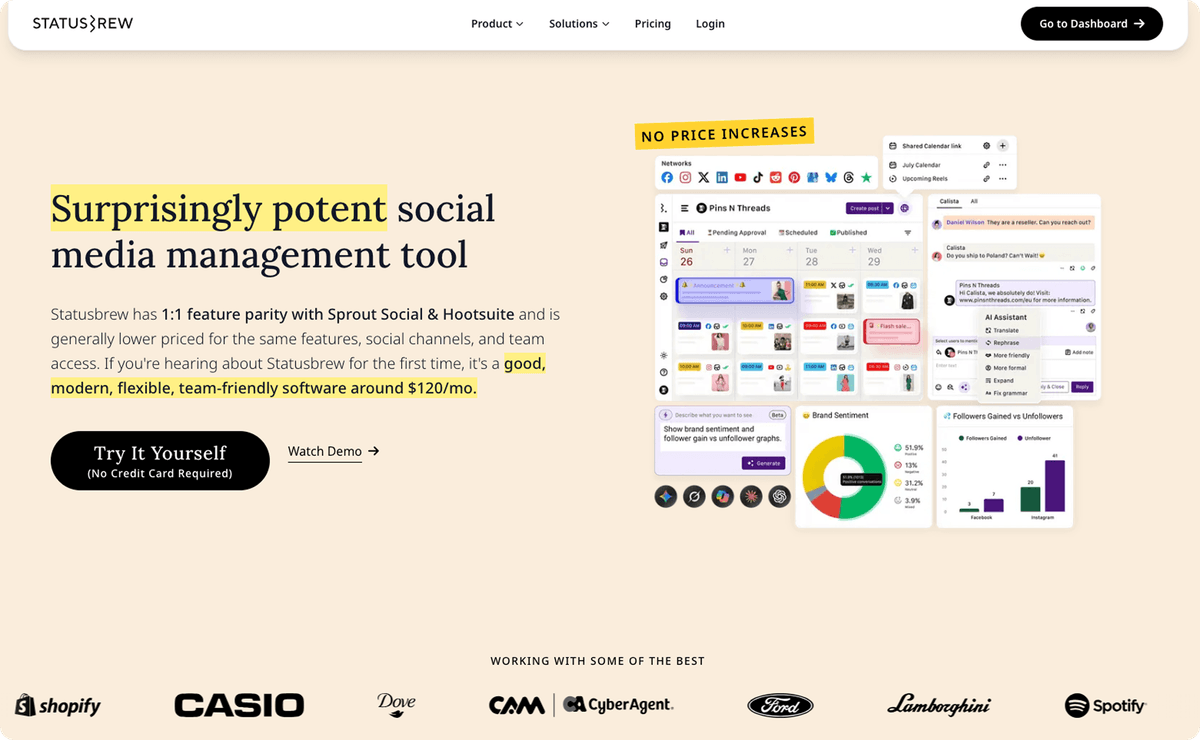
Statusbrew is a social media management platform built for agencies and brands managing many accounts, and a fairly priced alternative to Hootsuite and Sprout Social that offers the same core feature set.
Its unified inbox doubles as a light social CRM, covering publishing, engagement, and reporting across Instagram, Facebook, X, LinkedIn, YouTube, TikTok, Pinterest, Threads, and Google Business Profile from one workspace.
On the CRM side, Statusbrew integrates natively with HubSpot and Salesforce, so social conversations and contact context flow into your CRM records. The unified inbox threads comments, DMs, mentions, and reviews with tags, assignments, and internal notes, so a prospect who engages on social reaches your pipeline with history attached rather than as a cold name.
Pricing: Lite at $69/month, Standard at $129/month, and Premium at $229/month, billed flat by plan rather than per seat. 14-day free trial, no free tier.
Verdict: Best for agencies and multi-account brands that want a unified social inbox with native HubSpot and Salesforce sync, minus the per-seat pricing. It offers the same core features as Hootsuite and Sprout Social without the per-seat cost, plus social-to-CRM context. 8/10.
Note
Pricing is flat and plan-based rather than per seat, so adding teammates does not inflate the bill, and a Smart AI Composer plus built-in social listening is included.
For teams managing multiple clients or brands, Workspaces and Profile Groups keep each account separate, multi-step approval workflows keep content on-brand, and reporting runs deep with 270+ metrics and white-label dashboards.
4. Buffer

Buffer built its reputation on simplicity, and the 2026 version stays true to that. The platform covers scheduling, analytics, and basic engagement for Instagram, Facebook, X, LinkedIn, TikTok, Pinterest, YouTube, Threads, Bluesky, and Mastodon. For pure scheduling (writing posts and setting them to publish at optimal times), Buffer's interface is the most intuitive on this list.
The free plan supports up to 3 channels with basic scheduling and a landing page builder. This makes Buffer the only tool on this list where a solopreneur managing a few social accounts can operate indefinitely without paying. Even the paid plans stay affordable: Essentials costs $5 per channel per month, so a business managing 5 profiles pays $25/month total.
Buffer's AI Assistant generates post variations, repurposes content across platforms, and suggests hashtags. The analytics dashboard tracks post performance and audience growth, though it lacks the revenue attribution depth of Sprout Social or Agorapulse.
Where Buffer falls short is CRM integration. There's no native connection to any CRM, and the engagement tools (added in 2025) remain limited compared to purpose-built social CRM platforms.
CRM routing with Albato: Connect the social platforms you manage through Buffer (such as Facebook, Instagram, or LinkedIn) to your CRM via Albato. If you run Facebook Lead Ads scheduled through Buffer, the lead data flows from Facebook to Albato to your CRM automatically. Buffer handles the publishing; Albato handles the lead routing.
Pricing: Free plan for 3 channels. Essentials at $5/channel/month. Team at $10/channel/month adds unlimited team members, draft collaboration, and approval workflows. Agency plan at $100/month covers 10 channels.
Verdict: Best for solo creators and startups that want clean, affordable scheduling without feature overload. If your primary need is consistent posting across many platforms, Buffer delivers. For CRM integration, pair it with Albato. If email marketing is part of your stack, see our best email marketing tools for e-commerce ranking. 7/10.
5. Agorapulse

Agorapulse stands out for two features that most competitors treat as premium add-ons: a unified social inbox and ROI reporting. The inbox pulls comments, DMs, mentions, and reviews from Facebook, Instagram, X, LinkedIn, YouTube, TikTok, Pinterest, Threads, Bluesky, Google Business Profile, and Reddit into one screen. Each message can be assigned to a team member, labeled, and tracked to resolution.
The ROI reporting connects social activity to website conversions through UTM tracking and Google Analytics integration. Instead of reporting on likes and shares, Agorapulse shows which posts drove traffic, leads, and revenue. For marketing teams that need to justify social media spend to leadership, this reporting alone can be worth the subscription.
Content scheduling includes bulk publishing, queue categories, and a shared content calendar with approval workflows. The 2026 release added keyword tracking and sentiment analysis, moving Agorapulse closer to social listening territory without the enterprise price tag of Sprinklr or Brandwatch.
CRM routing with Albato: Agorapulse doesn't push lead data to CRMs natively. Connect the social platforms it manages (Facebook, Instagram, TikTok) through Albato to route ad leads and form submissions to HubSpot, Pipedrive, or Salesforce. For example, a Facebook Lead Ad captured while managing campaigns in Agorapulse triggers an Albato workflow that creates a CRM contact and notifies your sales team on Slack.
Pricing: Standard plan starts at $79/month (billed annually) with social publishing, inbox management, and basic reporting. Professional at $119/month adds ad comment monitoring, content calendar notes, and team performance reports. Advanced at $149/month includes automated moderation rules, competitor benchmarking, and advanced analytics. Custom Enterprise pricing available for unlimited profiles.
Verdict: Best for agencies and marketing teams that need to prove social media ROI with real conversion data. The unified inbox is genuinely one of the best in the category, and the pricing sits well below Sprout Social for comparable features. 8/10.
Tip
Agorapulse's Power Reports let you build custom dashboards that combine organic and paid social performance. If you're reporting to a CMO who cares about pipeline contribution, this is the feature to demo first.
Agencies managing multiple client accounts need different features than in-house teams. Sendible is built for that model.
6. Sendible

Sendible was built for agencies from the ground up. The platform supports client dashboards where each client sees only their own content and analytics, approval workflows that prevent posts from going live without sign-off, and white-label reporting that replaces Sendible's branding with your own.
The scheduling engine covers Facebook, Instagram, X, LinkedIn, TikTok, YouTube, Google Business Profile, WordPress, and Canva (directly within the composer). The priority inbox aggregates social messages across all clients, with filters for urgency and assignment. For agencies managing 10+ clients, the workflow structure prevents the chaos that comes with shared logins and scattered notification channels.
Sendible's 2026 update added unlimited AI credits on all plans for caption generation and content repurposing. The Content Library stores reusable assets (images, captions, hashtag groups) that team members can pull into posts. The Custom Report Builder (available on the Scale plan) generates branded PDF reports with custom metrics.
CRM routing with Albato: Sendible doesn't include native CRM integrations. Route leads from the social platforms you manage (Facebook Lead Ads, LinkedIn Lead Gen Forms) through Albato to push contact data into your CRM. Since agencies often manage lead capture for clients, this setup lets you build per-client lead routing workflows: Client A's leads go to their HubSpot, Client B's leads go to their Pipedrive.
Pricing: Creator plan at $29/month for 1 user and 6 profiles. Traction at $89/month for 4 users and 24 profiles. Scale at $199/month for 7 users and 49 profiles. Enterprise at $750+/month. Annual billing saves 15%. 14-day free trial on all plans.
Verdict: Best for agencies that need client-facing dashboards, white-label reports, and structured approval workflows. The per-client separation is cleaner than most competitors, and the pricing undercuts Sprout Social significantly for multi-client setups. 7/10.
7. Contentstack
Contentstack is the pioneer of the Agentic Experience Platform (AXP), a unified system for enterprise digital teams that automates complex workflows and delivers personalized customer journeys. Unlike fragmented headless toolchains, it natively unifies its composable Content Cloud, Data Cloud, and Agent OS, so teams can turn real-time intent into action through autonomous AI orchestration.
The platform removes operational debt by automating repetitive tasks such as SEO tagging and global localization. Using reasoning-based AI, it moves beyond rigid rules to adapt the customer journey in the moment, while staying inside the governance and brand knowledge you define.
It is worth being clear about scope: Contentstack is not a social scheduler and does not publish to social networks. It sits upstream of the tools on this list, as the content and data layer that feeds them.
Pricing: Custom enterprise pricing based on scale and the modules you need (Content Cloud, Data Cloud, Agent OS). Contact sales for a tailored quote.
Verdict: Best for enterprise organizations moving off legacy monoliths into a unified, AI-driven content operation. Pair it with a scheduler from this list rather than treating it as one. 9/10.
8. Later

Later focuses on visual content planning. The drag-and-drop calendar, media library, and visual grid preview make it the strongest choice for brands whose social strategy revolves around Instagram aesthetics, Pinterest boards, and TikTok video planning. The Linkin.bio feature turns your Instagram profile into a clickable, shoppable landing page that routes visitors to product pages, blog posts, or sign-up forms.
The platform supports Instagram, Facebook, X, LinkedIn, TikTok, Pinterest, and YouTube. Scheduling includes auto-publishing, best-time suggestions based on audience activity, and hashtag analytics that track which tags drive discovery. The 2026 version added a shared inbox for managing comments and DMs, though it's less capable than Agorapulse's or Sprout Social's inbox.
Later's weakness for lead-focused teams is CRM connectivity. The platform doesn't integrate natively with any CRM, and the engagement tools focus on content performance rather than contact capture. If your goal is to turn social followers into CRM contacts, Later alone won't close that loop.
CRM routing with Albato: Connect the social platforms you publish through (Instagram, Facebook, TikTok) to your CRM via Albato. Linkin.bio clicks can be tracked through UTM parameters, and any lead forms you run on Facebook or Instagram through Later's scheduling can trigger CRM workflows through Albato's Facebook Lead Ad connector.
Pricing: Starter at $15/month for 1 user and 1 social set (up to 8 profiles). Growth at $40/month for 3 users. Advanced at $80/month for 6 users. Enterprise is custom. Annual billing available. Free plan limited to 1 social set with basic features.
Verdict: Best for visual-first brands (fashion, food, travel, lifestyle) that prioritize Instagram and Pinterest aesthetics. If your content strategy is image-driven and your team needs a visual planner, Later is the cleanest option. For CRM lead routing, pair with Albato. 7/10.
9. SocialBee

SocialBee's core differentiator is category-based scheduling. Instead of scheduling individual posts one at a time, you organize content into categories (promotions, blog posts, curated content, tips, testimonials) and set each category to publish on its own schedule. The platform then cycles through your content library automatically, re-posting evergreen pieces on a rotation you define.
This system solves a specific problem: maintaining a consistent posting cadence without creating new content every day. For businesses with a backlog of blog posts, case studies, or product tips, SocialBee keeps those assets in circulation long after the original publish date. The AI Copilot assists with caption generation, content ideas, and schedule optimization.
SocialBee supports Facebook, Instagram, X, LinkedIn, TikTok, Pinterest, YouTube, Google Business Profile, and Bluesky. Team features include workspaces, user roles, and approval flows. The platform also offers a concierge service (ConciergeBee) where SocialBee's team creates and manages your social content, starting at $100/month on top of the software subscription.
CRM routing with Albato: SocialBee doesn't include native CRM connections. Use Albato to link the social platforms you schedule through SocialBee to your CRM. The Facebook connector captures Lead Ad submissions, and the LinkedIn connector lets you automate posting and pull follower statistics for reporting. If a recycled post drives a lead form completion, Albato routes the contact to your CRM pipeline.
Pricing: Bootstrap at $29/month for 1 workspace and 5 profiles. Accelerate at $49/month for 1 workspace and 10 profiles. Pro at $99/month for 3 workspaces and 25 profiles. Agency tiers (Pro50, Pro100, Pro150) range from $179 to $449/month. Annual billing saves about 16%. 14-day free trial.
Verdict: Best for content-heavy businesses that want to maximize the reach of existing assets through automated recycling. The category system is unlike anything else on this list, and it's especially effective for B2B companies with large content libraries. 7/10.
How it works
SocialBee's category system lets you assign posting slots to content types. Set "Blog Posts" to publish Tuesdays and Thursdays, "Customer Tips" to Mondays and Wednesdays, and "Promotions" to Fridays. The platform pulls from each category's queue automatically. When a category runs out, it loops back to the beginning and recycles older posts.

Planable turns every social media post into a collaborative workspace. Instead of using email threads, shared documents, or Slack messages to review content, all feedback happens directly on the post itself. Team members leave comments on specific words, images, or entire posts, and the conversation stays attached to the content through every revision.
The approval workflow supports multiple levels (team, client, legal, stakeholder) with configurable rules for who needs to sign off before a post goes live. For organizations with compliance requirements (financial services, healthcare, regulated industries), this structured approval process replaces informal review chains with auditable sign-off records.
Planable supports Facebook, Instagram, X, LinkedIn, TikTok, YouTube, Pinterest, and Google Business Profile. The AI assistant handles caption generation, text rewriting, and image captioning. The Canva integration allows teams to create visuals without leaving the platform.
Analytics and engagement are available as optional add-ons rather than bundled features, which keeps the base price lower but means you'll pay extra for performance tracking.
CRM routing with Albato: Planable focuses on content collaboration and approval, not lead capture. For CRM sync, connect your social ad platforms (Facebook, TikTok, LinkedIn) through Albato to route ad-generated leads to HubSpot, Pipedrive, or Salesforce. Planable ensures the posts are polished before publishing; Albato ensures the leads those posts generate reach your pipeline.
Pricing: Free plan for the first 50 posts (no time limit). Basic plan from $33/month per workspace. Pro plan at $49/month per workspace. Analytics add-on at $9/workspace/month. Enterprise pricing is custom.
Verdict: Best for teams where content review involves multiple stakeholders and approval chains. If your current review process involves email screenshots, messy comment threads, or "can you re-send the latest version" messages, Planable replaces all of that with in-context collaboration. 7/10.
11. Sprinklr

Sprinklr is the enterprise option on this list. The Unified-CXM (Customer Experience Management) platform manages social publishing, engagement, listening, advertising, and analytics across 30+ digital channels from a single interface. This is not a tool for small teams. It's built for global organizations with distributed marketing teams, multi-region compliance requirements, and the budget to match.
The social listening module monitors brand mentions, competitor activity, and industry trends across social media, news sites, forums, blogs, and review platforms. The AI engine processes sentiment, classifies topics, detects crises, and surfaces opportunities. For enterprise brands managing dozens of markets, this intelligence layer turns noise into actionable data.
Sprinklr integrates natively with Salesforce, SAP, Microsoft Dynamics, and other enterprise CRMs. The advertising module manages paid social campaigns across Facebook, Instagram, LinkedIn, X, and TikTok with budget optimization and audience targeting. Lead data from paid campaigns flows directly into connected CRM records.
CRM routing with Albato: For enterprise teams already using Sprinklr's native CRM integrations, the pipeline is handled. For teams that want additional routing flexibility (sending social leads to niche CRMs, triggering webhooks, or adding leads to Google Sheets for custom reporting), Albato connects the underlying social platforms and adds workflow logic that Sprinklr's native integrations may not cover.
Pricing: Custom pricing only. Industry estimates start around $800/month for the base social module, scaling significantly for full Unified-CXM with listening, advertising, and care modules. No free plan or trial available on the website. Contact sales for a demo.
Verdict: Best for enterprises with global social operations, complex compliance needs, and budgets above $10,000/year for social tools. If your team manages social for 20+ markets or needs unified listening across millions of mentions, Sprinklr is purpose-built for that scale. For mid-market teams, the tools above offer better value. 8/10.
Stat
According to Fortune Business Insights, North America accounted for $12.76 billion of the global social media management market in 2025, making it the largest regional market by a significant margin. Enterprise platforms like Sprinklr capture a disproportionate share of that spend.
Once you have picked the right tool, the next step is connecting it to your CRM so leads flow automatically.
How to Connect Any Social Media Tool to Your CRM With Albato

Most of the tools on this list excel at scheduling and analytics but leave CRM integration to third-party connectors. Here's how to close that gap with Albato:
Step 1: Pick your social platform trigger. Albato connects directly to Facebook (Lead Ads, Custom Audiences), Instagram (business actions), LinkedIn (page posting, follower statistics), TikTok (new leads, campaign data), and Pinterest (new pins, new followers). Choose the event that captures your leads, such as "New Lead Ad submission."
Step 2: Map fields to your CRM. Albato's visual field mapper lets you match social platform fields (name, email, phone, company size, ad campaign) to CRM properties. A "company size" dropdown in your Facebook Lead Ad form becomes a deal property in HubSpot or a custom field in Pipedrive.
Step 3: Add workflow logic. Use conditional steps to route leads intelligently. Enterprise-size companies go to senior account executives. Freelancers enter a nurture sequence. Leads from specific campaigns get tagged with the campaign name for attribution reporting.
The entire setup takes about five minutes, no code required. Once active, every lead that enters through your social ads reaches your CRM within seconds instead of sitting in a CSV export until someone remembers to upload it. For a deeper look at how to build a complete lead pipeline from form to CRM, read our lead capture software guide.
Here is how each tool compares on the features that matter most for CRM integration.
Tip
Set up a Slack notification step in your Albato workflow so your sales team gets an instant alert when a high-value lead comes in from a social campaign. Speed-to-lead matters: contacting a prospect within the first few minutes, while their interest is still fresh, sharply improves your odds of qualifying them over reaching out hours later.
FAQ
Here are answers to the most common questions about social media management tools.
What is the best social media management tool for small businesses?
Buffer offers the best value for small businesses with its free plan covering 3 channels and paid plans starting at $5 per channel per month. If you need deeper analytics, Agorapulse's Standard plan at $79/month adds ROI reporting and a unified social inbox. Both tools connect to CRMs through Albato for lead routing.
Can social media management tools integrate with my CRM?
Sprout Social is the only tool on this list with a built-in Social CRM and native Salesforce integration. Most others (Hootsuite, Buffer, Agorapulse, Sendible, SocialBee, Later, Planable) rely on third-party integration platforms like Albato to push social lead data into CRMs like HubSpot, Pipedrive, and Salesforce.
How do social media leads get into a CRM automatically?
The most common path is through social ad lead forms (Facebook Lead Ads, LinkedIn Lead Gen Forms). When someone fills out a lead form on your social ad, an integration tool like Albato captures the submission and creates a contact record in your CRM. This happens in real time, with no manual CSV exports or data entry required.
Is Hootsuite or Sprout Social better for lead generation?
Sprout Social is stronger for lead generation because of its built-in Social CRM and Salesforce integration, which connect social interactions to pipeline data. Hootsuite excels at multi-platform scheduling and paid social management but relies on external tools for CRM routing. Your choice depends on whether you need a social CRM (Sprout Social) or a broad scheduling platform (Hootsuite).
How much do social media management tools cost in 2026?
Pricing spans a wide range. Buffer starts at $5/channel/month, Later at $15/month, and Sendible at $29/month for budget-friendly options. Mid-tier tools like Agorapulse ($79/month) and Hootsuite ($99/user/month) add analytics and team features. Enterprise tools like Sprout Social ($199/seat/month) and Sprinklr (custom pricing from approximately $800/month) include CRM integration, social listening, and advanced reporting.
The tools below are ranked by integration depth, lead routing, and analytics.