In this article
Key Takeaways
- Marketing agencies spend an average of 25 hours per client per month on reporting, according to a Fluent HQ survey of 104 agencies. That means roughly 500 of those 1,500 minutes produce actual insights, while the rest goes to data extraction, formatting, and QA.
- The tools in this list split into three main categories: data connectors (Supermetrics, Coupler.io, Funnel.io), dashboard builders (Looker Studio, Klipfolio, Databox), and full-stack agency platforms (AgencyAnalytics, Whatagraph, DashThis, TapClicks, Improvado).
- Four tools on this list connect to Albato for no-code data routing: HubSpot, Facebook Ads, Google Sheets, and Salesforce.
The marketing analytics software market hit $8.02 billion in 2026, growing at a 12.65% CAGR according to Mordor Intelligence. That growth is driven by one problem most marketing teams share: data lives in 10 different platforms, and pulling it into a single report still takes hours of manual work every week.
Quick Comparison Table
| Tool | Best For | Integrations | AI Features | Starting Price | Free Plan |
|---|---|---|---|---|---|
| Looker Studio | Google ecosystem teams | 1,000+ (via community) | Limited | Free | Yes |
| Supermetrics | Data extraction to BI tools | 100+ | No | $37/mo (annual) | No |
| AgencyAnalytics | Small to mid agencies | 85+ | AI summaries | $59/mo | No |
| Coupler.io | Multi-channel data to spreadsheets, BI tools, warehouses | 400+ | Built-in AI Agent | $24/mo (annual) | Yes |
| Whatagraph | White-label agency reports | 50+ | AI insights | $229/mo (annual) | Yes (limited) |
| DashThis | Fast dashboard setup | 30+ | AI insights | $44/mo | No |
| Databox | KPI tracking and goals | 130+ | Predictive | $159/mo | Yes (limited) |
| Klipfolio | Custom dashboard power users | 130+ | No | $90/mo | No |
| Funnel.io | Enterprise data centralization | 600+ | MMM, attribution | $200/mo | No |
| TapClicks | Large agencies, multi-channel | 250+ | AI-driven | $599/mo | No |
| Improvado | Enterprise marketing ops | 500+ | AI Agent | Custom | No |
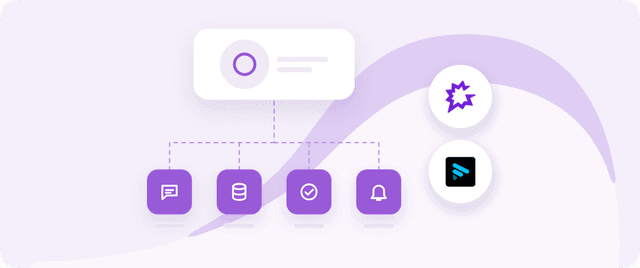
These categories shape how each tool fits into your reporting stack. The infographic below maps each tool to its place in the data pipeline.

How We Selected These Tools
We evaluated 24 marketing reporting platforms across five criteria: number of native integrations (more connectors = fewer manual data imports), reporting automation depth (scheduled sends, white-labeling, AI commentary), pricing transparency, time from signup to first usable report, and how well each tool connects to the broader marketing stack (including email marketing platforms and CRMs) through native or no-code integrations.

Let us build your automation or AI Agent
Tell us which process eats your time. Certified Albato engineers take it from there, A to Z.
We excluded tools that only cover a single channel (social-only, SEO-only) and focused on platforms that aggregate data from at least three marketing channels into a unified view.
Tip:
Before picking a reporting tool, count your data sources. If you use fewer than five marketing platforms, a connector like Supermetrics plus Looker Studio may cost less than a full-stack platform. Once you pass 10+ sources across multiple clients, agency platforms like AgencyAnalytics or Whatagraph start saving time, and a customer data platform can unify those scattered sources into one profile.
The 11 Best Marketing Reporting Tools
1. Looker Studio (formerly Google Data Studio)

Looker Studio remains the default choice for teams running campaigns through Google Ads and tracking with Google Analytics 4. The native Google connectors work without authentication headaches or data sync delays, which matters when you need a dashboard ready in under an hour.
The community connector ecosystem is where Looker Studio pulls ahead of its price tag (free). Over 1,000 connectors built by third parties let you pull data from Facebook Ads, HubSpot, Salesforce, Shopify, and almost any platform with an API. Some community connectors are free, others charge $10 to $30 per month, but even with paid connectors the total cost stays well below dedicated reporting platforms.
Where Looker Studio falls short is data transformation. It visualizes data but does not clean, normalize, or merge it. If your Facebook Ads account reports conversions differently than Google Ads (and it does), you are doing the math yourself in calculated fields. For teams that need currency normalization, cross-channel attribution models, or automated commentary, Looker Studio is a starting point, not the destination.
Albato integration: Looker Studio itself does not have a direct Albato connector, but you can use Albato to push data into Google Sheets, which Looker Studio reads natively. This gives you a no-code pipeline from platforms like HubSpot, Facebook Ads, or Salesforce into your Looker Studio dashboards without building API connections.
Pricing: Free for all features. Community connectors may charge separately ($10 to $30/month each).
Best for: Teams already invested in Google's ecosystem who want a free, flexible visualization layer on top of their data.
2. Supermetrics

Supermetrics is not a dashboard or visualization tool. It is a data connector: it pulls marketing data from source platforms and delivers it to a destination where you build reports. Those destinations include Google Sheets, Looker Studio, Excel, BigQuery, Snowflake, and most major BI tools.
The value of Supermetrics is reliability. The connectors maintain consistent data schemas even when ad platforms change their APIs (which happens multiple times per year). For teams running paid media across Google, Meta, LinkedIn, TikTok, and Amazon, having one extraction layer that handles all the API maintenance is worth the subscription cost.
As of February 2026, the Connector Builder feature lets you create custom integrations for platforms Supermetrics does not natively support. This is useful for niche tools or internal APIs, though it requires some technical comfort with API documentation.
The trade-off: you need a separate visualization tool. Supermetrics extracts data; Looker Studio, Tableau, or Power BI displays it. This means managing two subscriptions and two interfaces. For agencies serving many clients, that overhead adds up.
Important:
Supermetrics switched to annual-only billing in 2026. There is no month-to-month option. The Growth plan at $177/month (billed as $2,124/year) supports up to 5 data sources. Each additional source adds to the cost, so the entry price can double quickly for teams pulling from 10 or more platforms.
Pricing: Starts at approximately $37/month (Starter plan, annual billing). Growth plan $177/month, Pro $299/month. Pricing scales with number of connectors, destinations, and refresh frequency.
Best for: Data-savvy teams that already have a BI tool and need reliable, automated data extraction from marketing platforms.
3. AgencyAnalytics

AgencyAnalytics is built specifically for marketing agencies that manage multiple client accounts. Every feature assumes you are building reports for someone else: white-label branding on dashboards and PDFs, client login portals, automated report scheduling per client, and role-based access so clients see their data without accessing agency-level controls.
The platform connects to 85+ integrations spanning SEO (Ahrefs, Semrush, Google Search Console), PPC (Google Ads, Meta Ads, Microsoft Ads), social media, email marketing, call tracking, and e-commerce. For each client, you can connect as many integrations as needed.
The AI component generates written performance summaries, spotting trends and anomalies across connected data sources. This cuts the time spent on the "commentary" portion of client reports, which accounts for roughly 14% of total reporting hours for the average agency.

The Freelancer plan at $59/month covers 5 clients. The Agency plan at $179/month handles 10, and Agency Pro at $349/month covers 15 with additional features like benchmarks, forecasting, and anomaly detection. Each additional client beyond the plan limit costs $20/month.
Albato integration: AgencyAnalytics does not have a direct Albato connector, but you can use Albato to push data from platforms AgencyAnalytics does not natively cover. Route CRM deal updates from HubSpot or Salesforce into Google Sheets, then connect those Sheets to AgencyAnalytics dashboards. If your form-to-CRM pipeline already runs through Albato, adding the reporting layer takes minutes.
Pricing: Freelancer $59/month | Agency $179/month | Agency Pro $349/month | Enterprise custom. All billed annually. $20/month per additional client.
Best for: Agencies managing 5 to 30 clients who need white-labeled, automated reports across SEO, PPC, and social channels.
4. Coupler.io
Coupler.io is a data integration and AI analytics platform that connects 400+ business apps, including Google Ads, Facebook Ads, GA4, HubSpot, and Shopify, to spreadsheets, BI tools, data warehouses, and AI tools. Its no-code transformations let you filter, blend, and aggregate data from multiple channels on the way to the destination, so cross-channel reports stay analysis-ready and refresh automatically on a schedule, up to every 15 minutes.
For larger data volumes, you can load data to Snowflake or another warehouse and keep ad spend and CRM data in one place for deeper analysis. To start reporting faster, Coupler.io offers 200+ ready-made dashboard templates for Looker Studio, Power BI, Tableau, and Google Sheets. For AI-powered analysis, integrations with Claude, ChatGPT, and Gemini let you explore your marketing data in plain language, while the built-in AI Agent answers questions and delivers actionable recommendations right inside the app.
Pricing: Free plan available | Paid plans start at $24/month (annual billing). All data sources and destinations are included on every plan.
Best for: Marketing teams and agencies that need to connect multi-channel data to spreadsheets, BI tools, data warehouses, or AI tools without writing code.
5. Whatagraph

Whatagraph is a comprehensive marketing intelligence platform designed to replace fragmented reporting stacks. Unlike traditional tools that act as simple connectors, Whatagraph provides a unified data hub with a built-in semantic layer. This allows marketing teams to define their metrics and dimensions once and have them automatically synced across all reports, dashboards, and AI agents, ensuring absolute data consistency across every channel.
For scaling agencies, the platform offers powerful automation features like linked reports, which allow updates to be pushed across multiple client accounts simultaneously. Its deep white-labeling capabilities extend beyond logo swaps to include custom domains and fully branded client portals. With integrated AI insights that summarize complex data trends into plain language, Whatagraph helps teams deliver high-value reporting without the manual overhead of traditional data preparation.
Pricing: Start plan $229/month (annual) | Boost $463/month | Enterprise custom. Pricing scales by source credits, not by number of clients.
Best for: Marketing agencies and brands that need a governed, scalable data foundation for cross-channel reporting and client-facing dashboards.
6. DashThis

DashThis prioritizes speed to first dashboard. The setup process takes minutes: connect your data sources, pick a template from the 50+ options, and the dashboard auto-populates with standard KPIs for that platform. For teams that bill clients for strategy, not for building dashboards, this time saving is the main selling point.
The platform updated its pricing structure in March 2026, moving to source-based pricing where your plan reflects both the data sources you connect and the dashboards you include. The Individual plan at $44/month includes 3 dashboards and 15 data sources, with unlimited users and all templates.
DashThis connects to 30+ platforms natively, including Google Analytics 4, Meta Ads, Google Ads, TikTok Ads, LinkedIn Ads, HubSpot, Klaviyo, Ahrefs, and Google My Business. Recent additions include Reddit and Pinterest Ads connectors.
The limitation is depth. DashThis excels at pulling standard metrics into a clean visual layout, but if you need custom calculated fields, cross-channel attribution, or data blending across sources, you will hit the ceiling quickly. This is a reporting tool, not an analytics platform.
Pricing: Individual $44/month (3 dashboards, 15 sources) | Professional $139/month (10 dashboards, 40 sources) | Business $279/month (25 dashboards, 100 sources) | Standard $429/month (50 dashboards, 150 sources). All include unlimited users.
Best for: Solo marketers and small agencies that need professional-looking dashboards fast, without a steep learning curve.
7. Databox

Databox differentiates itself through KPI tracking, goal setting, and performance benchmarking. While most reporting tools show you what happened, Databox also tells you how your numbers compare to similar companies and whether you are on track to hit your targets.
The platform connects to 130+ tools including Google Analytics 4, HubSpot, Salesforce, Shopify, Stripe, QuickBooks, and SQL databases. The Databoard interface uses drag-and-drop widgets, and you can build a custom dashboard in roughly 15 to 20 minutes if your data sources are already connected.
One notable change in 2026: Databox eliminated its free plan for agency accounts. Standard accounts still have access to a limited free tier (3 data sources, 1 dashboard). Paid plans start at $159/month and climb to $799/month before add-ons. All paid plans include unlimited user seats with granular permissions, but additional data source connections beyond the included allotment cost $5.60/month each on the Pro plan.
The mobile app is genuinely useful, not just a responsive web view. You get push notifications when a KPI hits a threshold (positive or negative), which means the marketing director gets an alert at 7 AM if yesterday's ad spend exceeded the daily budget.
How it works:
Databox meters by "data source connections." Each connection represents a single platform-property combination. If you track Google Analytics for three websites and Google Ads for two accounts, that counts as five connections, not two integrations.
Pricing: Free (3 sources, 1 dashboard) | Pro $159/month | Growth $399/month | Premium $799/month. Annual billing saves 20%. All plans include unlimited users. Additional connections $5.60/month each.
Best for: Marketing managers and ops teams who need KPI tracking with benchmarks and goal setting, not just backward-looking reports.
8. Klipfolio

Klipfolio offers the deepest dashboard customization on this list. If you want pixel-level control over every widget, data visualization, and layout element, this is the tool that gives it to you. The trade-off is a steeper learning curve compared to template-first tools like DashThis or Whatagraph.
The platform connects to 130+ data sources and gives you a formula editor for building custom metrics. You can pull raw API data, apply transformations, combine sources, and build calculated fields that most competing tools cannot handle. For marketing ops teams comfortable with spreadsheet formulas, the power editor feels familiar. Teams that want to move beyond dashboards can also hand repetitive lead work to AI agents built for marketing ops.
Klipfolio offers two products: Klips (the full-power dashboard builder) and PowerMetrics (a more streamlined, metrics-first view). PowerMetrics is easier to set up but less customizable. Most marketing teams start with PowerMetrics and move to Klips when they need custom visualizations.
The pricing starts at $90/month for the Base tier (3 dashboards, 4-hour data refresh). The Grow tier at $190/month adds 10 dashboards and hourly refresh. The Team tier at $350/month gives you 20 dashboards, 15-minute refresh, and single sign-on.
Pricing: Base $90/month (3 dashboards) | Grow $190/month (10 dashboards) | Team $350/month (20 dashboards). All include 130+ integrations and unlimited users.
Best for: Technical marketing teams and data analysts who want full control over dashboard design and custom metric calculations.
9. Funnel.io

Funnel.io positions itself as a "Marketing Data Hub," and that label is accurate. With 600+ pre-built connectors, it has the largest native integration library on this list. The platform pulls data from ad platforms, CRMs, web analytics, e-commerce tools, and offline sources (file uploads), normalizes it with no-code data mapping and currency conversion, and pushes it to your BI tool, data warehouse, or built-in dashboards.
The data transformation layer is what separates Funnel.io from simpler connectors. You can rename fields, merge data from different sources into a unified schema, apply currency normalization, and create calculated metrics before the data reaches your visualization layer. For enterprises running campaigns across 20+ countries with multiple currencies, this normalization is not optional.
Optional advanced measurement features include marketing mix modeling (MMM), attribution, and incrementality testing. These are typically enterprise add-ons, but having them in the same platform as your data pipeline means you avoid yet another tool.
The pricing reflects this enterprise positioning. The Starter plan begins at $200/month (billed annually) with no free tier. Based on Vendr transaction data, the average annual Funnel.io contract is approximately $73,500. This is a significant investment, but for organizations spending $1M+ annually on paid media across multiple markets, the time savings in data centralization typically justify it.
Albato integration: While Funnel.io has its own massive connector library, teams using both Funnel.io and operational tools like CRMs can bridge gaps with Albato. For example, route Salesforce deal stage changes or HubSpot form submissions into Google Sheets, which Funnel.io can then ingest alongside your ad platform data.
Pricing: Starter $200/month (annual) | Business $1,000 to $2,000+/month | Enterprise custom. Uses a Flexpoint credit system based on sources, sync frequency, and destinations.
Best for: Enterprise marketing teams and large agencies managing multi-country, multi-currency campaigns across 15+ data sources.
10. TapClicks

TapClicks is a full marketing operations platform that goes beyond reporting into workflow management, order processing, and campaign performance analysis. For large agencies managing dozens of clients across search, social, display, email, and content, the unified platform reduces the number of tabs you have open.
The platform connects to 250+ data sources and includes SEO tools (rank tracking, site audit) alongside the standard advertising and analytics connectors. The AI-driven insights feature identifies performance anomalies and generates recommendations, though the quality of those recommendations varies by data volume, since the AI needs several months of historical data to produce useful patterns.
TapClicks also handles media order management, which is unique on this list. You can track insertion orders, manage campaign flight dates, and reconcile actual performance against contracted deliverables. For agencies that need to prove they delivered what they promised, this feature closes a gap that most reporting tools ignore.
Implementation is more involved than self-service tools on this list. Based on industry reports, implementation costs range from $1,000 to $10,000 depending on the number of integrations and custom configurations. The Basic plan starts at $599/month, with higher tiers exceeding $1,399/month.
Important:
TapClicks requires a longer evaluation period than most tools on this list. The AI features need historical data to be useful, and the implementation process takes 2 to 4 weeks for most agencies. Budget for a 30-day trial before committing.
Pricing: Basic $599/month | Higher tiers $1,399+/month. Implementation costs $1,000 to $10,000. Custom pricing for enterprise.
Best for: Large agencies (50+ clients) that need reporting, workflow management, and media order tracking in one platform.
11. Improvado
Improvado is the enterprise option on this list, designed for marketing teams that spend millions on paid media and need a centralized data layer across every channel. The platform offers 500+ connectors, automated ETL (extract, transform, load) pipelines, data governance controls, and an AI Agent that answers questions about your marketing data in natural language.
The AI Agent is the differentiator. Instead of building dashboards or writing SQL queries, you ask "What was our cost per lead from LinkedIn campaigns in Q1 by region?" and get a data-backed answer. This reduces the dependency on analysts for routine performance questions, which is valuable for executive teams that want answers without learning a BI tool.
Data governance features include role-based access, data lineage tracking, and automated data quality checks. For organizations in regulated industries or companies with strict data policies, these controls matter. Most reporting tools on this list treat data governance as an afterthought.
The downside: Improvado does not publish pricing, and the platform is complex for teams with fewer than 10 marketing data sources. The setup process requires onboarding support, and the value becomes clear only when you are managing hundreds of campaigns across dozens of platforms.
Pricing: Custom (contact sales). Based on the platform's enterprise positioning and typical contract sizes in this category, expect annual contracts starting in the mid-five figures.
Best for: Enterprise marketing teams with 10+ data sources, $1M+ annual ad spend, and a need for data governance alongside reporting.
How to Build a No-Code Reporting Pipeline With Albato
Most of the tools above handle the "visualization and dashboard" layer of marketing reporting. But the underlying challenge is getting data from your marketing platforms into those tools in the first place. This is where no-code integration platforms fill the gap.
Albato connects to 1,000+ apps and lets you build automated data pipelines between marketing tools, CRMs, and reporting destinations without writing code. The typical reporting use case works like this:
Step 1: Connect your data sources. Link your ad platforms (Facebook Ads, Google Ads), CRM (HubSpot, Salesforce), and email tools (Mailchimp, ActiveCampaign) to Albato.
Step 2: Map the data flow. Define which events (new leads, deal updates, campaign metrics) trigger data transfers and where that data lands, typically Google Sheets or a database.
Step 3: Connect to your reporting tool. Most tools on this list (Looker Studio, Klipfolio, Databox) can read from Google Sheets natively, giving you a real-time data pipeline without API maintenance.
This approach is especially useful when your reporting tool does not natively connect to a specific platform in your stack. Instead of paying for a premium connector or manually exporting CSVs, you set up an Albato workflow once and the data flows automatically.
What to Look for When Choosing a Marketing Reporting Tool
Picking the right tool depends on your team structure, client count, and how your data flows between platforms. Here are the four factors that matter most.
Integration coverage vs. integration depth. A tool with 600 connectors sounds impressive, but if the HubSpot connector only pulls contact counts (not deal stages, email metrics, or attribution data), the number is misleading. The same applies to form builder integrations: you need field-level mapping, not just a "connected" badge. Test the specific integrations you need before committing to a plan.
Time to first report. Template-first tools like DashThis and AgencyAnalytics get you to a usable dashboard in under an hour. Customization-first tools like Klipfolio and Improvado take days or weeks. If your team needs reports this week, the setup time matters more than the feature list.
Pricing model clarity. Watch for hidden costs. Databox charges per data source connection. Supermetrics prices scale with connectors and destinations. Funnel.io uses a credit system. AgencyAnalytics charges per client. Calculate your actual cost at your current scale, not the entry-level price.
Automation vs. control. Some tools automate report generation, commentary, and delivery (AgencyAnalytics, Whatagraph). Others give you raw data and expect you to build everything (Supermetrics, Looker Studio). Neither approach is wrong. Match the tool to how your team works.
Tip:
Start with a free trial that uses your real data, not sample datasets. Most reporting tools look good with demo data. The difference shows up when you connect 8 real ad accounts, a CRM with messy data, and a client who wants custom metrics that don't match any pre-built template.
FAQ
Here are answers to the most common questions about marketing reporting tools.
What is the best free marketing reporting tool?
Looker Studio (formerly Google Data Studio) is the strongest free option. It connects natively to Google Ads, Google Analytics 4, YouTube, and Search Console, with 1,000+ community connectors for other platforms. The main limitation is that it handles visualization only, with no built-in data transformation or automated commentary.
How much do marketing reporting tools cost?
Entry-level plans start at $37/month (Supermetrics, Starter plan) and $44/month (DashThis, 3 dashboards). Mid-range agency tools run $59 to $349/month (AgencyAnalytics) or $229 to $463/month (Whatagraph). Enterprise platforms like Funnel.io start at $200/month (annual), with average annual contracts around $73,500. Improvado and TapClicks use custom pricing for enterprise deployments.
Can I use a no-code tool to connect my marketing data to a reporting dashboard?
Yes. Platforms like Albato connect 1,000+ marketing and business apps without code. A common setup routes data from ad platforms and CRMs into Google Sheets, which Looker Studio, Klipfolio, or Databox then reads as a live data source. This approach fills integration gaps when your reporting tool does not natively support a platform in your stack.
What is the difference between a marketing reporting tool and a marketing analytics tool?
Reporting tools collect and display data: dashboards, charts, scheduled PDFs. Analytics tools interpret data: attribution models, predictive scoring, cohort analysis, A/B test evaluation. Some tools on this list (Improvado, Funnel.io, Databox) cross the line into analytics with features like marketing mix modeling, predictive KPIs, and AI-powered trend analysis. Most (Looker Studio, DashThis, AgencyAnalytics) focus on reporting.
How many integrations does a marketing reporting tool need?
The number depends on your stack size. Most marketing teams actively use 8 to 12 tools (ad platforms, CRM, email, analytics, social). A reporting tool that covers your top 8 platforms natively is more valuable than one with 600 connectors if none of them match your stack. Check the specific integrations you need, not the total count.
If your current reporting stack has integration gaps between data sources and dashboards, a no-code platform can close them without custom API work.
Looking for more tools to strengthen your marketing stack? These guides cover adjacent categories.