How AI Agents Are Changing Creative Workflows in Video Production 2026

AI Agents in Creative Workflow: Video Production Guide
By Mariia Sosnina ·
Created: 09/26/2026
·
Updated: 09/25/2026
·
13 min. read

In this article

Key Takeaways

  • AI agents in video production handle the execution-heavy parts of editing: footage review, clip selection, timeline assembly, and version creation, cutting base-cut time by hours per project.
  • The creative role does not disappear; it shifts from manually completing every step to directing an intelligent system and refining the result.
  • Post-production is only half the workflow. Once a video is ready, distribution tasks (CRM updates, email campaigns, social scheduling) are a separate automation layer that AI agents can cover too.
  • The most effective teams combine AI editing tools for production with workflow automation platforms for distribution, treating the two as a connected pipeline rather than separate silos.
 

According to Wyzowl's 2026 State of Video Marketing report, 91% of businesses now use video as a marketing tool, yet most editorial teams report spending more time organizing and trimming footage than on actual creative work. A single product launch might require a YouTube explainer, three social clips, a webinar recap, and a customer story, often with the same crew, the same deadline, and no additional headcount. AI agents are starting to flip that ratio by taking on the footage-handling work so editors can focus on what actually requires judgment.

What AI Agents Actually Do in Creative Workflows

AI agents in creative work are not rule-based robots. Traditional automation executes a fixed sequence of steps when triggered. An AI agent reads incoming data, evaluates context, and decides which action to take based on instructions written in plain language.

In video production, that distinction matters because editing is not linear. A footage library has no fixed order. An editor working on an interview project has to review hours of recordings, find the strongest responses, identify repeated answers, and build a timeline that tells a coherent story. Each decision depends on what came before it.

An AI agent can handle the first several steps of that process by reviewing uploaded footage, selecting usable takes, removing unnecessary sections, and preparing a structured starting point. The editor then steps in with creative judgment: pacing, narrative arc, brand tone, final approval.

Tip. The most useful framing for AI agents in editing is "give me something to react to." Base cuts generated by AI are not finished videos. They are organized starting points that let editors skip the most time-consuming part and work from a foundation instead of from nothing.

This is not about removing editors from the process. It is about changing where they spend their time.

Why Video Editing Is a Prime Target for Automation

Video editing combines creative judgment with a large volume of mechanical work, and that combination makes it a natural fit for AI assistance.

On the creative side, editors make judgment calls that require human context: which take has the right energy, where the pacing should breathe, how scenes connect emotionally, what the final cut says about the brand. Those decisions are not automatable, and nobody is arguing they should be.

On the execution side, editors spend real hours doing things that do not require creative judgment at all. Reviewing raw recordings to find the five usable minutes inside a two-hour shoot. Removing filler pauses. Organizing clips by topic or speaker. Preparing multiple versions of the same material for different platforms. That work is time-consuming, repeatable, and a candidate for automation.

Stat. According to Wyzowl's 2026 State of Video Marketing report, 85% of video marketers say video has helped them generate leads, with teams now producing video across more formats than ever before. The production volume demands a different operational model.

AI-powered editing workflows aim to handle the execution layer while preserving editor involvement in every meaningful decision. The editor describes the goal. The agent does the assembly. The editor refines the result.

Moving From Manual Editing to Agent-Assisted Production

The practical difference between manual editing and agent-assisted production shows up most clearly in interview and long-form content work.

 
Traditional vs AI-Agent video workflow comparison: manual footage review and timeline building versus AI reviewing footage, building a base cut, and generating platform versions
 

Consider an editor building a 20-minute documentary from three days of field recordings. The traditional path starts with logging: watching everything, noting timestamps, flagging usable material. That logging process alone can take as long as the shoot itself. Then comes the rough cut, the fine cut, and version preparation for different channels.

With an AI agent handling initial organization, the editor starts from a structured base cut rather than from raw footage. The agent has already reviewed the recordings, surfaced the strongest sections, and assembled a first timeline. The editor watches a 20-minute cut instead of six hours of raw material. Their first decision is creative, not organizational.

This shift changes the editor's role from executing every operational step to directing and improving the result. The creative investment stays the same. The time investment changes significantly.

For teams managing multiple deliverables from a single shoot (a full episode plus clips plus social snippets), AI assistance compounds across every version rather than just the primary edit.

How AI Video Editing Platforms Support Modern Creative Teams

Creative teams that handle 10+ videos per week don't have time for tools that add friction. What they need are platforms where AI handles the mechanical parts (intake, selection, rough cut) while the editor stays in control of every creative call. Invideo Editor is built around this split by pairing AI editing agents with a professional timeline workflow. Editors provide direction, agents handle repetitive execution, and the full timeline stays visible and editable at every stage. invideo's AI Video Editor helps creators move from unstructured footage to an editable starting point while keeping creative control available throughout.

This workflow applies across a range of production formats: YouTube content creation, interview editing, podcast production, documentary workflows, marketing videos, and social media content. The underlying principle is consistent: AI handles the time-consuming operational steps while the editor remains responsible for story, tone, and final output.

Tip. For teams producing video across multiple formats from a single project, AI-assisted tools that understand project structure and can prepare version variations are significantly more useful than tools optimized only for single-output workflows.

The key advantage is that the creative layer and the execution layer no longer compete for the same time. AI takes the execution; editors take the craft.

From Raw Footage to Base Cut: Where AI Creates the Most Value

The first complete timeline assembly is the most time-intensive stage of the editing process, and it is where AI agents make the largest practical impact.

A base cut is not a finished video. It is the first organized version of usable footage: unnecessary material removed, repeated takes cut, an initial structure in place. It gives an editor something concrete to react to and refine. Building a base cut manually can take a full day or more on a longer project.

AI agents accelerate this stage by reviewing uploaded footage, selecting usable takes based on quality and relevance criteria, removing sections that do not contribute, and preparing an editable project file. The result is a starting point, not a finished product, but it is a starting point that would have taken hours to build by hand.

 
Albato AI Agent shown as a step inside the automation builder, reading context and deciding the next action in a video workflow
 

This approach creates a working balance between automation and creative control. The agent handles execution. The editor handles judgment. The final quality depends on the editor's refinement work, but the editor gets to that work faster because the foundation is already in place.

For high-volume content operations, this scales. A team producing weekly long-form content plus daily social clips is not manually building base cuts for every asset. AI-assisted assembly makes that output sustainable.

How to Automate What Happens After the Edit

AI agents in editing tools handle production. But the workflow does not end when the video is exported.

Once a video is ready, a content team typically has to: update the CRM record for the account this video was created for, notify the relevant Slack channel that the asset is available, add the video to the email campaign queue, send it to a social media scheduler, and update the project management tool so stakeholders know the asset is complete.

Done manually across every video, those steps add up. Done inconsistently, assets sit in folders while distribution tasks wait. The production workflow and the distribution workflow run on separate tracks, connected only by someone remembering to do the handoff.

Albato's AI Agent closes that gap. It is an automation step that reads incoming data and decides which downstream action to run based on instructions you write in plain language. You describe what should happen after a video is ready: route this to CRM, notify this Slack channel, add to this email sequence, update this tracker. The agent handles the execution based on context rather than fixed rules.

Albato AI Agent settings screen with User message, Agent instructions, and Guardrails fields for defining a task in plain language

The setup works in four building blocks: the model that makes decisions (Albato AI built in, or OpenAI, DeepSeek, Gemini if you bring your own), the instructions written in natural language, the tools the agent is allowed to use (drawn from about 5,000 available actions across connected apps), and optional memory for conversational or multi-step scenarios.

In a video production context, a practical Albato automation might look like this: a trigger fires when a video is exported or marked complete in your production tool, the AI Agent reads the project metadata and context, and then routes the asset to the right next step, whether that is updating a HubSpot deal record, queuing a campaign in your email platform, notifying the distribution team in Slack, or adding the video to a social scheduler. One instruction set handles different scenarios adaptively rather than requiring a separate fixed workflow for each case.

 
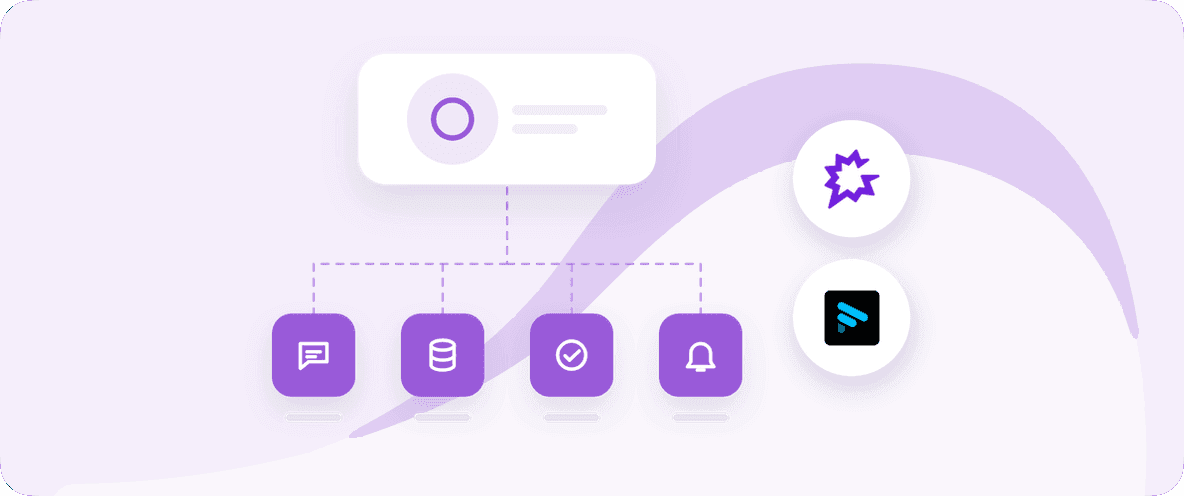
Albato AI Agent delegation model: a completed video triggers the agent to read context and fan out to CRM update, Slack notification, email campaign queue, and social scheduler
 

The result is that video and distribution become one connected pipeline. The AI handles editing. Albato handles what happens next.

Try this on Albato's free plan and connect your first video workflow to your marketing stack in minutes.

Setting this up takes a few minutes and no code. The next box breaks down how the agent step fits inside an automation.

How it works. Albato AI Agent runs as a step inside any automation: add a trigger (a webhook, a scheduled check, a new record in your CRM), then add the AI Agent step, write instructions in plain English, and connect the apps you want it to use as tools. No code required, and the agent makes field-level decisions on its own based on the instructions you give it.

For teams already using AI tools on the production side, adding Albato as the distribution layer completes the workflow without manual handoffs.

For an overview of how AI tools like Claude are being used in content workflows, the approach for video distribution is the same underlying principle: define the task in instructions, connect the relevant apps, let the agent handle routing and execution while you focus on strategy.

Automate Your Video Distribution

Connect your editing tools to Slack, HubSpot, Google Drive, and 1,000+ apps without writing code.

The Future of AI-Agent Video Workflows

AI agents in creative work are still early enough that the teams adopting them now are building a real operational advantage. The tools are improving quickly, and the gap between teams using AI-assisted workflows and teams that are not is likely to widen over the next two to three years.

The direction is toward less manual execution at every stage. Editing agents handle assembly and versioning. Distribution agents handle routing and handoffs. The creative team focuses on decisions that require judgment: story, tone, brand positioning, what the work is actually trying to say.

Creative professionals will continue to own: story decisions, brand direction, creative judgment, and final approval. AI agents will increasingly handle: initial organization, base cut assembly, version creation, and workflow distribution. The division of labor is not about replacing creative roles. It is about what each role actually needs to spend time on.

Teams building this kind of workflow now are finding that the combination of AI-assisted production tools and workflow automation platforms produces something more than the sum of its parts. Faster production cycles create more content. Better distribution automation means more of that content actually reaches the right audience at the right time.

The teams best positioned for that future are the ones connecting their tools into a coherent pipeline rather than managing production and distribution as separate silos.

FAQ

What are AI agents in video production?

AI agents in video production are tools that read incoming data and instructions and decide which editing tasks to perform, rather than following a fixed set of rules. In practice, they handle footage review, clip selection, timeline assembly, and version preparation, giving editors a structured starting point instead of raw material.

How do AI agents improve creative workflows?

AI agents take on the execution-heavy parts of editing: reviewing footage, removing unwanted sections, building initial timelines. Editors then spend their time on creative decisions rather than mechanical operations. The practical result is that teams can produce more content without proportionally increasing the manual work involved.

Can AI agents replace professional video editors?

No. AI agents handle repeatable execution tasks; they do not make creative judgments. Story decisions, pacing, brand tone, narrative structure, and final approval remain with the editor. The agent changes how editors spend their time, not whether editors are needed.

Does InVideo Editor work for teams, or is it primarily for solo creators?

Invideo Editor supports both. Individual creators can use it for single-project workflows, while teams benefit from shared project access and the ability to hand off a base cut between team members without losing timeline state. Pricing is available on InVideo's site, with plans that scale by output volume and collaboration needs.

What types of videos work well with AI-assisted editing workflows?

AI-assisted workflows are well-suited for YouTube content, interview editing, podcast video production, documentary work, marketing videos, and social media content. Any format that starts with significant raw footage and requires organized assembly benefits from AI handling the initial organization.

How does Albato connect to video production workflows?

Albato's AI Agent automates the distribution and operational steps that happen after a video is exported. It reads project context and routes assets to the right next step: CRM update, email queue, social scheduler, Slack notification, project tracker. This connects the production workflow to the marketing and distribution stack without manual handoffs between tools.

Connect Video to Your Whole Stack

Route finished videos to CRM, email, and social tools automatically. No code, 1,000+ apps.


Mariia Sosnina
CMO
All articles by the Mariia Sosnina
CMO and AI architect with 10+ years in B2B SaaS, spanning product marketing, partnerships, inbound strategy, and content, now designing AI systems that run marketing at scale.

Join our newsletter

Hand-picked content and zero spam!

Related articles

Show more
AI Color Correction & Video Editing Workflows in 2026
13 min. read

AI Color Correction & Video Editing Workflows in 2026

Discover how AI video editing workflows cut post-production time with automated color correction, smart assembly, and multi-format export.

Best ABM Software for Small Teams (2026)
13 min. read

Best ABM Software for Small Teams (2026)

Compare 6 affordable ABM tools built for small teams in 2026, with real entry prices, free plans, and how each feeds your CRM.

Scale Video Content Creation With AI Workflows
13 min. read

Scale Video Content Creation With AI Workflows

Learn how AI video workflows help marketing teams create, edit, and distribute more video content faster without proportionally growing the team.

Best White-Label AI Platforms for SaaS in 2026
14 min. read

Best White-Label AI Platforms for SaaS in 2026

Compare the best white-label AI platforms for SaaS in 2026. See how Albato, Paragon, Merge, Prismatic, and others stack up on connectors, agents, and security.

Best Customer Loyalty Software 2026 (6 Tools Compared)
15 min. read

Best Customer Loyalty Software 2026 (6 Tools Compared)

Compare the best customer loyalty software for 2026: Smile.io, LoyaltyLion, Yotpo, Talon.One, Open Loyalty, Loyverse ranked by fit, price, and integrations.

AI Video Workflow: From Raw Footage to Finished Content
13 min. read

AI Video Workflow: From Raw Footage to Finished Content

Learn how AI video workflows help teams cut editing time, automate post-production, and scale content output without adding headcount.

Albato 2.0: Copilot, MCP and One Key for Your Agents
9 min. read

Albato 2.0: Copilot, MCP and One Key for Your Agents

Albato 2.0 for SaaS: give your users an automation builder, make your own agent stronger over A2A and MCP, and put your team on one key. Book a demo.

Albato Platform Updates: What Changes for Your Users
8 min. read

Albato Platform Updates: What Changes for Your Users

The November interface update reaches every Albato Embedded partner, plus Teams and spaces, the interface in your own language, and Copilot, AI agents and MCP.

Best Referral Program Software in 2026 Compared
14 min. read

Best Referral Program Software in 2026 Compared

Compare the best referral program software for 2026 by pricing, integration depth, and business type. Picks for ecommerce, SaaS, and mid-market teams.

Automate Content Refresh Workflows Before Traffic Drops
17 min. read

Automate Content Refresh Workflows Before Traffic Drops

Catch content decay early with an automated refresh workflow. The signals to watch across search and AI answers, how to rank the queue, and what stays human.

Best CPQ Software in 2026: Top 9 Tools Compared
18 min. read

Best CPQ Software in 2026: Top 9 Tools Compared

Compare the best CPQ software of 2026: Salesforce Revenue Cloud, DealHub, HubSpot, PandaDoc, and more. Pricing, features, and integrations.

MCP Gateway vs Server vs Registry: A SaaS Guide
12 min. read

MCP Gateway vs Server vs Registry: A SaaS Guide

MCP gateway vs MCP server, registry, proxy, and API gateway explained, plus the signals that tell you when a SaaS product needs a gateway and when it does not.