In this article
Key Takeaways
- Digital wallets now handle more than half of all global e-commerce payment value, more than credit and debit cards combined, so your payment processor needs to support Apple Pay, Google Pay, and regional wallets out of the box.
- Stripe leads on developer flexibility and global reach, Helcim on low interchange-plus fees, Shopify Payments for Shopify stores, Adyen for enterprise volume, and Square for businesses selling both in-store and online.
- Connecting your payment processor to a CRM or order management system through Albato automates order syncing, refund tracking, and customer data updates across your entire ecommerce automation stack.
E-commerce payment fraud cost merchants $56 billion globally in 2025, and Juniper Research projects it will reach $131 billion by 2030. The payment processor you choose determines not just how you collect money, but how quickly transaction data reaches your CRM, how accurately your books stay reconciled, and how many international customers you can actually serve.
How We Selected These 11 Payment Processors

Every processor on this list was evaluated against four criteria that directly affect your e-commerce revenue:
- Transaction fees for online sales. The base rate tells only part of the story. We factored in international card surcharges, currency conversion fees, chargeback costs, and monthly platform fees to calculate real per-transaction cost.
- Integration depth with e-commerce and CRM tools. Can the processor push order data to your CRM, accounting software, or fulfillment system? Does it connect through an integration platform like Albato? A payment processor that collects money but traps data in its own dashboard creates reconciliation headaches.
- Multi-currency and global support. Selling internationally means supporting local currencies, regional payment methods, and country-specific compliance. Processors that charge 1.5% on every cross-border transaction eat into margins fast.
- Fraud prevention and dispute handling. Built-in fraud detection, 3D Secure support, and chargeback management tools reduce revenue leakage. We noted processors that charge non-refundable dispute fees regardless of outcome.
💡 Tip. If your payment processor doesn't natively push order data to your CRM, you can bridge the gap with Albato. Set up a trigger on "new payment" or "order completed" and an action to create a deal, update a contact, or log a transaction in your CRM. Setup takes about three minutes, no code required.
The table below breaks down each processor across the metrics that matter most for e-commerce: fees, global coverage, and how deeply they integrate with your existing tools.
Quick Comparison Table
| Tool | Best For | Online Fee | Monthly Fee | Multi-Currency | Albato Connector |
|---|---|---|---|---|---|
| Stripe | Developer-flexible stores | 2.9% + 30c | $0 | 135+ currencies | Yes (18T/15A) |
| PayPal | Trusted global checkout | 2.99% + 49c | $0 | 25+ currencies | Yes (9T/2A) |
| Square | Omnichannel SMBs | 2.9% + 30c | $0 (Plus: $29/mo) | Limited | Yes (4T/13A) |
| Shopify Payments | Shopify merchants | 2.9% + 30c (Basic) | With Shopify plan | Multi-currency | Yes (via Shopify) |
| Brex | Global business spending | No domestic card transaction fee | $0/user (Essentials) | 50+ local currencies | No |
| Helcim | Cost-conscious sellers | ~2.49% + 25c | $0 | USD, CAD | No |
| Adyen | Enterprise merchants | ~2.3% + 11c | Custom | 150+ currencies | No |
| WooCommerce Payments | WordPress stores | 2.9% + 30c | $0 | 100+ currencies | Yes (via WooCommerce) |
| Chargebee | Subscription commerce | Via gateway | $0 (Starter) | 100+ currencies | Yes (11T/8A) |
| Braintree | In-app/mobile payments | 2.89% + 29c | $0 | 130+ currencies | No |
| Clover | Retail + e-commerce | 3.5% + 10c | From $14.95/mo | USD | No |
Now let's look at each processor in detail, starting with the most versatile option for e-commerce businesses.
1. Stripe

Stripe processes payments for millions of businesses, from early-stage startups to companies like Shopify, Amazon, and BMW. The platform's strength is its developer-first approach: a well-documented API, pre-built integrations for every major e-commerce platform, and a no-code payment links feature for teams that don't have engineers on staff.

Let us build your automation or AI Agent
Tell us which process eats your time. Certified Albato engineers take it from there, A to Z.
For e-commerce specifically, Stripe Checkout handles the entire payment page for you. Customers see a hosted checkout that auto-detects their country, shows local payment methods (iDEAL in the Netherlands, Bancontact in Belgium, PIX in Brazil), and applies the correct tax rates. This reduces cart abandonment on international orders because customers pay in the format they're used to.
Stripe's fraud prevention system, Radar, runs machine learning models trained on data from millions of global businesses. Radar is included free on all accounts, and the paid version (Radar for Fraud Teams, $0.07/screened transaction) lets you write custom rules: block orders over $500 from specific countries, require 3D Secure for first-time buyers, or flag orders where billing and shipping addresses are in different countries.
Order sync with Albato: The Stripe connector on Albato has 18 triggers (New Payment, Checkout Session Completed, Customer Created, Subscription Created, Invoice Payment Failed, and more) and 15 actions. You can build multi-step workflows: when a new payment hits Stripe, Albato creates a deal in your CRM, adds a row to Google Sheets for your finance team, and sends a Slack notification to your fulfillment team. All in real time.
Pricing: No monthly fees. Standard online rate: 2.9% + 30c per transaction. International cards add 1.5%. Currency conversion adds 1%. Chargebacks cost $15 each (non-refundable). Stripe Billing adds 0.7% for recurring payments. Instant payouts cost 1% with a $0.50 minimum.
Verdict: Best for e-commerce businesses that want maximum flexibility and global reach. Stripe's API coverage and fraud tools are hard to match. The Albato connector with 18 triggers makes it possible to build virtually any payment-triggered workflow. 9/10.
⚠️ Important. Stripe's headline rate of 2.9% + 30c can climb above 5% on international orders when you add the cross-border surcharge (1.5%) and currency conversion fee (1%). If most of your revenue comes from international customers, calculate your effective rate before committing.
With those cross-border costs in mind, here is how PayPal handles international payments differently.
2. PayPal

PayPal remains the most recognized name in online payments: over 430 million active accounts worldwide. For e-commerce, that recognition translates directly into conversion rates. Customers who see the PayPal button at checkout are more likely to complete the purchase because they trust the brand and don't need to enter card details manually.
PayPal Commerce Platform consolidates PayPal Checkout, Venmo (US only), Pay Later, and credit/debit card processing into a single integration. The Pay Later feature (available in the US, UK, Germany, France, and Australia) lets customers split purchases into four payments while you get paid upfront and in full. Stores that enable Pay Later see higher average order values because the upfront cost feels smaller.
PayPal's Seller Protection covers eligible transactions against unauthorized payments and item-not-received claims. Covered disputes don't cost you the merchandise plus the payment. That said, PayPal's dispute resolution process heavily favors buyers, and experienced sellers report that winning disputes is harder than with Stripe or Square.
Order sync with Albato: The PayPal connector on Albato provides 9 triggers including "A sale completes," "A merchant refunds a sale," "Subscription cancelled," and payment capture events. You can route completed sales to your CRM as new deals, trigger fulfillment workflows when payments clear, or log refunds automatically in your accounting system.
Pricing: No monthly fees. PayPal Checkout charges 2.99% + 49c for card payments and 3.49% + 49c for PayPal/Venmo wallet payments. International transactions: 4.99% + 49c. Currency conversion: 3-4% spread. Chargebacks: $20 each (non-refundable, $8 for Micropayments). These fees are notably higher than Stripe's across every category.
Verdict: Best for e-commerce stores that need maximum buyer trust and broad international reach. PayPal's brand recognition lifts conversion rates, but the fee structure is the most expensive on this list. Ideal as a secondary payment option alongside a lower-cost primary processor. 7/10.
3. Square

Square started as a card reader for farmers' market vendors and grew into a full commerce platform covering point-of-sale, online stores, invoicing, payroll, and banking. For businesses that sell both in-store and online, Square is one of the few processors that unifies both channels under one dashboard with shared inventory, customer profiles, and reporting.
Square Online lets you build a free e-commerce store with product listings, order management, and pickup/delivery options. It's not as customizable as Shopify or WooCommerce, but for businesses that already use Square POS in their physical location, adding an online store takes minutes and keeps everything in sync.
The pricing model recently changed. In January 2026, Square increased online fees on the free plan from 2.9% + 30c to 3.3% + 30c. The Plus plan ($29/month) keeps the old 2.9% + 30c rate. For a store processing $20,000/month online, that 0.4% difference is $80/month, nearly $1,000 per year. One advantage: Square charges no chargeback fees, unlike every other processor on this list.
Order sync with Albato: The Square connector on Albato provides 4 triggers (Order Created, Payment Updated, Customer Created, Invoice Created) and 13 actions including order management, customer operations, and invoice handling. You can sync new Square orders to HubSpot, Salesforce, or Pipedrive as deals, push customer data to your email marketing platform, or create invoices in your accounting software automatically.
Pricing: No monthly fee on the Free plan. Online transactions: 3.3% + 30c (Free) or 2.9% + 30c (Plus, $29/month). In-person: 2.6% + 15c. No chargeback fees. International payments supported but limited to a few currencies.
Verdict: Best for businesses that sell both in-store and online and want a single unified dashboard. The zero chargeback fee is a genuine differentiator. But the recent fee increase on the Free plan makes it less competitive for online-only stores. 7/10.
💡 Tip. If you process more than $8,000/month in online sales through Square, the Plus plan ($29/month) pays for itself through the lower transaction rate. Do the math: at $10,000/month, you save $40 in fees versus the Free plan but pay $29, netting $11/month. At $20,000/month, you save $80 and pay $29, netting $51.
For merchants already committed to a specific e-commerce platform, a native payment processor often makes more financial sense.
4. Shopify Payments

Shopify Payments is Shopify's built-in payment processor, powered by Stripe's infrastructure. It eliminates the third-party transaction fees that Shopify charges when you use external payment providers (0.5% to 2% depending on your plan). For Shopify merchants, this fee elimination alone justifies using Shopify Payments over any external processor.
The checkout experience benefits from Shop Pay, Shopify's accelerated checkout that stores customer payment and shipping information. For returning customers, the purchase flow compresses to a single tap, which cuts the friction that drives repeat-buyer cart abandonment.
Multi-currency support lets you display prices in your customer's local currency while receiving payouts in your base currency. Shopify handles the conversion automatically. You can also set manual exchange rates if you want tighter control over your margins on international sales.
Order sync with Albato: Since Shopify Payments lives inside Shopify, you connect through the Shopify connector on Albato, which offers 19 triggers (Order Created, Order Paid, Order Fulfilled, New Customer, and more) and 10 actions. Payment events in Shopify Payments automatically become Shopify order events, so every trigger works without additional setup. You can push paid orders to your CRM, update inventory in a separate warehouse system, or notify your 3PL when orders are ready to ship.
Pricing: Included with Shopify plans. Processing rates depend on your plan tier: Basic ($39/month or $29 annual) at 2.9% + 30c, Grow ($105/month or $79 annual) at 2.7% + 30c, Advanced ($399/month or $299 annual) at 2.5% + 30c. International cards add 1.5%. Currency conversion adds 1.5%. Chargebacks: $15 (refunded if you win).
Verdict: Best for Shopify merchants, full stop. The elimination of third-party fees, Shop Pay's conversion advantage, and native integration with the Shopify ecosystem make it the default choice. If you're not on Shopify, this option doesn't apply to you. 8/10.
5. Brex
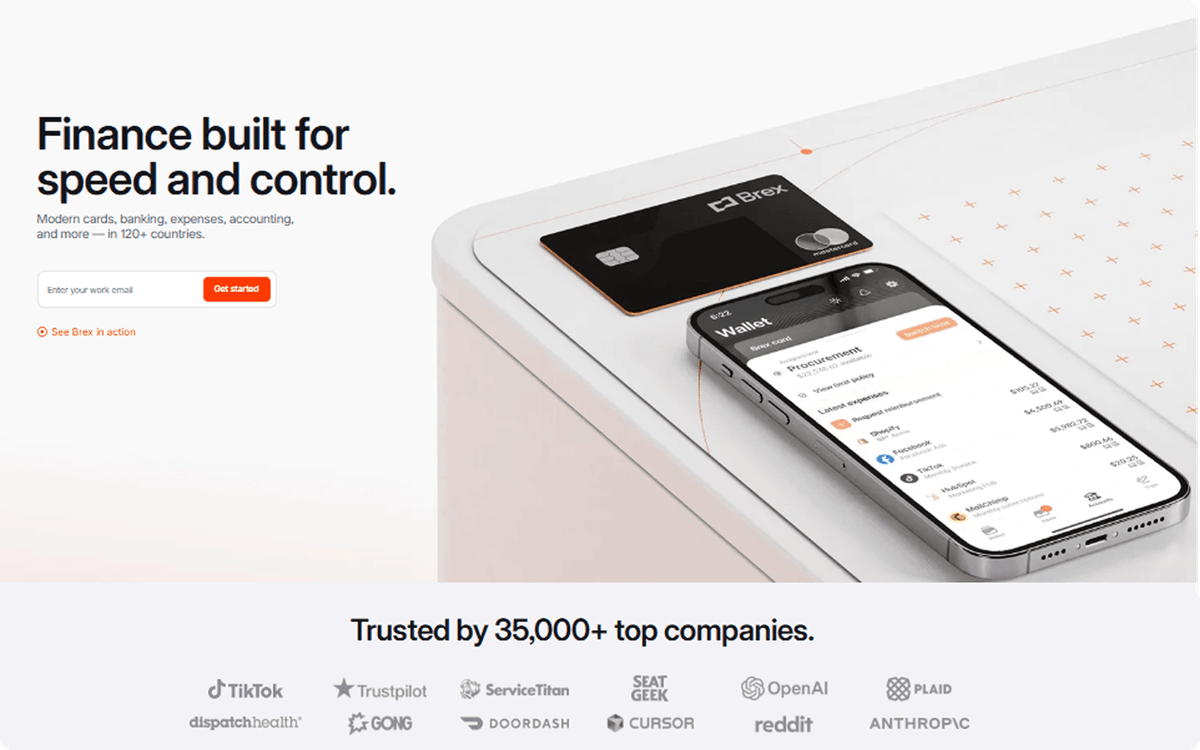
Brex is not a payment processor. It sits on the outbound side of the ledger, covering how e-commerce operators pay suppliers, ad platforms, contractors, and employees. For stores already routing Stripe or Shopify order data into a CRM, Brex handles the reconciliation half that a processor never touches, combining corporate charge cards, bill pay, expense management, and business banking in one system.
Cards are paid in full each billing cycle with no personal guarantee, and limits adjust dynamically with cash flow, which helps when ad spend spikes during peak season. AI codes expenses, matches receipts, and flags policy violations before spend clears rather than at month-end close. Every card charge, vendor payment, and reimbursement syncs through 1,000+ two-way ERP integrations, including NetSuite, QuickBooks, and Sage, so outbound transactions post to the same books your order data lands in.
Order sync with Albato: Brex does not currently have a native Albato connector. You can route data through Brex webhooks or a custom API request in Albato to push card and bill pay events into your CRM or accounting stack.
Pricing: No monthly fees on the Essentials plan. No personal guarantee, no annual card fees, and no minimum balance on the Brex business account. Bill pay is included. Global cards and payments are supported across 120+ countries. Premium controls and advanced ERP features sit on paid tiers, priced by seat.
Verdict: Best as a companion to your payment processor rather than a replacement. If Stripe or Shopify handles money coming in, Brex handles money going out with the same automation and ERP sync discipline. 8/10.
6. Helcim

Helcim is the transparent pricing champion on this list. While Stripe and PayPal use flat-rate pricing (you pay the same percentage regardless of card type), Helcim uses interchange-plus: you pay the actual interchange fee set by Visa/Mastercard plus Helcim's markup. For businesses with a high share of debit-card transactions, interchange-plus is typically cheaper than flat-rate pricing.
The markup itself is competitive: interchange + 0.40% + 8c for in-person and interchange + 0.50% + 25c for online transactions. Average effective rates work out to about 1.93% + 8c in-person and 2.49% + 25c online. And Helcim automatically lowers your markup as your volume grows, with no negotiation required.
Helcim also includes a free online store builder, invoicing, subscription management, and a POS app. In January 2026, Helcim launched Payment Extension, a browser extension that lets you process Helcim payments directly inside other business software without leaving the tab.
The trade-off is geographic scope. Helcim operates only in the US and Canada, with payouts in USD and CAD. If you sell internationally or need multi-currency support, Helcim isn't the right fit.
Order sync with Albato: Helcim does not currently have a native Albato connector. You can use Helcim's webhooks to push data to external systems, or connect through a custom API request in Albato.
Pricing: No monthly fees. No contracts. No cancellation fees. Interchange-plus pricing: online at interchange + 0.50% + 25c, in-person at interchange + 0.40% + 8c. Chargebacks: $15 (refunded if you win). Volume discounts kick in automatically at $50,000+ per month.
Verdict: Best for US/Canada-based e-commerce businesses processing $10,000+ per month that want to save on transaction fees. Interchange-plus pricing is genuinely cheaper than flat-rate for most card mixes. But the US/Canada limitation rules it out for international sellers. 8/10.
🔧 How it works. Flat-rate processors like Stripe or PayPal charge one blended percentage no matter what card a customer uses. Interchange-plus passes through the real network fee, so a debit-heavy sales mix pays less than it would on a flat rate. The gap widens as your volume grows, since debit interchange rates sit well below credit, and high-volume accounts often qualify for lower markups too.
At the enterprise end of the spectrum, interchange-plus gives way to a more complex pricing model.
7. Adyen

Adyen powers payments for some of the world's largest e-commerce companies: eBay, Spotify, Uber, Microsoft, and hundreds of other enterprise merchants. The platform processes payments across 150+ currencies and supports over 250 payment methods, from credit cards to bank transfers to digital wallets to buy-now-pay-later services.
What sets Adyen apart is unified commerce. One integration handles online, in-app, in-store, and platform payments. Order data flows through a single system, which means your analytics, fraud models, and reconciliation all work from one source of truth instead of stitching together data from separate processors.
Adyen's fraud prevention (RevenueProtect) uses a risk engine trained on transaction data from its entire merchant base. The system scores every transaction in real time, blocks fraudulent payments, and lets legitimate orders through with minimal false positives. For high-volume merchants, fewer false declines directly translate to more revenue.
The catch: Adyen is built for enterprise. The company imposes a minimum monthly processing invoice and doesn't accept many small businesses. Setup involves integration work, and there's no self-service "sign up and start selling" experience.
Order sync with Albato: Adyen does not currently have a native Albato connector. Enterprise merchants typically build custom integrations using Adyen's webhooks and APIs, or route data through middleware.
Pricing: Interchange++ pricing: interchange fee + card scheme fee + Adyen processing fee (from 0.60% + 11c per transaction). No monthly platform fee for processing. Setup and onboarding costs vary. International transactions add 0.4-1.0%. Most merchants break even with Adyen above $250,000/month in processing volume.
Verdict: Best for enterprise e-commerce businesses processing high volumes across multiple countries. Adyen's unified commerce approach and 250+ payment methods are unmatched. But the volume requirements, pricing complexity, and lack of self-service onboarding make it impractical for small and mid-size merchants. 7/10.
8. WooCommerce Payments

WooCommerce Payments is the native payment processor for WooCommerce, the open-source e-commerce plugin that runs on WordPress. Like Shopify Payments, it's built on Stripe's infrastructure. The key advantage: payment management happens inside your WordPress dashboard, so you don't need to switch between WooCommerce and a separate payment provider admin panel.
For WooCommerce store owners, the "built-in" aspect matters. Orders, refunds, disputes, and deposits all appear in the same admin where you manage products, shipping, and customer data. Multi-currency support covers 100+ currencies, and the plugin auto-detects the customer's location to display prices in their local currency.
WooCommerce Payments also supports in-person payments through a card reader, which is useful for pop-up shops or markets. The in-person rate (2.6% + 10c) is lower than the online rate, and transactions sync back to your WooCommerce order dashboard automatically.
Order sync with Albato: Since WooCommerce Payments is part of WooCommerce, you connect through the WooCommerce connector on Albato, which offers 6 triggers (New Order, Order Changed, New Customer, Customer Updated, New Coupon, Coupon Updated) and 19 actions covering orders, products, categories, and tags. You can push new paid orders to your CRM, trigger fulfillment in your warehouse management system, or update customer records in your marketing platform.
Pricing: No monthly fees. Online transactions: 2.9% + 30c (US domestic). International cards: 3.9% + 30c. Currency conversion: 1%. In-person: 2.6% + 10c. Instant deposits: 1.5% ($0.50 minimum). Chargebacks: $15 each.
Verdict: Best for WordPress/WooCommerce store owners who want a fully integrated payment experience without leaving their admin dashboard. The rates are standard (identical to Stripe for domestic transactions). International fees are higher than Stripe, though. 7/10.
9. Chargebee

Chargebee is not a payment processor in the traditional sense. It sits on top of your payment gateway (Stripe, Braintree, PayPal, Adyen, or others) and manages the subscription billing layer: recurring charges, prorations, upgrades, downgrades, trial management, dunning (failed payment recovery), and revenue recognition.
For e-commerce businesses that sell subscriptions (meal kits, software licenses, membership boxes, replenishment products), the billing logic gets complex fast. Mid-cycle upgrades need proration, failed cards need retry sequences, and plan changes need accurate invoicing. Chargebee handles all of this, and it integrates with your existing payment processor rather than replacing it.
Chargebee also includes revenue recognition compliant with ASC 606 and IFRS 15, which matters for any subscription business tracking deferred revenue. The analytics dashboard shows MRR, churn, LTV, and cohort metrics that most standalone payment processors don't provide.
Order sync with Albato: The Chargebee connector on Albato provides 11 triggers (Subscription Created, Subscription Updated, Subscription Canceled, New Customer, New Invoice, Invoice Update, Invoice Deleted, Payment Source Added, Card Added, and more) and 8 actions (Create Customer, Create Invoice, Pause/Resume Subscription, Update Customer, Record Offline Payment, Retrieve Invoice as PDF). You can sync subscription events to your CRM: new subscription becomes a new deal, cancellation triggers a retention workflow, failed payment alerts your customer success team.
Pricing: Starter plan is free for your first $250K in billing. Performance plan starts at $599/month. Enterprise pricing is custom. Chargebee charges on top of your payment gateway fees, so total cost is Chargebee + Stripe/Braintree/PayPal. Current pricing details at chargebee.com.
Verdict: Best for e-commerce businesses with recurring revenue (subscriptions, memberships, SaaS). Chargebee doesn't replace your payment processor; it adds the billing intelligence layer on top. If you don't sell subscriptions, this tool isn't relevant. 8/10.
🔧 How it works. Chargebee sits between your store and your payment gateway. Your customer subscribes on your site, Chargebee calculates the billing amount (including prorations, discounts, taxes), then sends the charge to Stripe or whichever gateway you use. Chargebee also handles dunning: if a card declines, it retries automatically on a configurable schedule, recovers failed payments, and notifies you when a subscription is at risk.
For businesses that need deeper checkout customization, particularly on mobile, the next two processors take a different approach.
10. Braintree

Braintree, owned by PayPal, is the payment processor behind apps like Uber, Airbnb, and GitHub. It specializes in custom checkout experiences: drop-in UI components, hosted fields, and a robust SDK for mobile apps (iOS, Android). If your e-commerce business has a mobile app or needs a checkout that doesn't look like a generic payment form, Braintree gives you the building blocks.
The platform supports PayPal, Venmo, credit/debit cards, Apple Pay, Google Pay, and local payment methods across 45+ countries. The PayPal connection is native (same company), so offering PayPal Checkout through Braintree requires zero additional integration. This makes Braintree a natural choice for merchants that want Stripe-like flexibility with PayPal built in.
Braintree's vault securely stores customer payment information for repeat purchases, one-click reorders, and subscription billing. The fraud tools include 3D Secure, AVS/CVV checks, and basic risk scoring, though they're less sophisticated than Stripe Radar or Adyen RevenueProtect.
Order sync with Albato: Braintree does not currently have a native Albato connector. Merchants typically connect Braintree to their stack through its webhooks, direct API integrations, or by routing data through PayPal's Albato connector where applicable.
Pricing: No monthly fees. Standard rate: 2.89% + 29c per transaction for cards and third-party digital wallets. PayPal transactions processed through Braintree: 3.49% + 49c. International surcharge varies by country. Currency conversion fees apply. Chargebacks: $15 each.
Verdict: Best for e-commerce businesses with mobile apps or custom checkout needs. Braintree's SDK and native PayPal integration give you flexibility that simpler processors can't match. The base transaction fee (2.89% + 29c) is comparable to Stripe's rate, and the per-transaction fixed fee is slightly lower than Stripe's 30c. 7/10.
11. Clover

Clover is a Fiserv-owned POS system that expanded from restaurant and retail terminals into e-commerce. Its strength is the hardware ecosystem: countertop terminals (Clover Station), handheld devices (Clover Flex), and mobile readers (Clover Go) that all connect to the same merchant dashboard alongside an online store.
For businesses that need both a physical POS and an e-commerce presence, Clover provides a unified merchant account with shared inventory, customer profiles, and transaction history across channels. The app marketplace adds functionality like loyalty programs, employee scheduling, and advanced reporting.
The e-commerce side is less polished than Shopify or Square Online. Clover's online ordering is functional but limited in customization. Where Clover stands out is in the physical retail experience, particularly for restaurants, where the hardware and software are specifically designed for table service, order routing, and tip management.
Order sync with Albato: Clover does not currently have a native Albato connector. Clover offers its own app marketplace and API for connecting to external systems.
Pricing: Software plans start at $14.95/month for phone/tablet POS. Retail plans: from $16/month. Restaurant plans: from $135/month. In-person transaction fees: 2.3-2.5% + 10c. Online/keyed-in: 3.5% + 10c. 36-month contracts with early termination fees of $500+. PCI compliance fee: $9.95-$10/month.
Verdict: Best for restaurants and retail businesses that need robust POS hardware with an online ordering add-on. The hardware ecosystem is excellent. But the high online transaction rate (3.5% + 10c), long contracts, early termination fees, and hidden monthly charges make Clover a poor choice for online-first e-commerce. 6/10.
⚠️ Important. Clover's 36-month contracts with early termination fees of $500+ are unusual in the industry. Most modern processors (Stripe, Square, Helcim, PayPal) have no contracts at all. Read the fine print before signing, and ask about month-to-month options.
How to Connect Any Payment Processor to Your CRM With Albato
Regardless of which payment processor you choose, the process of routing transaction data to your CRM follows the same pattern on Albato:
Step 1: Create a new bundle in Albato and select your payment processor as the trigger app (Stripe, PayPal, Square, Shopify, WooCommerce, or Chargebee).
Step 2: Choose the trigger event. Common options: "New Payment," "Order Created," "Subscription Created," or "Refund Issued."
Step 3: Select your CRM or business tool as the action app (HubSpot, Salesforce, Pipedrive, Google Sheets, QuickBooks, or any of 1,000+ supported apps).
Step 4: Map payment fields to CRM properties. Match "Customer Email" to "Contact Email," "Order Total" to "Deal Value," "Product Name" to "Line Item." Albato's field mapping interface shows both sides so you can verify before activating.
Step 5: Add conditional logic if needed. Route high-value orders ($500+) to a senior account manager. Flag international transactions for manual review. Send subscription cancellations to your retention team.
Step 6: Test with a real transaction and activate the bundle.
The setup takes under five minutes for a basic payment-to-CRM sync. Multi-step workflows (payment triggers CRM update plus accounting entry plus Slack notification) take slightly longer but use the same drag-and-drop interface.
💡 Tip. Set up a separate Albato bundle for refunds. When Stripe or PayPal issues a refund, the bundle can update the deal status in your CRM, create a credit note in your accounting software, and alert your customer support team. Most businesses handle refund data manually because they forget to automate the reverse flow.
Ready to stop copying payment data by hand? Build your first payment-to-CRM workflow in minutes.
What to Look for When Choosing a Payment Processor for E-commerce
Not every payment processor fits every e-commerce model. Here's what matters most depending on your situation:
If you sell internationally: Prioritize multi-currency support and reasonable cross-border fees. Stripe (135+ currencies), Adyen (150+), and Braintree (45+ countries) handle global commerce well. PayPal's international recognition helps with buyer trust, but its 4.99% + 49c international rate is the highest on this list. Square and Helcim are essentially domestic-only processors.
If you sell subscriptions: Use Chargebee on top of your payment gateway for proper dunning, proration, and revenue recognition. Stripe Billing works for simple recurring charges but lacks the depth of a dedicated subscription platform. PayPal recurring payments and Square subscriptions are basic.
If margins are tight: Helcim's interchange-plus pricing is typically cheaper than flat-rate for businesses with a high share of debit-card sales. The savings are largest on debit card transactions, where interchange rates are significantly lower than credit card rates. Flat-rate processors like Stripe and Square charge you the same percentage regardless of card type.
If you need physical + online: Square and Clover unify in-store and online sales under one dashboard. Shopify POS does the same for Shopify merchants. Running separate systems for online and offline creates data silos that slow down inventory management and customer profiling.
FAQ
Which payment processor has the lowest fees for e-commerce?
Helcim offers the lowest effective rates for most e-commerce businesses through interchange-plus pricing, averaging about 2.49% + 25c for online transactions. For comparison, Stripe and WooCommerce Payments charge a flat 2.9% + 30c, Square charges 2.9-3.3% + 30c depending on your plan, and PayPal charges 2.99% + 49c. The savings with interchange-plus grow as your volume increases.
Can I use multiple payment processors on one e-commerce store?
Yes, and many stores do. A common setup is Stripe or Shopify Payments as the primary processor (cards, Apple Pay, Google Pay) with PayPal as a secondary option for buyer trust. Multi-processor setups are supported by Shopify, WooCommerce, BigCommerce, and most major platforms. Use Albato to consolidate transaction data from multiple processors into a single CRM or spreadsheet.
What's the difference between a payment processor and a payment gateway?
A payment gateway is the technology that captures and encrypts payment information at checkout (the front door). A payment processor moves the money between the customer's bank and your merchant account (the plumbing). Many modern platforms, including Stripe, PayPal, and Square, combine both into one service. Adyen and Braintree also bundle gateway and processing. The distinction mainly matters when you're using a standalone gateway like Authorize.net with a separate merchant account.
Do I need PCI compliance for e-commerce payments?
Yes, any business that accepts credit card payments must comply with PCI DSS (Payment Card Industry Data Security Standard). Most of the processors on this list handle PCI compliance for you through hosted checkout pages, tokenized card storage, and pre-certified infrastructure. Stripe, PayPal, Shopify Payments, and Square are all PCI Level 1 certified. If you build a custom checkout that touches raw card data, your compliance burden increases significantly.
How do I sync payment data with my CRM automatically?
Connect your payment processor to your CRM through an integration platform like Albato. If you want to see how payment data fits into the broader journey from first lead form to collected revenue, check our sales pipeline stack guide. Albato has native connectors for Stripe (18 triggers), PayPal (9 triggers), Square (4 triggers), Shopify (19 triggers), WooCommerce (6 triggers), and Chargebee (11 triggers). Set up a trigger on "new payment" and an action to create or update a contact in HubSpot, Salesforce, or Pipedrive. The setup takes under five minutes.
If you found this comparison useful, these guides cover related tools for your e-commerce stack.