In this article
Albato ships changes to the embedded iPaaS your product sits on, and most of them you never have to think about. This batch is different in one respect. The November builder update reaches every client at once, it arrives inside your iframe together with the platform, and there's no way to opt out of it.
The rest is optional and useful. Teams turns a single user into a workspace with spaces and roles. The interface language is now something you maintain yourself, in your own terminology, through the API. The smaller builder changes and a short look at Copilot, AI agents and MCP round the release out.
Before the rollout your Albato manager checks every interface change against your project, and we can refresh your help center screenshots too.
What changed:
- Builder changes reach every Albato account in November
- Your users get workspaces and spaces instead of one account
- The interface in the language of your market
- Lists that refresh themselves and custom fields in more places
- What AI does for your users and your own agent
- What we take care of
Builder changes reach every Albato account in November
In November, Albato updates the automation builder interface for every client: platform, embedded and white label. The changes all sit inside the builder and the automations list, and for you they arrive inside your iframe together with the platform. There's no separate release to schedule, no URLs change, and staying on the old screens isn't an option.
Your users can hand an automation to someone with a link
Here is the Share window in a platform account:
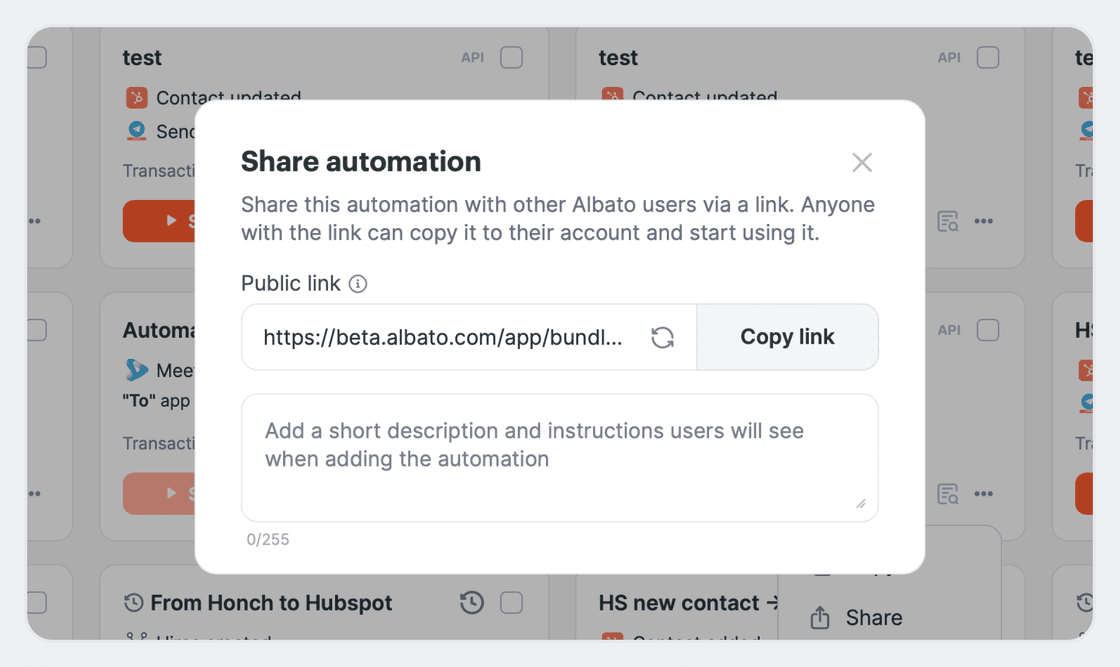
An automation link can now be passed to another person. A new user registers through the link and gets the automation's structure right away, and an existing one copies it into their own account.
The author opens "Share" in the automation card menu. The window has a "Public link" field with the link itself, a refresh icon beside it and a "Copy link" button, and under that an optional short description that the recipient sees when they add the automation. Refreshing the link stops the old one from working, which is what you want when it went to the wrong person. If the automation uses private apps, the window warns that the recipient needs access to those too.
On the receiving end, a signed-in user sees an import screen, and a new one registers first and then imports. After the import the automation editor opens. The structure is copied without connections and custom fields, and the copy doesn't sync with the original.
Data that passes once when a field changes
The "changed to" filter hands your users control over the automation memory. Data passes exactly once, at the moment a field takes the value they asked for. A deal goes through once when its status becomes "in progress" and stays quiet after that, even if the status changes again later. It covers the "entity status changed" scenarios where the source system has no such event of its own.
What else changes in the builder and the automations list
The rest of the update is smaller. Most of it your users will run into in normal use, while stickers are pro mode only and the global webhook change touches only some apps:
- Drafts instead of empty automations. "Create automation" no longer drops an empty automation into My automations. It stays a draft until at least one step is added, in linear and pro mode alike.
- A new step picker. The windows for adding actions and tools were rebuilt to match the new design, and every step of every automation goes through them.
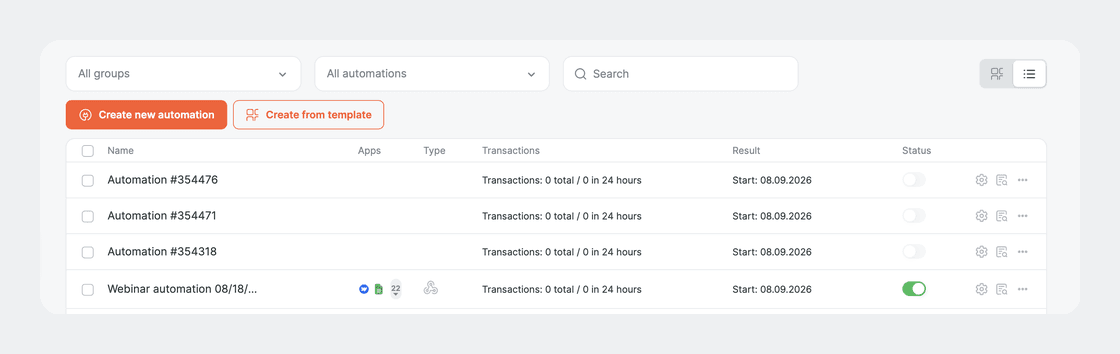
- Automations as a list. My automations now has two modes, cards and a compact list.
- Global webhooks without a pointless window. Some apps use a global hook, one URL for all of Albato. The interface no longer shows a hook settings window for apps that don't have one.
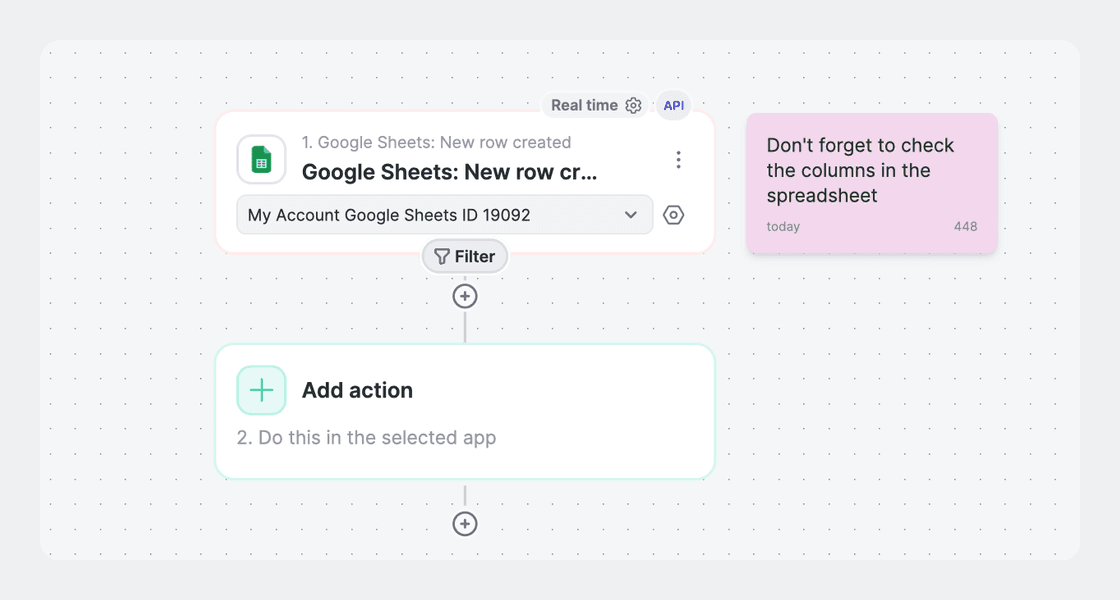
- Stickers on the canvas. Notes sit right on the automation diagram and can be created, edited, deleted and dragged. Pro mode only.
- The line to the "Webhook response" step. It's back on the canvas, drawn as a dashed line.
Two of those are visible enough to be worth a look before your users get there. Here is the list mode in My automations:
And here is a sticker on a pro-mode canvas, sitting next to a Google Sheets trigger, a Filter and an Add action step:
Your users get workspaces and spaces instead of one account
Teams replaces the single user account with a structure. The workspace is the company, and it splits into spaces: departments, or one space per client if your user is an agency. Each space carries its own automations, connections, builder apps and solutions, with folders inside. Workspace ID and space ID are visible on the automations page.
Roles per space and a plan that belongs to the workspace
A user holds one role at workspace level and a separate role in each space, so the same person can be an admin in one space and read-only in another. The plan belongs to the workspace rather than to a user.
For an agency that means each client gets their own space, sees only their own work, and keeps the automations when the engagement ends.
Seats come from the plan:
- 5 users on the Teams plan
- 1, the owner, on Free, Trial and legacy plans
- Whatever the plan configuration says on Custom
Going over the limit gives the user a clear error with the option to remove someone or move to a bigger plan.
What Teams looks like inside your iframe
Teams is switched on at contract level and works inside your iframe. If it's enabled on your contract, it's available on every plan under that contract.
A white-label user can be added to a space through the API with no email confirmation, so the signup flow you built stays the way you built it. The impersonation link in the Embedded Portal respects workspace and space.
The interface in the language of your market
The interface language isn't something you wait for us to do anymore. You hold the keys and the wording, in the terminology your market actually uses.
Tables of keys and translations you maintain yourself
Tables of keys and translations are served through the API and can be downloaded with a button in your embedded account, separately for frontend and backend. The usual path is to run the table through an automatic translation, proofread it, and maintain the keys yourself from then on.
New translation keys land in that table automatically, so new features ship with translations instead of waiting for them.
Builder app fields in all 7 languages and Polish in the picker
Field names and hints of builder apps are translated into all 7 Albato languages, not only the ones the app author picked. The order is the author's translation first, then the automatic translation, then English.
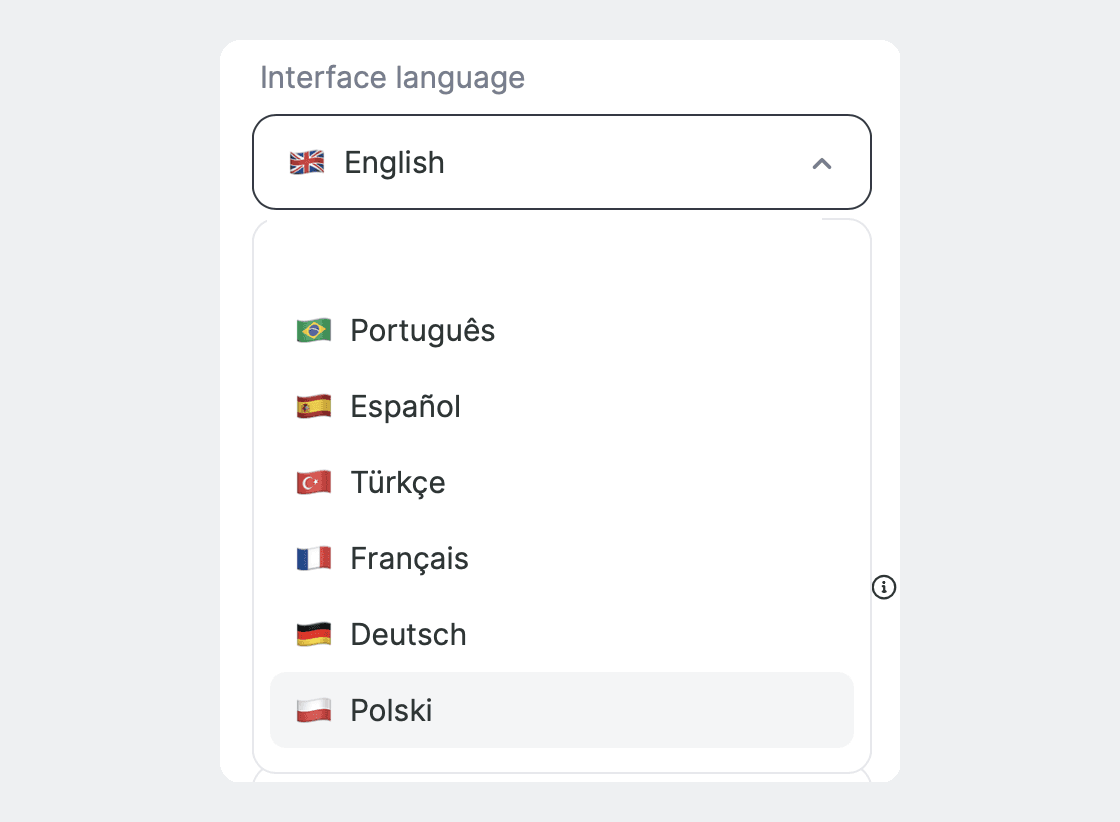
Polish was added to the interface language picker, with English as the fallback. Interface only, not the website.
Lists that refresh themselves and custom fields in more places
Both of these sit in the builder your users already work in:
- Connection lists refresh themselves. Opening a field window pulls the lists automatically, without clicking "Update". The spreadsheet and sheet fields of Google Sheets are the clearest case, and the same mechanism covers lists in other apps' connections.
- Static custom fields work inside line sections. A set of static custom fields, where the user types the keys by hand because the set of fields isn't known in advance, was previously available only at action or connection level.
What AI does for your users and your own agent
This part is a bigger subject than anything above and it has an article of its own, so here is the short version:
- If your users would rather describe an automation than build one, Copilot takes the request in plain words, works out which services are involved, prompts them to create the missing connections, and builds the automation. It's hidden in embedded frames by default and switched on for your contract on request.
- If an automation needs a judgment call, an AI agent can run as a step inside it, reading the incoming data and deciding which action to take, in place of conditions and branching set by hand.
- If you are building an agent of your own, Albato MCP gives it 1,000+ applications through the connections your user has already made, with that user's own permissions.
What each of them is worth to your product, and what it takes to switch one on, is covered in the companion piece on Albato 2.0 for embedded partners.
What we take care of
Nothing in this release needs integration work from you. November is the only part you can't schedule yourself. Two things your Albato manager can arrange before the rollout:
- The pre-rollout check. We check every interface change against your project: your screens, your copy and your iFrame settings.
- The screenshot reshoot. The screenshots in your own help center that show the Albato interface will need refreshing, and we can take those in your environment, so your documentation matches what your users see once the update lands.
Teams and Copilot we switch on for your contract whenever you ask. The translation tables are the one part that is yours to take and maintain.
Whichever of these you want, your Albato manager is the person to ask.