In this article
Key Takeaways
- An AI chatbot talks. A workflow automation follows fixed rules you set in advance. An AI agent reads context and decides which action to run on its own, which is the line that separates it from the other two.
- Use a chatbot for conversations, use workflow automation for predictable "if this, then that" tasks, and use an AI agent when the right next step changes case by case.
- Gartner projects that 40% of enterprise applications will include task-specific AI agents by the end of 2026, up from less than 5% in 2025.
- The three are not rivals. Most real systems combine all three: a chatbot at the front, workflow automation for the plumbing, an agent for the judgment calls.
The fastest way to tell them apart is to ask one question about any task: does the tool need to decide what to do, or does it just execute a step you already defined? That single distinction, decision versus execution, sorts almost every "should I use an agent here" argument in about ten seconds.
The one-sentence definition of each
An AI chatbot generates conversational responses, workflow automation executes a predefined sequence of steps, and an AI agent chooses which action to take based on the data in front of it. All three can live in the same system, but they answer different questions.
A chatbot answers "what should I say back?" It takes an input, usually a message, and produces a natural-language reply. Modern chatbots are powered by language models, so the replies are fluent, but the job ends at the conversation.
Workflow automation answers "what steps run when X happens?" You wire the logic ahead of time: a new form submission creates a CRM record, sends a Slack alert, and adds a row to a spreadsheet. It runs the same way every time, which is exactly what you want for repeatable work.
An AI agent answers "given everything I know right now, what should I actually do next?" Instead of a fixed branch, it reads the incoming data, weighs the situation against its instructions, and picks an action, then it can call other tools to carry that action out.
💡 Tip. If you can draw the whole process as a flowchart with every branch labeled in advance, you want workflow automation, not an agent. Agents earn their cost only when the branching is too messy or too variable to draw.
Side-by-side comparison
The table below maps the three approaches across the dimensions that actually change your build decision: who defines the logic, how they handle a case they have not seen before, and where they break.
| Dimension | AI Chatbot | Workflow Automation | AI Agent |
|---|---|---|---|
| Core job | Generate a conversational reply | Run a predefined sequence of steps | Decide the next action, then run it |
| Who sets the logic | Model plus prompt | You, in advance, as fixed rules | You describe the goal; the agent picks the path |
| Handles a new, unplanned case | Answers, but takes no action | Fails or ignores it (no matching rule) | Reasons about it and adapts |
| Takes real actions in your apps | Usually no | Yes, but only the ones you wired | Yes, chooses which action to call |
| Predictability | Medium | Very high | Medium, guided by guardrails |
| Best for | Support Q&A, FAQs, front-desk chat | Repeatable, rule-based data flows | Variable tasks needing judgment |
Read the table by intent, not by hype. Nothing in the right-hand column is "better." An agent handling a task that a three-step automation already covers is slower, costs more, and adds a layer of unpredictability you did not need.

When to use an AI chatbot
Reach for a chatbot when the job is a conversation and the value is in the reply itself. Customer FAQs, product questions, appointment booking prompts, and first-line support triage all fit. The reader wants an answer in words, fast, and in their language.
Where chatbots stop is action. A classic chatbot can tell a customer "your order shipped Tuesday," but it usually cannot go update the CRM, issue the refund, or reroute the shipment. It reads and replies. The moment the task needs something done in another system, you have outgrown a plain chatbot, and this is exactly where the line to agents gets blurry, because an agent can wrap a chatbot's conversation and act on it.
📊 Stat. Gartner predicts agentic AI will autonomously resolve 80% of common customer service issues without human intervention by 2029, with a projected 30% cut in operational costs. That shift is the chatbot growing an action layer, and it is the bridge from a plain reply to an agent that acts.
When to use workflow automation
Use workflow automation when the process is predictable and you want it to run identically every time. This is the workhorse category, and for most teams it covers the majority of day-to-day integration work: syncing leads from an ad platform to a CRM, posting order data to a spreadsheet, sending a notification when a deal closes.
The strength is also the limit. A workflow does exactly what you told it, no more. If a lead arrives in a format your rules did not anticipate, the automation either errors out or drops the record silently. There is no "figure it out." For 80% of business plumbing, that rigidity is a feature, not a bug, because you want the refund logic to behave the same on Tuesday as it did on Monday.
Workflow automation and agents are not either-or. A common pattern is a fixed workflow that triggers on an event, hands the ambiguous middle step to an agent, then takes the agent's decision and finishes the sequence with predictable steps. You keep the reliability of rules and add judgment only where you need it.
When to use an AI agent
Choose an AI agent when the correct next step depends on context that changes from case to case, and writing a rule for every branch would be impractical. Lead qualification is a clean example: one lead needs enrichment, another needs routing to enterprise sales, a third is spam. A single agent reads each lead and decides, instead of a tangle of filters.
An AI agent is an automation step that reads incoming data and picks the action to run on its own, rather than following branches you hard-coded. You describe the task in plain language, set the rules it must respect, and connect the tools it is allowed to use. It fills in the details each run.
The tradeoff is predictability and cost. An agent introduces variability by design, so it needs guardrails and testing before it touches anything sensitive. It also costs more per run than a fixed step. The rule of thumb: use an agent where variability is the whole point, and use plain automation everywhere the path is stable.
How the three work together in one system
In practice these three layers stack rather than compete. A well-built system often uses all of them at once, each doing the part it is best at, connected through a single automation platform.
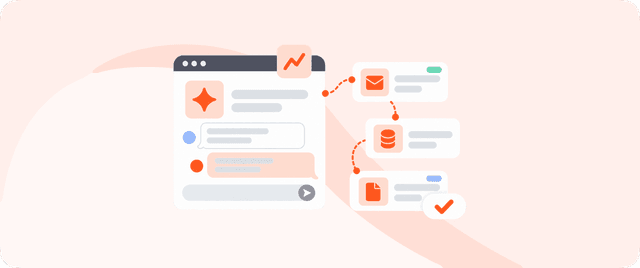
Picture an inbound support flow. A chatbot greets the customer and gathers the question. A workflow automation logs the ticket and pulls the customer's order history. An agent reads that context, decides whether this is a refund, a reshipment, or an escalation, and calls the right action. Then a final workflow step updates the CRM and notifies the human team if needed. Three tools, one flow, each earning its place.

Each box in that flow is owned by a different layer, and none of them tries to do the others' job. The value is in the handoffs: the chatbot passes a clean question to the workflow, the workflow passes context to the agent, and the agent passes a decision back to the final workflow step.
🔧 How it works. The connective tissue is the integration layer. Chatbots, rule-based workflows, and agents all need to reach into your CRM, helpdesk, and messaging apps to be useful. A no-code integration platform is what lets them share triggers and actions instead of living in silos.
The quickest way to see which layer you actually need is to build one flow and watch where it strains. Start with the predictable steps as fixed automation, then add an agent only at the point where the rules run out.
Albato AI Agent: the decision layer inside your automations
Albato's AI Agent is the "decide, then act" layer described above, built directly into the automation builder. It is a step you add inside a scenario: it reads the data from earlier steps and chooses which action to run, instead of you wiring fixed conditions by hand. That makes it the practical answer to the "when do I need an agent" question in this article.
It has four parts. A model makes the decisions (you can use the built-in Albato AI, which is proprietary and needs no external account, or connect OpenAI, DeepSeek, or Google Gemini). Instructions describe the task in plain language across three fields: the user message, the agent instructions, and guardrails. Tools are the actions from your connected apps the agent is allowed to call, drawn from around 5,000 available actions. Memory is optional and keeps context across runs for chatbot-style flows.

So the three categories in this article are not abstract for Albato users. A chatbot-style flow uses the agent with memory turned on. A rule-based flow skips the agent entirely and uses fixed steps. A judgment task, like sorting inbound leads or triaging tickets, hands the middle step to the agent and lets it decide per case. One builder covers all three.

If you already run rule-based automations and keep hitting cases the rules cannot cover, that gap is where an agent belongs. You can build one on Albato's free plan and connect it to the apps you already use.
Decision guide: which one do you actually need?
Start with the task, not the technology. Ask what the tool has to produce, then match it to the category.
If the output is a message and no action needs to happen in another app, you want a chatbot. If the output is a fixed sequence of steps that runs the same way every time, you want workflow automation. If the output depends on context that varies case by case and you would need dozens of rules to cover it, you want an AI agent. When two of those are true at once, combine them.
Most teams over-reach for agents because "AI agent" is the term of the moment. The disciplined move is the opposite: automate everything predictable with plain rules, and spend agent budget only on the genuinely variable slice. For a fuller build walkthrough, see our guide on how to build an AI agent.
FAQ
Is an AI agent just a chatbot with extra steps?
No. A chatbot's job ends at generating a reply. An AI agent decides which action to take and then calls tools in your apps to carry it out. An agent can use a chatbot as one of its parts, but the defining difference is autonomous action, not conversation.
Can workflow automation replace an AI agent?
For predictable, rule-based tasks, yes, and it should, because it is cheaper and more reliable. Workflow automation cannot replace an agent when the correct next step changes case by case and you cannot practically write a rule for every branch. That variability is the whole reason agents exist.
Do I need all three?
Most mature systems use all three together, each for the part it does best: a chatbot at the front for conversation, workflow automation for the repeatable plumbing, and an agent for the judgment calls in the middle. A single no-code integration platform is what connects them.
Which is the cheapest to run?
Workflow automation is usually the cheapest per run because it executes fixed steps with no model reasoning. Chatbots and agents both call a language model, so they cost more; agents can cost the most because they may call several tools per run. Match the tool to the task so you are not paying for reasoning you do not need.