In this article
Key Takeaways
- QuickBooks Online and Xero offer the deepest native sync with Shopify and WooCommerce, automatically generating invoices from store orders and keeping payment statuses in sync across both systems.
- Around 39% of invoices contain errors, and manual data entry causes the majority of them. Automated invoicing connected directly to your store eliminates this problem at the source.
- Stripe Invoicing and Square Invoices work best if you already process payments through those platforms, since invoicing is built into the payment flow rather than bolted on.
- Below, you will find a side-by-side comparison of 10 invoicing tools ranked by how well they auto-sync with e-commerce platforms, along with pricing, ratings, and integration options.
The best invoicing software for e-commerce depends on where your store runs and how much manual work you want to eliminate. QuickBooks Online leads for Shopify and WooCommerce sellers who need full invoice automation, Xero is the strongest pick for multi-currency international stores, and Stripe Invoicing fits DTC brands that already use Stripe for payment processing.
Quick Comparison: 10 Best Invoicing Tools for E-commerce
| Tool | Best For | Starting Price | E-commerce Sync | Albato Connectors | G2 Rating |
|---|---|---|---|---|---|
| Intuit QuickBooks | E-commerce growth requiring AI-driven autonomous invoicing and business intelligence | $38/mo (Simple Start) | Native Shopify, WooCommerce, BigCommerce (provides a scalable foundation for e-commerce growth) | 11 triggers, 23 actions | 4.0/5 |
| Xero | Multi-currency international stores | $25/mo | Native Shopify, WooCommerce apps | 7 triggers, 13 actions | 4.3/5 |
| FreshBooks | Small e-commerce teams | $19/mo | Shopify via app store | 5 triggers, 6 actions | 4.5/5 |
| Stripe Invoicing | Stores already on Stripe | 0.4% per invoice | Built into Stripe payments | 18 triggers, 15 actions | 4.6/5 |
| Square Invoices | Omnichannel (online + in-store) | Free (fees per txn) | Native Square Online + POS | 4 triggers, 13 actions | 4.7/5 |
| Sage Accounting | Complex multi-entity e-commerce | $19/mo | API-based integrations | Available | 4.2/5 |
| Chargebee | Subscription e-commerce | Free up to $250K | Subscription-native billing | 11 triggers, 8 actions | 4.4/5 |
| PayPal Invoicing | Marketplace and international sellers | Free (fees per txn) | Built into PayPal payments | 9 triggers, 2 actions | 4.4/5 |
| Harvest | Service-hybrid e-commerce | $9/seat/mo | Time tracking + invoicing | 8 triggers, 9 actions | 4.3/5 |
| BILL | Growing e-commerce teams that need AP/AR automation and cash flow visibility | $45/user/mo (Essentials) | No native store sync | None | Not rated |
What Makes Invoicing Software "E-commerce Ready"
E-commerce-ready invoicing software auto-generates invoices from store orders, calculates taxes by jurisdiction, supports multiple currencies, and keeps payment status in sync between your store and your accounting system. Most generic invoicing tools lack at least two of these capabilities because they were built for service businesses that send invoices manually to individual clients.

Let us build your automation or AI Agent
Tell us which process eats your time. Certified Albato engineers take it from there, A to Z.
Here is the full checklist that separates e-commerce invoicing from generic billing tools:
Automatic invoice generation from orders. The tool should create an invoice the moment an order is placed in your store, pulling product details, quantities, prices, and customer data directly from the order record. If you still copy-paste order details into your invoicing tool, you are doing work a machine should handle. According to SenseTask research, over 60% of invoice errors originate from manual data entry.
Tax calculation across jurisdictions. E-commerce sellers ship to multiple states, provinces, or countries. Your invoicing software needs to calculate the correct sales tax, VAT, or GST based on the buyer's location, not just your home jurisdiction. Getting this wrong creates compliance problems that compound quickly as order volume grows.
Multi-currency support. If you sell internationally, invoices need to reflect the buyer's currency and the correct exchange rate at the time of purchase. Some tools handle this natively; others require workarounds or third-party add-ons.
Payment status sync. When a customer pays, that status should update in both your store and your invoicing tool automatically. If your Shopify dashboard says "paid" but your accounting software still shows "pending," reconciliation becomes a manual chore. IFM research shows manual invoice processing costs businesses an average of $15 per invoice, compared to $2-$4 with automation.
Bulk invoicing for wholesale and B2B orders. Many e-commerce businesses sell both retail and wholesale. Generating individual invoices for a 200-unit B2B order needs different logic than a single consumer purchase, and your tool should handle both without manual intervention.

The flowchart above narrows the choice down by the two questions that matter most: which payment processor your store uses, and whether you sell on subscription. Everything else (price, accounting depth, multi-currency) is a tiebreaker once those two answers are clear.
💡 Tip. If your store runs on Shopify, check native integrations first. QuickBooks and Xero both have Shopify apps that handle invoice generation automatically. For everything else, an integration platform fills the gap.
The 10 Best Invoicing Tools for E-commerce Stores
We evaluated each tool on five criteria: native e-commerce platform integrations, automatic invoice generation from orders, tax jurisdiction handling, multi-currency support, and payment status sync. Tools with deeper store connections and less manual work required ranked higher.
1. Intuit QuickBooks: AI-Driven Invoicing and Business Intelligence
Intuit QuickBooks has introduced Intuit Intelligence to automate core bookkeeping tasks through AI that learns categorization patterns and performs background accuracy checks. The platform now features autonomous invoicing (in beta), which drafts invoices for review and manages payment reminders, helping sellers get paid four days sooner on average. Users can also use conversational AI to set up custom automations, such as duplicate bill flagging, using plain language commands.
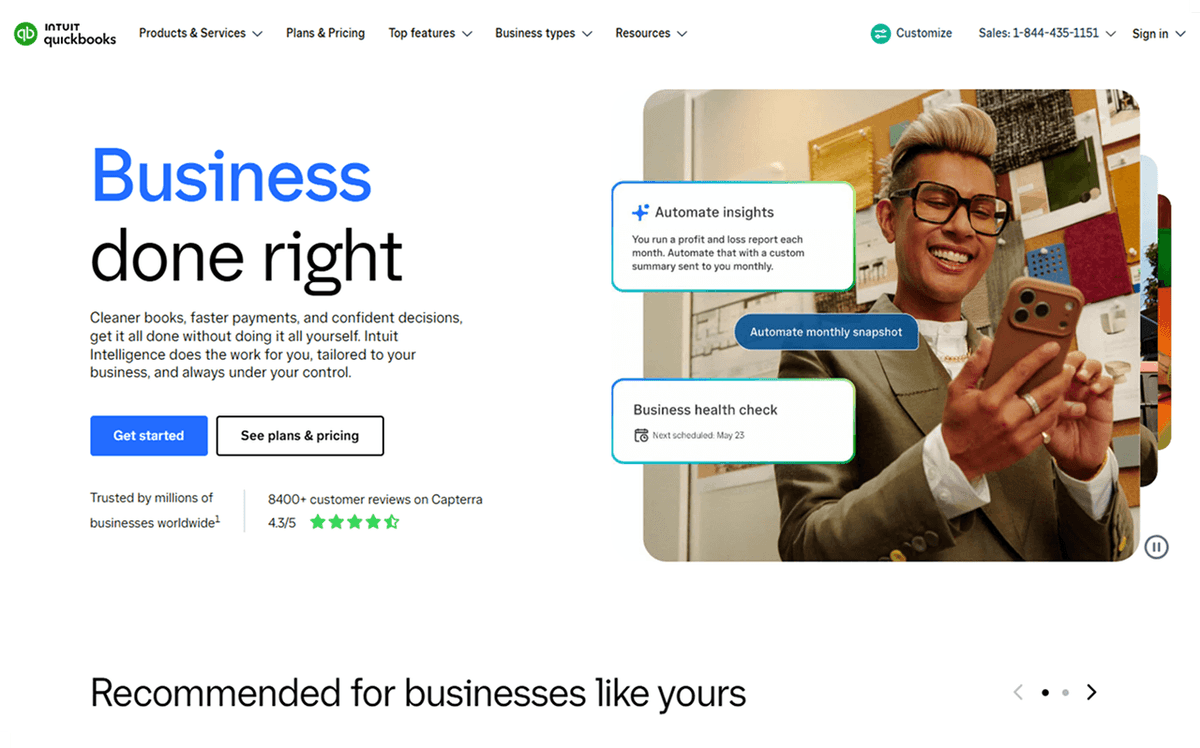
The platform’s forecasting capabilities allow users to model "what-if" scenarios, such as the impact of a price change on cash flow, using data patterns derived from millions of businesses. This level of business intelligence is designed to provide actionable insights rather than just surface-level data. Because it is a unified platform, businesses can transition from Simple Start ($38/mo) to the Intuit Enterprise Suite without the need for data migration.
The Intuit QuickBooks ecosystem keeps accounting, payroll, and taxes in one place, protected by role-based access controls and comprehensive audit trails. This ensures that financial data remains secure and reversible while providing a scalable foundation for e-commerce growth.
2. Xero: Best for Multi-Currency E-commerce
Xero is the strongest option for e-commerce sellers who operate across borders and currencies. It supports invoicing in 160+ currencies with hourly exchange rate updates on the Established plan ($90/mo), which makes it a natural fit for stores selling in the UK, EU, Australia, and New Zealand alongside the US market.

Native Shopify and WooCommerce apps connect your store to Xero with minimal setup. Unlike some competitors, Xero does not cap the number of users on any plan, so your entire finance team can access invoicing data without paying per-seat fees. The Growing plan at $55/mo includes unlimited invoicing and bill management, which is what most e-commerce businesses need.
Bank feeds pull transactions directly from your business accounts and match them against outstanding invoices, cutting reconciliation time significantly. If you sell through multiple channels, Xero's multi-entity support lets you run separate books for each storefront while consolidating reports at the parent level.
The main limitation is that Xero's native e-commerce apps cover Shopify and WooCommerce well but offer thinner support for platforms like BigCommerce, Ecwid, or Magento. For those stores, Albato's Xero integration with 7 triggers and 13 actions fills the gap. A common setup: WooCommerce order marked as paid triggers an automatic Xero invoice update. Learn more in our Xero integration guide, or set up a Xero-WooCommerce connection directly.
3. FreshBooks: Best for Small E-commerce Teams
FreshBooks prioritizes simplicity over feature depth, which makes it the best fit for small e-commerce teams that want clean invoicing without an accounting degree. The interface is noticeably easier to navigate than QuickBooks or Xero, and most sellers can start sending invoices within minutes of signup.

Shopify integration is available through the FreshBooks app store, syncing orders and generating invoices automatically. The tool also includes built-in time tracking, which is useful for dropshippers and e-commerce operators who manage freelance teams or virtual assistants and need to invoice for service hours alongside product sales.
Pricing starts at $19/mo (Lite, up to 5 billable clients), with the Plus plan at $38/mo covering up to 50 clients. The Premium plan at $65/mo removes client caps entirely. FreshBooks frequently runs promotional pricing at 70-90% off for the first few months, so check their pricing page before committing.
The trade-off for simplicity is a narrower integration library compared to QuickBooks or Xero. FreshBooks connects natively to fewer e-commerce platforms, and its reporting capabilities are more basic. For stores that need FreshBooks connected to platforms beyond Shopify, the Albato FreshBooks connector exposes 5 triggers and 6 actions to automate invoice creation from any supported store. You can also connect FreshBooks with Shopify for a pre-built automation workflow.
4. Stripe Invoicing: Best When Stripe Already Handles Your Payments
If your e-commerce store already processes payments through Stripe, adding Stripe Invoicing means your invoicing lives inside the same system that handles your transactions. There is no data transfer between separate tools because the invoice is generated from the same payment record Stripe already has.

Stripe Invoicing starts at 0.4% per paid invoice on the Starter plan, with 25 complimentary invoices per month. The Plus plan charges 0.5% per invoice, capped at $2 regardless of invoice amount, which makes it cost-effective for high-value transactions. These fees are separate from Stripe's standard payment processing charges.
The tool works especially well for direct-to-consumer brands that sell through their own website with Stripe as the payment processor. One-off and recurring invoices are both supported, and customers receive a hosted payment page where they can pay immediately using their saved payment method. Sellers running plans rather than one-time charges often pair it with recurring billing and subscription management software to handle renewals.
Stripe Invoicing is less suited for sellers who need full accounting features alongside invoicing. It handles the billing side well but does not include expense tracking, bank reconciliation, or financial reporting. Most sellers pair it with a separate accounting tool.
The Albato Stripe connector covers 18 triggers and 15 actions, the richest connector set of any tool on this list. A practical workflow: when a Stripe invoice is marked as paid, Albato creates a matching entry in QuickBooks, logs the transaction to Google Sheets, and notifies your team. See also our Gmail × Stripe automation guide.
5. Square Invoices: Best for Omnichannel (Online + In-Store)
Square Invoices is the clear winner for businesses that sell both online and at physical locations. The invoicing system ties directly into Square's POS and Square Online, so every sale (whether it happens at your counter, on your website, or through an invoice) flows into the same dashboard.

Creating and sending invoices is free on the base plan. Payment processing fees are 2.9% + $0.30 per card transaction, and 1% (capped at $5) for ACH bank transfers. The Plus plan at $49/mo adds batch invoicing, custom fields, and advanced reporting for stores that handle high invoice volume. According to NerdWallet's 2026 fee breakdown, Square's per-transaction pricing is competitive with PayPal and Stripe for most order sizes.
The omnichannel sync is what sets Square apart. If a customer buys something in-store and later needs an invoice for the same transaction, Square already has the sale recorded. Refunds, partial payments, and payment plans all work across channels without manual reconciliation.
Square's limitation is that it works best within the Square ecosystem. If your primary store runs on Shopify or WooCommerce, Square is not the natural invoicing choice since it does not pull orders from those platforms natively. Albato's Square integration with 4 triggers and 13 actions bridges that gap by syncing Square invoice data with external accounting tools, CRMs, or stores running on other platforms.
6. Sage Accounting: Best for Complex, Multi-Entity E-commerce
Sage Accounting targets mid-market and enterprise e-commerce businesses with multi-entity structures, complex tax requirements across countries, and a need for granular financial controls. If you run separate stores for different brands or regions and need consolidated reporting, Sage handles that complexity better than most tools on this list.

The cloud-based Sage Accounting starts at $19/mo, but e-commerce businesses with complex needs will likely land on Sage 50 (from approximately $340/year) or Sage Intacct for enterprise requirements. Sage Intacct pricing starts around $12,000/year according to Cargas's 2026 pricing guide, reflecting its position as a serious financial management platform rather than a lightweight invoicing tool.
Sage handles VAT, GST, and multi-jurisdictional sales tax natively, which matters for e-commerce businesses shipping internationally. Multi-currency invoicing and automated currency conversion are built into the higher-tier plans.
The setup investment is heavier than QuickBooks or Xero. Sage is not the right choice for a solo seller who needs a quick invoicing solution. It is the right choice when your e-commerce operation has outgrown simpler tools and needs the kind of financial infrastructure that scales to eight figures and beyond.
Albato's Sage connector links Sage with e-commerce platforms, CRMs, and marketing tools that Sage does not connect with natively. For growing stores, this means you can start with Sage's financial depth while keeping your entire tech stack connected through automated workflows.
7. Chargebee: Best for Subscription E-commerce
Chargebee is purpose-built for recurring billing and subscription management, making it the obvious choice for subscription box businesses, replenishment-based stores, and any e-commerce model where customers pay on a regular schedule. Unlike the general accounting tools on this list, Chargebee specializes in the subscription lifecycle from signup to renewal to churn.

The Starter plan is free until you hit $250,000 in cumulative billing, which gives early-stage subscription businesses room to grow before paying anything. After that threshold, the fee is 0.75% of monthly processed volume. The Performance plan starts at $599/mo (billed annually) and includes multi-currency support, revenue recognition, and deeper analytics. Chargebee has held the #1 position in G2's Subscription Management category for 27 consecutive quarters as of early 2026.
Auto-invoicing for each subscription cycle happens without manual intervention. Dunning management handles failed payments automatically, retrying charges and sending customer notifications based on rules you configure. Revenue recognition tracks deferred revenue correctly, which matters both for financial reporting and tax compliance.
The limitation is obvious: if your e-commerce business is primarily one-time purchases, Chargebee adds complexity you do not need. It is built for recurring revenue models, not traditional e-commerce.
The Albato Chargebee connector exposes 11 triggers and 8 actions, letting you sync subscription events with fulfillment systems, CRMs, and marketing platforms. A practical workflow: new Chargebee subscription triggers a FreshBooks invoice, updates your CRM contact record, and enrolls the customer in an onboarding email sequence. You can also connect Chargebee with QuickBooks for automated financial record-keeping.
8. PayPal Invoicing: Best for Marketplace and International Sellers
PayPal Invoicing is the path of least resistance for sellers who already use PayPal as their primary payment method. There are no setup fees, no monthly subscription, and invoice creation is available directly inside your PayPal Business account. Customers can pay via PayPal, Venmo, card, or Pay Later options, giving buyers flexibility that dedicated invoicing tools cannot match.

Transaction fees for US domestic invoices are 3.49% + $0.49 when paid via PayPal Checkout, and just 1% (capped at $10) for bank transfers. International payments carry an additional 1.50% surcharge on top of the domestic rate. PayPal's fee page has the full breakdown by country and payment method.
The strength here is reach. PayPal is accepted in 200+ markets, and many international buyers prefer paying through PayPal because it offers purchase protection. For marketplace sellers on eBay, Etsy, or similar platforms where PayPal is a primary payment rail, keeping invoicing within the same ecosystem simplifies reconciliation. Global e-commerce revenue is projected to reach $6.88 trillion in 2026, and cross-border transactions make up a growing share of that total.
The trade-off is limited automation compared to dedicated invoicing tools. PayPal Invoicing does not generate invoices automatically from store orders; you create each one manually or through PayPal's basic templates. There is no native Shopify or WooCommerce integration for invoice generation.
Albato's PayPal connector with 9 triggers and 2 actions adds the automation layer PayPal lacks. When a PayPal invoice is paid, Albato can trigger downstream actions in your accounting software, CRM, or project management tool.
9. Harvest: Best for Service-Hybrid E-commerce (Agencies, Custom Orders)
Harvest is not a traditional e-commerce invoicing tool, and that is exactly why it belongs on this list. It combines time tracking with invoicing in a single platform, which makes it the right fit for e-commerce agencies, custom product businesses, and consultation-based commerce where you bill for both products and time.

The Free plan covers one user and two projects. The Teams plan costs $9/seat/mo when billed annually ($11/mo on monthly billing), and includes unlimited projects and clients. The Enterprise plan ($14/seat/mo annual) adds profitability reporting, timesheet approvals, and SAML-based SSO for larger teams.
A typical use case: you run an e-commerce agency that both manages client stores and sells products directly. Harvest tracks the hours your team spends on client work, converts those hours into invoices at your configured rates, and lets you add product line items to the same invoice. For custom product businesses, like a furniture maker who bills design consultation hours plus the finished product, Harvest handles the full invoice in one tool.
The limitation is clear. Harvest does not connect to e-commerce platforms natively and does not generate invoices from store orders. It is a time-and-billing tool with invoicing capability, not an e-commerce invoicing platform.
Albato's Harvest connector (8 triggers, 9 actions) makes it possible to link invoicing events in Harvest with your project management, accounting, and CRM tools. When a Harvest invoice is sent or paid, Albato can create matching records in QuickBooks, notify your team, or update a Google Sheet tracking all outstanding invoices.
10. BILL: Best for Intelligent Financial Operations and Cash Flow Clarity
BILL is a finance platform built to give growing e-commerce businesses clarity over their money. It automates the accounts payable and receivable process, which removes hours of manual data entry and reduces fraud exposure. Real-time cash flow visibility is the main draw for finance teams that need to see where money sits before making a decision.
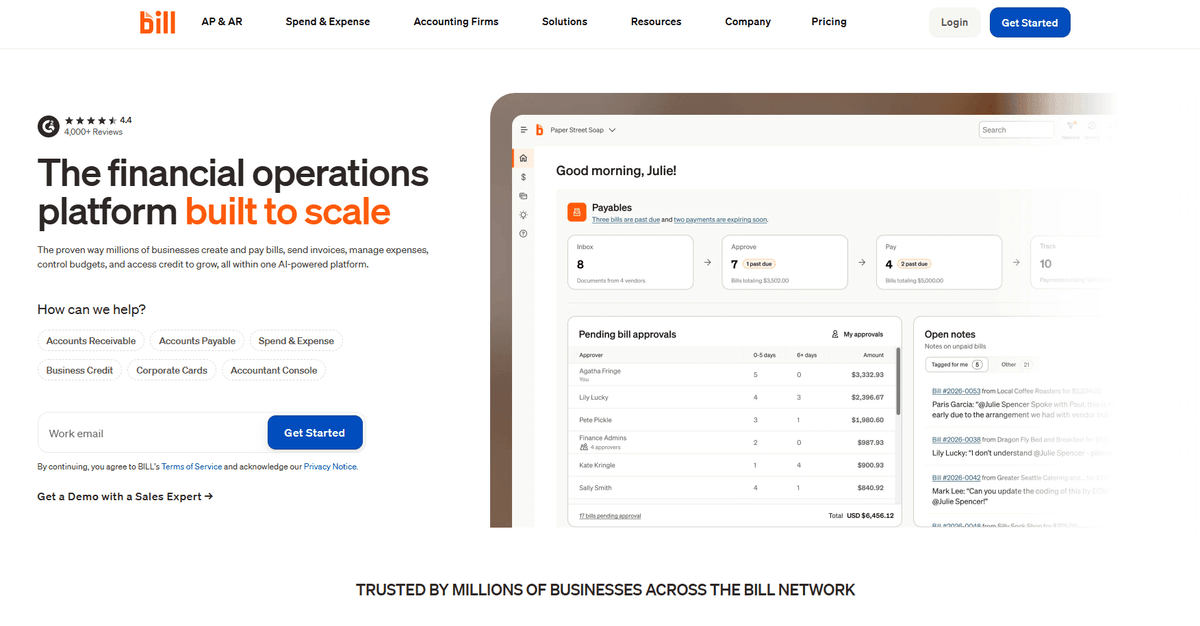
For e-commerce brands, BILL works as a finance engine rather than a store-connected invoicing tool. Its pillars are strategic finance insights and agentic automation, so you can manage, move and maximize money without the friction of manual billing. Pricing starts at $45/user/month for the Essentials plan, and the $55/user/month Team plan is the common choice for teams that need accounting integrations.
Where BILL falls short: the platform is built for professional financial management, which means a steeper learning curve than feature-light tools, and it is heavier than what a solo seller needs. There is also no native e-commerce sync and no Albato connector, so orders from Shopify or WooCommerce will not create BILL invoices on their own.
How to Automate Invoicing When Native Sync Falls Short
A no-code integration platform like Albato connects your invoicing tool to any e-commerce platform that lacks native sync, using trigger-action workflows that take 10-15 minutes to set up without writing code. This matters because most tools above only sync natively with Shopify and maybe WooCommerce, leaving sellers on BigCommerce, Ecwid, Magento, PrestaShop, or custom-built stores without automated invoicing.
Albato connects over 1,000 apps through a visual builder that uses trigger-action logic: something happens in one tool, and Albato automatically executes an action in another. No developers, no API coding, no custom middleware. Here are three practical workflows that solve common e-commerce invoicing gaps:
Shopify order to QuickBooks invoice to customer email. A new order in Shopify triggers Albato to create a QuickBooks invoice with all order details, then sends a branded confirmation email to the customer. The entire sequence runs in seconds without anyone touching it. Set up this connection in under 10 minutes, or check our guide on how to connect Shopify to Albato for a full walkthrough.

WooCommerce payment to Xero invoice update to Google Sheets log. When a WooCommerce order is marked as paid, Albato updates the corresponding invoice status in Xero and logs the transaction details to a Google Sheets tracking spreadsheet. Your finance team gets a real-time view of paid orders without checking two separate tools.
Chargebee subscription charge to FreshBooks invoice to notification. Each recurring charge in Chargebee triggers a matching FreshBooks invoice and posts a summary to your team's communication channel. Subscription businesses process hundreds of renewals per billing cycle, and manual invoicing at that scale is not realistic.
If your store runs on a platform that your invoicing tool does not connect with natively, an integration platform fills the gap. Most store-to-invoicing connections take less than 15 minutes to configure on the free plan, before you commit to anything paid.
A last note before you commit to any of these tools: pricing pages change more often than the products themselves. Verify the current plan and processing fees on each vendor's site.
⚠️ Important. Pricing listed in this article is current as of April 2026. Plans and fees change frequently. Check each tool's website for the latest pricing before making a purchase decision.
Here are answers to the questions e-commerce sellers ask most often about invoicing software.
FAQ
What is the best free invoicing software for e-commerce?
PayPal Invoicing is the strongest free option for basic invoicing. There are no setup fees and no monthly subscription, and you only pay processing fees when customers actually pay (3.49% + $0.49 for US domestic invoices paid via PayPal Checkout, 1% capped at $10 for bank transfers). Square Invoices works the same way. If you already process payments through Stripe or PayPal, their built-in invoicing is included in standard processing fees, which means you are paying transaction costs you would pay anyway without adding a separate invoicing subscription.
Can invoicing software automatically create invoices from Shopify orders?
Yes. QuickBooks Online, Xero, and FreshBooks all have native Shopify apps that generate invoices automatically when new orders come in. The invoice pulls product details, quantities, pricing, and customer information directly from the Shopify order record. For invoicing tools that lack native Shopify integration, Albato can trigger invoice creation from any Shopify event, including new orders, fulfilled orders, or payment status changes.
What is the difference between invoicing software and accounting software?
Invoicing software creates and sends bills to customers. Accounting software manages the full financial picture: profit and loss statements, balance sheets, tax reporting, bank reconciliation, and expense tracking. Most tools on this list, including QuickBooks, Xero, and FreshBooks, do both. Stripe Invoicing and PayPal Invoicing handle the billing side only, so you would pair them with a separate accounting tool for complete financial management.
How do I sync invoices with my e-commerce store if there is no native integration?
Use a no-code integration platform like Albato. Set a trigger event in your store (new order, payment received, order fulfilled), choose an action in your invoicing tool (create invoice, update payment status, send receipt), and Albato handles the data transfer automatically. The visual builder requires no coding and most connections take 10-15 minutes to configure.
Do I need invoicing software if I already use Shopify's built-in invoicing?
Shopify's built-in invoicing generates basic order confirmation emails and packing slips, not compliant tax invoices. If you need proper invoices with correct tax calculations by jurisdiction, recurring billing capabilities, financial reporting, or integration with your accounting system, dedicated invoicing software is necessary. This becomes especially important as you scale beyond a few dozen orders per week or start selling across multiple tax jurisdictions.
Whichever invoicing tool you choose, the biggest time savings come from connecting it directly to your store so invoices are generated, sent, and reconciled without manual work. If your tool and store do not connect natively, an integration platform builds the automation bridge in minutes.
If you want to dig deeper before setting up your first automation, the guides below cover the e-commerce stack and the two invoicing tools most readers ask about next.