

How to Connect Conta Azul to Albato
IN THIS ARTICLE
Available Triggers:
- Sales by issuance date
Available Actions:
- Create customer
- Update customer
- Get customer by ID
- Find customer by filter
- Create product
- Update product
- Get product by ID
- Find product by filter
- Create service
- Update service
- Get service by ID
- Find service by filter
- Create sale
- Update sale
- Get sale by ID
- Custom API request
- Create contract
How to connect Conta Azul
The first step to connect Conta Azul to the Albato platform is, after logging into the platform, go to the Apps tab:

Then, click on Add a connection and search for Conta Azul:
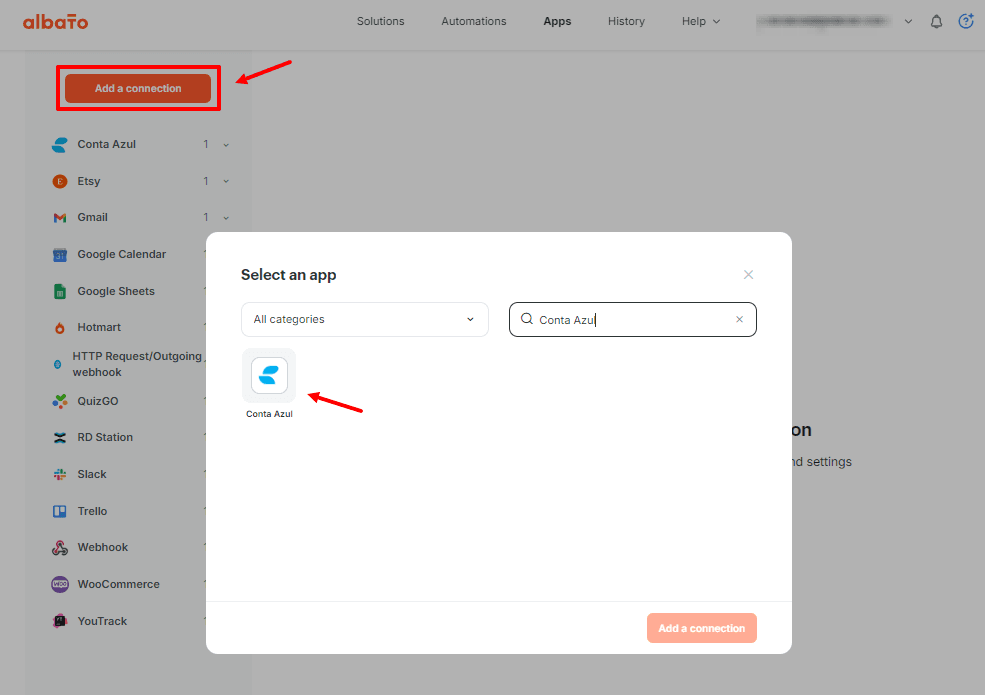
Next, define a name for this connection. The name does not affect functionality; it is purely for organizational purposes so you can easily identify the correct connection.
If you have multiple Conta Azul accounts, you can also create several connections—one per account. In this case, naming becomes crucial to help you choose the right one while creating automations.
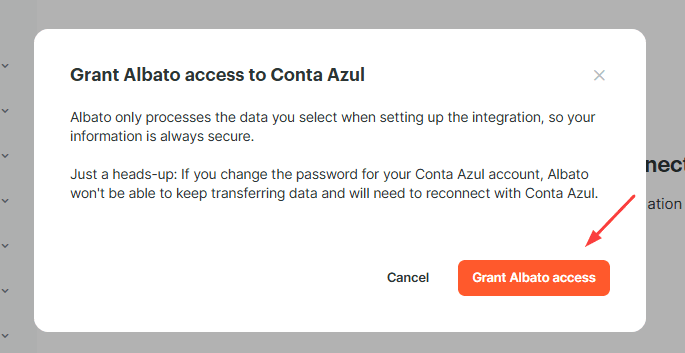
Then click Grant Access, and a new tab will open.
Make sure your browser allows pop-ups, as a new window will open during this step.
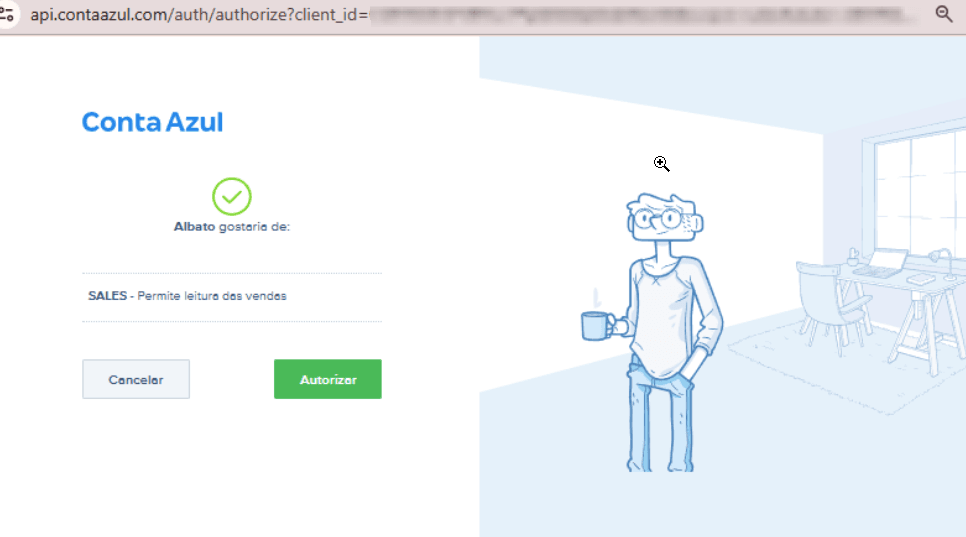
In the new tab, click Authorize:
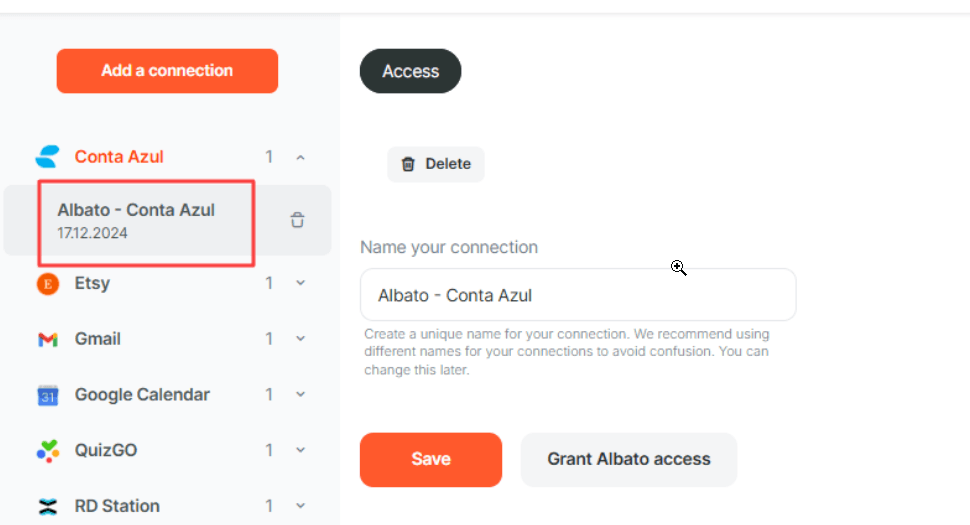
All set! Your connection has been successfully created. You will now see your new connection in the Apps tab, and you can rename it anytime.
Start creating automations between Conta Azul and hundreds of other apps through Albato. Setting up your workflow is simple and requires no programming skills!
Check out our tutorial on how to create your first automation and how Albato works:
Link
Did this answer your question?