

Iterator by String: Process Values from a Text String
IN THIS ARTICLE
The Iterator by String tool splits a text string into individual values and processes each value separately.
It combines two operations in one step:
- splits a string into separate values using a delimiter;
- runs all following steps once for each value.
Unlike the Split String into Row Section Elements (Array) tool, which only splits a string into a row section, Iterator by String immediately processes each value separately by running the following steps for every item.
For example, if the input string is:
channel_1,channel_2,channel_3
and the delimiter is:
,
the tool creates three iterations:
Iteration 1: channel_1
Iteration 2: channel_2
Iteration 3: channel_3
Each following step in the automation is executed once for every iteration.
How it works
In this example, we'll send the same Slack message to multiple channels.
The Slack — Send Message action accepts only one channel ID at a time. If you need to send the same message to several channels, creating multiple Slack actions makes the automation harder to maintain and update.
Instead, you can use Iterator by String and keep only one Slack action.
Step 1. Add the tool
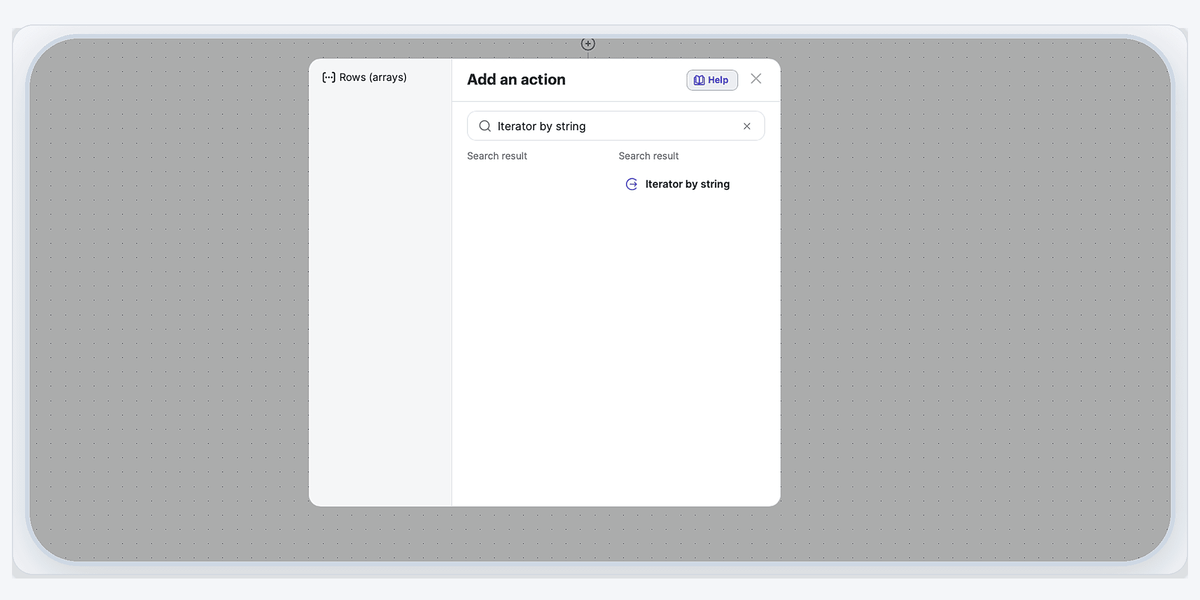
Add the Iterator by String tool immediately after the trigger.
Search for Iterator by string and select it from the action list.
Step 2. Configure the iterator
In the String to split field, enter the list of Slack channel IDs separated by commas.
Example:
C123456,C234567,C345678
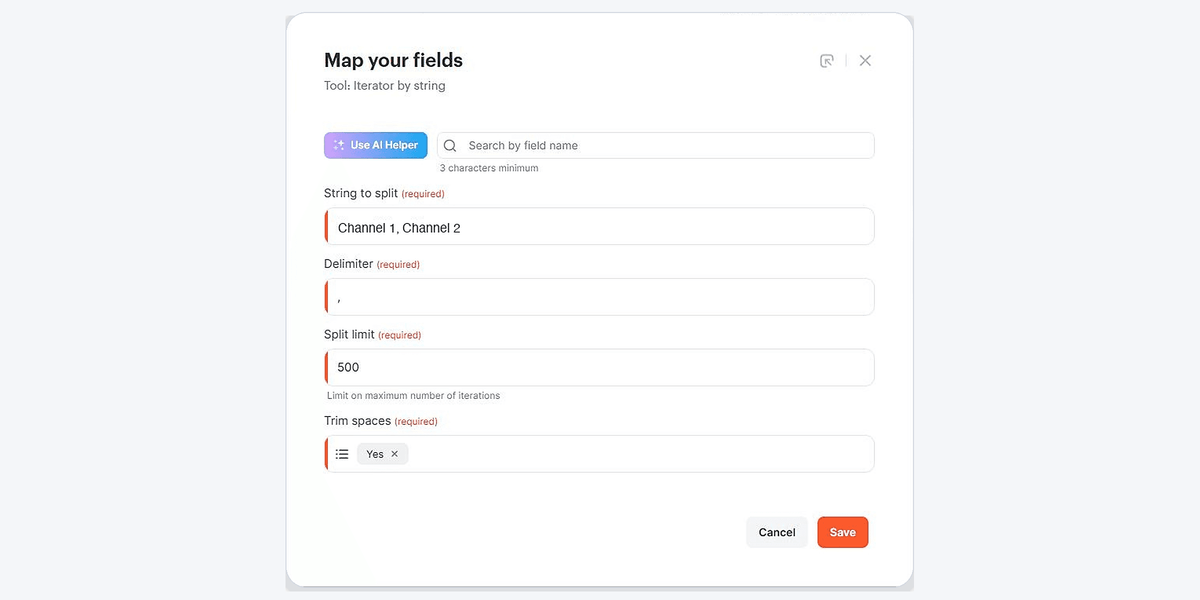
In the Delimiter field, enter the character used to separate the values.
For this example:
,
If the values may contain spaces after the delimiter, enable Trim spaces to remove them automatically before processing.
Step 3. Configure the Slack action
Open the Slack — Send Message action.
For the Channel ID field, select the Result value from the Iterator by String tool.
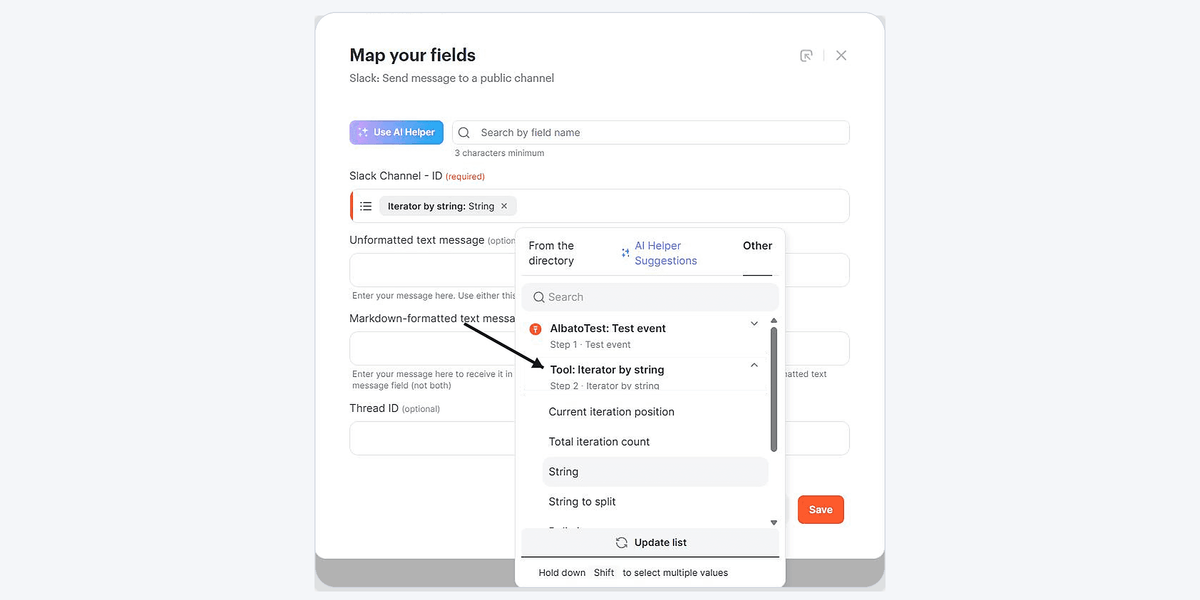
Configure the message only once.
Result
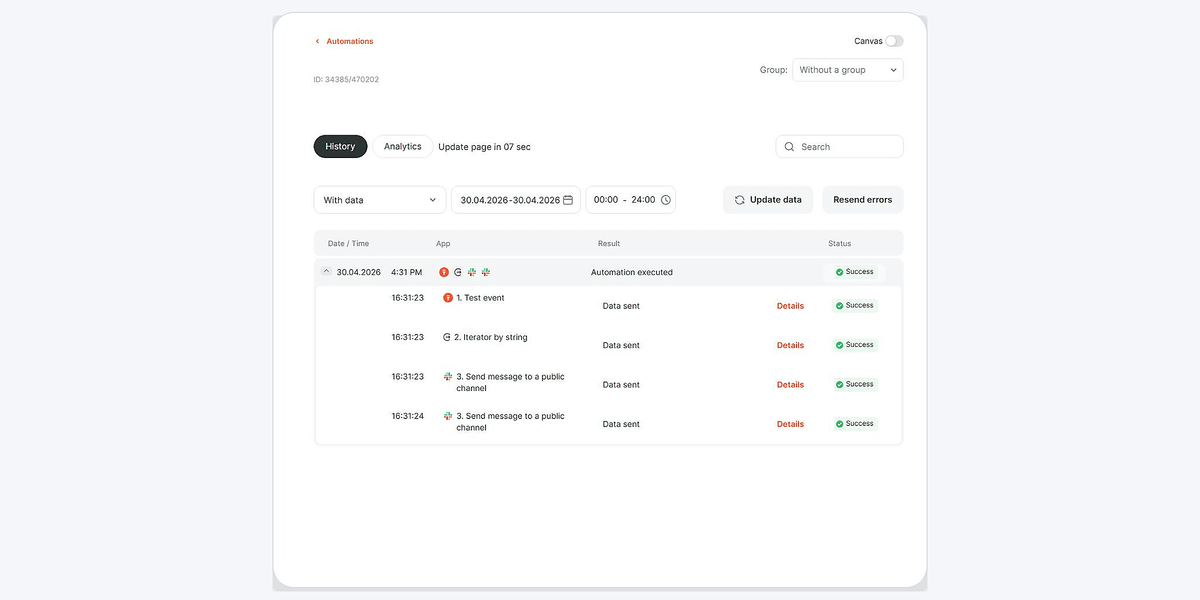
When the automation runs, the Slack action is executed separately for every channel in the list.
For example:
| Iteration | Channel |
|---|---|
| 1 | C123456 |
| 2 | C234567 |
| 3 | C345678 |
As a result, the same message is sent to every channel while using only one Slack action in the automation.
Use cases
The Iterator by String tool is useful whenever multiple values are stored in a single text field and each value needs to be processed separately.
Common use cases include:
- sending messages to multiple channels;
- sending emails to multiple recipients one by one;
- creating tasks for each item in a list;
- processing multiple IDs stored in one field;
- running the same action for every value in a comma-separated string.
By configuring the action only once, the tool automatically repeats it for every value in the list.
Click Save and run the automation.
The Iterator by String tool allows you to process multiple values individually without creating duplicate actions in your automation.
If you have any questions, feel free to contact our support team via live chat.
Did this answer your question?