

How to Connect Printavo to Albato
IN THIS ARTICLE
Printavo is a workflow and shop management platform for print shops. It helps teams manage quotes, orders, production schedules, payments, and customer communication.
Connect Printavo with Albato to integrate it with 1,000+ apps, including AI tools like ChatGPT or Grok, and automate workflows. Follow the steps below to complete the setup.
Step-by-step instructions
- Log in to your Albato account.

- Go to the Apps section and click Add a connection.

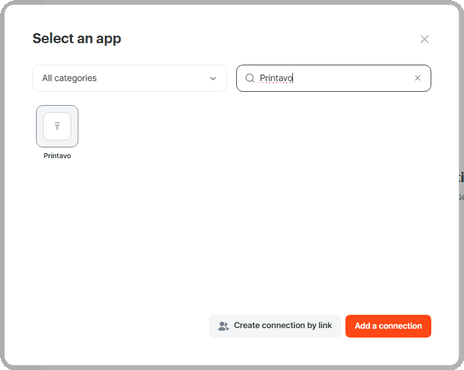
- Type Printavo in the search field, select it from the results, and click Add a connection.
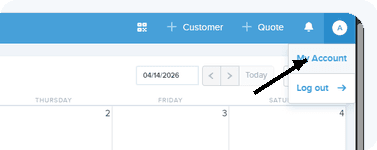
- Open your Printavo account. Click your user menu and open My Account.
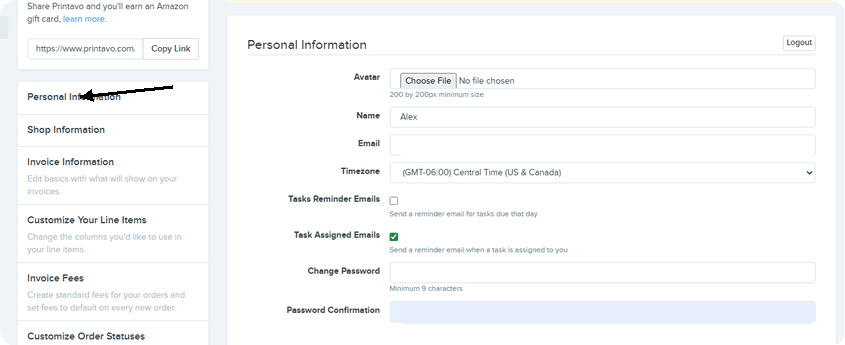
- Open Personal Information.
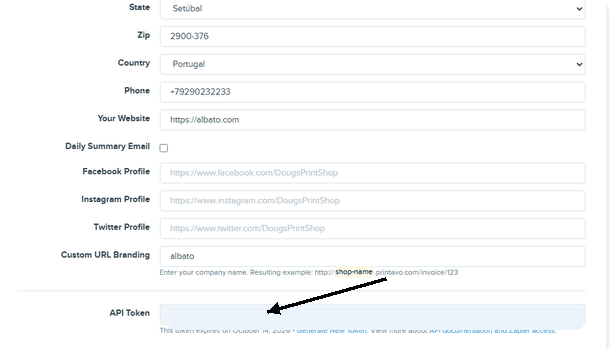
- Copy your API Token.
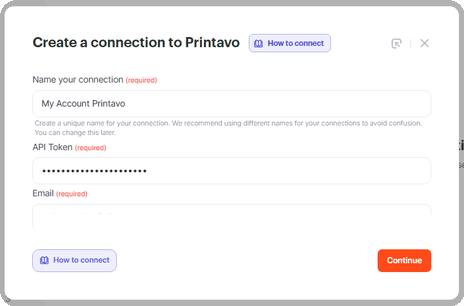
- Return to Albato. Name the connection, enter your Printavo account email, paste the API Token, then click Continue.
Now you can use Printavo in your Albato automations. For example, you can pass order information to another app when a Printavo order is created or updated. If you have any questions, reach out to the support team via the chat.
About Printavo
Printavo helps print shops manage daily operations in one workspace.
With it, you can:
- manage quotes and orders;
- track jobs on a production calendar;
- organize customer and payment information;
- coordinate shop workflows.
Did this answer your question?