

How to Use Value Parser (Regular Expressions)
IN THIS ARTICLE
The Value Parser tool uses regular expressions to find, replace, and extract parts of a text value in an automation.
Use it when a step returns text in one field and you need to clean the value, change its format, or extract only the part that should be passed to the next step.
How to Use the Value Parser Tool
In the tool settings, fill in these fields:
- Value to process: the text value that Albato should check.
- Replacement template: the regular expression or search pattern.
- Replace with: the value that should replace the match.
- Do not replace (search only): use this option when you only need to find matching values without changing the original text.
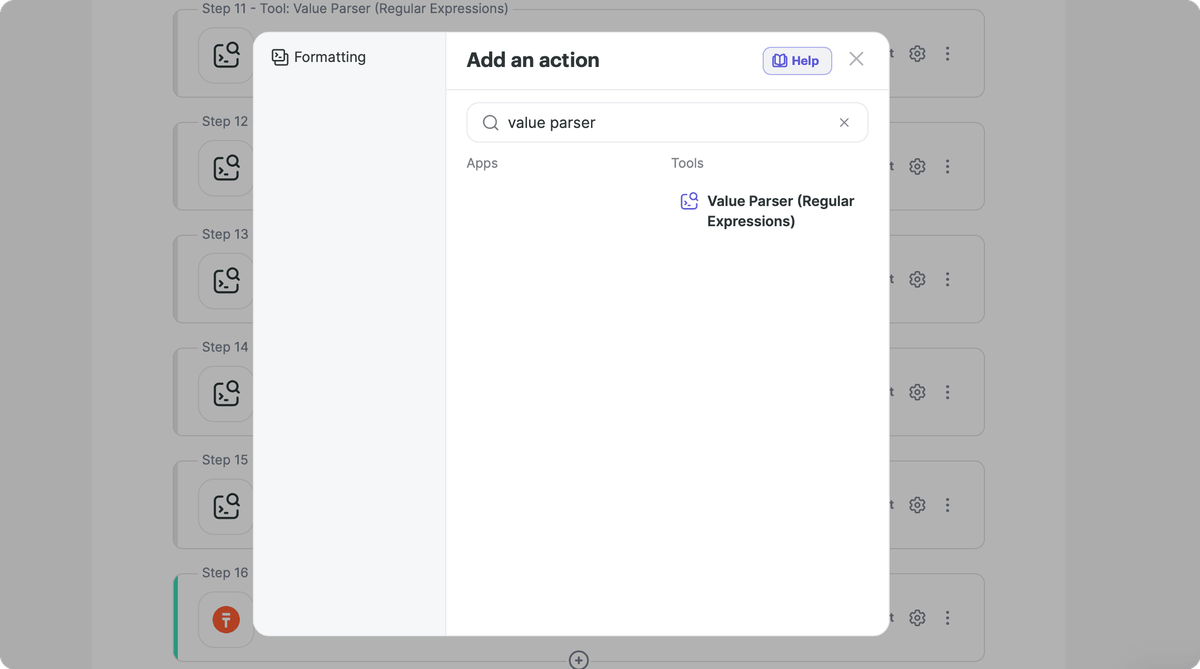
To add the tool to an automation, click + after the trigger or another step. In the action window, search for Value Parser and select Value Parser (Regular Expressions).
Examples of Search Patterns
x|ysearches for x or y.x(?=y)searches for x only if it is followed by y.[a-d]searches for one character from the range a to d.[A-Z]searches for one uppercase English letter.[A-Za-z0-9._%+-]+@[A-Za-z0-9.-]+\.[A-Za-z]{2,}searches for email addresses.([0-3]\d)\.([01]\d)\.(\d{4})searches for a date in the dd.mm.yyyy format.(\+34|34)[\s.-]?\(?[0-9]{3}\)?[\s.-]?[0-9]{3}[\s.-]?[0-9]{4}searches for a Spanish phone number.(\+1|1)?[\s.-]?\(?[0-9]{3}\)?[\s.-]?[0-9]{3}[\s.-]?[0-9]{4}searches for a US phone number.^https?:\/\/([^\/]+)\/.*$extracts a domain from a URL.
Regular expressions can be combined in many ways. Use the examples below as starting points and test each pattern with your own data before using it in a live automation.
Examples of Value Parsing Patterns
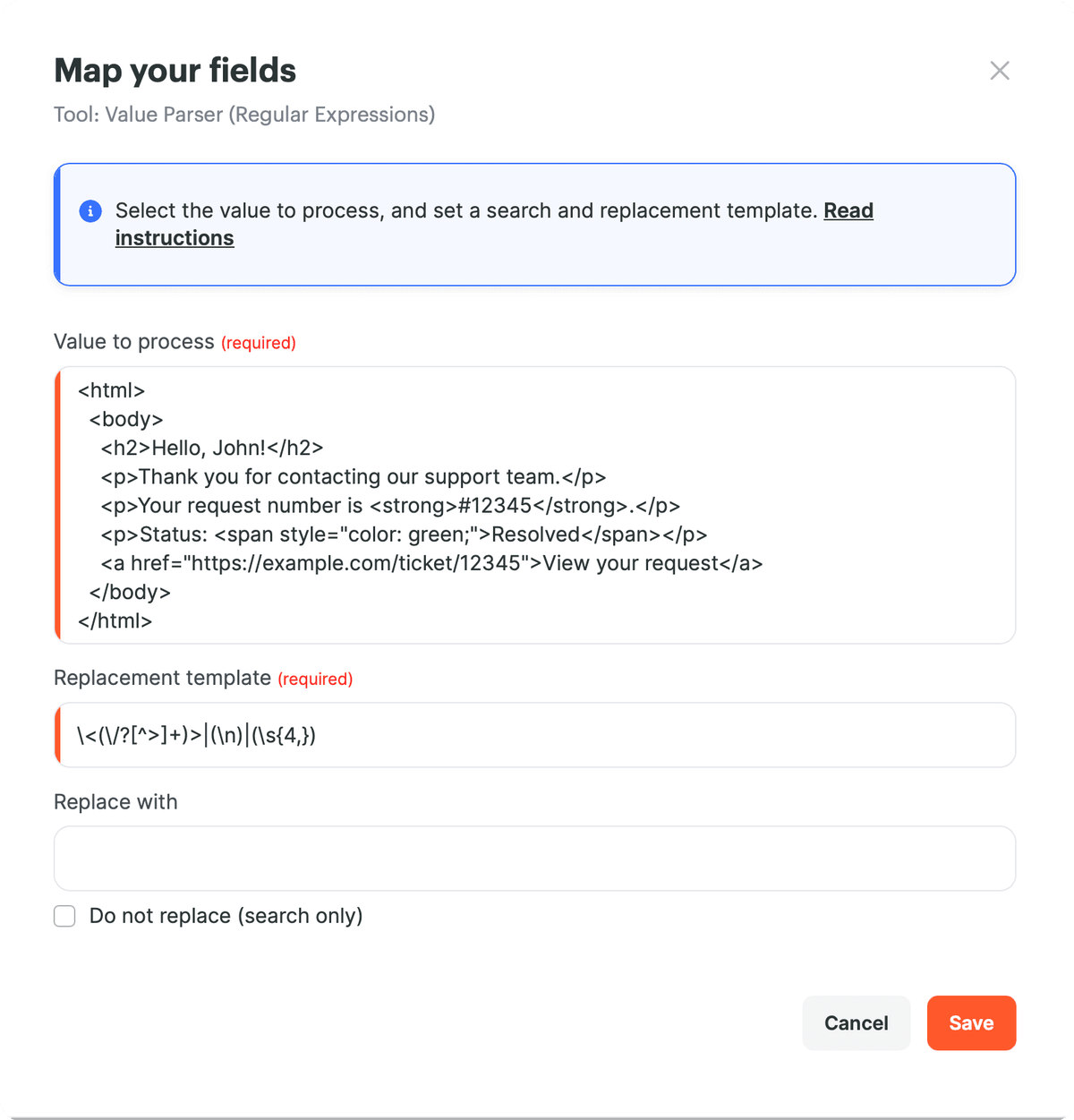
1. Remove HTML Tags and Extra Line Breaks
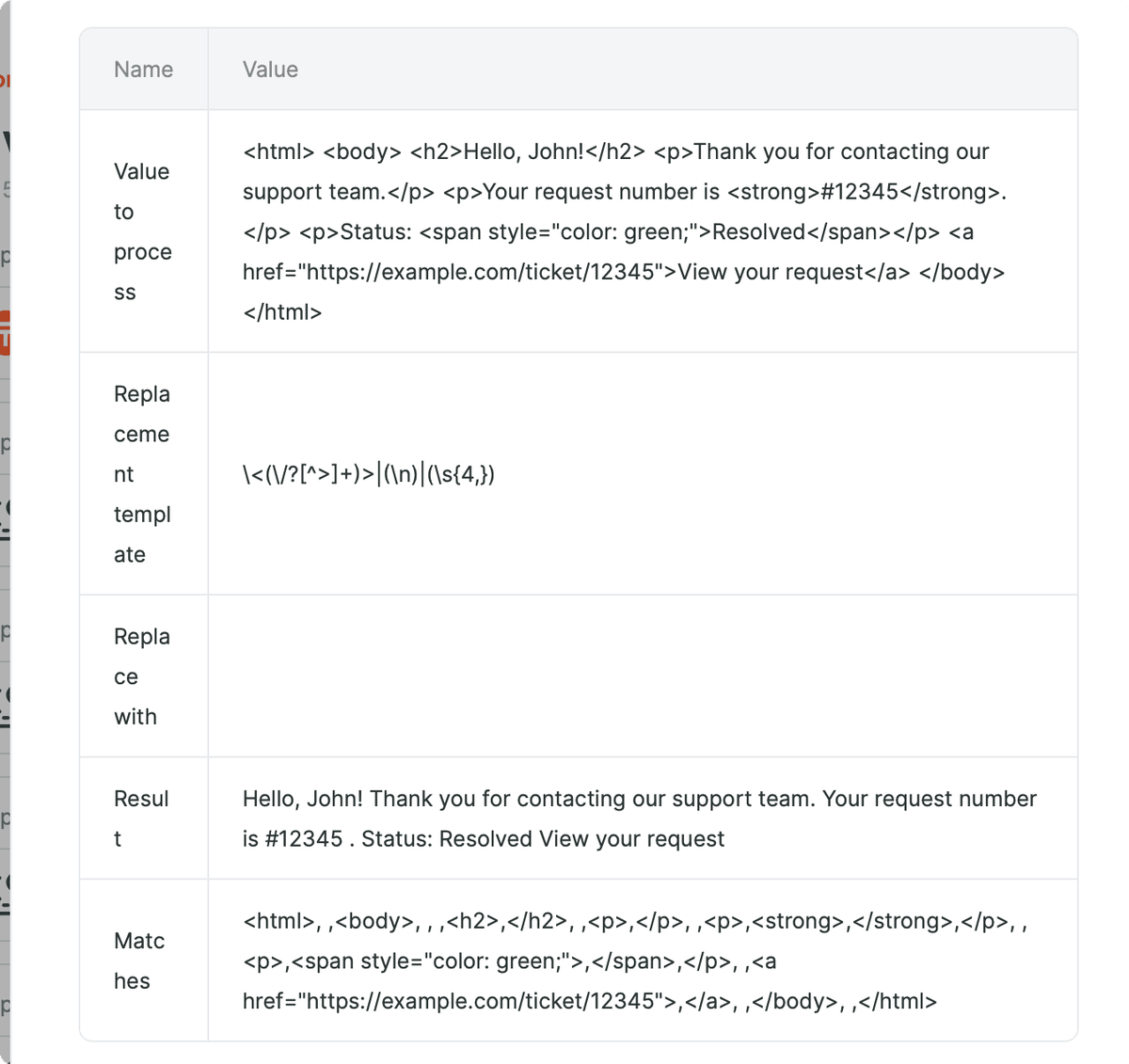
Use this pattern when a step returns HTML and you need plain text.
- Replacement template:
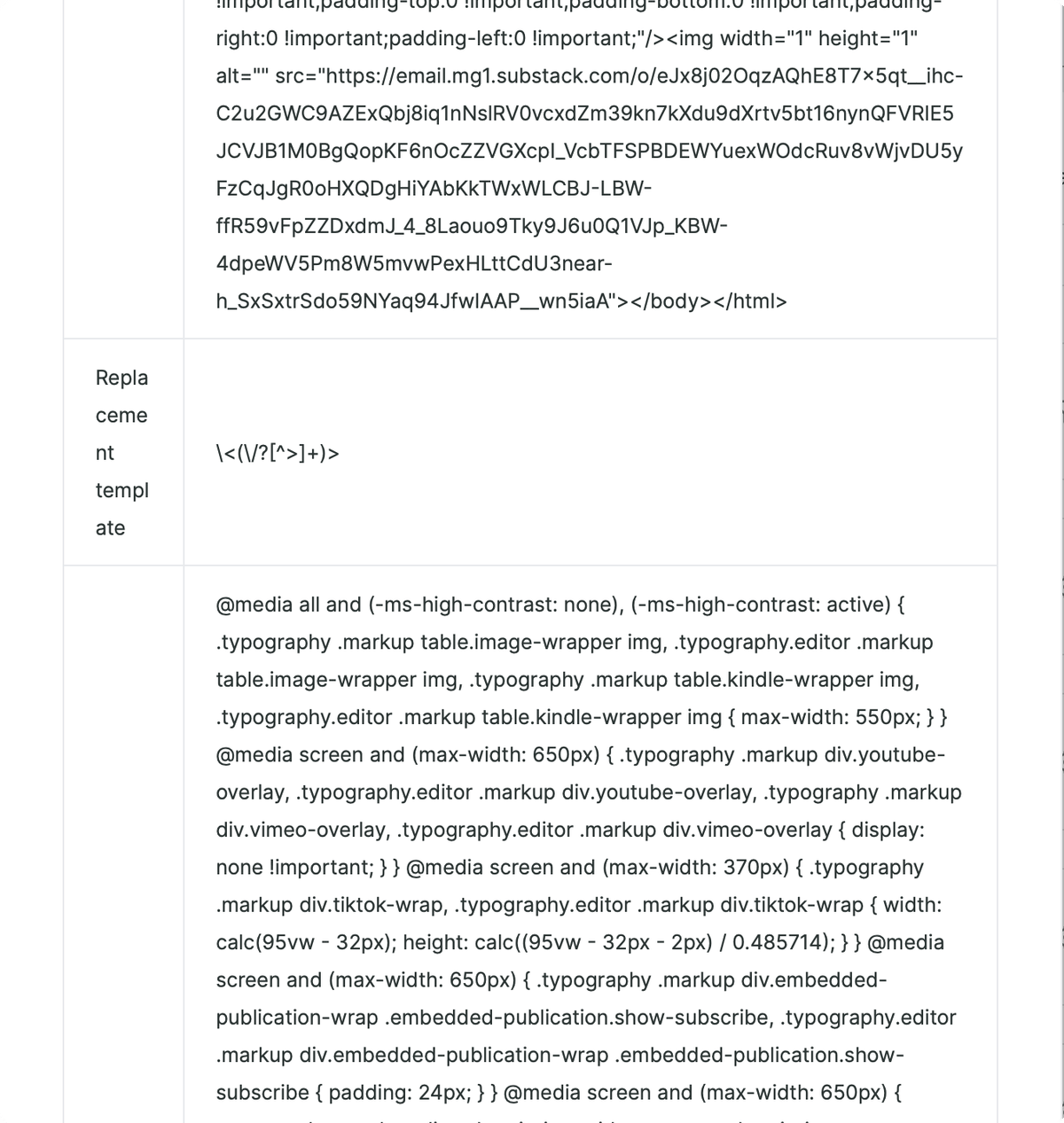
\<(\/?[^>]+)>|(\n)|(\s{4,}) - Replace with: leave the field empty.
- Result: Albato removes HTML tags, line breaks, and long spacing from the value.
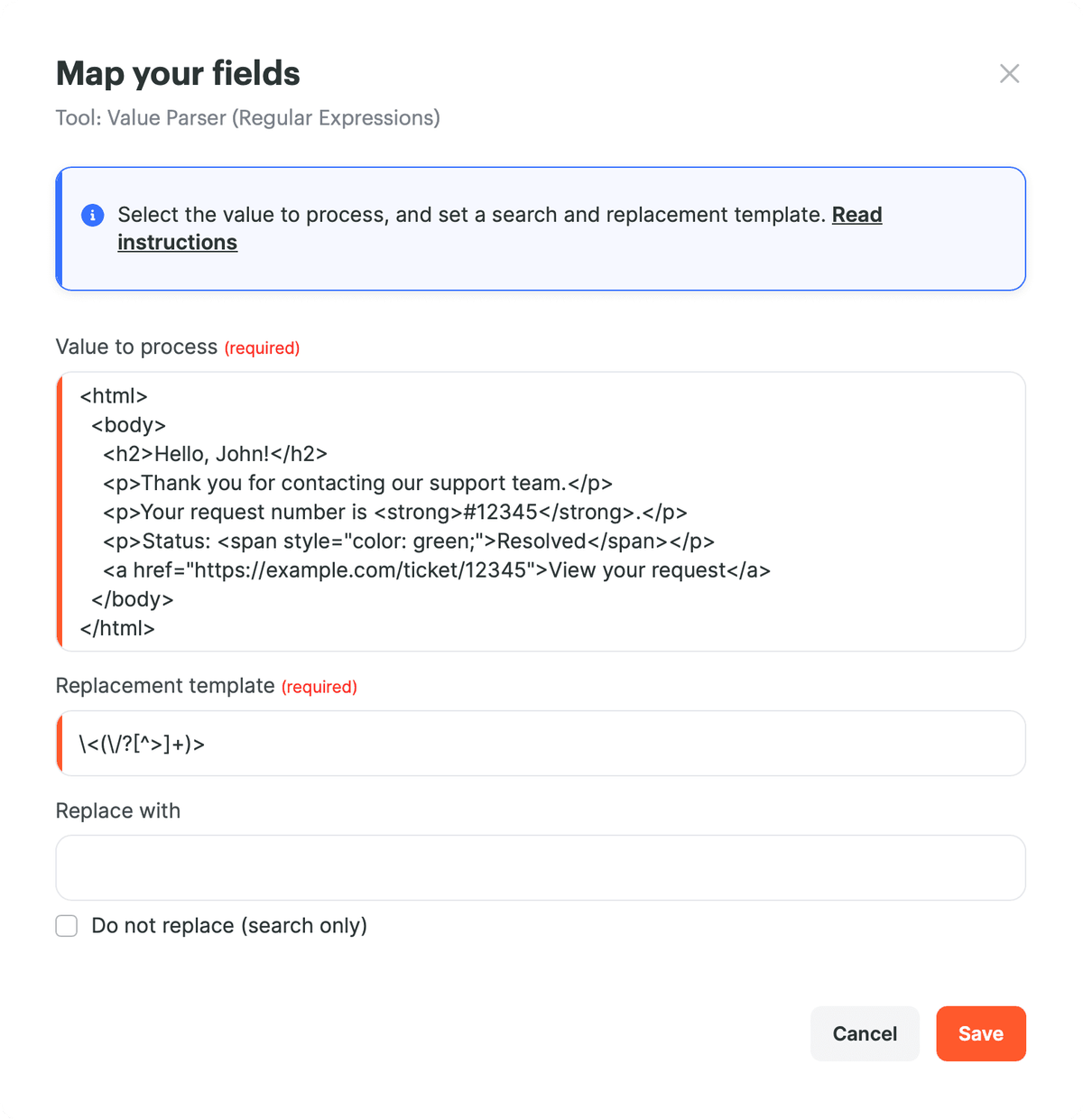
If you only need to remove HTML tags, use the shorter expression below.
- Replacement template:
\<(\/?[^>]+)> - Replace with: leave the field empty.
- Result: Albato removes HTML tags while keeping the text.
2. Extract a Spanish Phone Number
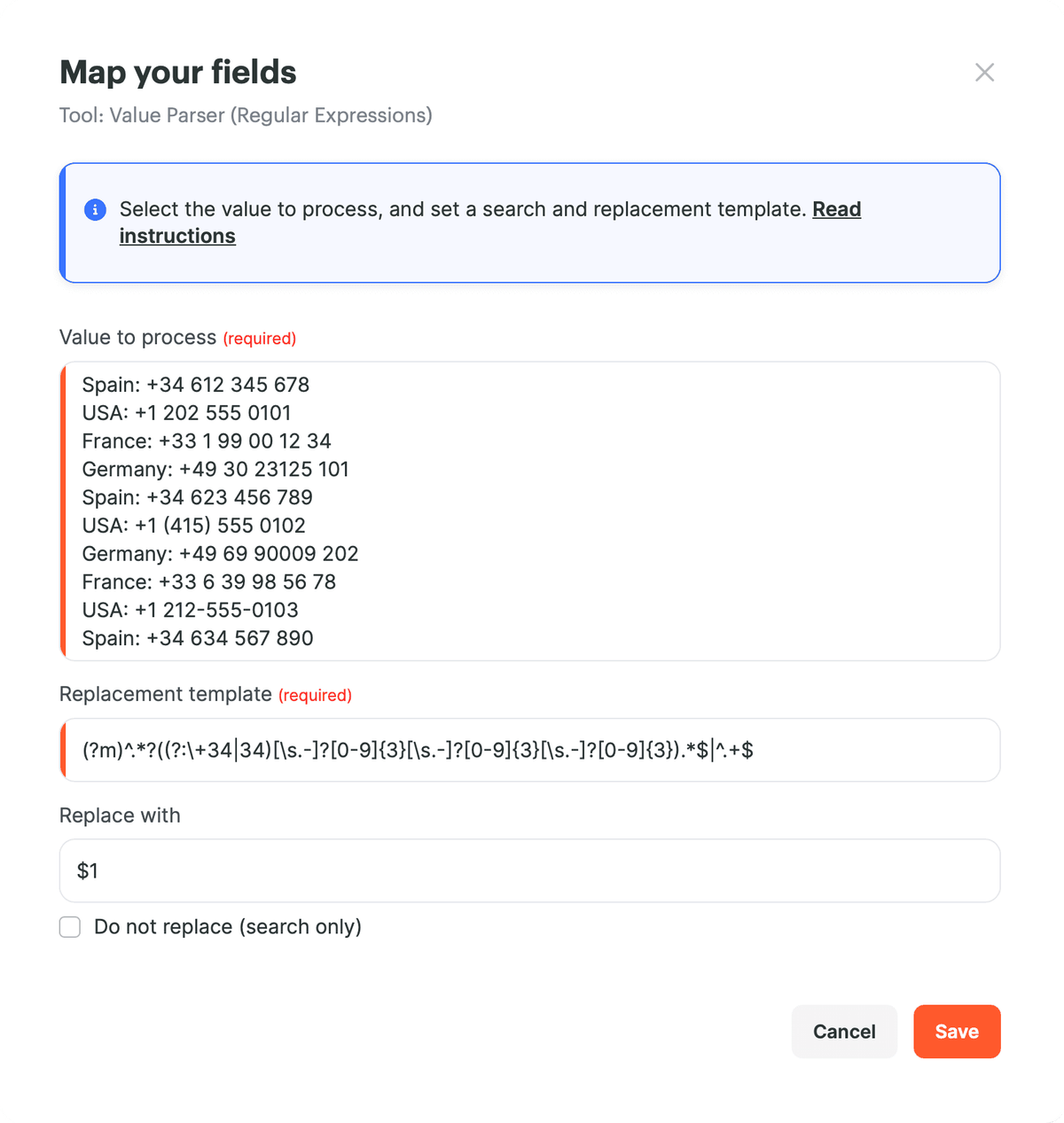
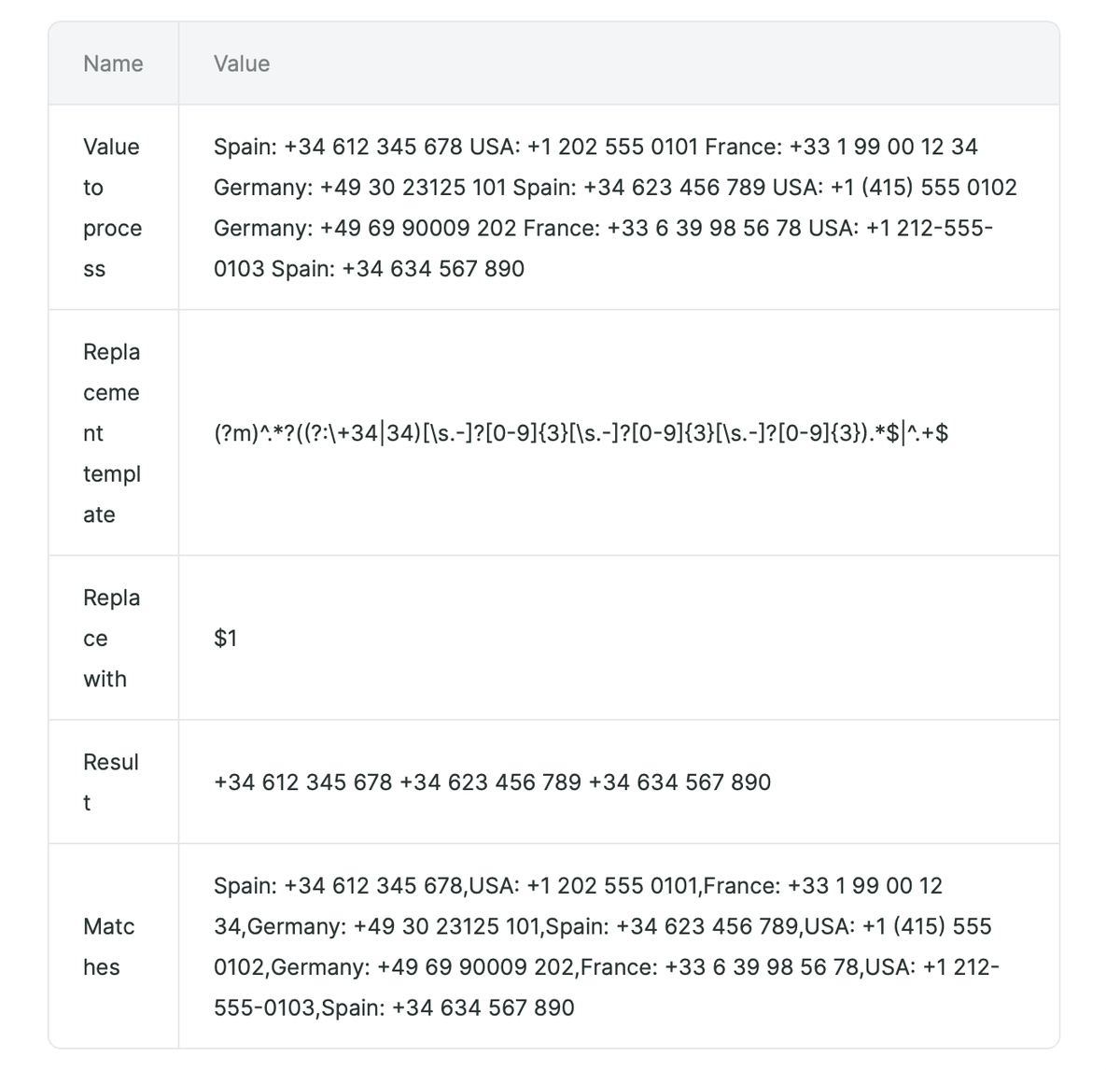
Use this pattern when a value contains phone numbers from different countries and you need only Spanish numbers in the +34 or 34 format.
- Replacement template:
(?m)^.*?((?:\+34|34)[\s.-]?[0-9]{3}[\s.-]?[0-9]{3}[\s.-]?[0-9]{3}).*$|^.+$ - Replace with:
$1 - Result: Albato keeps Spanish phone numbers and removes lines that do not match the pattern.
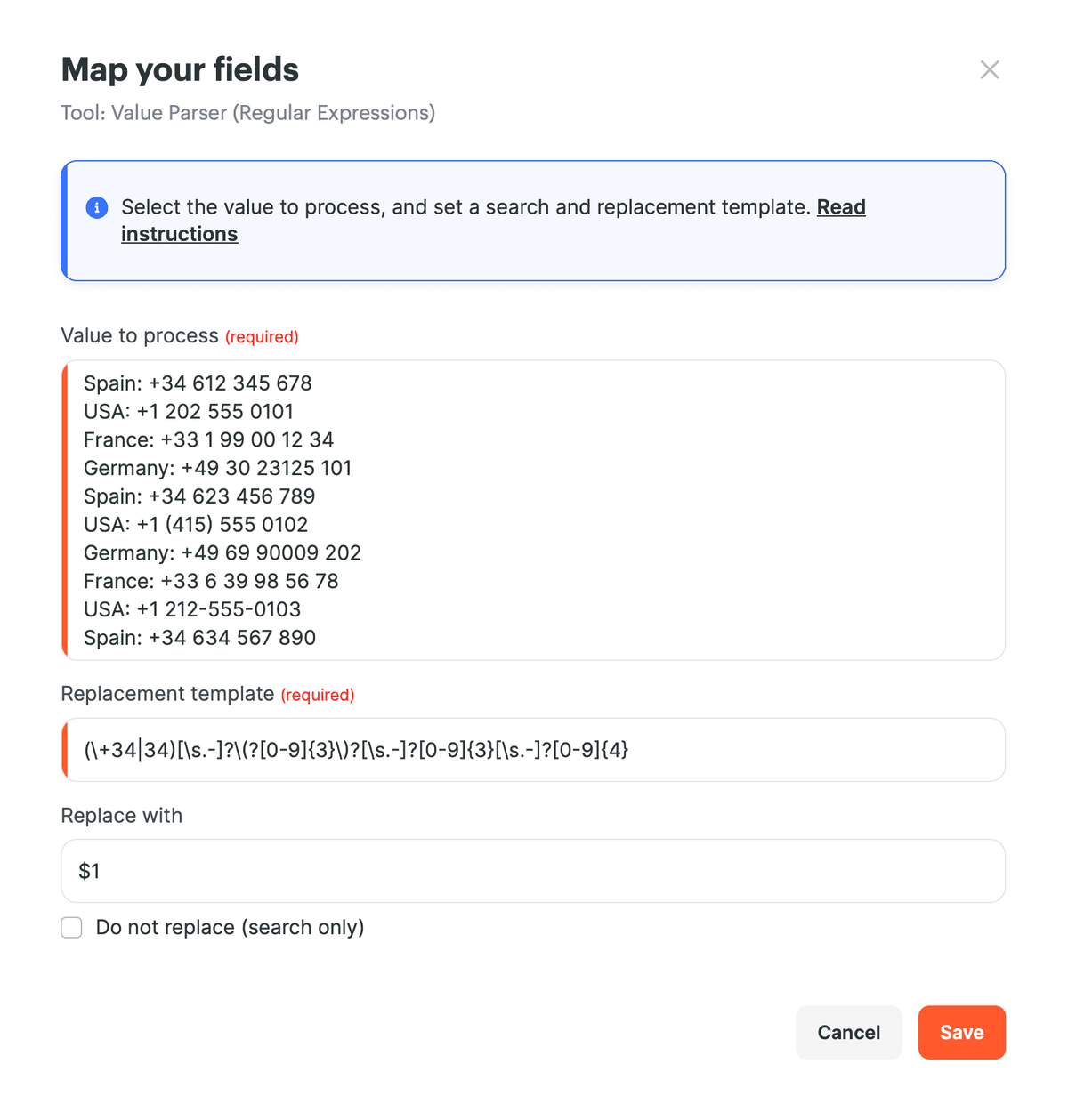
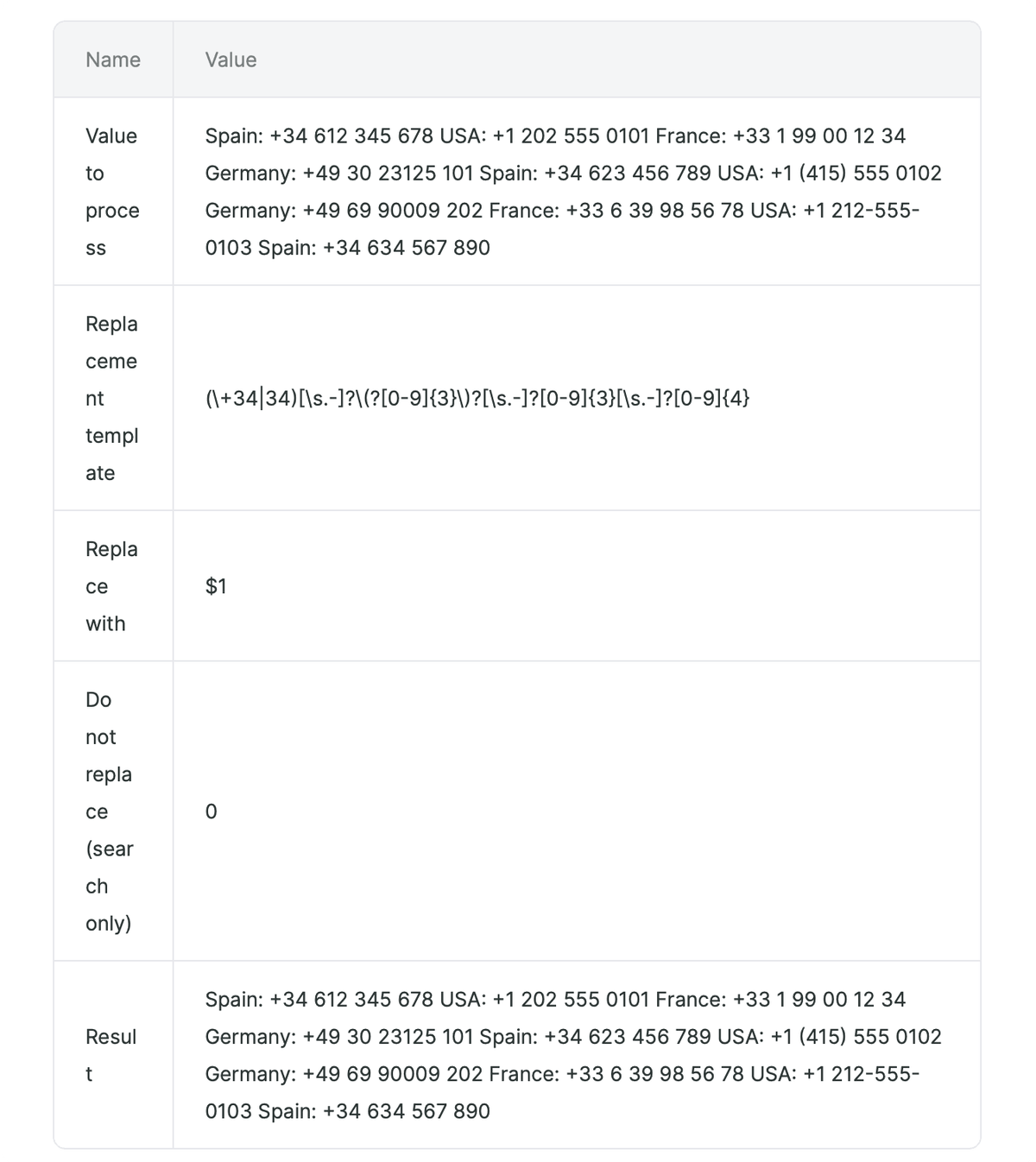
If you need to check a stricter Spanish phone number format, use this simpler pattern and review the test result. In the example below, Albato leaves the source text unchanged because Do not replace (search only) is disabled and the sample values do not match the full pattern.
- Replacement template:
(\+34|34)[\s.-]?\(?[0-9]{3}\)?[\s.-]?[0-9]{3}[\s.-]?[0-9]{4} - Replace with:
$1if you need to keep the country code group. - Result: Albato keeps the source value unchanged in the test result.
3. Extract a Domain From a URL
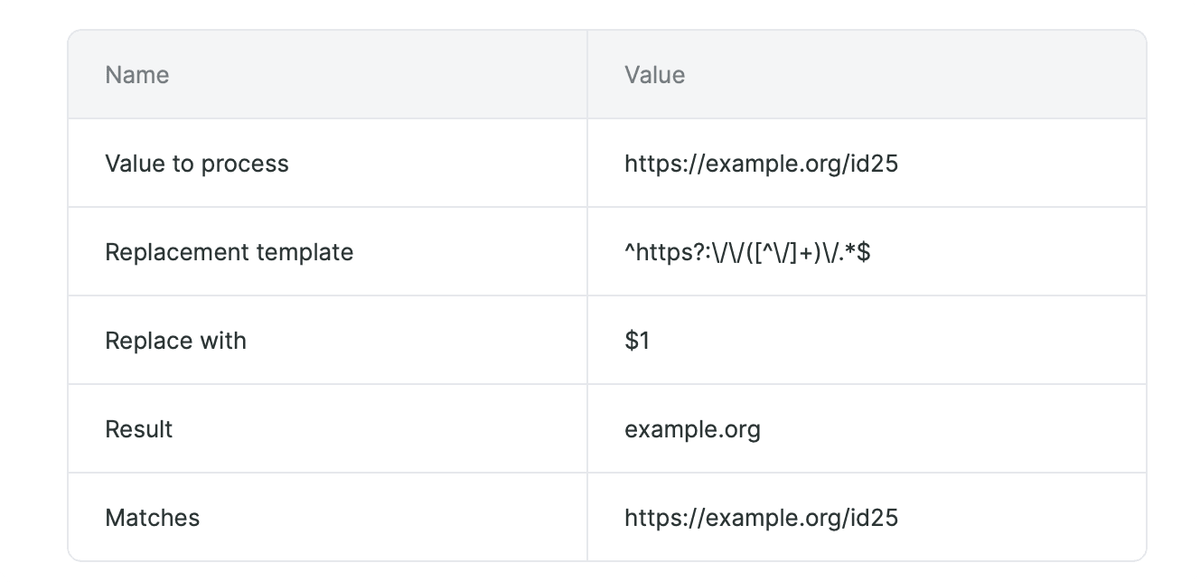
Use this pattern when a step returns a full URL and the next step needs only the domain.
- Replacement template:
^https?:\/\/([^\/]+)\/.*$ - Replace with:
$1 - Result:
https://example.org/id25becomesexample.org.
4. Convert Date Format From DD.MM.YYYY to YYYY_MM_DD
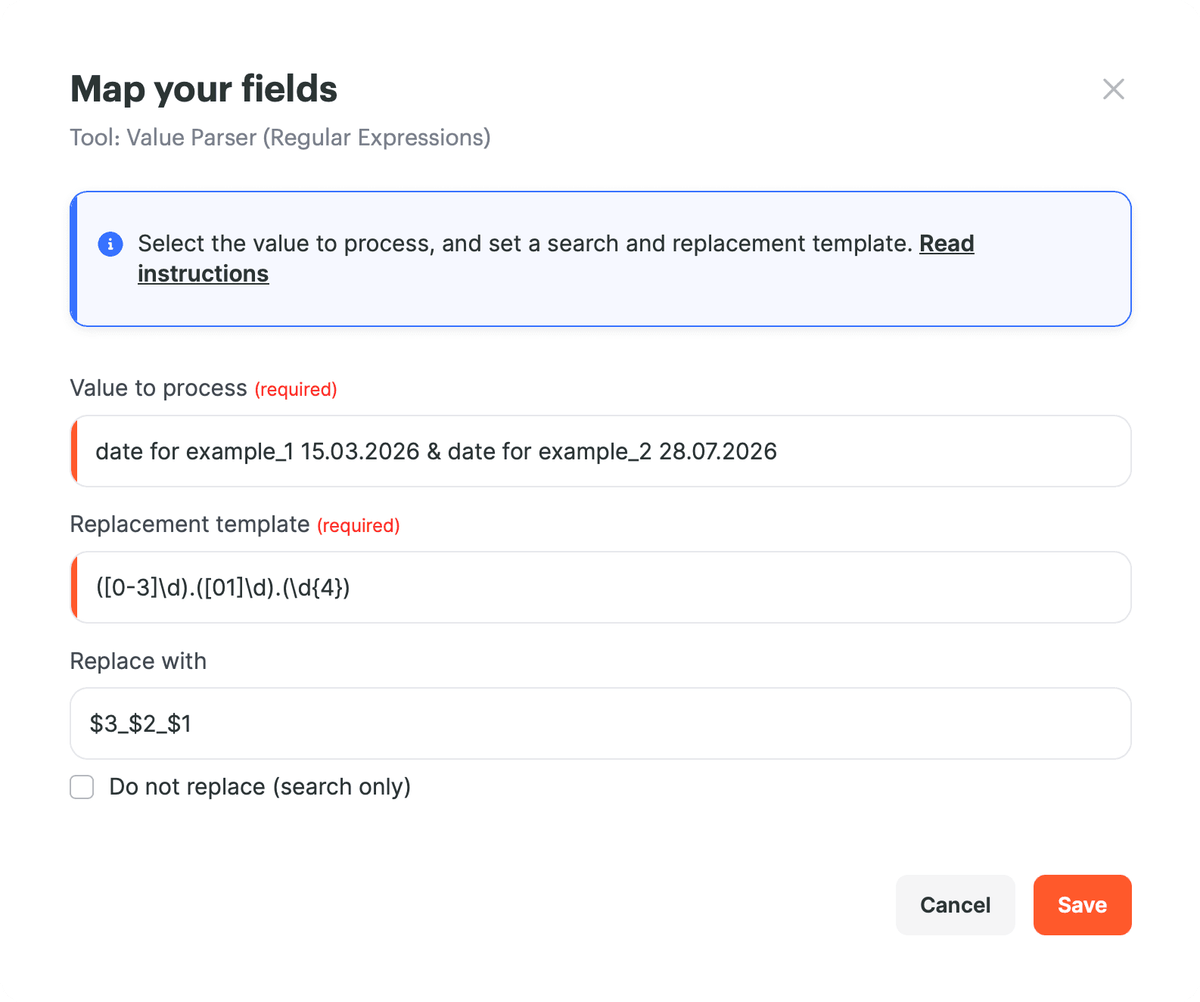
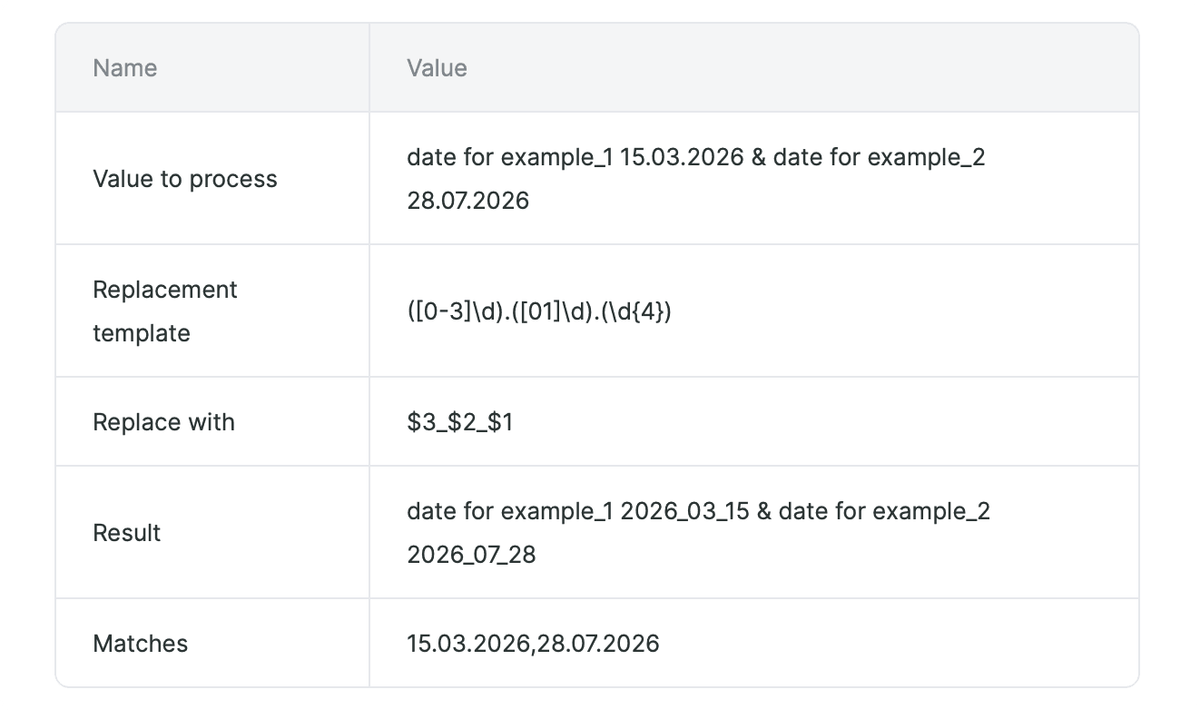
Use this pattern when a date arrives as DD.MM.YYYY and the next step needs YYYY_MM_DD.
- Replacement template:
([0-3]\d)\.([01]\d)\.(\d{4}) - Replace with:
$3_$2_$1 - Result:
15.03.2026becomes2026_03_15.
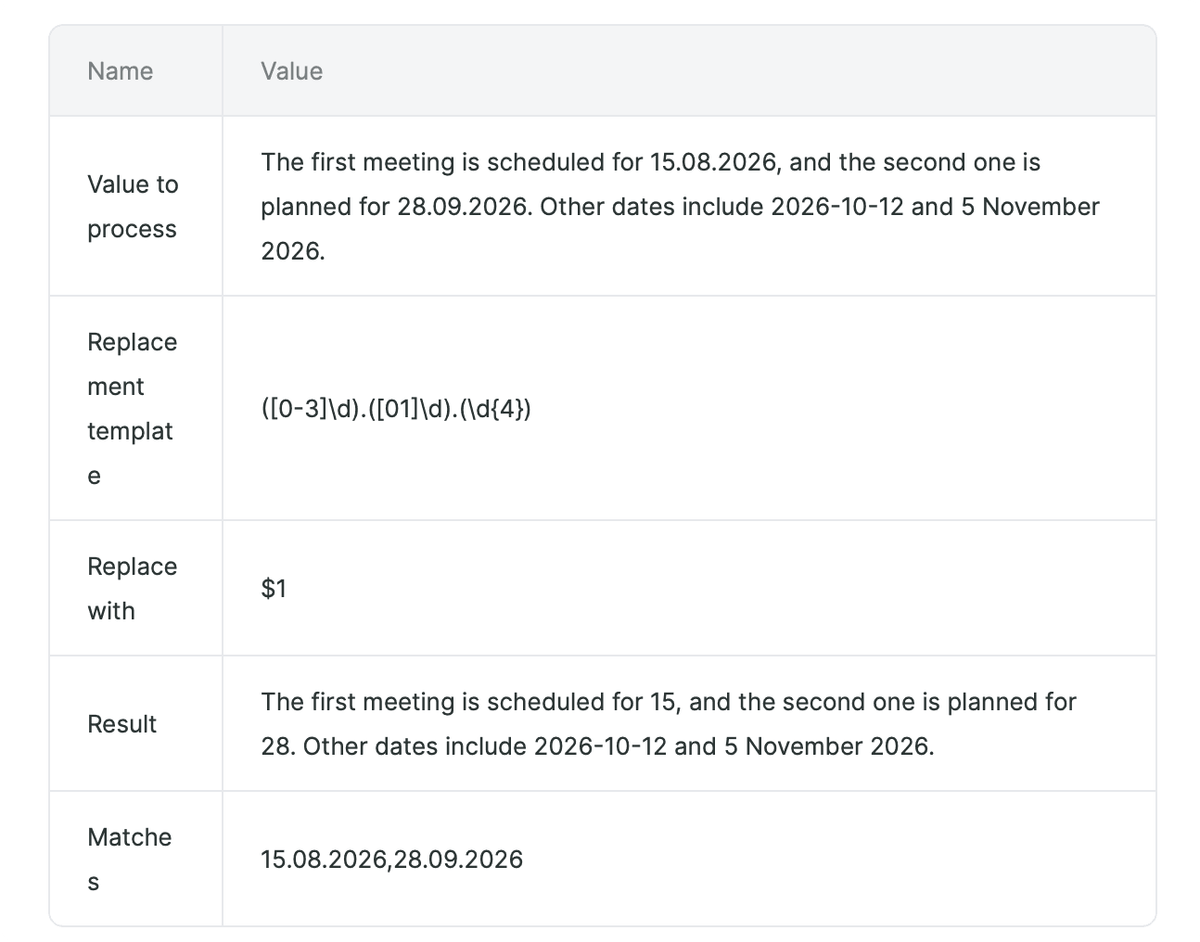
If you only need to extract the day from a date in the DD.MM.YYYY format, use the same search pattern and keep only the first group.
- Replacement template:
([0-3]\d)\.([01]\d)\.(\d{4}) - Replace with:
$1 - Result: Albato keeps the day value from each matching date.
5. Search by Character Range
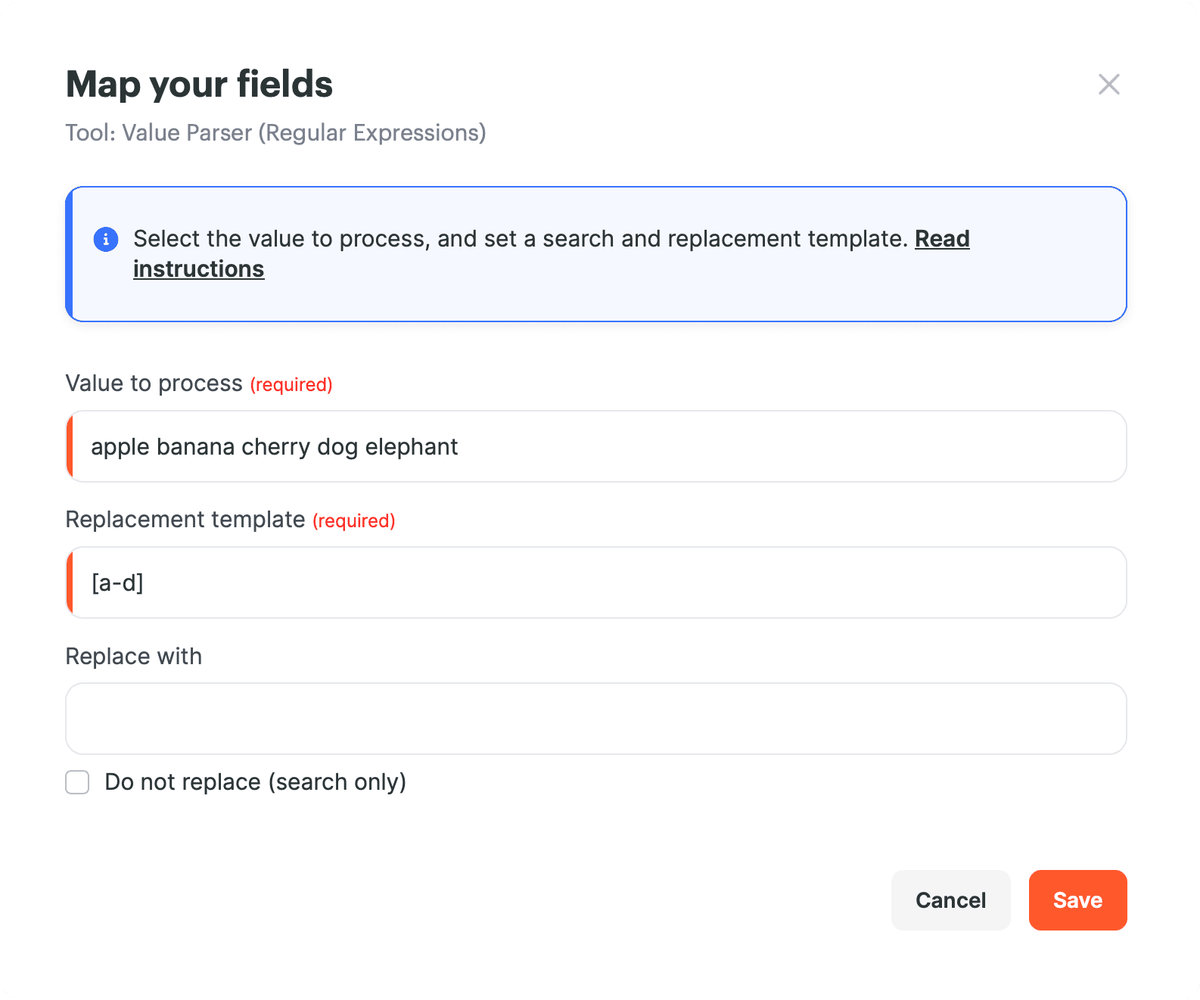
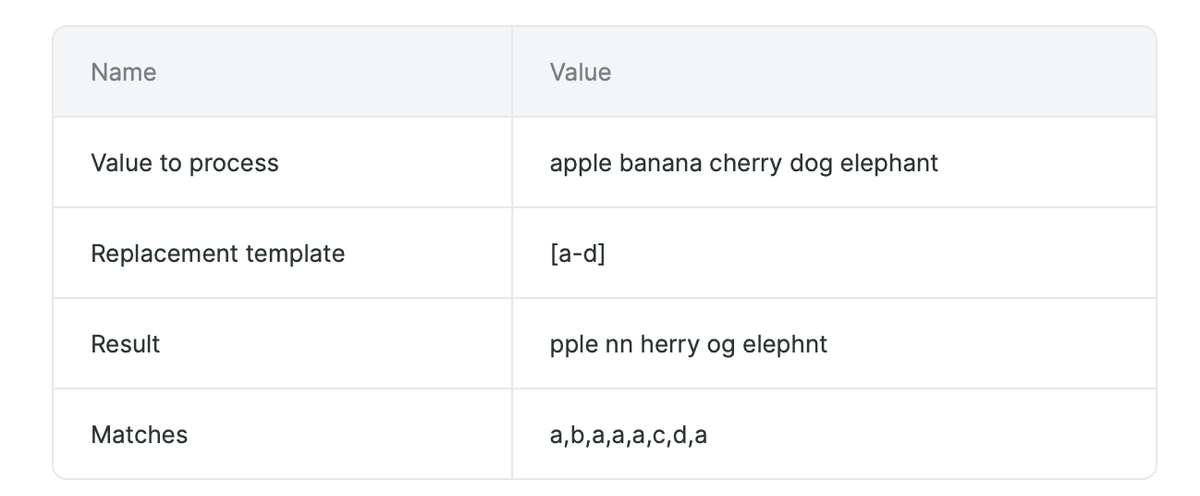
Use ranges when you need to find one character from a specific group.
- Replacement template:
[a-d] - Result: Albato shows matching lowercase letters from a to d in the Matches row. If Replace with is empty, these letters are removed from the result.
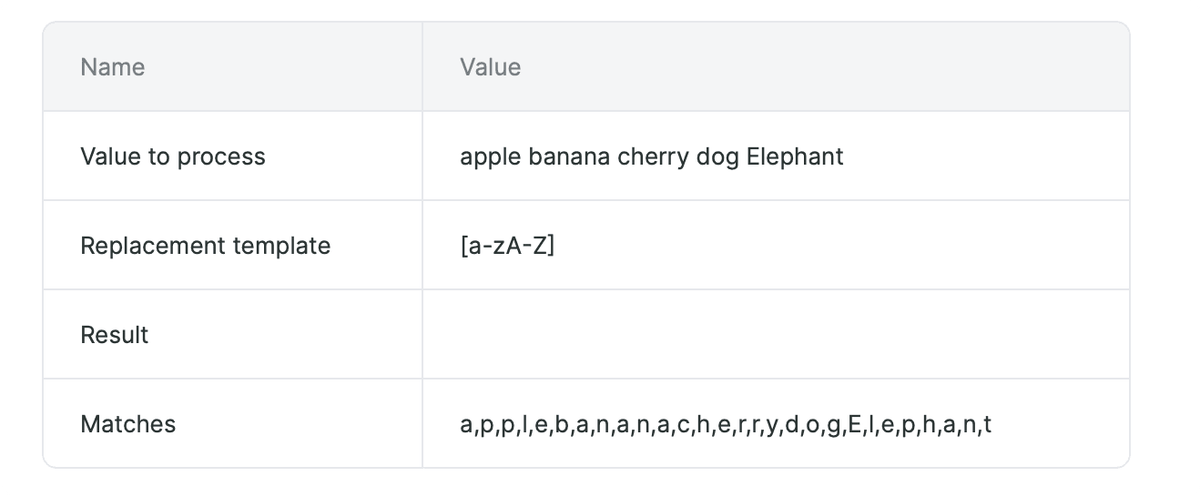
- Replacement template:
[a-zA-Z] - Result: Albato shows every matching English letter in the Matches row.
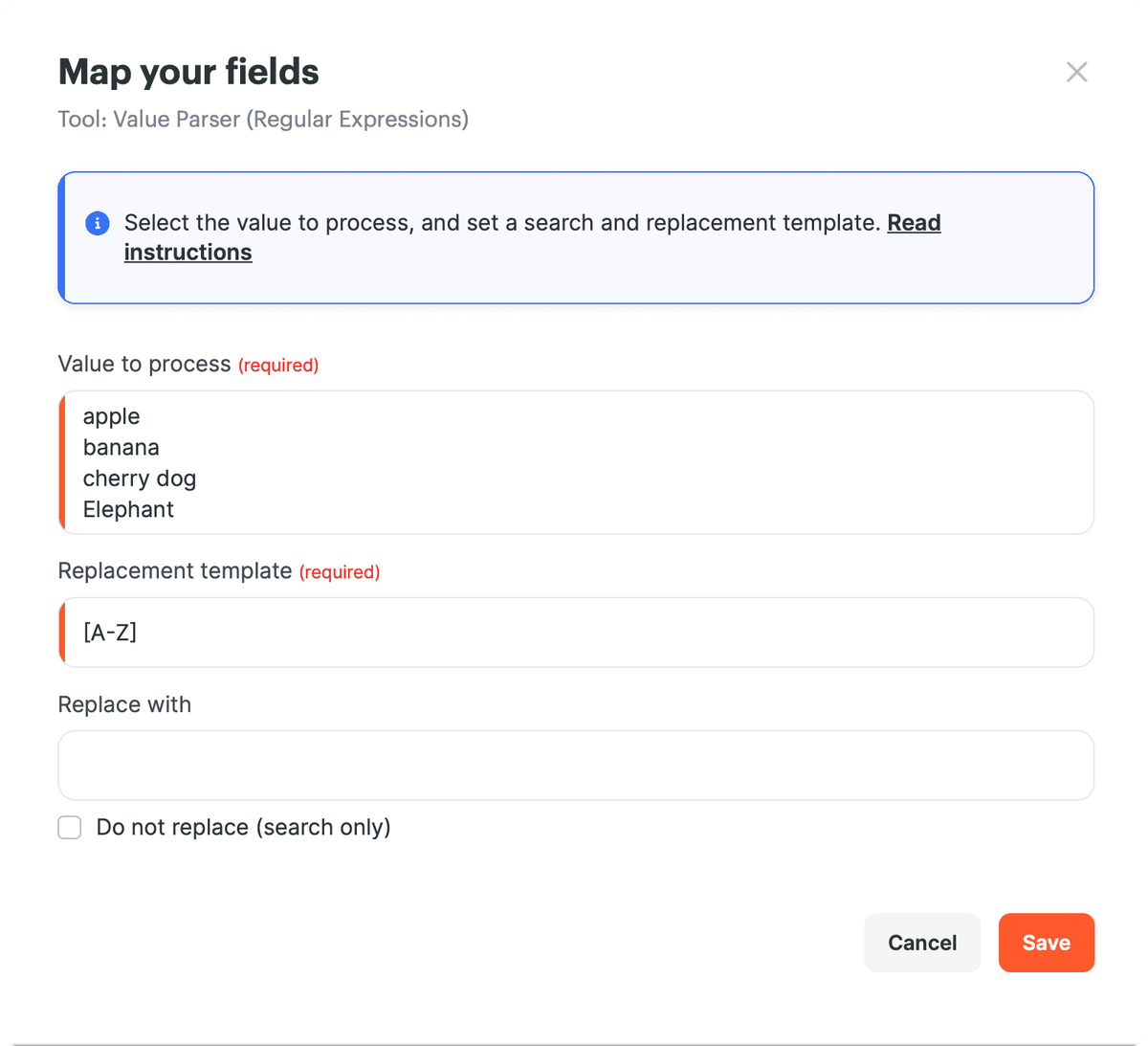
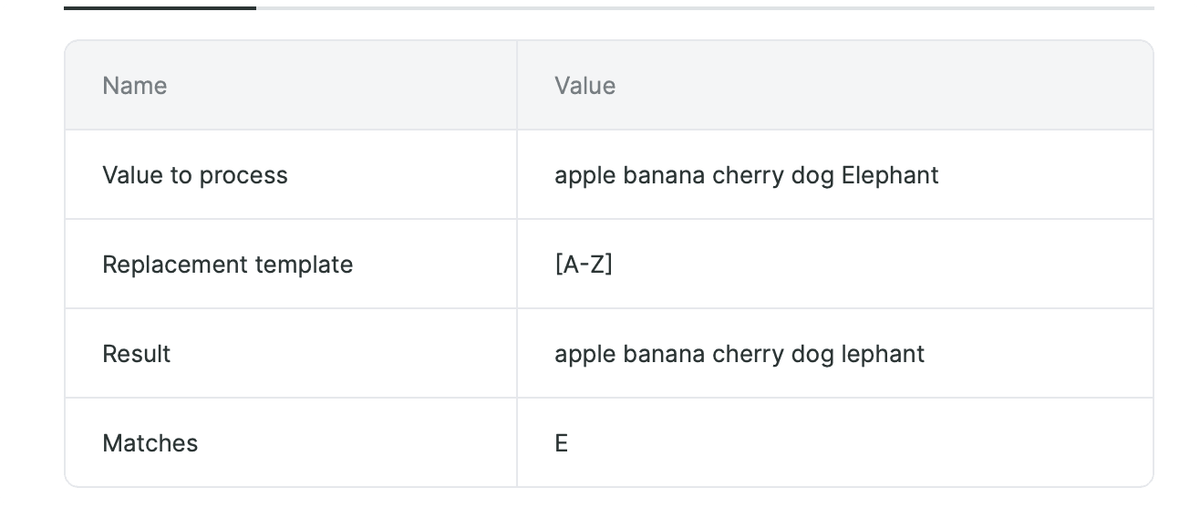
- Replacement template:
[A-Z] - Result: Albato shows the uppercase English letter in the Matches row. In the example, the matching value is
E.
6. Remove Extra Spaces
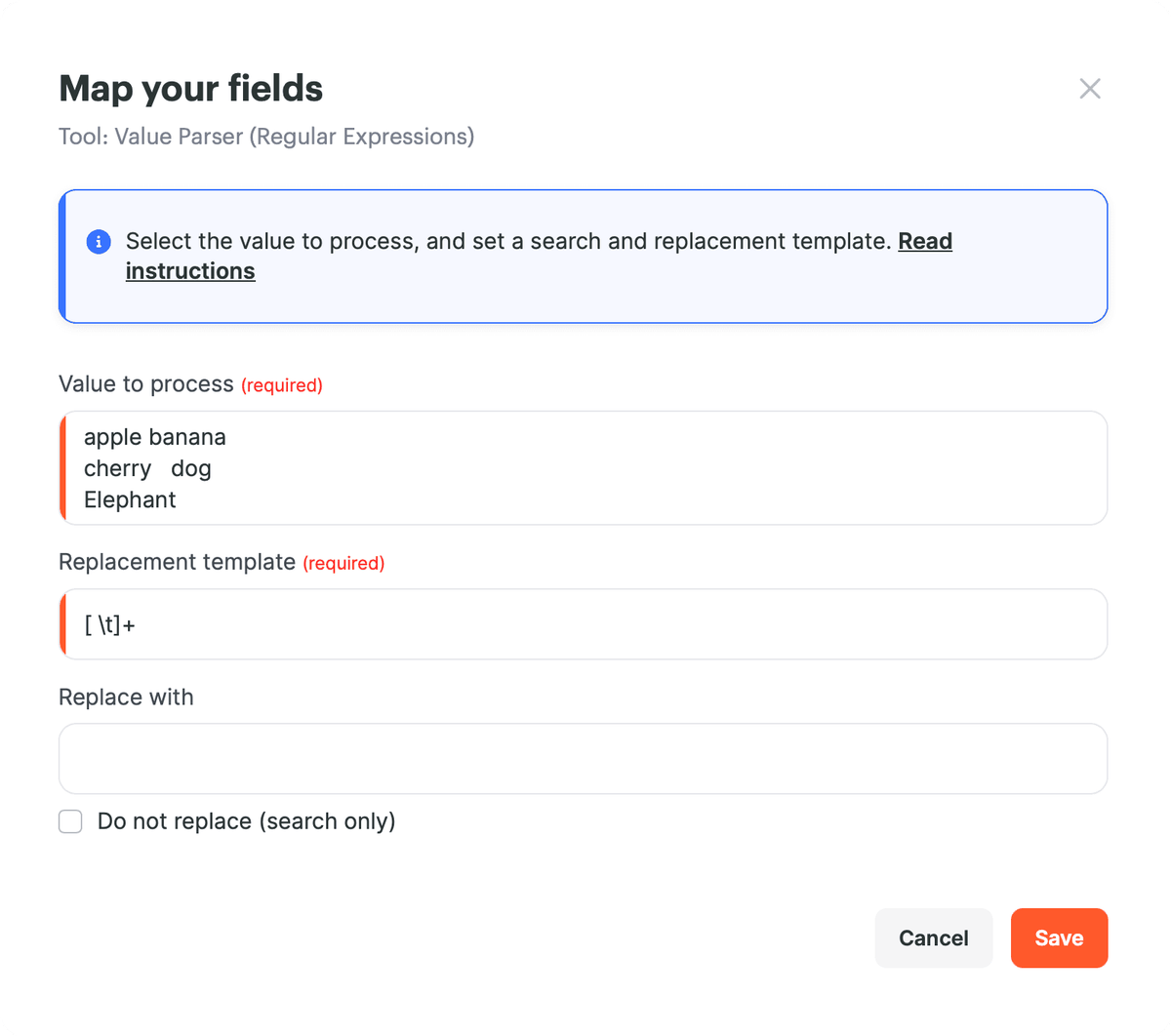
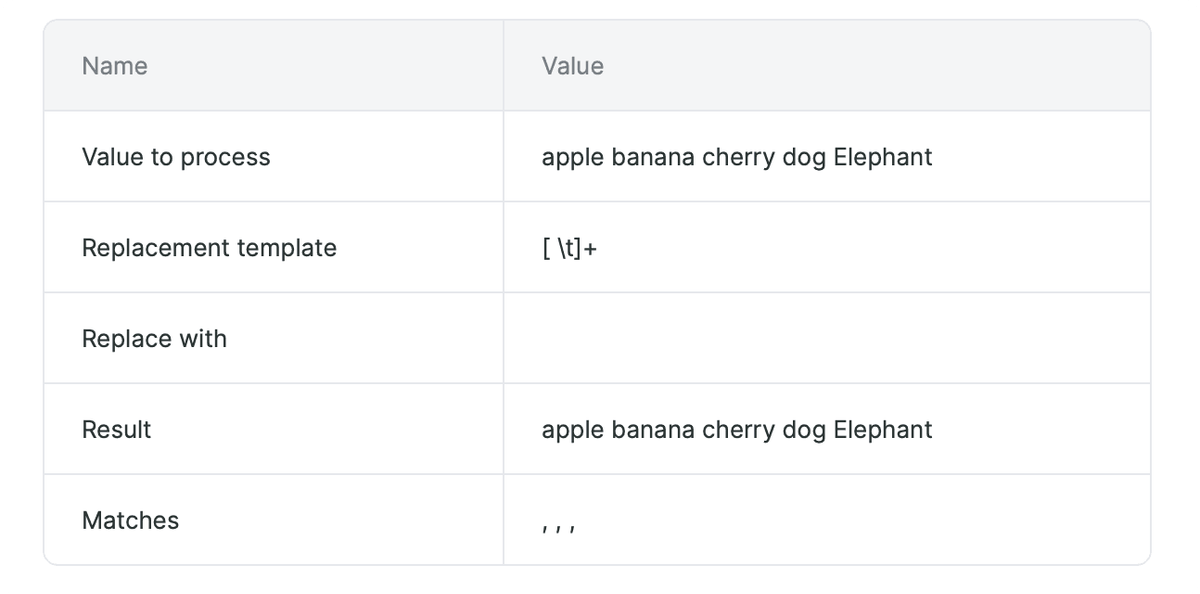
Use this pattern when a value contains extra spaces or tab characters.
- Replacement template:
[ \t]+ - Replace with:
$1 - Result: Albato removes extra spaces and tabs from the value.
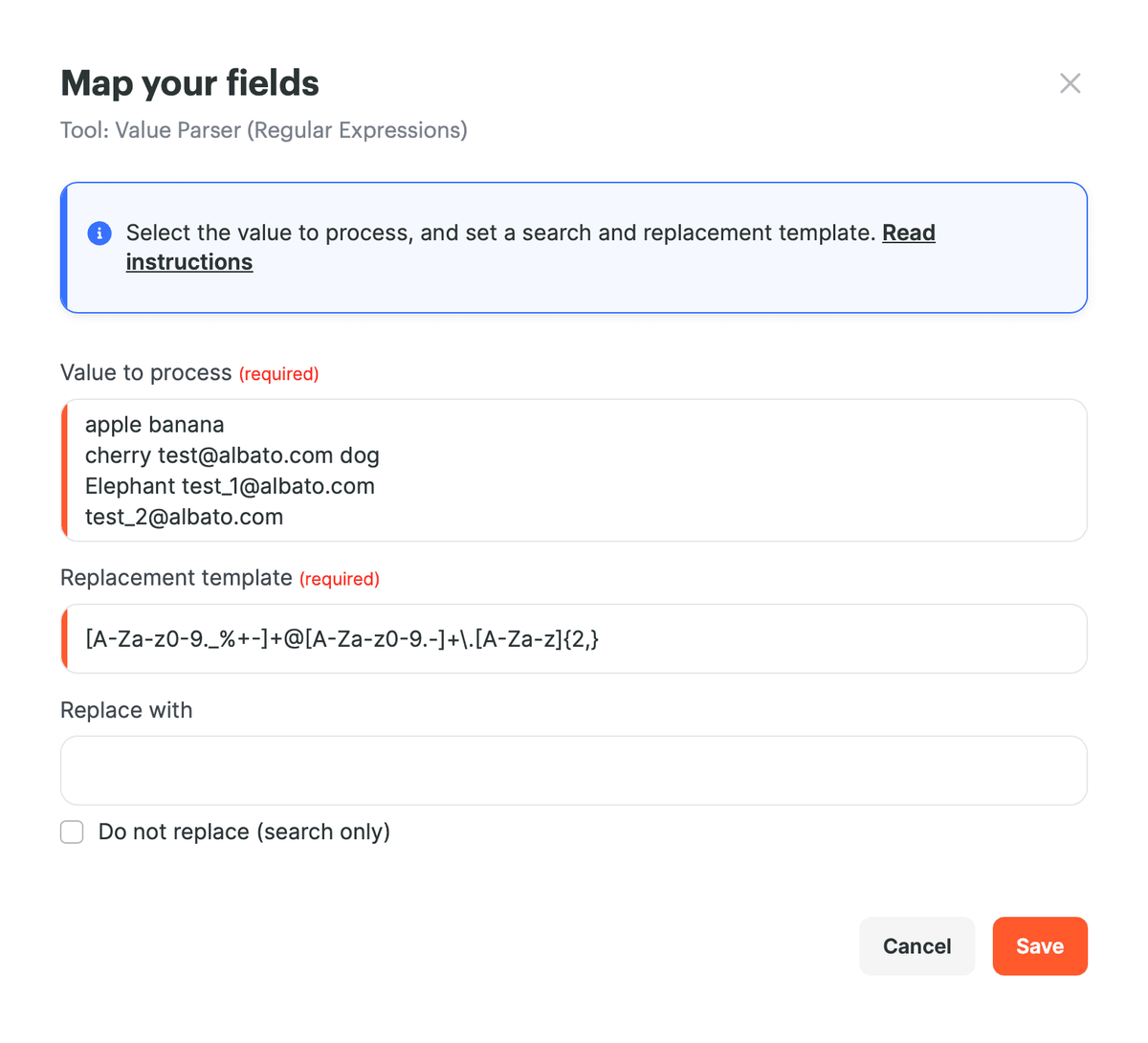
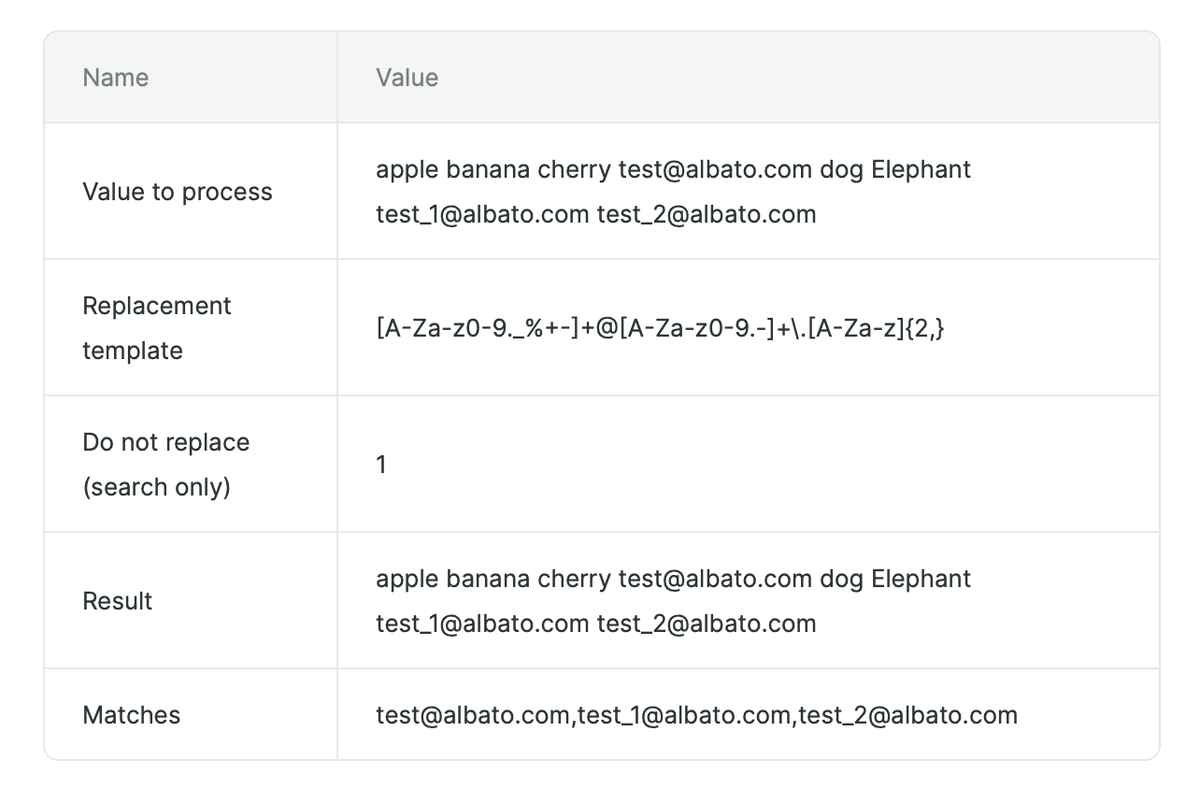
7. Extract Email Addresses
Use this pattern when a field contains several email addresses and you need to extract them.
- Replacement template:
[A-Za-z0-9._%+-]+@[A-Za-z0-9.-]+\.[A-Za-z]{2,} - Mode: enable Do not replace (search only) if you only need to find matching emails.
- Result: Albato returns matching email addresses from the source text.
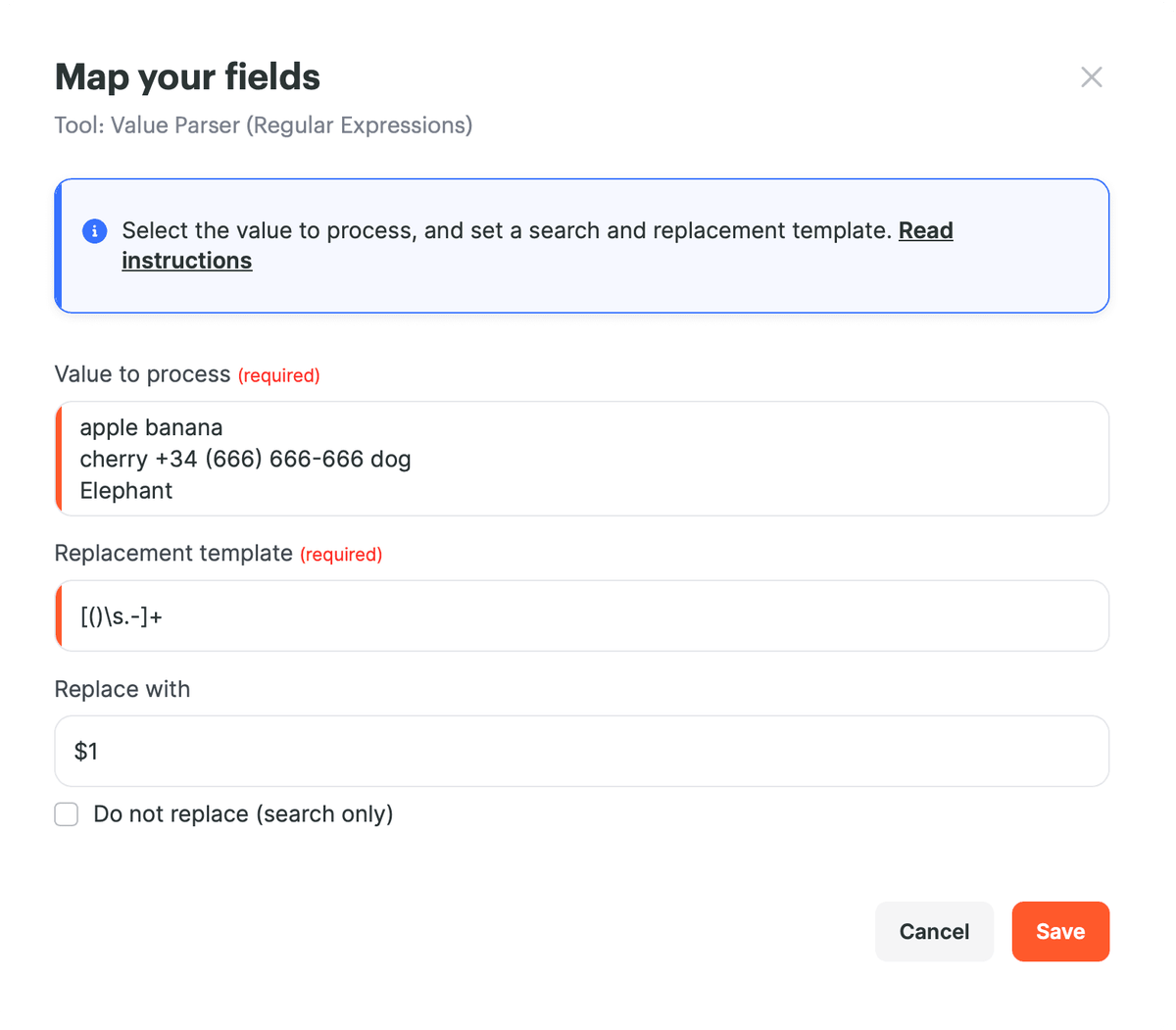
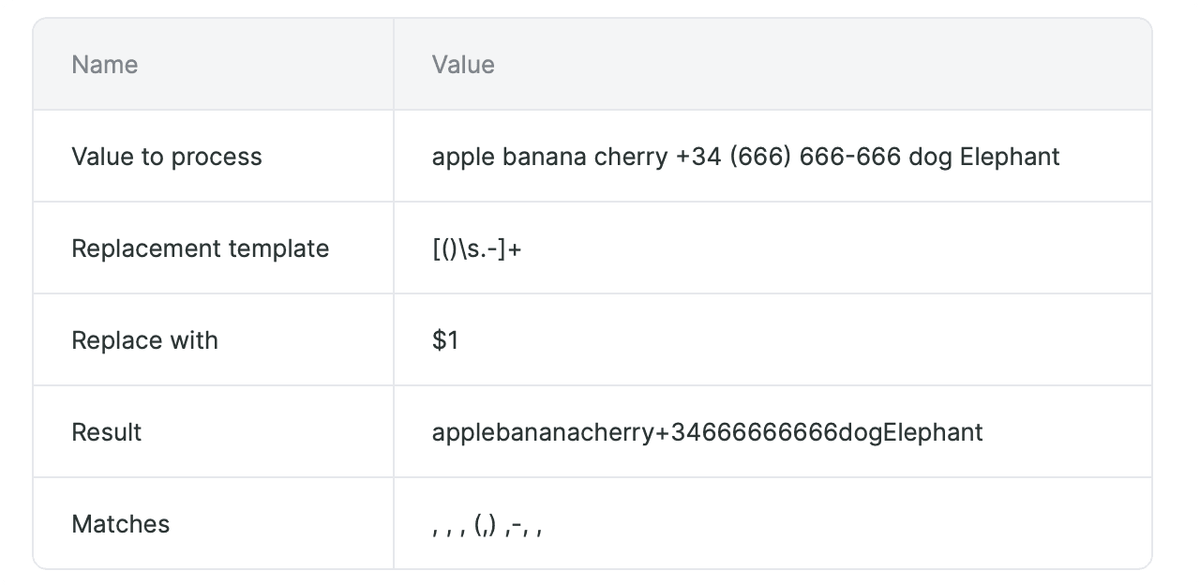
8. Remove Phone Number Separators
Use this pattern when a phone number contains brackets, spaces, dots, or hyphens and the next step needs only digits and the country code.
- Replacement template:
[()\s.-]+ - Replace with:
$1 - Result:
+34 (666) 666-666becomes+34666666666.
Now you can use Value Parser to clean, replace, and extract text values before passing them to the next steps in your automation. If you have any questions, reach out to the support team via the chat.
Did this answer your question?