

How to Connect Membrain CRM to Albato
IN THIS ARTICLE
Membrain CRM is a sales platform taht helps teams manage deals, pipelines, and sales processes. Connect Membrain CRM with Albato to integrate it with and 1000+ other apps, including AI tools like Grok and Claude. Follow the steps below to set it up.
Step-by-step instructions
- Log in to your Albato account.

- Go to the Apps section and click Add a connection.

- Search for Membrain CRM and select it.

-
Click Add a connection again.
-
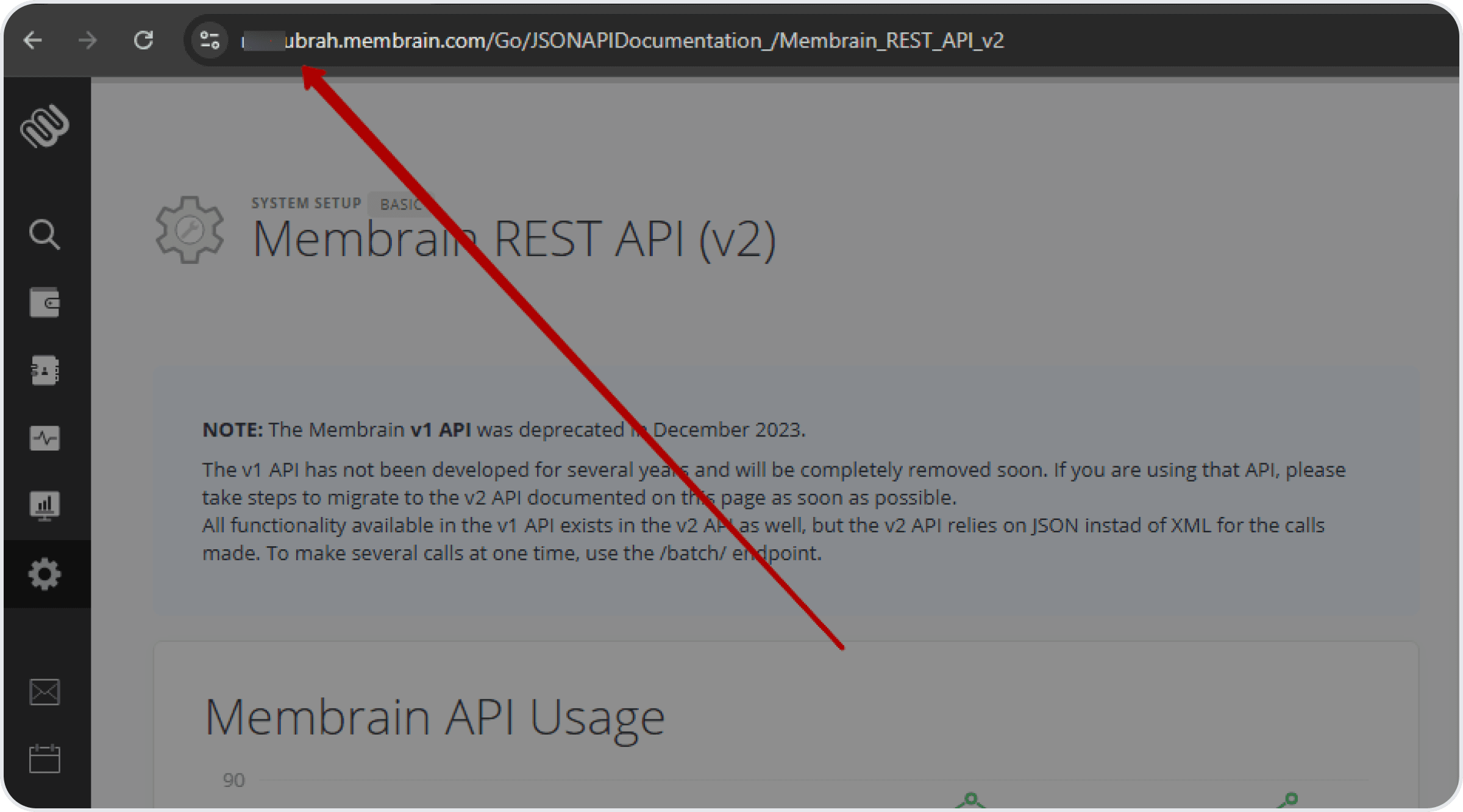
To connect, you will also need the domain of your Membrain CRM account. Copy it from your browser’s address bar.
- Then, go to your Membrain CRM account and click on Settings.

- Open Membrain APIBasic….

- Click on Create API Key.

- Enter a name for the key and copy your key.

- Go back to Albato, paste the API Key and enter your Domain.
You can now create automations between Albato and Membrain CRM. If you have any issues, contact support via the live chat on our website.
About Membrain CRM
Membrain CRM helps sales teams work within a structured sales process.
With it, you can:
- Manage complex B2B sales pipelines.
- Guide sales teams with defined sales methodologies.
- Track deals, activities, and performance.
- Improve forecast accuracy and sales discipline.
Did this answer your question?